





How to set up Carrd analytics, session replay, and more

Contents
Carrd is a popular simple site builder. It makes building one page websites like profiles, portfolios, and landing pages a breeze.
PostHog enables you to track and analyze these sites by capturing analytics data like pageviews, button clicks, and other user behavior. This requires both a Carrd site and their pro plan (for embeds) as well as a PostHog instance (you can signup and use it for free).
How to add PostHog to your Carrd site
Once your Carrd site is set up, go to PostHog and copy your web snippet from your project settings. It looks like this:
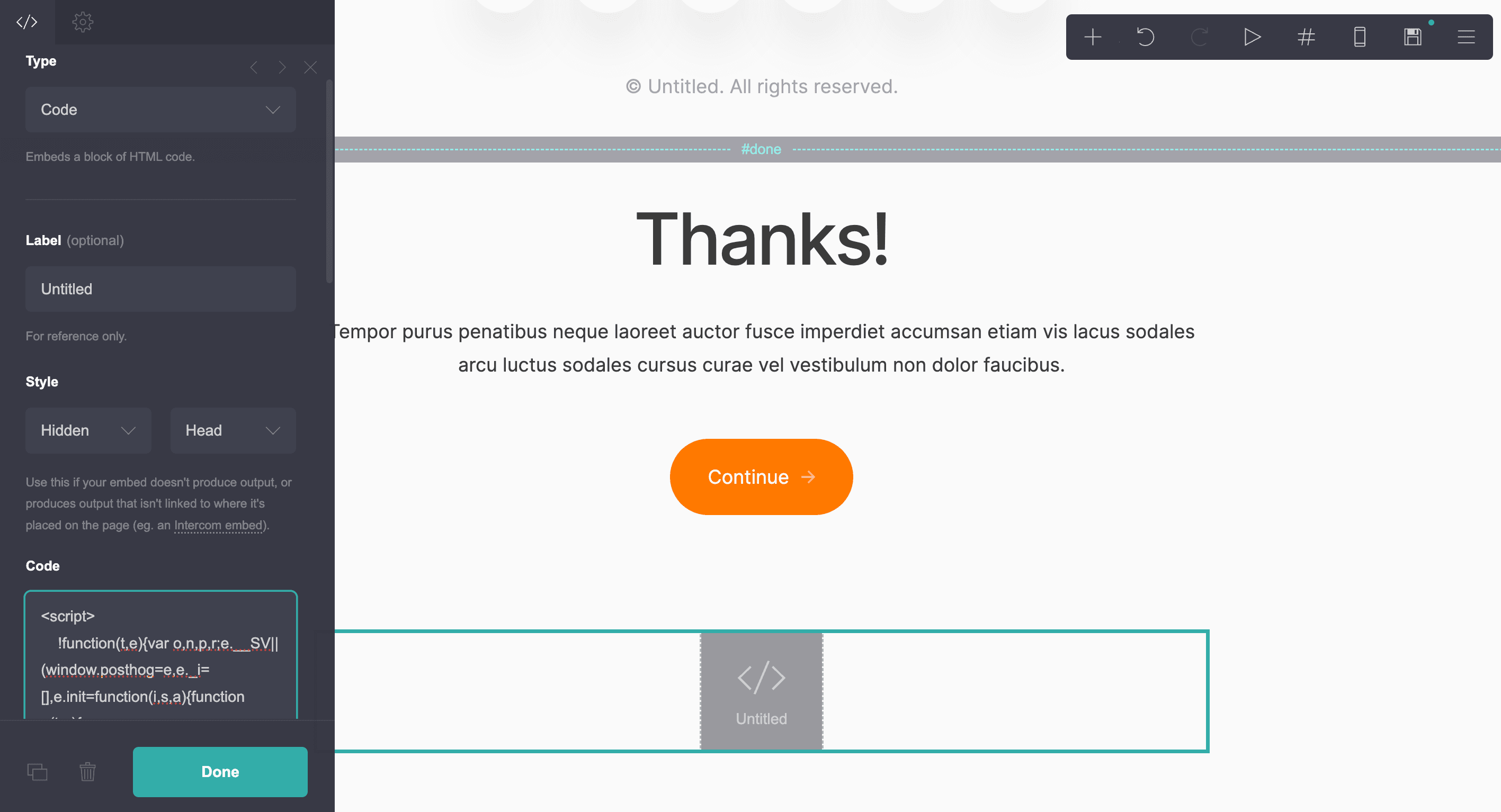
In your Carrd site, go to your site editor, click the + in the top right toolbar, and select Embed. In the options sidepanel:
- For Type, choose Code
- For Style, choose Hidden and Head
- In Code, paste your PostHog web snippet from above
- Click Done
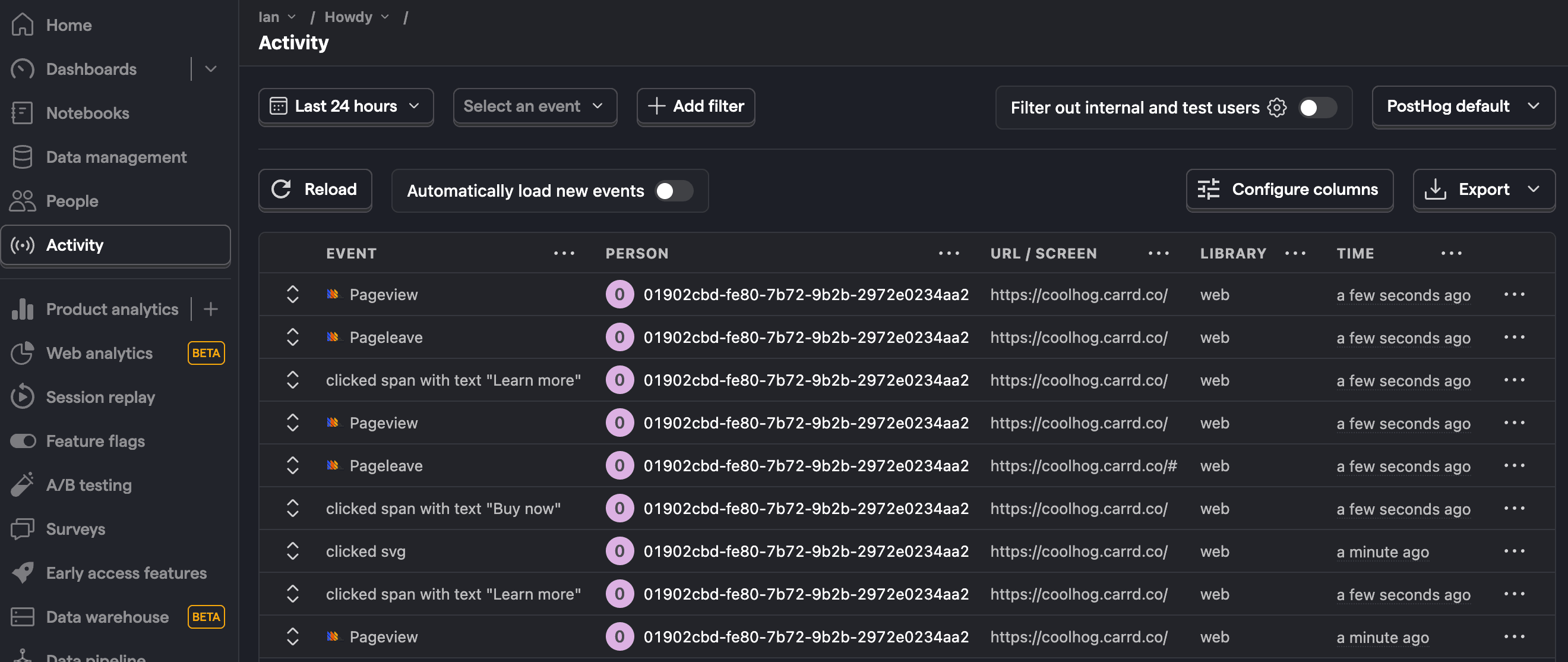
Click the save icon and publish the site. Now, when you go to your published site and click around, you will see pageviews, clicks, and more autocaptured in PostHog's activity tab. If you enabled session replay and heatmaps in your project settings, these are also captured.
Further reading
- What to do after installing PostHog in 5 steps
- How to track performance marketing in PostHog
- How to do cookieless tracking with PostHog

Subscribe to our newsletter
build mode
Read by 75,000+ founders and builders
We'll share your email with Substack
PostHog is your product's context layer. With a full suite of developer tools – AI observability, product analytics, session replay, feature flags, experiments, error tracking, logs, and more – PostHog ingests and stores all the data agents need to diagnose problems, uncover opportunities, and ship fixes. A data warehouse and CDP tie it all together, unifying that context into one source agents can read across. You can steer it all from Slack, the web app, the desktop (PostHog Desktop), or your own editor via the MCP.