







The best feature flag software for developers, compared

Contents
There's "ready" and then there's "ready for everyone"; if you've ever scrambled to revert a deploy, you know the difference.
Maybe an edge case breaks on mobile, maybe the feature tanks conversion for a segment you didn't test, or maybe your new onboarding flow confuses more people than it helps.
This is where feature flags come in: you ship the code when it's ready, and you control who sees it separately.
This guide compares the best feature flag tools for developers – what they do well, where they fall short, and which one fits your workflow best.
Which feature flag tool is best? The short version
If you want flags that come with the analytics, replays, and errors needed to judge a rollout, PostHog is the only tool here that bundles all of it on one usage-based bill.
LaunchDarkly is the enterprise standard and now includes observability too, at a price that scales with users.
GrowthBook and Unleash are the open-source picks: GrowthBook if you want experimentation on your warehouse, Unleash if you want plain flags you fully control.
Flagsmith is the flexible-deployment option, Statsig gives you unlimited flag checks and a serious stats engine (now under Amplitude), and DevCycle is the lightweight developer-workflow choice (now under Dynatrace).
| Tool | Free tier | Paid pricing | Open source | Experimentation built in |
|---|---|---|---|---|
| PostHog | 1M flag requests a month, unlimited seats | Per request, no seats | Yes (MIT, open core) | Yes, with analytics, replay, and error tracking |
| LaunchDarkly | 1k client MAU, unlimited seats and flags | Per client MAU and service connection | No | Yes |
| GrowthBook | Cloud: 3 users; self-hosted: unlimited | $40 per seat | Yes (MIT, open core) | Yes, warehouse-native |
| Unleash | Self-hosted: unlimited, 2 environments | $75 per seat | Yes (Apache-2.0) | No |
| Flagsmith | 50k requests, 1 seat | From $40 a month | Yes (BSD-3) | Basic A/B tests |
| Statsig | 2M events, unlimited flag checks | $150 a month, then per event | No | Yes |
| DevCycle | 1k client MAU, unlimited seats | $500 a month for 100k MAU | No | Yes |
What features do you need in your feature flag tool?
At its core, a feature flag tool lets you toggle features on or off for specific users, groups, or percentages of traffic without redeploying code. But the best tools are a lot more than flip switches.
Most solid feature flag tools include:
- Boolean and multivariate flag types
- Percentage-based and targeted rollouts
- Environment management (dev, staging, production)
- SDKs for major languages and frameworks
- A dashboard for everyone to manage flags
Developer-focused tools often go further with:
- Local evaluation so flag checks don't add latency or depend on network calls
- Built-in experimentation to measure the impact of a flag, not just toggle it
- Analytics integration so you can trace a conversion drop back to a specific flag variant
- Stale flag detection to prevent feature flags from becoming permanent technical debt
- Audit logs and approval workflows for governance in larger teams
- OpenFeature support so you're not locked to one vendor's SDK
- Agent access through an MCP server or CLI, so the coding agent that wrote the feature can also flag it
What's the best feature flag tool for developers?
1. PostHog
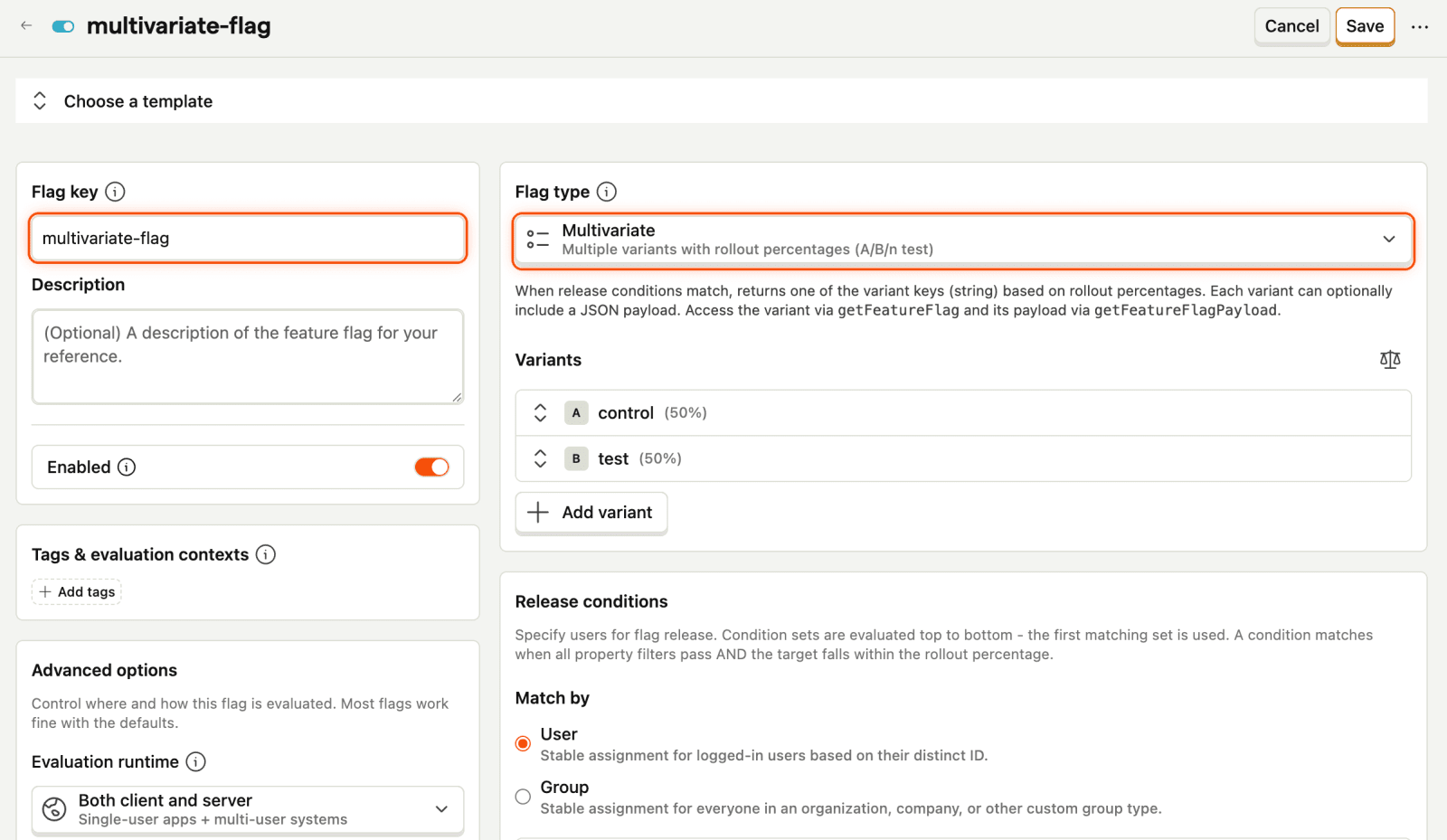
PostHog is your product's context layer, and feature flags are one of the things writing to it. They're woven into a broader workflow that includes product analytics, session replay, experiments, error tracking, AI observability, logs, and more, all tied to the same users, so every error and replay already knows which flag variant the user was in.
This means you can roll out a feature to 10% of users, watch session replays of those users, check whether the flag variant increased conversion, catch any errors it triggered, and get feedback about their experience – all without leaving the platform. It also powers PostHog's experimentation features, so you can easily go from "ship it behind a flag" to "measure its impact with statistical significance".
Your agents get the same access: the free MCP server can create, update, and schedule flags, PostHog AI can tell you which ones have gone stale, and there are OpenFeature providers if you'd rather not couple your code to any vendor's SDK.
Key features
Flag types: Boolean and multivariate flags, JSON payloads for remote config, percentage rollouts, and user, group, and cohort targeting.
Lifecycle: Scheduled changes, early access opt-ins, approvals on Scale, and stale flag detection for flags unused or fully rolled out for 30 days.
Experiments: Any flag becomes an A/B test with Bayesian or frequentist stats, holdouts, and primary and secondary metrics.
Context: Every replay, error, event, and LLM trace carries the flag variant the user saw.
How much does PostHog cost?
The first 1 million flag requests a month are free, then $0.0001 per request, falling with volume; there are no seat charges, and local evaluation only bills for the periodic poll of flag definitions.
You can set billing caps to prevent surprise charges, and eligible startups get $50k in free credits through the PostHog for Startups program.
How good are PostHog feature flags for developers?
- SDKs and evaluation: iOS, Android, React Native, Flutter, Kotlin Multiplatform, Unity, and the major server languages, with local evaluation for server-side checks and bootstrapping for first-paint flags on the web.
- Standards: Official OpenFeature providers for web, Node, and Python.
- Agents: The free MCP server can create, update, delete, and schedule flags; PostHog AI creates flags from a sentence and finds stale ones; a CLI and VS Code extension cover the terminal and editor.
- Environments: Projects with flag syncing rather than first-class environments.
Developers who want feature flags as part of a complete build-measure-learn workflow, startups that want to replace multiple tools with one platform, and teams whose agents ship code and need to flag it too.


Add feature flags with one command
The wizard sets up example feature flags in your codebase, ready to roll out.

2. LaunchDarkly
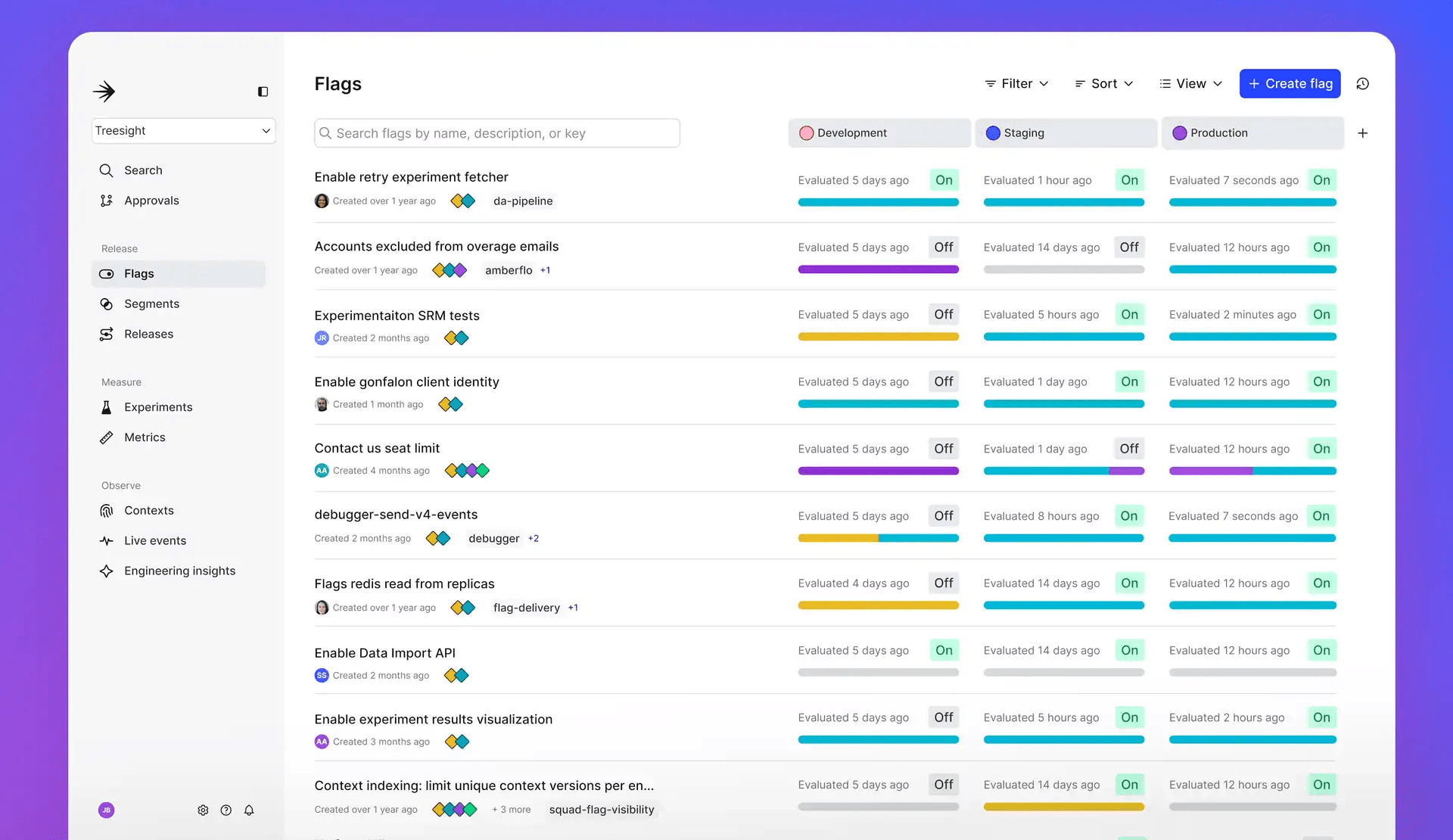
LaunchDarkly is the most established feature flag platform and the go-to choice for many organizations. It was built specifically for feature management at scale, and it shows in the depth of its targeting rules, governance features, and SDK support.
LaunchDarkly has also grown well beyond flags: experimentation, release monitoring, runtime control for AI features, and, since acquiring Highlight in 2025, session replay, errors, logs, and traces. What it still doesn't have is product analytics, so funnels, retention, and paths need another tool. The other trade-off is cost once you're past the free plan, since paid pricing scales with your client-side users.
Key features
- Targeting and governance: Multi-dimensional targeting, segments, approval workflows, and audit logs (approvals and audit on Enterprise).
- Release safety: Guarded rollouts that pause or roll back on metric regressions; the full Guardian package is an Enterprise add-on.
- Experimentation: On every plan, with usage-based experimentation MAU.
- Observability: Session replay, errors, logs, and traces included since the Highlight acquisition.
- AgentControl: Runtime control of prompts, models, and agents, with online and offline evals.
How much does LaunchDarkly cost?
The Developer plan is free forever: unlimited seats and flags, 1,000 client-side MAU a month, 5 service connections, 5,000 replays and errors, and 5,000 AI runs. Foundation is pay-as-you-go with no platform fee, at $10 per service connection and roughly $8–10 per 1,000 client-side MAU a month. Enterprise is custom and is where approvals, audit logs, scheduling, and Guardian live.
How good are LaunchDarkly feature flags for developers?
- SDKs and evaluation: Multiple native SDKs across client, server, edge, and AI, with streaming updates by default and local evaluation on server SDKs.
- Standards: Official OpenFeature providers.
- Environments: First-class projects and environments on every plan (Developer gets one project with three environments).
- Agents: AgentControl is about controlling your agents in production rather than letting them manage flags.
Large engineering teams that need enterprise-grade feature management with deep governance, compliance, and the broadest possible SDK support.
Switching from another flag tool? Migrate in one command
The wizard moves your existing flags and analytics into PostHog for you.
3. GrowthBook
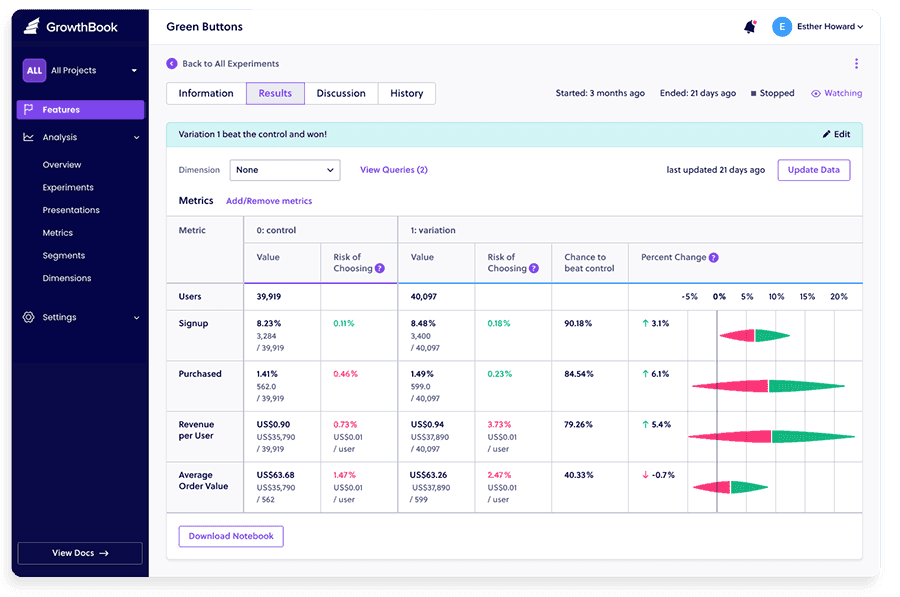
GrowthBook is an open-source platform built around the idea that every feature release should be measurable. It combines feature flags with a powerful experimentation engine that connects directly to your data warehouse, making it a strong pick for data-savvy teams.
Any flag can become an A/B test analyzed on your own warehouse data, without exporting anything or wiring up a separate tool, and in the last year it has added product analytics and agent support on top.
Key features
- Flags: Targeting rules, percentage rollouts, prerequisite flags, JSON payloads, and safe rollouts on Pro.
- Experimentation: Warehouse-native: metrics defined in SQL, Bayesian and frequentist engines, with CUPED, sequential testing, and bandits on Pro.
- Product analytics: Dashboards and SQL exploration over the same warehouse data, added in late 2025.
- Governance: Basic roles on Pro; approvals, SSO, SCIM, custom environments, and audit export on Enterprise.
How much does GrowthBook cost?
GrowthBook is free to self-host with no limits on users, flags, or traffic. The cloud Starter plan is free for up to 3 users; Pro is $40 per seat a month and adds CUPED, sequential testing, multi-armed bandits, safe rollouts, and basic roles; Enterprise adds approvals, SSO and SCIM, custom environments, and audit log export.
How good are GrowthBook feature flags for developers?
- SDKs and evaluation: Lightweight SDKs for the major languages with local evaluation and edge remote evaluation.
- Standards: Official OpenFeature provider.
- Agents: GrowthBook 5.0 ships open-source agent skills and an in-app AI assistant, plus an AI visual editor for web experiments.
- Data: Your warehouse is the source of truth; nothing leaves it for analysis.
Data teams and engineers who want experimentation built into their feature release workflow, with full control over their data.
4. Unleash
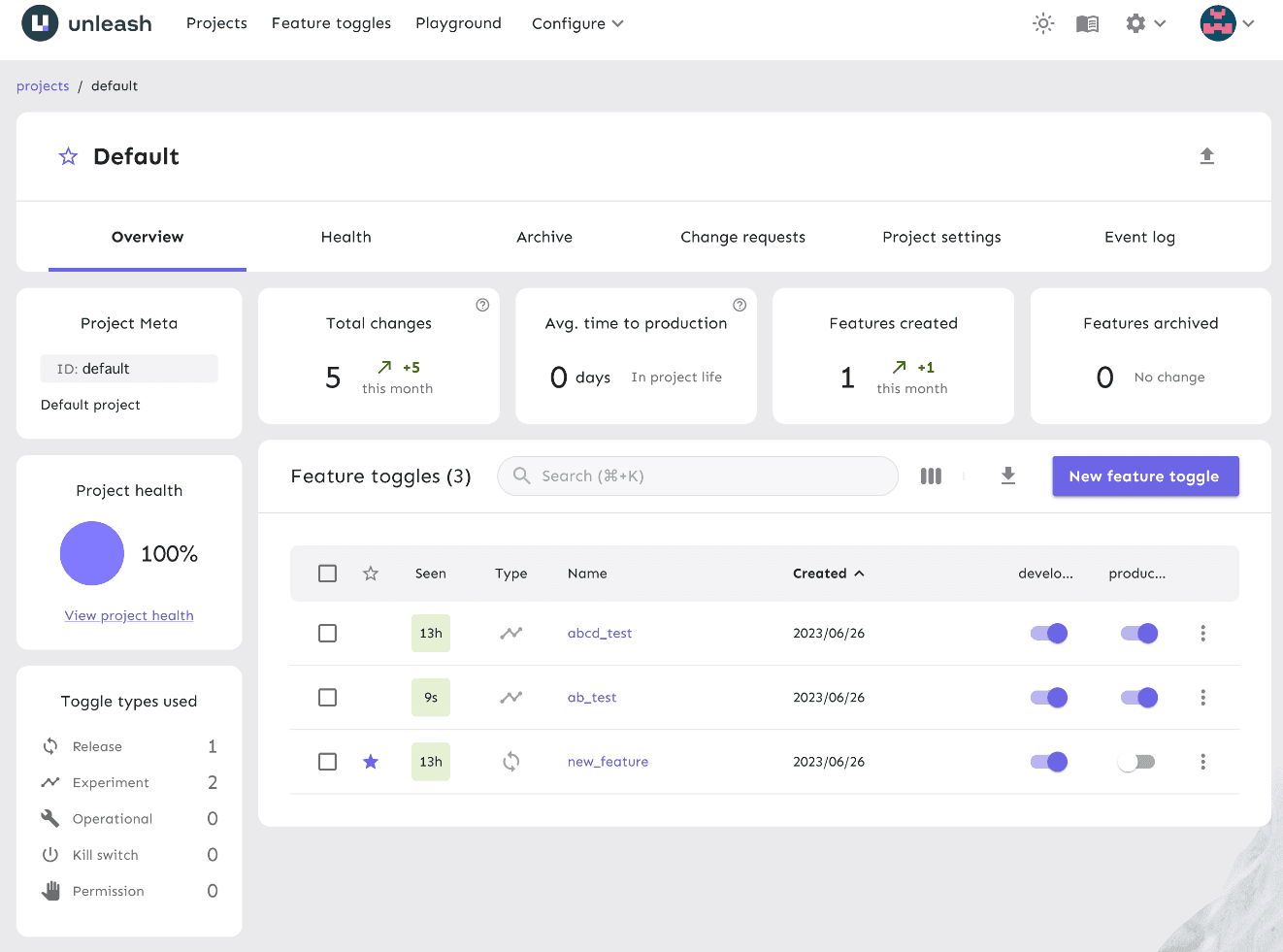
Unleash is an open-source feature flag platform designed for teams that need full control over their infrastructure. It's used in production by large orgs, including Visa, where data sovereignty and compliance aren't optional.
It focuses on doing feature flags well without trying to be an analytics or experimentation platform. The open-source edition is a real product rather than a trial, and teams usually move to a paid plan when they need more environments and governance.
Key features
- Flags: Progressive rollouts, kill switches, custom activation strategies, and constraints and segments for targeting.
- Environments: Two environments and one project on open source; unlimited on paid plans.
- Governance: Change requests, custom project roles, SSO, SCIM, and a two-year audit log on paid plans.
- Architecture: Node.js and PostgreSQL, deployable with Docker or Kubernetes; Unleash Edge for low-latency, resilient evaluation at scale.
- Scope: Flags only by design; no analytics or experimentation.
How much does Unleash cost?
Open source is free to self-host. Pay-as-you-go is $75 per seat a month, cloud or self-hosted (five-seat minimum self-hosted), with 53M requests included; Enterprise is custom and adds a hosted private instance, multi-region edge, and access logs.
How good are Unleash feature flags for developers?
- SDKs and evaluation: Official server SDKs (Node, Java, Go, Python, .NET, Ruby, PHP, Rust) and client SDKs (JavaScript, React, Vue, Svelte, Next.js, React Native, Android, iOS, Flutter), with server-side local evaluation.
- Standards: Unleash-maintained OpenFeature providers for Node, PHP, Python, Ruby, Rust, Swift, and Android.
- Data control: Self-host the whole thing; nothing about your users has to leave your infrastructure.
- Agents: No MCP server documented.
Engineering teams in regulated industries that need self-hosted feature flags with enterprise-grade security, audit trails, and full data control.
5. Flagsmith
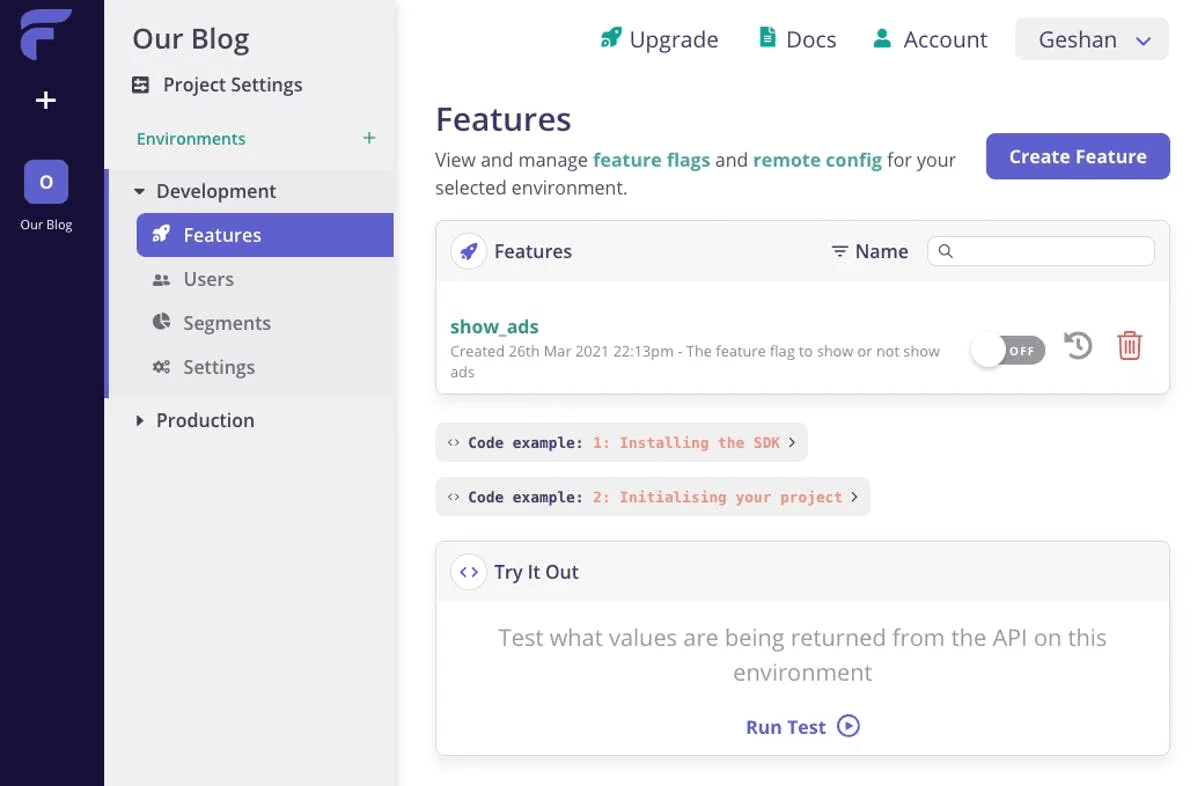
Flagsmith is an open-source feature flag and remote configuration platform that gives teams flexibility in how they deploy. You can run it as SaaS, on a private cloud, or fully on-premises – a rare combination that makes it a strong fit for security-conscious organizations.
It isn't trying to be a product analytics suite: it can split traffic for A/B tests, but for funnels, retention, or replay-led debugging you'll pair it with your existing analytics stack. It's also one of the few tools on this list still independently owned.
Key features
- Flags and config: Boolean and multivariate flags, segments, percentage rollouts, scheduled flags, and remote configuration values alongside each flag.
- Experimentation: A/B and multivariate splits on Start-Up and above, measured in your own analytics tool.
- Deployment: SaaS, private cloud, or fully on-prem including air-gapped, from an open-source (BSD-3) core.
- Governance: SAML, RBAC, change requests, and audit logs on Scale-Up; unlimited audit history and Okta, ADFS, and LDAP on Enterprise.
How good are Flagsmith feature flags for developers?
- SDKs and evaluation: SDKs for the major client and server languages, with local evaluation on server SDKs and an Edge API replicated across eight AWS regions for low-latency delivery.
- Standards: Official OpenFeature provider.
- Environments: First-class projects and environments on every plan.
- Agents: No MCP server documented.
Security-conscious teams that need deployment flexibility and remote configuration, with the option to self-host on their own infrastructure.
6. Statsig
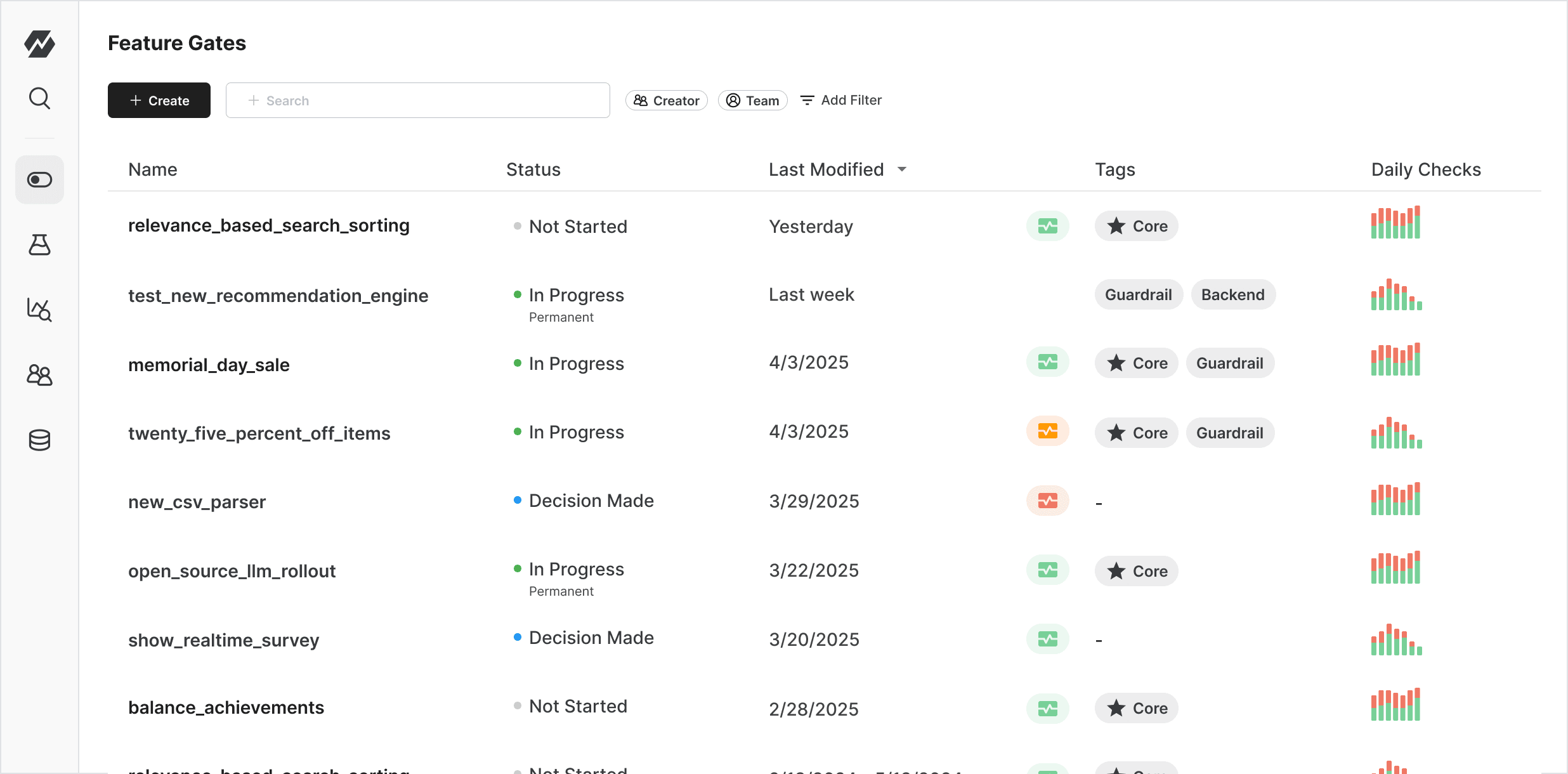
Statsig was built by ex-Facebook engineers who wanted to bring Meta's internal experimentation infrastructure to every team. The result is a platform that combines feature flags, experimentation, analytics, and session replay in one unified system. OpenAI acquired it in September 2025, and since May 2026 Amplitude has run the brand, product, and customers; it's still sold standalone, with the founding team now at OpenAI.
Key features
- Flags and config: Feature gates, dynamic configs, and layers, with unlimited checks on every tier.
- Experimentation: Every gate becomes an experiment with automatic metric tracking, CUPED, sequential testing, and holdouts.
- Analytics and replay: Product analytics, funnels, and session replay (50,000 a month free) in the same platform.
- Deployment: Cloud, or warehouse-native on Enterprise for teams that want data to stay put.
How much does Statsig cost?
Flag and config checks are unlimited on every tier. The Developer plan is free with 2M events and 50,000 session replays a month; Pro is $150 a month for 5M events (then $0.05 per thousand) and 100,000 replays; Enterprise is custom and is where the warehouse-native deployment lives. In practice you can run a lot of flags without paying for every check; costs scale with how much you measure and replay.
How good are Statsig feature flags for developers?
- SDKs and evaluation: 30+ client and server SDKs with local evaluation and edge support.
- Standards: Community OpenFeature providers only; no official one.
- Environments: First-class environments on every plan.
- Agents: No MCP server documented.
Product and engineering teams that want to run high-velocity experiments as part of every feature release, with advanced statistical methods built in.
7. DevCycle
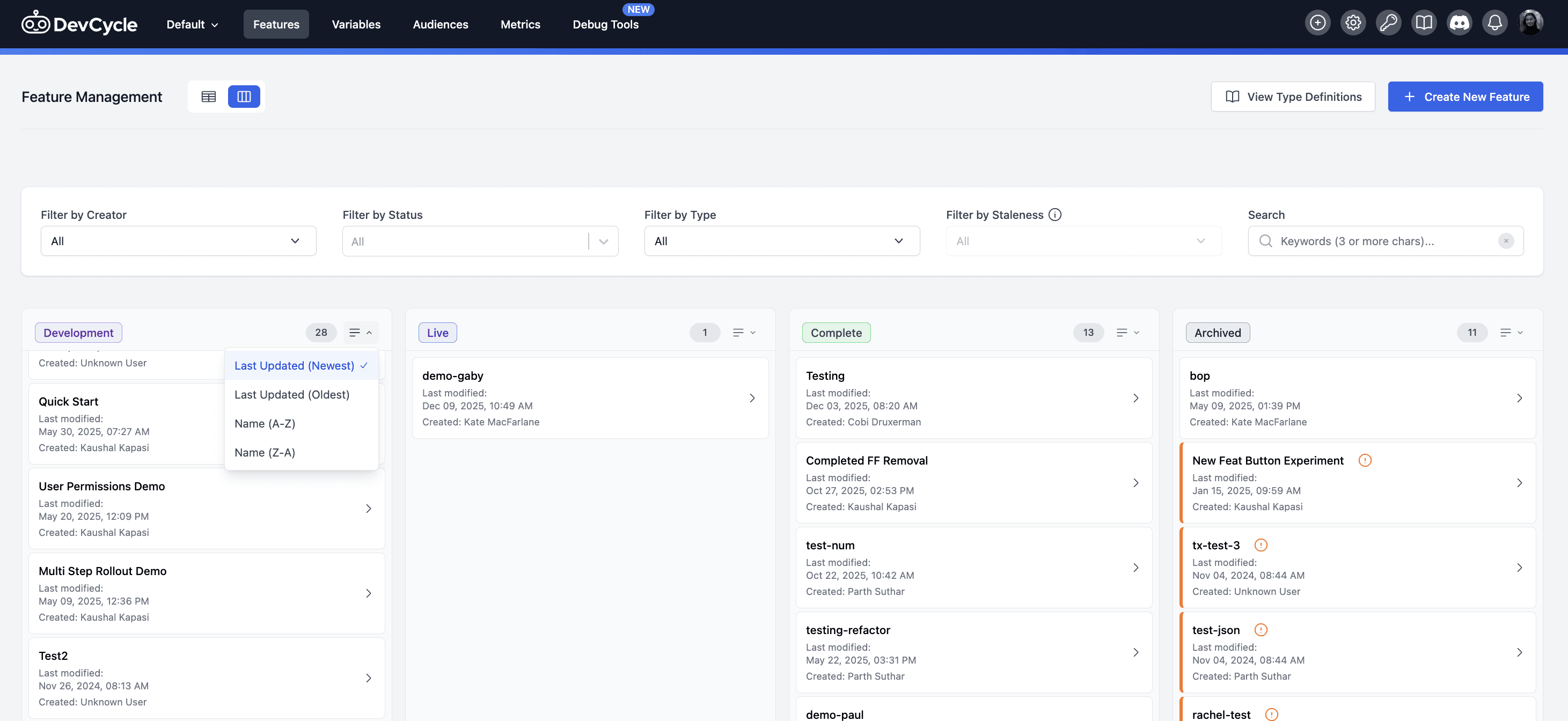
DevCycle is a feature flag platform that prioritizes speed, simplicity, and tight integration with existing development workflows. It's designed for teams that want to manage flags the same way they manage code. Dynatrace acquired it in January 2026; it's still sold standalone, with the functionality due to fold into Dynatrace over time.
What sets it apart is how much of the flag lifecycle happens where developers already work: flags show up in pull requests, link to Jira tickets, and can be managed from the CLI or VS Code.
Key features
- Flags: Boolean and multivariate flags, percentage rollouts, user targeting, and unlimited environments and projects on every plan.
- Workflow: Flags surface in pull requests on GitHub and GitLab, link to Jira tickets, and can be managed from the CLI and VS Code.
- Hygiene: Code references and stale flag detection (Business plan) so flags get removed, not forgotten.
- Experimentation: A/B testing included in the free plan.
How much does DevCycle cost?
The Free plan covers 1,000 client-side MAU a month with unlimited seats, flags, environments, and projects, and includes the MCP server and A/B testing. Business is $500 a month billed yearly for 100,000 MAU (then $2.50 per thousand) and adds stale flag detection, audit logs, and RBAC; Enterprise adds approvals, SSO, and SCIM.
How good are DevCycle feature flags for developers?
- SDKs and evaluation: Client and server SDKs with local bucketing (WASM) on the server and edge evaluation on Cloudflare Workers.
- Standards: Native OpenFeature providers across client and server SDKs.
- Environments: Unlimited environments and projects on every plan, including free.
- Agents: MCP server included on the free plan, plus a CLI for scripting flag changes.
Engineering teams that want a fast, lightweight feature flag tool that fits into Git-based workflows without the overhead of a full platform, and are comfortable that its roadmap now runs through Dynatrace.
Honorable mentions
ConfigCat: A privacy-first feature flag service with fixed, predictable pricing: the free plan covers 5M config downloads a month and 10 flags, and Pro is $95 a month billed yearly for 25M downloads, with every feature on every plan. All evaluations happen locally via SDKs pulling from a global CDN, and no end-user data reaches ConfigCat, which simplifies GDPR compliance. The trade-off is no results analysis: you can do percentage rollouts and A/B splits, but you measure them in your own analytics tool.
Harness: Harness acquired Split in 2024 and the product is now Harness Feature Management & Experimentation (FME), with flags going through the same governance and verification workflows as code changes. Harness's older Feature Flags product is being retired in favour of FME, with free users migrating by the end of 2026. Best for enterprise DevOps teams already on Harness.
Datadog Feature Flags: Launched in 2026 on OpenFeature, with 1M flag configuration requests a month free and flags that show up next to your Datadog traces and errors. Datadog also acquired Eppo in 2025, now sold as Datadog Experiments. Best for teams already standardised on Datadog.
Vercel Flags: Vercel's open-source Flags SDK lets you define flags as code in Next.js and SvelteKit and plug in any provider (it has adapters for LaunchDarkly, Statsig, ConfigCat, DevCycle, and OpenFeature). In 2026 Vercel added a hosted provider of its own, free for 10,000 requests a month on Hobby and $0.03 per thousand on Pro. Best for Next.js teams who want flags to live in the repo.
Reflag: Formerly Bucket, renamed in 2025. TypeScript-first flags for SaaS products with adoption metrics and user feedback attached to each feature, a free plan up to 1,000 monthly tracked users, and CLI and MCP access. Best for small B2B teams.
Which feature flag tool should you choose?
- Want flags your agents can create and roll out (either via the UI or through the MCP), with the replays, analytics, and errors to judge every release, and no per-seat pricing? PostHog
- Need enterprise-grade governance, compliance, and the widest SDK coverage? LaunchDarkly
- Want open-source flags with a warehouse-native experimentation engine? GrowthBook
- Need self-hosted flags with full data sovereignty for regulated industries? Unleash
- Want deployment flexibility with remote config and an open-source core? Flagsmith
- Need advanced experimentation with free unlimited flag checks, and don't mind that it's now part of Amplitude? Statsig
- Prefer a lightweight, developer-first tool with Git-based workflows, now part of Dynatrace? DevCycle
Recommendations by team type
For high-growth startups
- PostHog for per-request pricing with no seats, 1M free flag requests a month, $50k in startup credits, and a single platform that replaces multiple SaaS tools
- GrowthBook if your team wants open-source experimentation connected to your warehouse
- LaunchDarkly if you want its free Developer plan now and room to grow into enterprise governance later
For enterprise and large engineering teams
- LaunchDarkly for the most sophisticated targeting, governance, and compliance features
- Unleash if you need self-hosted flags with change requests, custom roles, and full audit trails
- Statsig for high-velocity experimentation at scale without paying per flag check, now under Amplitude
For developers and engineering-heavy teams
- PostHog if you want to flag a feature from your editor, roll it out from the terminal, and see its errors, replays, and conversion impact without opening another tool
- DevCycle if you want something lightweight that puts flags in your pull requests and Jira tickets
- GrowthBook if you want to self-host and measure every release with experiments
For teams in regulated industries
- Unleash for full self-hosting and data sovereignty, with nothing leaving your infrastructure
- Flagsmith for flexible deployment, including private cloud and air-gapped on-prem, with strong governance
- LaunchDarkly if you need SOC 2, HIPAA, or FedRAMP Moderate compliance from a managed platform
For teams shipping with AI agents
- PostHog if you want the agent that wrote the feature to create the flag, roll it out, and read the results through one MCP server
- LaunchDarkly if you're also controlling prompts and models at runtime with AgentControl
- DevCycle for a lightweight MCP server on the free plan
- GrowthBook if you want open-source agent skills that work with your own warehouse
Is PostHog right for you?
Here's the (short) sales pitch.
We're biased, obviously, but PostHog is the best choice for feature flags if:
- You want your agents to manage flags through the MCP, Slack, or CLI, with the same context you have
- You want to try before you buy with 1 million feature flag requests free every month
- You value open source and transparent, per-request pricing with no seats
- You want flags connected to your entire suite of data tools, so you can roll out features safely and see exactly how they impact user behavior
It's completely free to get started – no credit card required. Our setup wizard handles configuration in minutes, or you can check out our docs to do it yourself.
Add feature flags with one command
The wizard sets up example feature flags in your codebase, ready to roll out.
Frequently asked questions
What does it mean for PostHog to be your product's context layer?
In PostHog, feature flags, product analytics, session replay, error tracking, experiments, and AI observability all write to the same database with one model of users and sessions, so every event, replay, and exception already carries the flag variant the user was in.
The data warehouse and CDP extend that to your Stripe, HubSpot, and Postgres data, so you can roll out to paying customers specifically and check what it did to revenue. And an agent working from Slack, the web app, or your editor via the MCP sees all of it, which is what lets it ship a flag, watch the rollout, and roll back without you copying anything between tools.
PostHog says it makes your product "self-driving" – what does that mean?
It means PostHog digs through your product data, finds what's worth fixing, and has agents do the work.
It starts with context. A full suite of developer tools – AI Observability, Product Analytics, Session Replay, Feature Flags, Experiments, Error Tracking, Logs, and more – captures everything happening in your product, and a Context Warehouse unifies it into one source agents can read across.
From there, Scouts read across all of it and sort what's worth knowing from what's just noise. What clears the bar becomes a report in your inbox: an agent picks it up, roots out the cause, and opens a PR. You review and merge.
You can steer it from Slack, the web app, or your own editor via the MCP or CLI.
Can my AI agent create and manage feature flags?
Yes, if the tool has an MCP server. **PostHog**'s free [MCP server](/mcp) exposes tools to create, update, delete, and schedule flags, and [PostHog AI](/ai) can create flags from a sentence and tell you which ones have gone stale, so the agent that shipped the feature can wrap it in a flag, roll it out, and check the replays and errors of the users who got it, all through one connection. **DevCycle** includes an MCP server on its free plan, **Reflag** ships CLI and MCP access, and **LaunchDarkly**'s AgentControl is aimed at the other direction, controlling what your agents do at runtime.What are feature flags, and why should developers use them?
Feature flags (also called feature toggles) let you control which users see a feature without redeploying code. They're used for progressive rollouts, A/B testing, kill switches, and trunk-based development. Instead of maintaining long-lived feature branches, you merge code behind a flag and control its visibility separately.
What's the best feature flag tool for developers?
For most developers, PostHog. It's the only platform here where every flag comes with the analytics, session replays, and errors to judge the rollout. It's open source with local evaluation and OpenFeature providers, your agents can manage flags through the MCP server, and pricing is per request with no seats and 1M requests free every month.
Your pick might change if one of these needs outweigh the rest:
- Deepest governance and compliance: LaunchDarkly, with approvals, audit logs, and FedRAMP Moderate authorization on Enterprise
- Experimentation on your own warehouse: GrowthBook, open source and free to self-host
- Plain flags you fully control: Unleash, open source (Apache-2.0) and self-hosted
- Advanced stats with unlimited flag checks: Statsig, now part of Amplitude
What's the difference between PostHog and LaunchDarkly?
LaunchDarkly is a dedicated feature management platform built for enterprise-scale flag operations. It has the most sophisticated targeting rules, governance workflows, and SDK coverage, but doesn't include analytics, session replay, or error tracking.
PostHog takes a different approach by embedding feature flags into an all-in-one developer platform. You can roll out a flag, watch session replays of affected users, check analytics for impact, and catch errors – all without switching tools. It's more affordable for most teams but doesn't match LaunchDarkly's depth in terms of enterprise-grade governance and managament.
Choose LaunchDarkly if feature flag governance is your primary concern. Choose PostHog if you want flags as part of a broader build-measure-learn workflow. Learn more about the differences in our PostHog vs LaunchDarkly comparison guide.
What are the best LaunchDarkly alternatives?
The best LaunchDarkly alternatives depend on what you're optimizing for:
- PostHog if you want feature flags bundled with a broad suite of developer tools, so you can measure the impact of every rollout without switching tools.
- GrowthBook if you want an open-source, warehouse-native alternative with strong experimentation.
- Statsig if you want advanced experimentation with free unlimited flags and built-in analytics.
- Flagsmith if you need flexible deployment options (SaaS, private cloud, on-prem) with an open-source core.
- Unleash if you need full self-hosting and data sovereignty for regulated industries.
- DevCycle if you want a lightweight, Git-based developer workflow.
For a full breakdown, see our guide to the best LaunchDarkly alternatives and competitors.
Are there open-source feature flag tools?
Yes. PostHog (MIT, open core), GrowthBook (MIT, open core), Unleash (Apache-2.0), and Flagsmith (BSD-3) all have open-source editions. GrowthBook and Unleash are commonly self-hosted by teams that want maximum control over data and infrastructure. Keep in mind that open-source editions can differ from paid plans in governance features like multi-environment management, RBAC, and approvals: Unleash's, for example, gives you one project with two environments. See our guide to the best open-source feature flag tools for the full comparison.
Can feature flags cause technical debt?
Yes. Feature flags that are never cleaned up become "stale flags" – dead code paths that add complexity and make the codebase harder to maintain. Good feature flag hygiene includes setting expiry dates, using stale flag detection, and treating flag removal as part of the feature lifecycle.
Which is the cheapest feature flag tool?
Statsig offers unlimited free feature flags at every pricing tier and includes 2M events per month. PostHog includes 1 million free feature flag requests per month with transparent usage-based pricing. GrowthBook and Unleash are both free to self-host with no usage limits.
Which feature flag tool integrates best with analytics?
PostHog has the tightest integration since analytics, session replay, and feature flags are all built into the same platform. Statsig also includes built-in analytics and experimentation. For tools without native analytics – like Unleash and Flagsmith – you'll need to integrate with external analytics platforms.
Which feature flag tool is best for mobile apps?
PostHog supports iOS, Android, React Native, and Flutter with native SDKs. LaunchDarkly has the broadest SDK coverage across platforms, and Flagsmith focuses heavily on low-latency delivery via its Edge API, which can be helpful for global mobile performance.
Do I need a feature flag tool, or can I build my own?
You can build a basic flag system with config files or a database table. But as your needs grow – targeting rules, percentage rollouts, multi-environment support, audit logs, experimentation – the engineering cost of maintaining a homegrown system adds up fast. Most teams find it's worth adopting a purpose-built feature flag tool once they have more than a handful of flags.
How is PostHog different from other feature flag tools?
PostHog is more than a feature flag tool. It gives developers full context by combining all the tools needed to build a successful product in one platform, with first-class support for your AI agents.
- All-in-one toolkit: Product analytics, web analytics, session replay, feature flags, experiments, surveys, AI observability, logs, and error tracking
- Agent-ready: A free MCP server that can create, update, and schedule flags, a Slack app, a CLI, and OpenFeature providers
- Developer-first: Transparent APIs, SQL query builder, docs that let you self-serve, open source, and a public roadmap
- Transparent pricing: Generous free tiers and usage-based billing
- Trusted by teams: Used by Supabase, Lovable, ElevenLabs, ResearchGate, and more
What are the best feature flag tools in 2026?
Based on our research, the best feature flag tools for developers right now are:
- PostHog – Best all-in-one platform with flags, analytics, experiments, and error tracking
- LaunchDarkly – Best for enterprise governance, compliance, and SDK coverage
- GrowthBook – Best open-source option with warehouse-native experimentation
- Unleash – Best for self-hosted flags with full data sovereignty
- Flagsmith – Best for flexible deployment (SaaS, private cloud, on-prem)
- Statsig – Best for advanced experimentation with free unlimited flags
- DevCycle – Best for lightweight, Git-based developer workflows
For a deeper look at open-source options specifically, see our guide to the best open-source feature flag tools.

Subscribe to our newsletter
build mode
Read by 75,000+ founders and builders
We'll share your email with Substack
PostHog is your product's context layer. With a full suite of developer tools – AI observability, product analytics, session replay, feature flags, experiments, error tracking, logs, and more – PostHog ingests and stores all the data agents need to diagnose problems, uncover opportunities, and ship fixes. A data warehouse and CDP tie it all together, unifying that context into one source agents can read across. You can steer it all from Slack, the web app, the desktop (PostHog Desktop), or your own editor via the MCP.