





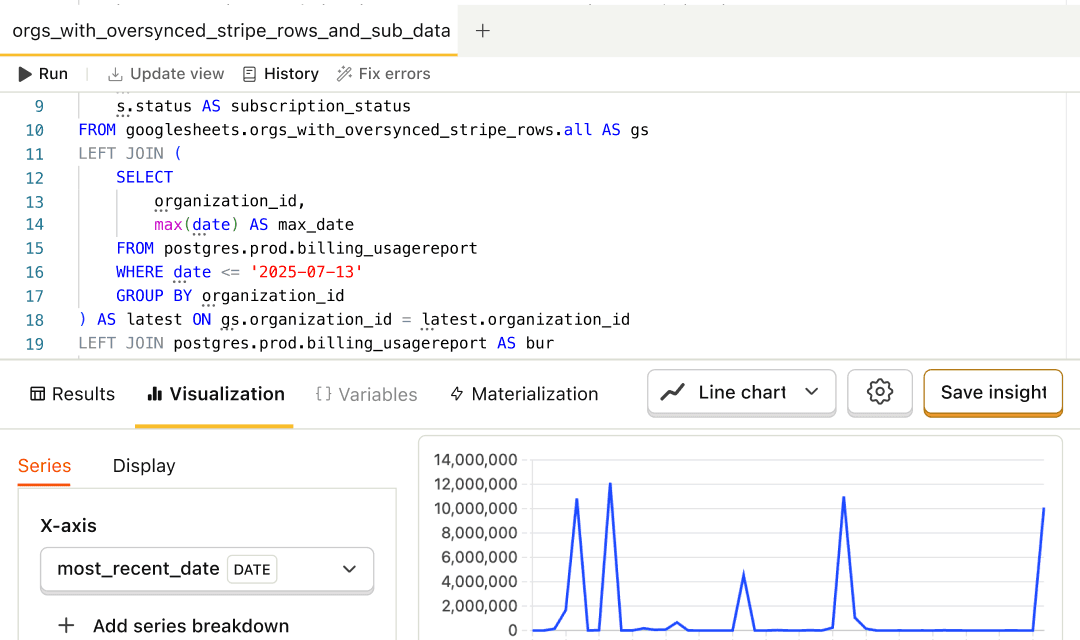
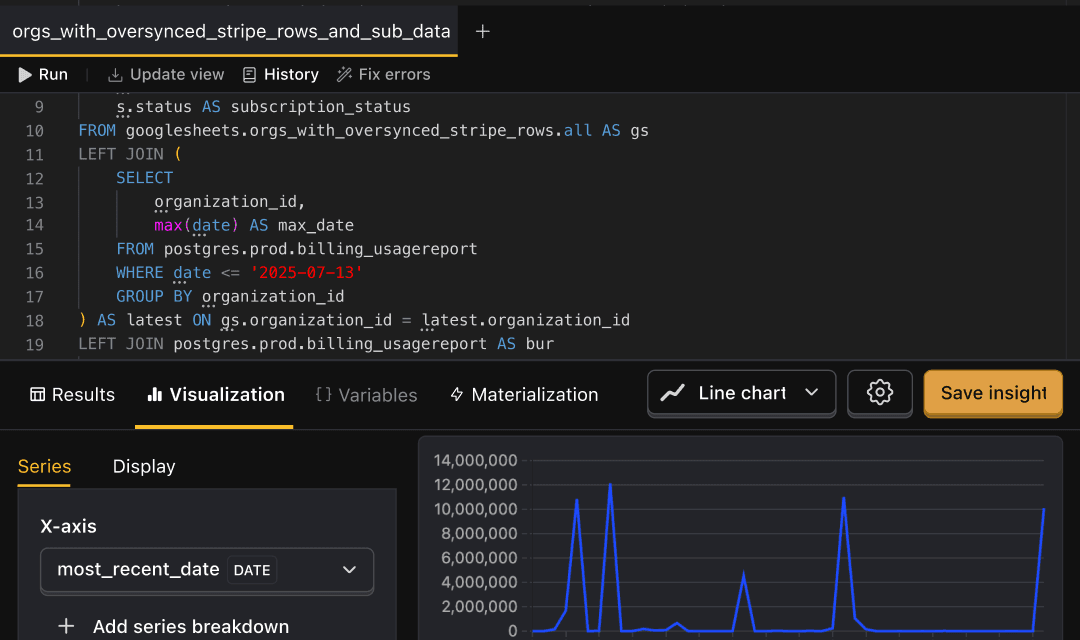

Data Warehouse screenshot
A hedgehog tending the warehouse

All your data, one warehouse

Your own database for product and business data, with its own hostname, credentials, and storage. It's in beta – get in touch and we'll get you set up.

Install with AI in a single prompt

Paste into your terminal or code editor and make AI do the work.

Learn more

MCP•Watch a demo•Talk to a human

What does it do?

PostHog already syncs Stripe, HubSpot, Postgres, and the rest of your stack, so you can query it next to your events. The Warehouse goes one step further: it's an actual database, with its own hostname, credentials, and storage, holding your product data and business data side by side.

Point Metabase, a notebook, or a scheduled job at it, build your own tables in it, and run heavy queries without slowing down PostHog. It's the warehouse you'd otherwise set up in Snowflake or BigQuery, without the pipeline to get your product data into it.

PostHog’s AI features can use it as context, so asking "why did conversion drop?" comes back with the revenue impact, the cohorts affected, and what those users have in common.

Who is it for?

Role
Use cases
Product Engineers
Join product events to production tables without building a pipeline, and answer "who's actually using this?" in one query
Data Engineers
Get Stripe, CRM, and Postgres data landed and kept in sync with incremental syncs and Postgres CDC
PMs
See which features correlate with expansion and churn, and which experiment wins turned into revenue
Finance & RevOps
Break MRR, churn, and expansion down by product behavior, plan, and acquisition channel
Growth & Marketing
Follow a signup from first touch to CRM deal stage to paid, and see where the funnel leaks

How do I use it?

Point your own tools at it

Warehouse is a database with its own hostname and credentials. Connect the tools your team already uses to query the Warehouse directly, separate from the queries that power PostHog.

BI dashboards
Metabase, Superset, and Tableau connect with their standard Trino connectors.
Notebooks and code
Query from Python, JDBC, or any Trino client.
Scheduled jobs
Run nightly reports and exports against the Warehouse.
Your own tables
Write derived tables next to the synced data, and query them from anywhere.

Top features

Your PostHog data is already here. Add the rest in a click.

Every source you connect to PostHog syncs into Warehouse too, with no extra setup.

PostHog data, zero config
Your events and persons are backfilled. Then, on US Cloud, new events arrive within minutes. Persons update daily.
Billing and CRM
Stripe, HubSpot, Salesforce, and more, synced on a schedule you choose.
Databases and files
Postgres, MongoDB, ClickHouse, and files in S3.
Per-table control
Pick which tables sync, how often, and whether they sync incrementally.

AI prompts

Ask PostHog AI any question you want about your data. Works in PostHog AI (in-app chat), PostHog Desktop (our AI code editor), and in your product editor (using the MCP). Click a prompt to copy it, then paste it into your agent.

Revenue

Experiments

Retention

Funnels & CRM

Works with other PostHog tools

Use Warehouse with these other PostHog apps to maximize shareholder value.

Feature comparison

BigQuery
Snowflake
Redshift
Setup
Getting data in and keeping it there
Product analytics data included
Events and persons land automatically
✓
GA4 export
✗
✗
Events in near real time
New events land within minutes of capture
US Cloud
GA4 streaming export
✗
✗
Serverless compute
Compute starts on demand, with no cluster to manage
✓
✓
You size warehouses
Serverless option
Built-in connectors
Native sources, without a third-party ELT tool
Stripe
✓
Preview
✗
✗
HubSpot
✓
Preview
✓
✗
Salesforce
✓
✓
✓
✓
Postgres CDC
Row-level changes in near real time
Alpha
✓
✓
✓
Querying
Asking questions of your data
SQL editor
✓
✓
✓
✓
Plain-English questions
Ask in natural language, get SQL back
✓
✓
✓
✓
Machine learning in the warehouse
Train or run models where the data lives
✗
✓
✓
✓
In the product
Using warehouse data without writing SQL
Filter and break down insights by warehouse data
For example by Stripe plan or CRM deal stage
✓
✗
✗
✗
Experiments measured on warehouse data
For example revenue from Stripe
✓
✗
✗
✗

Questions?

Answers

There are a few ways you can get answers to specific questions about Warehouse.

  1. Check the docs

    We have an entire Wizard & Docs mini crestWizard & Docs Team dedicated to docs gardening.

  2. Read the pocket guide

    Follow a guided story that introduces Warehouse one concept at a time.

  3. Search the community forums

    With over 100 discussions about Warehouse, there's a good chance your question is already answered!

  4. Ask PostHog AI

    It's an incredibly useful AI chat that understands the product, docs, community questions, our codebase, GitHub issues, and industry knowledge.

  5. Talk to a human

    Dedicated humans are standing by and ready to assist. Best for questions about volume pricing, terms, and sexy legal stuff.

Get access

Warehouse is in beta. Access is set up by our team, so the first step is a conversation about your stack and what you want to query.

Talk to sales

Tell us which sources you want to connect and roughly how much data you have. We'll get you into the beta and help with setup.

Contact sales

Read the docs first

See how sources, syncs, and querying work before you talk to us.

Read the docs