







The best web analytics tools, compared

Contents
Welcome. Grab a chair.
There's coffee in the back. No one's judging you for ignoring your analytics for six months. We've all been there.
This is a safe space for developers with a complicated relationship with web analytics.
If this sounds like you, you're not alone. Most web analytics tools were built for marketers – not developers – which makes finding one that actually fits a modern dev workflow harder than it should be.
In this guide, we compare the best web analytics tools for developers, so you can understand your site, debug faster, and actually trust your data.
What features do you need in a web analytics tool?
At a minimum, a web analytics tool should tell you what's happening on your site:
- Pageviews, sessions, and unique visitors
- Traffic sources and referrers
- UTM and campaign tracking
- Conversion or goal tracking
- Real-time or near real-time reporting
The best web analytics tools are actually platforms that go further and give you:
- Event-based tracking, so you can track meaningful actions
- Funnels, paths, and retention, to understand how users move through your site and where they drop off
- Session replay and heatmaps, to see what users actually did
- Error tracking and performance context, so you can connect broken experiences to user impact
- Raw data access via SQL, APIs, or exports for custom queries, data retrieval, and external integrations
- Privacy-first design so you can skip cookie banners and stay GDPR/CCPA compliant
- Transparent pricing so a traffic spike doesn't lead to a finance incident
Here's how some of the most popular web analytics tools compare:
Hey competitors 👋 We try our best to keep up with what you're shipping, but if we got something wrong or this looks outdated, feel free to open a PR and we'll fix it.
You might notice one obvious omission: Google Analytics 4. That's intentional. GA4 is powerful and widely used, but it's also opinionated, complex, and fundamentally built for a different audience.
Rather than rehash the same frustrations, this guide focuses on tools that are easier to reason about, more developer-friendly, or better aligned with modern product workflows.

What's the best web analytics tool for developers?
1. PostHog
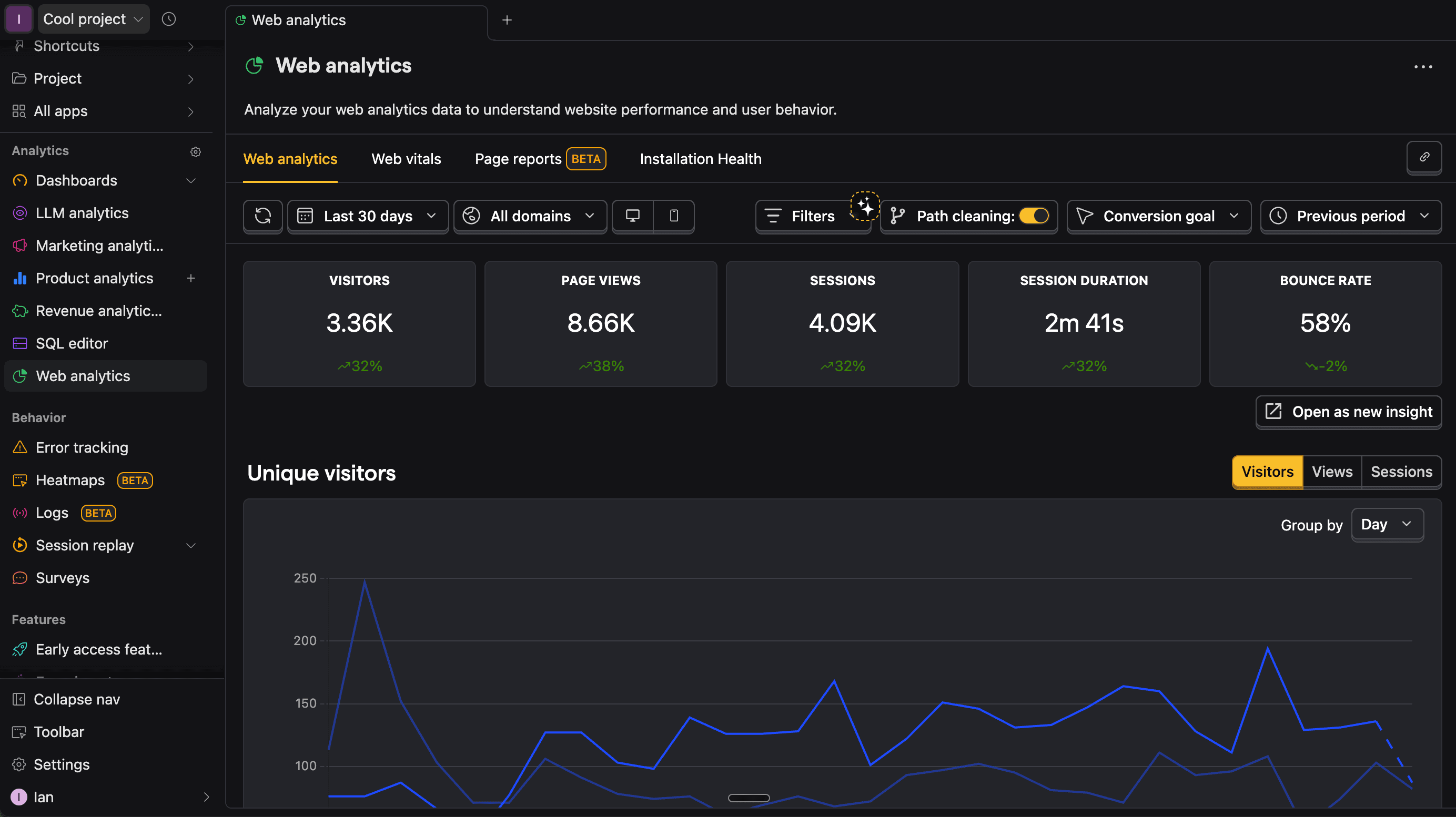
PostHog is an all-in-one developer platform that combines web analytics with product analytics, session replay, feature flags, experiments, error tracking, surveys, and LLM observability in one place.
Unlike standalone web analytics tools, PostHog lets you follow a visitor's journey from their first pageview through to product usage; you still get the fundamentals, but they're directly connected to how users actually behave in your product. Every pageview can be tied to events, users, recordings, flag variants, errors, and more.
The web analytics dashboard includes real-time activity, conversion goals, and near-full compatibility with product analytics – meaning you can open any chart as an insight, query it with SQL, or build funnels, retention, and cohorts on your web data.
You can also run A/B tests using web vitals as goals, track ad spend and ROAS with marketing analytics, and embed analytics into your own product using the API endpoints (in beta).
PostHog uses simple usage-based pricing with a generous free tier that includes 1 million events per month, which is enough for most early-stage teams to get real value before paying anything.
Strengths:
- Complete visitor-to-user journey tracking
- Unified suite of developer tools in one platform
- Developer-friendly setup and SDKs
- PostHog AI to query data in natural language and debug issues faster
- SQL access and raw data ownership
- Flexible API definitions with our endpoints product
Community:
- PostHog is fully open source under the MIT license, actively maintained on GitHub.
- The repository has 40k+ stars, 400+ contributors, and daily commits
- Development happens in public
Developers who want full-stack visibility from website traffic through to product usage, and fast-growing startups that need a flexible platform that scales without requiring multiple tools.
2. Plausible
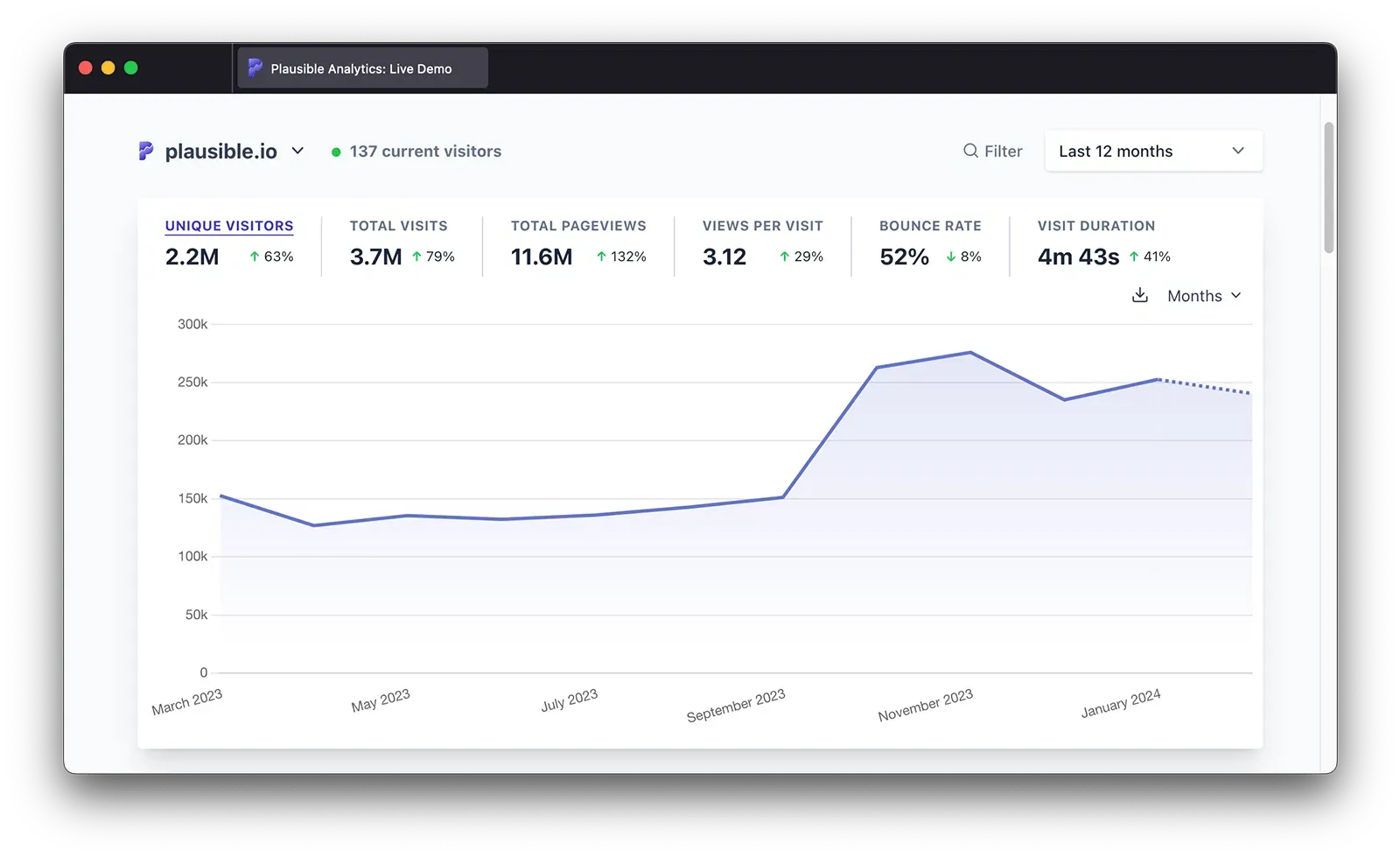
Plausible is a lightweight, privacy-first analytics tool that positions itself as an ethical alternative to Google Analytics.
Adding Plausible to your stack is painless: setup takes minutes, the script is tiny, and the UI is refreshingly easy to understand. It doesn't require cookies and is fully GDPR compliant out of the box.
The dashboard is intentionally simple: a single page with the essential metrics. You get traffic, sources, pages, locations, and devices. Plausible deliberately trades analytical depth for simplicity and strong privacy guarantees.
Because Plausible avoids deep user tracking by design, there's no session replay, no detailed funnels, no user-level timelines, and no product analytics. Unique visitor counts are also approximations – the tradeoff for being fully cookieless.
Plausible doesn't have a free tier. Plans start at $9/month for a single site with 3 years of data retention, and scale to $14/month and $19/month as you add more sites, team members, and features like funnels, custom properties, revenue attribution, and API access. An Enterprise plan is available for larger setups, with SSO, higher API limits, raw data exports, and priority support.
Strengths:
- Extremely lightweight (~1KB script)
- No cookies, fully GDPR/CCPA compliant
- Excellent reliability, with 99.99% uptime over the last 30 days
- Open source and self-hostable
- Google Search Console integration
Community:
- Open source under the AGPL license
- 29k+ stars on GitHub with active community contributions
Privacy-conscious developers who want simple, essential website metrics without the bloat, heavy instrumentation, or privacy concerns of traditional analytics tools.
3. Fathom
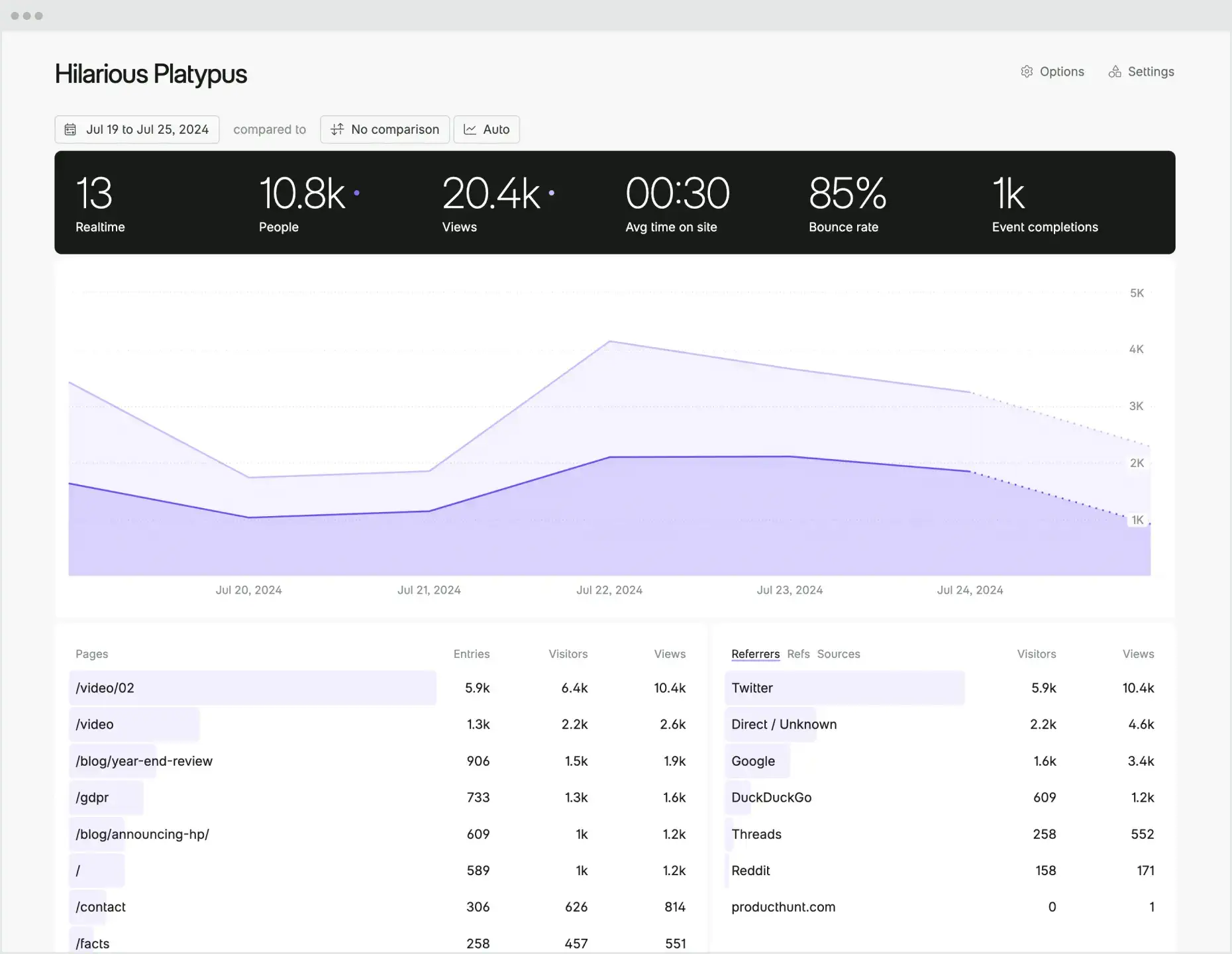
Speaking of privacy, Fathom is a minimalist, privacy-focused web analytics tool built for teams that want to minimize overhead. Like Plausible, it's designed to be easy to install, easy to understand, and respectful of user privacy by default.
The script is lightweight (~2KB), works without cookies, and offers permanent data retention so you never lose historical analytics.
Fathom integrates cleanly with almost any web stack; their script can be added to virtually any CMS, framework, or site setup (from WordPress and Webflow to modern frameworks like Next.js and Vue). There's no complex setup, no special build steps, and no lock-in to a specific platform.
Pricing is straightforward and traffic-based. Plans start at $15/month for up to 100,000 pageviews and scale predictably as traffic grows, reaching $200/month for up to 10 million pageviews. Annual billing offers a 17% discount (roughly two months free), with higher tiers available for very high-traffic sites.
Strengths:
- Extremely simple setup with a lightweight (~2 KB) script
- Clean integrations across common tools and platforms
- Forever data retention included
- Easy-to-use, powerful API
- Built-in compliance with GDPR, CCPA, and PECR
Community:
- Fathom Lite is open source
- The main product is closed-source but actively developed
- Strong community of privacy advocates
Developers who want privacy-friendly website analytics that integrate effortlessly with their existing stack and provide clean, reliable metrics without complexity.
4. Matomo
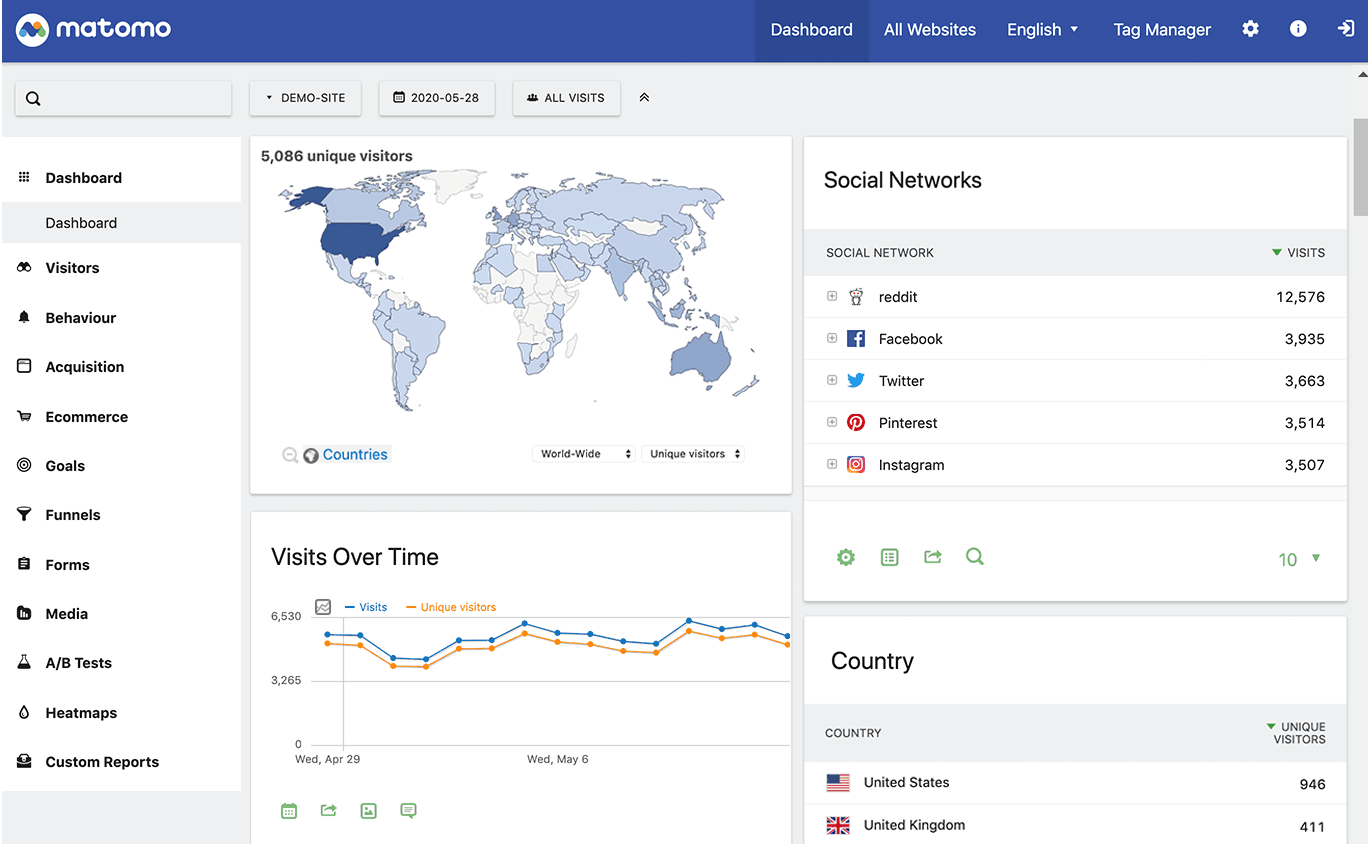
Matomo is one of the most established open-source web analytics platforms, used by over one million websites, including government agencies, universities, and large enterprises.
Matomo's interface will ring a bell to anyone who's used Universal Analytics (RIP). It offers a comparable feature set, but with full data ownership.
Matomo is built for teams that want depth and flexibility, not minimalism. With great power comes great responsibility complexity. Setup, configuration, and ongoing maintenance can take more time, especially if you're self-hosting or enabling multiple plugins.
The on-premise version is free and gives you complete control over your data. The cloud version includes premium features like heatmaps, session recordings, and A/B testing as paid add-ons; it starts at €22/month (excl. tax) for up to 50,000 hits, with discounts for annual billing.
Strengths:
- Complete data ownership with self-hosting
- GDPR compliant with configurable privacy settings
- Google Analytics data import
- Extensive plugin ecosystem
- Broad feature set, including funnels, heatmaps, session recording, and ecommerce analytics
Community:
- Open source under GPL v3
- 21k+ stars with 400+ contributors
- One of the oldest and most established open-source analytics projects
Developers that need full-featured, self-hosted analytics with complete data ownership – and are comfortable managing the added complexity.
5. Mixpanel
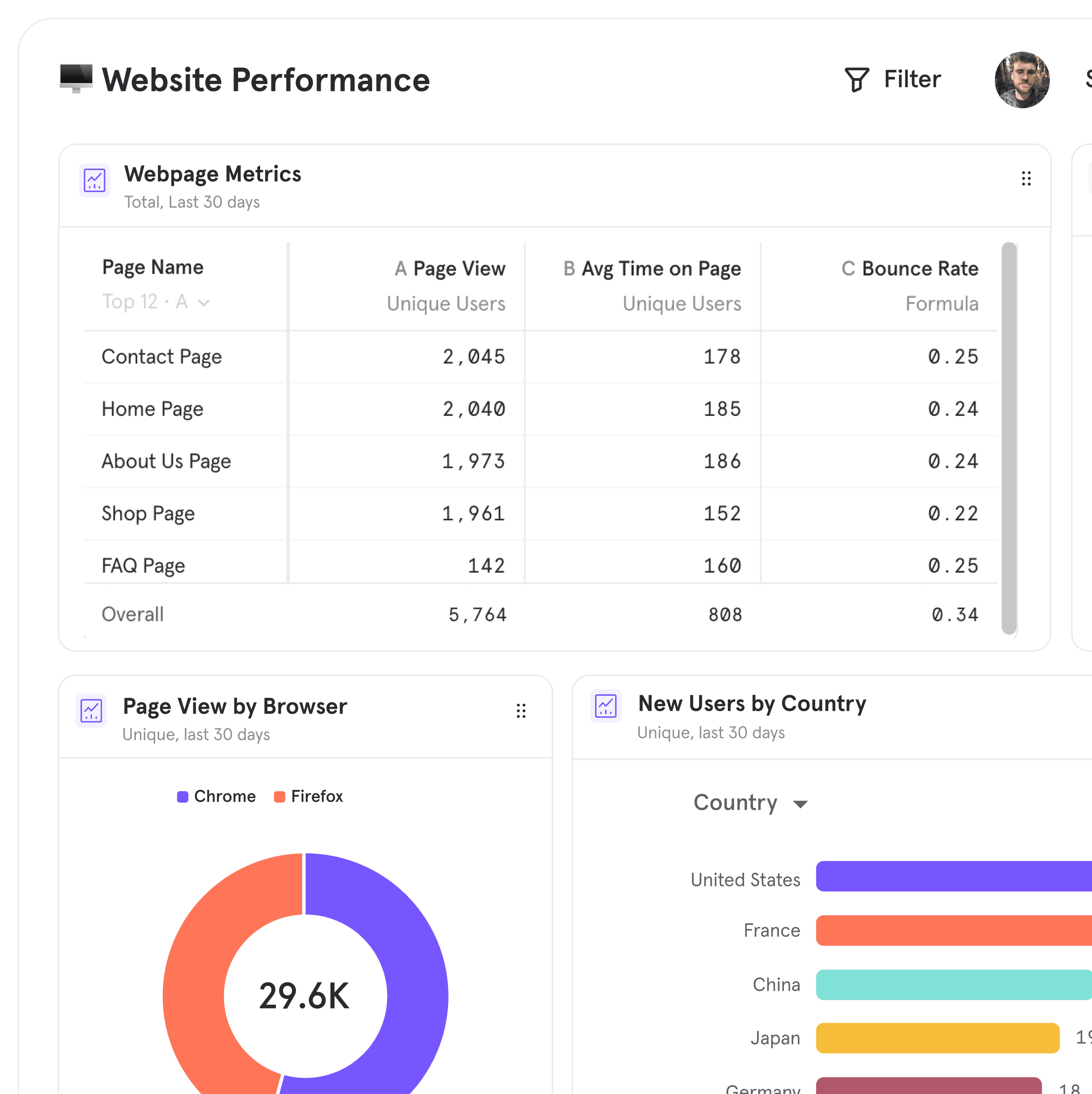
Mixpanel is primarily a product analytics platform, but it now includes dedicated web analytics features that make it worth considering for certain use cases.
Unlike traditional web analytics tools that focus on pageviews and traffic, Mixpanel is built around events and users. You track actions like sign-ups, button clicks, feature usage, and conversions, then analyze them using funnels, retention, cohorts, and breakdowns.
This makes Mixpanel powerful for understanding how users interact with a web app after they arrive; it shines when your "website" behaves more like a product than a marketing site. The tradeoff is that it's less useful (and more expensive) for content-heavy sites or teams focused on traffic sources, SEO performance, or page-level reporting.
Mixpanel offers a free plan that includes 1 million events per month, with paid plans scaling based on event volume as usage grows.
Strengths:
- Powerful funnels, retention, and cohort analysis
- Real-time querying and fast dashboards
- Strong support for product-led growth use cases
- Mature ecosystem and integrations
Community:
- Closed-source platform (SDKs are open source)
- Active Slack community with over 11k members
- 74 public repos on GitHub for SDKs and integrations
Product-led web applications where understanding user actions, activation, and retention matters more than traditional traffic metrics like pageviews and referrers.
6. Cloudflare Web Analytics
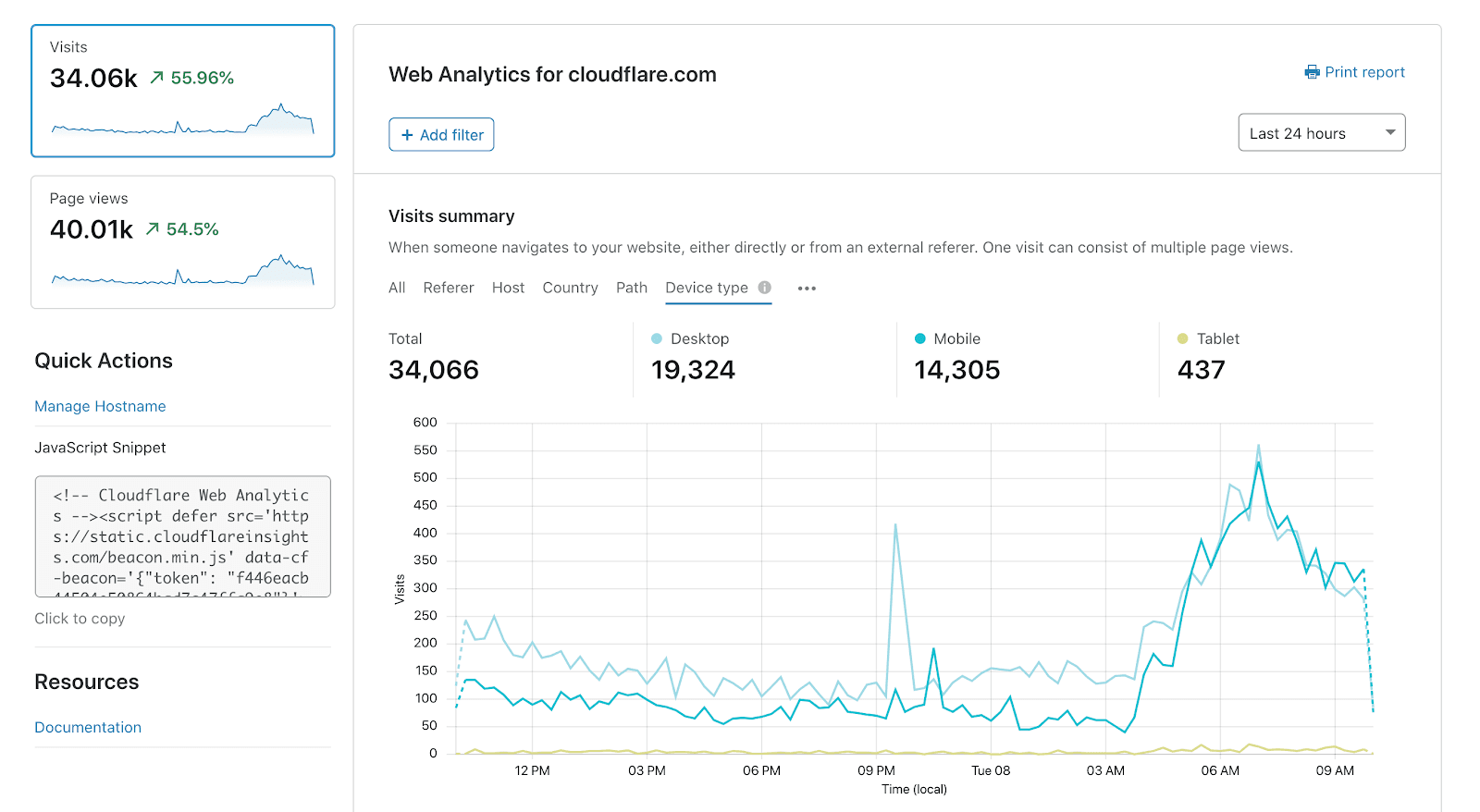
Cloudflare Web Analytics is a free, privacy-first analytics tool from Cloudflare.
You can deploy it either via a JavaScript snippet (like other analytics tools) or directly from Cloudflare's edge if your site already uses their CDN – no client-side code required.
Cloudflare Web Analytics is intentionally basic: no funnels, no custom events, no user-level tracking, no session replay. Data retention is limited, and high-traffic sites may experience sampling.
It's best thought of as a lightweight complement to other tools rather than a full analytics solution.
If you're already using Cloudflare for DNS, CDN, or security, adding Web Analytics takes about 30 seconds. For everyone else, it's still a quick JavaScript snippet away.
Strengths:
- Completely free with no traffic limits
- No cookies, fully privacy-compliant
- Edge-based tracking option (no JavaScript required for Cloudflare users)
- Lightweight and fast
- Simple, clean dashboard
Community:
- Closed-source commercial product (part of Cloudflare's free tier)
- Active development as part of Cloudflare's broader analytics suite
Developers already using Cloudflare who want free, privacy-first website metrics with zero setup – or anyone who needs a simple, no-cost baseline for traffic monitoring.
Which web analytics tool should you choose?
- Want web analytics connected to product analytics, session replay, feature flags, and experiments? PostHog.
- Want simple, privacy-first traffic analytics with minimal setup? Plausible or Fathom.
- Want full data ownership with a GA-style reporting model? Matomo.
- Is your "website" really a product where activation and retention matter more than pageviews? Mixpanel or PostHog.
- Want free, privacy-friendly traffic visibility and already use Cloudflare? Cloudflare Web Analytics.
Recommendations by team type
For high-growth startups
- PostHog for a single platform that scales from marketing pages to product analytics without rebuilding your stack
- Plausible if you want simple, privacy-friendly traffic analytics early on
For developer-first teams
- PostHog if you want analytics that help you debug issues, ship fixes, and measure impact in one workflow
- Mixpanel if your web app is the product and custom events matter more than pageviews
For privacy-conscious teams
- Plausible for simplicity and predictability
- Fathom for polished analytics with strong integrations and permanent data retention
- Matomo if you need full control and self-hosting
For content sites and marketing teams
- Plausible or Fathom for clean dashboards and predictable pricing
For enterprises and regulated organizations
- Matomo for data ownership, configurable privacy controls, and flexible hosting
- PostHog if you want an all-in-one platform with strong governance and raw data access
FAQ
PostHog says it makes your product "self-driving" – what does that mean?
It means PostHog digs through your product data, finds what's worth fixing, and has agents do the work.
It starts with context. A full suite of developer tools – AI Observability, Product Analytics, Session Replay, Feature Flags, Experiments, Error Tracking, Logs, and more – captures everything happening in your product, and a Context Warehouse unifies it into one source agents can read across.
From there, Scouts read across all of it and sort what's worth knowing from what's just noise. What clears the bar becomes a report in your inbox: an agent picks it up, roots out the cause, and opens a PR. You review and merge.
You can steer it from Slack, the web app, the desktop app, or your own editor via the MCP or CLI.
What is web analytics, really?
Web analytics is the art and science of understanding how people find your site, what they do on it, and what happens next. At its simplest, that means tracking pageviews and referrers. At its most useful, it means understanding behavior, friction, and outcomes.
Good web analytics answers questions like: Why did users bounce? Where did they drop off? What landing page worked?
What metrics matter most in web analytics?
Most teams should start with: channel types (where users come from), landing pages (where sessions start), bounce rate or engagement (how they spend, or dont spend, time on your website), and conversions (sign-ups, purchases, or key actions).
As your site becomes more product-like, event-based metrics (clicks, actions, feature usage) become more important than raw pageviews.
Are pageviews still useful?
Yes, but they're rarely sufficient.
Pageviews are good for understanding reach and interest, especially for content sites. They're much less useful for explaining why users behaved a certain way or whether something broke.
That's why many modern tools pair pageviews with events, funnels, or session replay.
What's the difference between cookieless and cookie-based analytics?
Cookie-based analytics track users across sessions using identifiers stored in the browser. Cookieless analytics avoid this and rely on aggregated or anonymous signals instead.
Cookieless tools are easier to make privacy-compliant and less invasive for users. The tradeoff is less granular user-level tracking. For many sites, that's a feature, not a bug.
Is web analytics affected by ad blockers?
Yes, especially tools that rely entirely on client-side JavaScript. Privacy-first tools, server-side collection, or edge-based analytics (like Cloudflare's) tend to be more resilient, but no analytics setup is 100% immune. You can also set up a reverse proxy to route analytics through your own domain, or combine client-side and server-side tracking to fill in gaps.
Even then, it's best to treat web analytics as directionally accurate and focus on trends and patterns – not exact counts.
Do I need to display a cookie consent banner?
It depends on the tool and your jurisdiction. Plausible, Fathom, and Cloudflare Web Analytics don't use cookies and generally don't require consent banners. Google Analytics 4 uses cookies by default and typically requires consent in the EU. Matomo and PostHog can be configured to run cookieless, but you'll need to verify your setup meets local requirements.
What's the difference between web analytics and product analytics?
Web analytics focuses on traffic and pages (who visited, where they came from, what they viewed). Product analytics focuses on behavior and users (what actions users took, how they activate, retain, or churn). We break this down in more detail in web analytics vs. product analytics.
Tools like PostHog combine both, so you can see how traffic turns into real product usage.
What should I look for in analytics pricing?
Watch for how tools measure usage. Some charge by pageviews, others by events, others by monthly tracked users. A site with 100k pageviews and 10k users will cost very different amounts depending on the model. Also check what's included: some tools charge extra for features like funnels, session replay, or data exports.
How much data retention do I actually need?
6–12 months is enough for short-term optimization. 2–3 years is useful for trend analysis and seasonality. Forever retention sounds nice, but it only matters if you actually revisit historical data. Many teams don't.
Do I need session replay with web analytics?
Not always – but it's extremely useful when debugging issues or understanding drop-offs. Tools like PostHog link analytics directly to session replay, so you can see exactly what users did instead of guessing from charts.
Can I self-host my web analytics?
Yes. Matomo, for example, offers a fully self-hosted option with complete data ownership. Some teams choose this for compliance, residency, or regulatory reasons, with the tradeoff of higher operational complexity.
Which web analytics tool is best for content sites or blogs?
For blogs, documentation, and marketing sites: Plausible and Fathom are ideal for clean dashboards and privacy-friendly metrics. Cloudflare Web Analytics works well for high-level traffic visibility with zero setup.
Which web analytics tool is best for product-led web apps?
If your website behaves like a product: PostHog is best if you want analytics plus replay, flags, experiments, and debugging. Mixpanel is another good choice if you care primarily about events, funnels, and retention.
PostHog is your product's context layer. With a full suite of developer tools – AI observability, product analytics, session replay, feature flags, experiments, error tracking, logs, and more – PostHog ingests and stores all the data agents need to diagnose problems, uncover opportunities, and ship fixes. A data warehouse and CDP tie it all together, unifying that context into one source agents can read across. You can steer it all from Slack, the web app, the desktop (PostHog Desktop), or your own editor via the MCP.