







A complete guide to Workflows: Emails, i18n, push notifications, webhooks, and more

Contents
Workflows lets you trigger actions directly from your product data – things like sending emails, calling webhooks, or updating user properties when something happens in your app.
The guide below was written by Alexander Hodes from B42, who shared how his team uses PostHog Workflows to run customer journey automations. It covers a few practical patterns they discovered along the way, including multilingual messaging, personalization, and push notifications via webhooks.
We liked how concrete and practical it is, so we’re reposting it here.
Originally published on DEV.to by Alexander Hodes.
At the beginning of the year, PostHog released Workflows from beta. At B42, we had been using PostHog for analytics for over a year, but our customer journeys ran in a separate tool. Now after migrating to PostHog Workflow we have everything in one tool. After the Workflows release, we migrated everything in 2 days. Here's what we learned.
The cool thing is that workflows can be built independently of your code. Only the events need to be triggered. This makes it easy for non-developers to build workflows and customer journeys.
Getting started
Sending emails
Email sending is very easy to configure and set up. Four DNS entries need to be made, which are displayed directly in the setup window. Once the entries are verified, the email address is marked as verified and can be used for email sending.
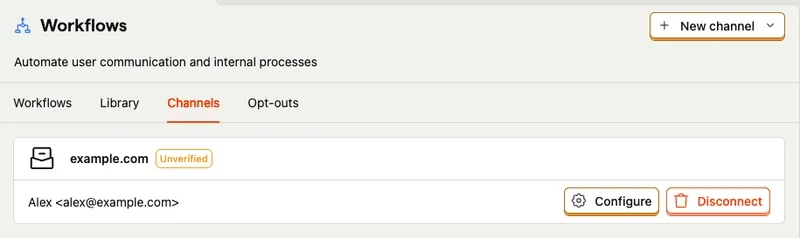
Building email templates
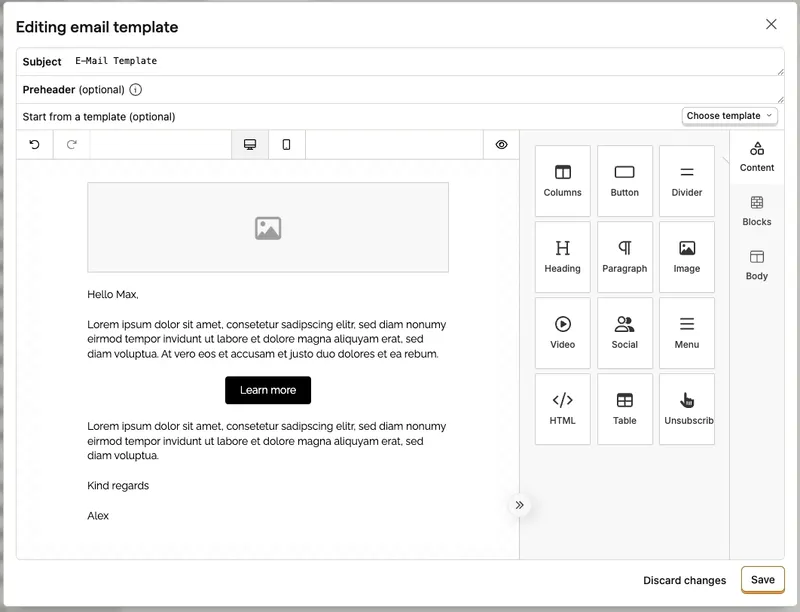
Templates are very helpful for sending emails. When creating templates, various components such as text, buttons, HTML elements, or images can be used.
With templates, the email structure can be built once, so that when integrating an email step, only the text needs to be changed.
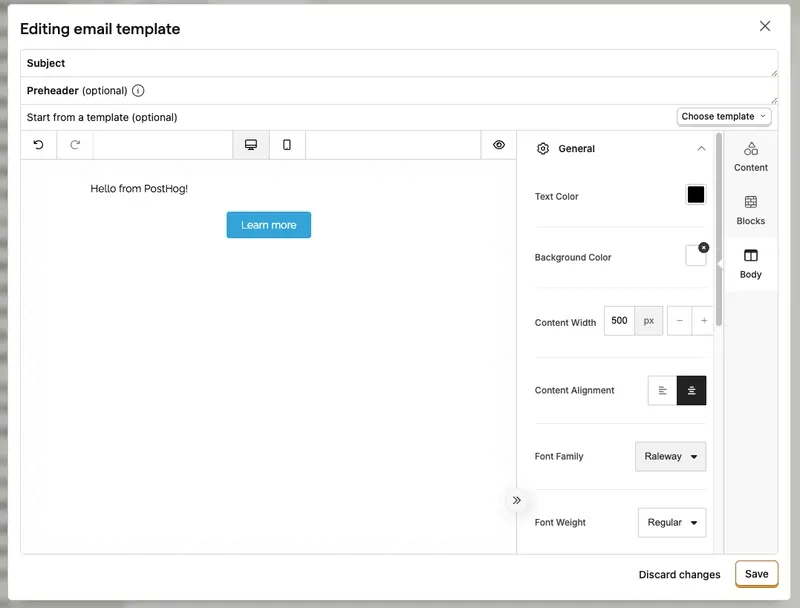
In the template itself, global settings such as colors, font, or alignment can also be configured.
Building workflows
Building workflows is very intuitive. First, a trigger for the workflow is selected. This can be a specific event, a manual trigger, a webhook, tracking pixel, or schedule.
Further steps and actions can be added, like emails, webhooks or third party integrations like Slack.
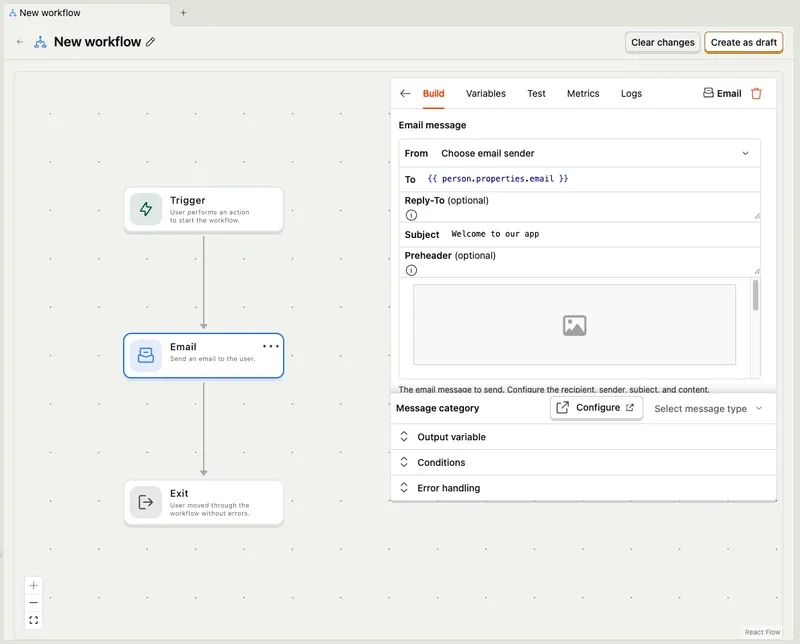
There's always an exit. You can also define earlier exists if certain conditions match.
Small hacks
During the implementation of workflows, we encountered some smaller challenges, such as messaging in different languages or sending push notifications.
i18n
Currently, it's not yet directly possible to translate texts. However, conditional branches can be used to check variables and customize the further course of the flow depending on conditions.
We check the user's language with conditional branches, which we store in the person. This allows us to split the flow based on language and ensure that the user receives emails or push notifications in the correct language.
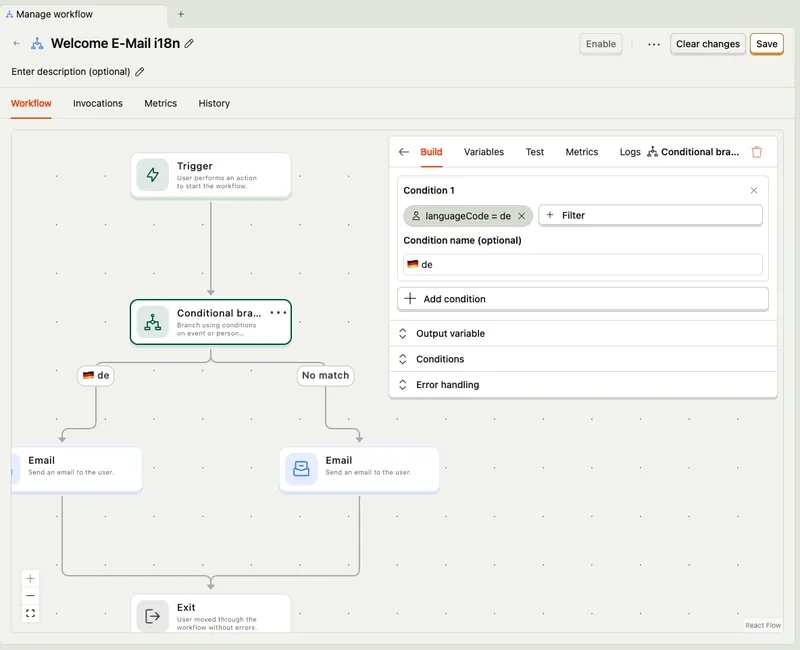
As a prerequisite, you need to sync the language code of the user with PostHog. The default value can be used for a fallback language like English.
Sending push notifications
Workflows can send native mobile push notifications directly. Add a Push notification step to a workflow, the same way you add an email step. Push is in open beta.
Two things have to be in place first:
- Connect a channel under Workflows > Channels: Firebase Cloud Messaging for Android, Apple Push Notification service for iOS. See Configure a workflows channel.
- Register each user's device token from your app through the PostHog mobile SDK. See Push notifications. The SDK does not collect tokens on its own, and it does not request notification permission for you.
Each send counts toward your workflows destinations usage and quota.
Using variables in emails or webhooks
Like push notifications, emails can be personalized with template syntax.
Typical use cases include the email address, which can be retrieved with {{ person.properties.email }}. This accesses the person property email.
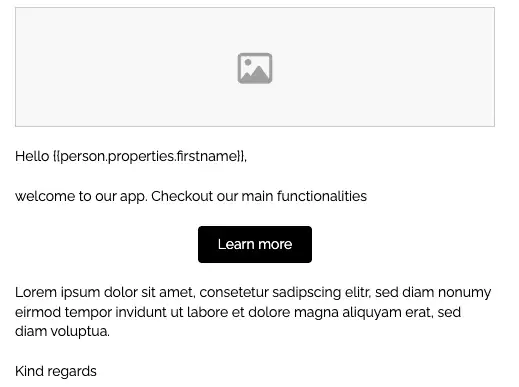
The same can be done for other variables like the name {{person.properties.firstname}}. If-conditions can also be used or workflow variables can be accessed {{ variables.NAME }}.
Automations
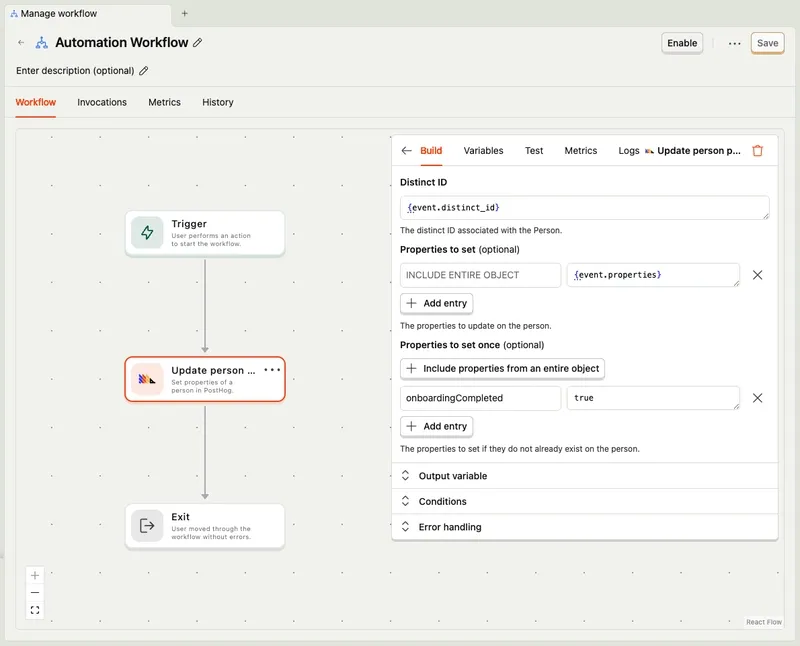
In addition to messaging workflows, automation workflows exist. These can be used to set user properties once an event has been executed. A typical use case is when the user has completed onboarding.
Using delays
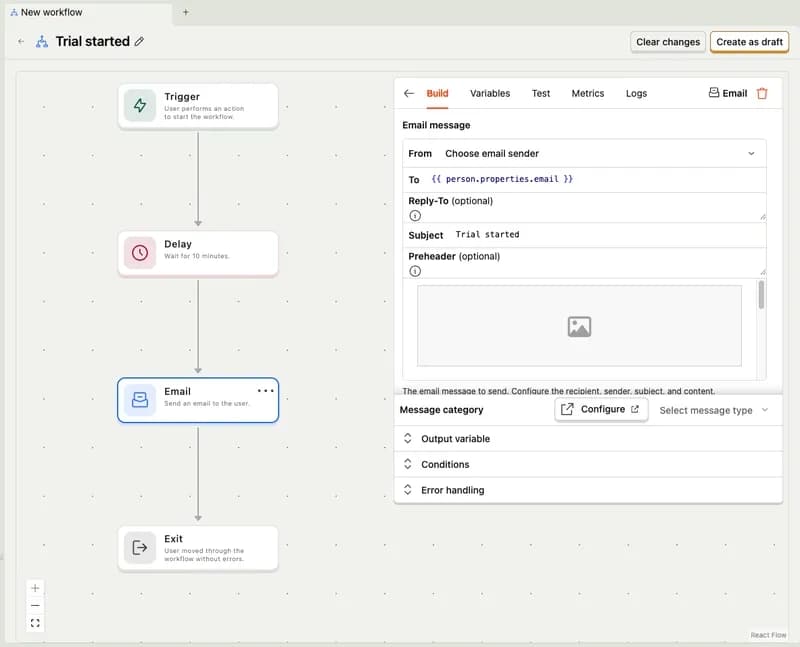
Another exciting feature is delays, which allow waiting for a defined period after an event. For example, after an event like user_created, a welcome email can be sent to the user after five minutes.
Webhook logs
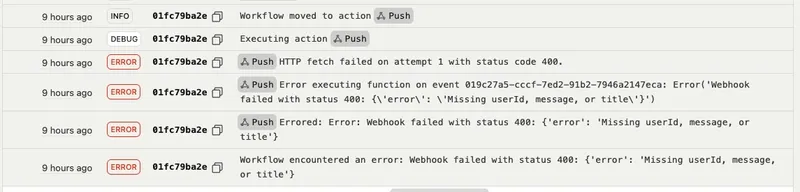
For webhooks, it's recommended to activate logs. This logs the requests as well as the status codes of the responses. This makes debugging and error analysis much easier.
Common issues & solutions
There are some common issues which we experienced during implementation.
Issue: Workflow not triggering > Solution: Check event name matches exactly (case-sensitive)
Issue: Variables not rendering > Solution: Ensure property exists before workflow trigger
Issue: Email not sending > Solution: Check if the sender is selected correctly
Issue: Webhook request without body > Solution: Check if Content-Type header is set correctly, e.g. application/json
PostHog is your product's context layer. With a full suite of developer tools – AI observability, product analytics, session replay, feature flags, experiments, error tracking, logs, and more – PostHog ingests and stores all the data agents need to diagnose problems, uncover opportunities, and ship fixes. A data warehouse and CDP tie it all together, unifying that context into one source agents can read across. You can steer it all from Slack, the web app, the desktop (PostHog Desktop), or your own editor via the MCP.