







Your errors, replays, and logs already know each other
Error tracking, session replay, and logs from one SDK – same user, same session, linked the moment they arrive. An MCP server so you can debug without ever opening a dashboard or learning a UI.
Time to make it official.
One install gets you error tracking, session replay, and logs – already connected to each other. Free for 100k exceptions, 5k web + 2.5k mobile recordings, and 10 GB of logs every month. No credit card, no per-seat pricing.


A few PostHog customers debugging with us in production.
(Yes they actually use us, no it's not just some random engineer who tried us out 2+ years ago.)
Install once, get all three
One PostHog SDK install enables error tracking, session replay, and logs. The Wizard handles config in a single command – no copy-pasting three different snippets, no juggling three different services.


Install PostHog with one command
Paste this into your terminal and make AI do all the work.

The three signals share the same user identity, the same session, and the same project. An exception, a replay of the user who hit it, and the surrounding log lines are already linked the moment they arrive.
Or install the SDK directly




Need platform-specific instructions for just one signal? See the session replay or logs install guides.
Let your AI agent debug for you
Already shipping with PostHog Code, Claude Code, Cursor, Codex, or Windsurf? Boy howdy, you're going to love this. Wire up the PostHog MCP server and your agent can investigate an exception, pull the replay of the user who hit it, and tail the surrounding logs – all from your editor.
Install in 30 seconds
Try prompts like
- "Why are checkout errors spiking? Show me a replay of a user who hit one and the surrounding logs."
- "A user reported the dashboard is broken at 2pm. Find the session, the exception, and the matching log lines."
- "Generate a regression test from the failing session in replay 12345 using the stack trace and request payload."
- "Show error logs from the API service in the last hour and group by route."
- "Find every session where CheckoutButton threw an error in the last 24h and summarize the pattern."
Or use PostHog AI inside the app
Don't want to leave the browser? PostHog AI lives in the app and can search replays, summarize log patterns, and triage errors in plain language.
Catch every exception
Autocapture in Error Tracking catches $exception events the moment they're thrown, client- or server-side. Upload your source maps and stack traces point straight to your original code – file, line, and function.
Exceptions group into issues automatically. Assign them, resolve them, or wire up Slack, Discord, Teams, or a webhook so the right person hears about it instead of your users.
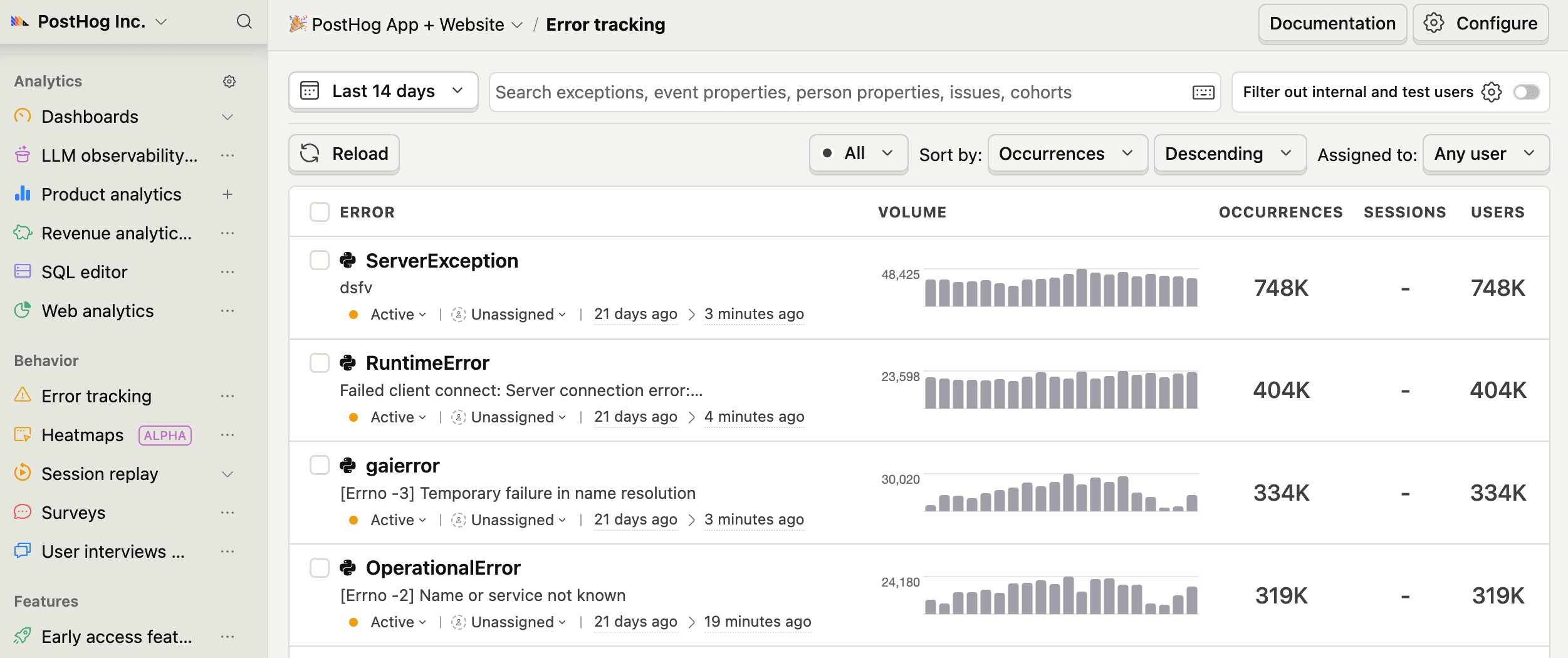
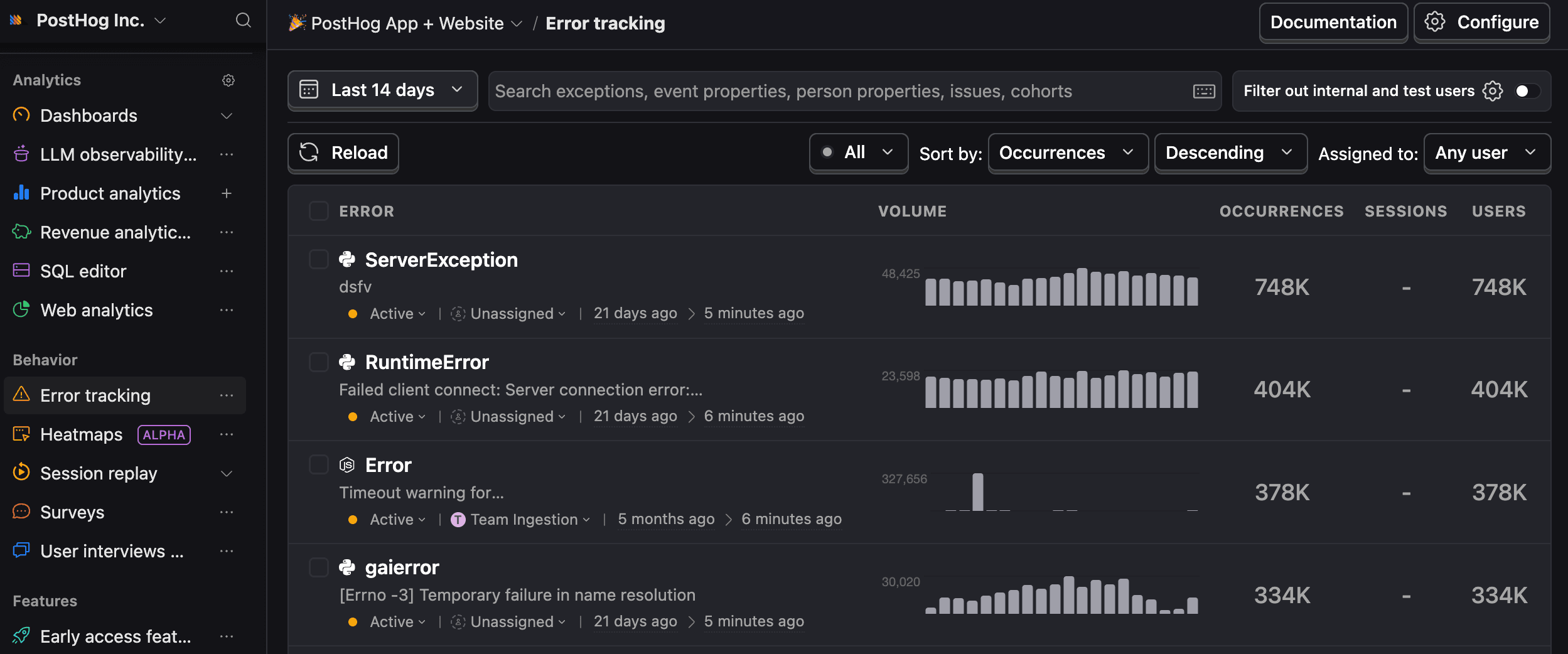
- Autocapture exceptions in the browser, mobile, and server-side
- Accurate stack traces via source maps
- Customize issue grouping with rules
- Alerts on triggers, filters, and trends
- Jump from any exception straight into the replay of the user who hit it
Watch the session with the console open
Rethink what replays look like with PostHog. Sure, you get the video, but you also get dev-tools level context synced to the timeline: console logs, network requests, performance data, rage clicks, dead clicks, craaaazy clicks. (Yes, even those.)
When a user says "it just broke," you get the full picture with frontend context and backend visibility.
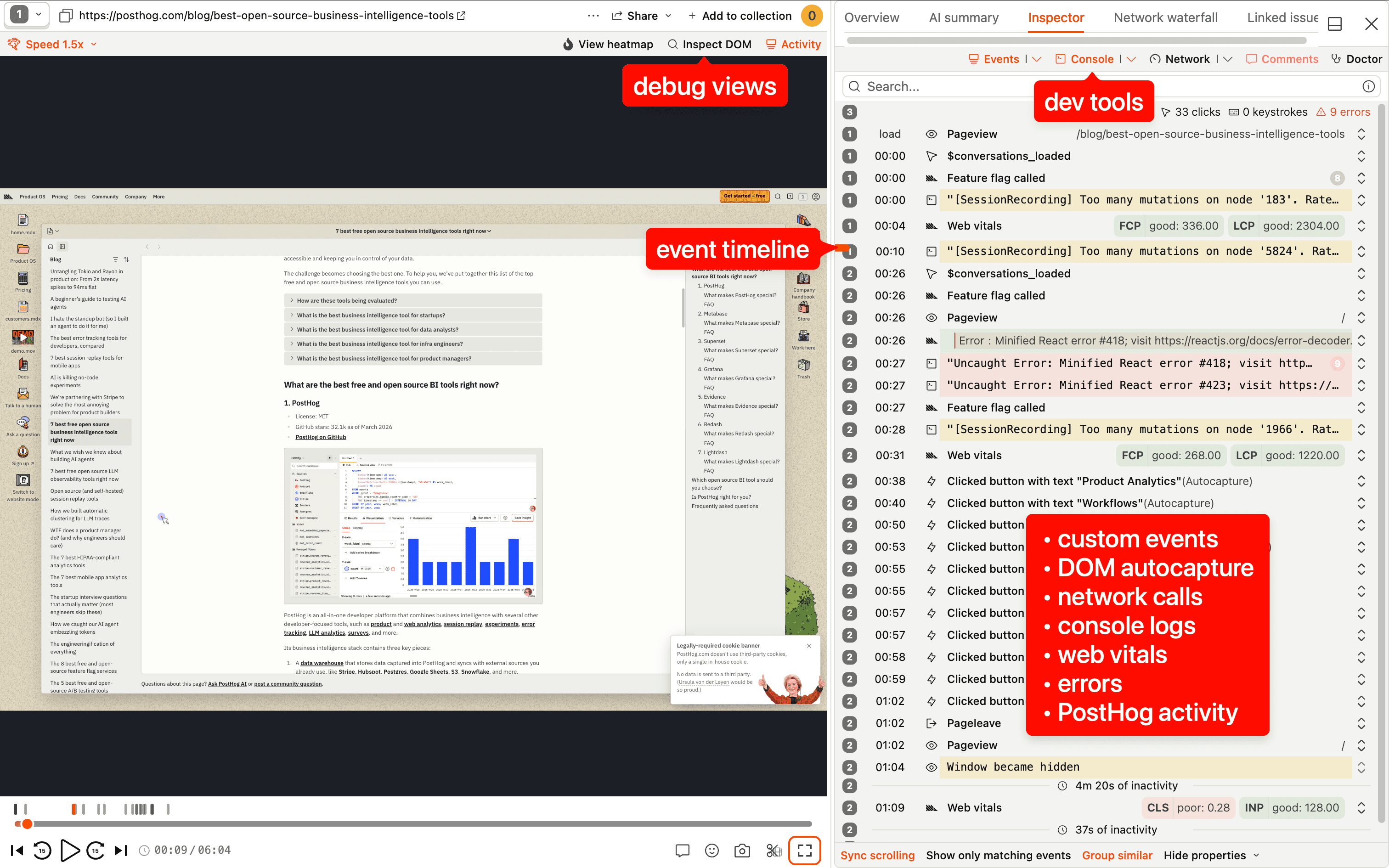
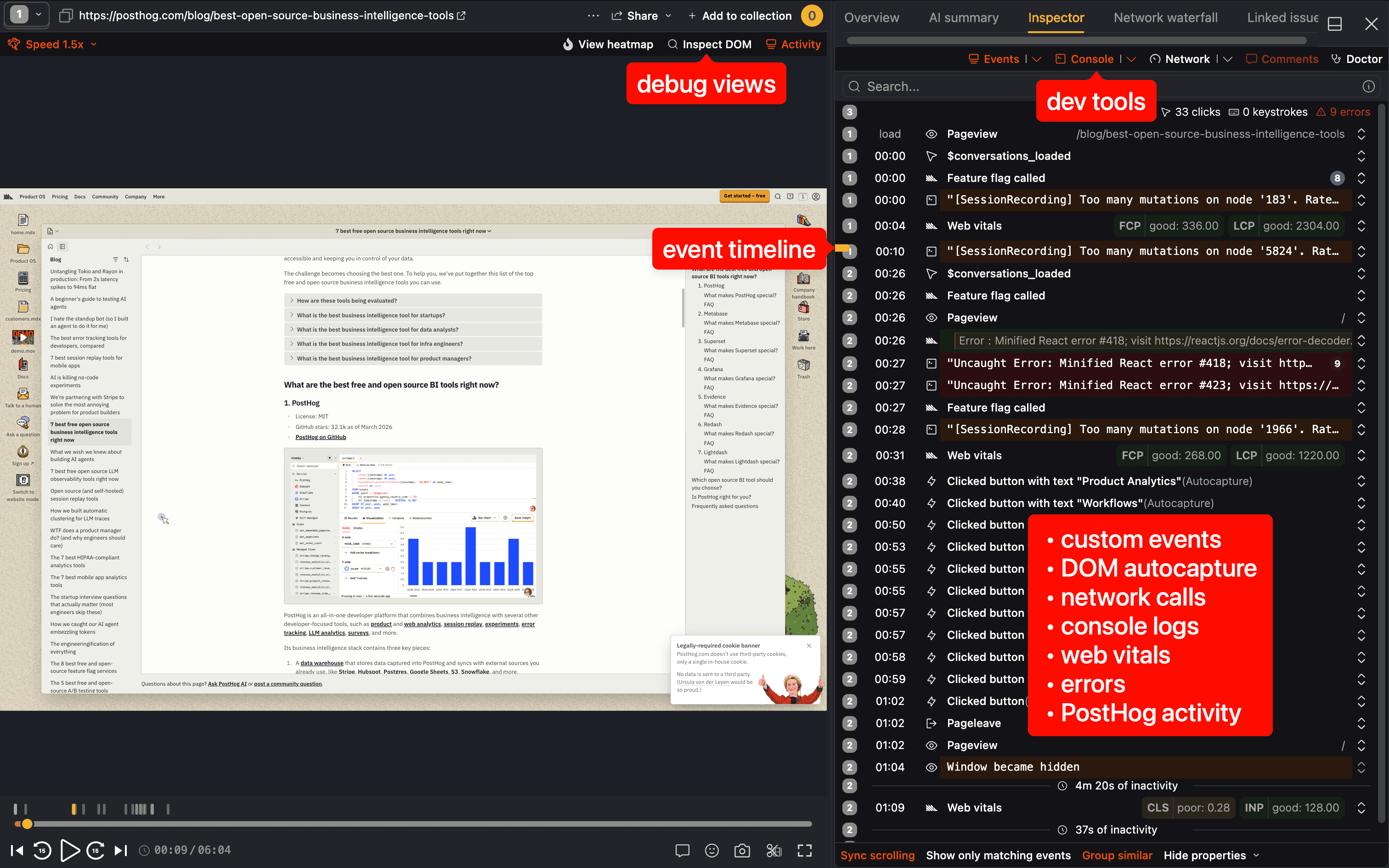
- Jump to any event in the timeline to skip to what matters
- See console errors and network failures in exact context
- Automatic rage-click and dead-click detection (no tagging needed)
- Save filters as collections your team can reuse
- Every replay is linked to the exceptions and log lines from the same session
Search and tail your logs
PostHog Logs works with any OpenTelemetry client – no PostHog-specific packages required. Point your existing OTel SDK at PostHog, drop in your project token, and your structured logs land alongside everything else.


- Full-text search with multiple tokens and negative filters
- Filter by time, service, resource attributes, or log level
- Alert when error logs spike or specific patterns appear
- One click from a log line to the session replay of the user who triggered it
- Logs with
$exceptionevents automatically become issues in error tracking
One signal, three views
Most observability stacks are three tools stitched together with hope. PostHog Observability is one tool with three lenses on the same data. Every exception already knows the session it came from. Every log line already knows the user. Every replay already has the network calls and console errors attached.
Error → Replay
Click any exception to land in the replay of the user who hit it. No matching IDs, no CSV exports, no copy-pasting timestamps between dashboards.
Logs → Session
Log lines link to the session and user who produced them. Jump from a noisy log burst straight into the recording to see the clicks and network failures that produced it.


Replay → Logs & Errors
The activity panel inside every replay already shows the console errors, network failures, and structured log lines for that session. Same data, same place, no tab switching.
Use for free
Good news: no per-seat pricing, no enterprise plan required.
More than 90% of companies use PostHog for free.
TL;DR 💸
- No credit card required to start
- Error tracking: 100k exceptions/mo free, then $0.000370 per exception with volume discounts
- Session replay: 5,000 web + 2,500 mobile recordings/mo free, then from $0.005 per recording
- Logs: 10 GB ingested/mo free, then $0.25/GB with discounts
- PostHog MCP is included on every plan (no enterprise plan required)
- Set billing limits per product to avoid surprise charges
- See full pricing for error tracking, session replay, and logs
That's it! You're ready to start integrating.
You made it to the bottom. That means you probably read stack traces before filing a bug report. Mad respect.

Now go install the PostHog MCP and let your agent do the debugging. You've earned it.