Chapter 04

Reduce noise

Twig is growing, and the engineers are starting to notice issues that are noisy, but they'll never fix. For example:

  • Exceptions from their own laptops during local development.
  • ResizeObserver loop errors the browser or React throws, which guests never notice.
  • One browser stuck in a loop, sending the same exception 15,000 times in an hour.
  • Errors from browser extensions, in code Twig doesn't own.
  • A flood of exceptions during an outage.

PostHog bills by events ingested, so these noisy events also cost money.

Here are the tools Twig's engineers use to silence noisy exceptions.

Skip local development with production builds

Twig only starts PostHog in production builds. Local development builds don't capture events or exceptions:

JavaScript
if (process.env.NODE_ENV === 'production') {
posthog.init('<ph_project_token>', { capture_exceptions: true })
}

Local development environments are especially noisy, and many of the exceptions that happen in local development don't manifest in production at all.

Drop browser errors with before_send

The engineers drop the browser's ResizeObserver loop errors in Twig with the SDK's before_send hook, which runs before the SDK sends anything. It returns null to drop an exception, or edits its properties to redact sensitive data:

JavaScript
posthog.init('<ph_project_token>', {
before_send: (event) => {
const exception = event.properties.$exception_list?.[0]
if (exception?.value?.includes('ResizeObserver loop')) {
return null
}
return event
},
})

Nothing dropped here reaches PostHog, so it's the cheapest place to filter.

The web, Node.js, React Native, iOS, Android, Flutter, Kotlin, Python, Ruby, and Roblox SDKs all have a similar hook, and some name it beforeSend. Suppressing exceptions shows it for web and React Native.

Stop looping browsers with burst protection

Burst protection in the web and Node.js SDKs keeps a bug that loops in one guest's browser from flooding the project. It's on by default.

Burst protection only runs in those two SDKs, in the client. To cap volume from every SDK, the engineers use rate limits.

Drop extension errors with a suppression rule

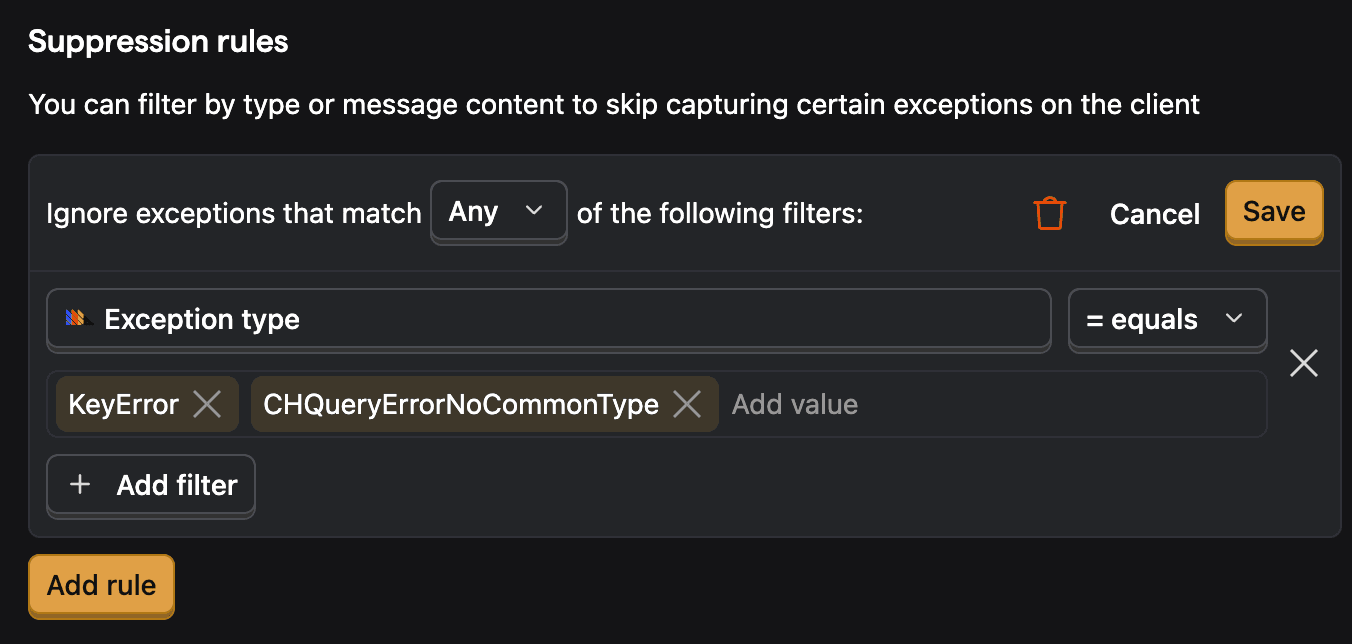
The engineers add a suppression rule in Error Tracking settings for errors from guests' browser extensions. It drops future exceptions that match its filters, like the exception type or message Fig. 1. PostHog applies rules at ingestion, and some SDKs apply them in the app too.
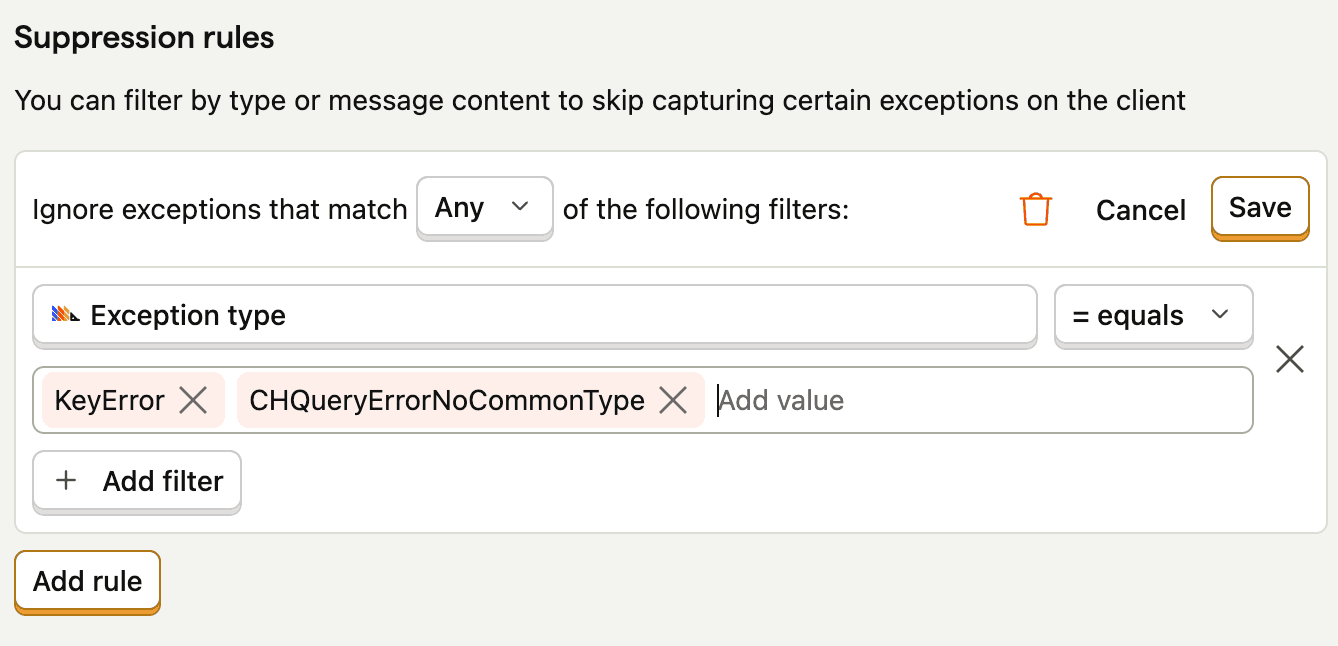
The suppression rule editor: a match mode, a filter on exception type, and the types to drop
Fig. 1 – This suppression rule drops two exception types from now on.Hover over the figure to learn about each element.

Cap outages with rate limits

Rate limits cap how many exceptions PostHog ingests during an outage. The engineers set a per-issue limit, so one noisy issue can't use up the whole project's limit. A project-wide limit caps the project's total volume.

Bypass rules let critical exceptions skip both limits. PostHog still bills the exceptions they let through.

Triage noisy issues

When an issue gets noisy, Twig's engineers decide what to do with it like this:

We turned this into a skill for you to triage your noisy issues Fig. 2. It asks for approval before it changes anything.

error-tracking-noise-audit/SKILL.md
---
name: error-tracking-noise-audit
description: >
Find noisy PostHog Error Tracking issues and propose the right control for each: suppression,
rate limits, before_send, or leaving the issue active. Changes nothing without approval.
---
# Audit error tracking noise
Read the current docs first. Every PostHog docs URL returns Markdown if you append `.md`:
- https://posthog.com/docs/error-tracking/rate-limiting.md
- https://posthog.com/docs/error-tracking/capture.md (burst protection, suppressing exceptions)
- https://posthog.com/docs/error-tracking/managing-issues.md (issue statuses)
## Find candidates
Use the PostHog MCP. List the issues from the last 7 days with their exception count and the
number of people affected.
- High volume from a few people is usually a loop or one broken client.
- Volume spread across many people, with no frames from your own code, is usually browser
extensions or third-party scripts.
- A sudden jump in one issue during an incident is an outage.
## Propose a control
Walk each candidate through these checks in order, and stop at the first yes:
1. Does it carry sensitive data? Propose a `before_send` hook that redacts it.
2. Is it a real bug someone will fix? Leave it active and suggest an owner.
3. Does it hit paying customers or a core flow like signup, login, or checkout? Flag it for a
human. Never propose suppressing it.
4. Is one client throwing it in a loop? Check burst protection is on in web and Node.js, and propose
tuning it. For other SDKs, propose a per-issue rate limit.
5. Can you describe it by exception type or message, like a browser extension error? Propose a
suppression rule.
6. Is an outage flooding it? Propose a per-issue rate limit.
7. Otherwise, propose suppressing the issue.
## Rules
1. Ask before you suppress an issue, add a suppression rule, or change a
rate limit.
2. Suppressed and rate-limited exceptions are dropped for good. Say so in each proposal.
3. Before you tighten rate limits, propose bypass rules for exceptions that must always arrive.
## Finally
Return a table with the issue, exception count, people affected, what you think the noise is, the
control you propose, and why.
Fig. 2 – The skill Twig's engineers use to find noisy issues and pick a control for each. Copy it and give it to your agent.