





Points & rewards
Contents
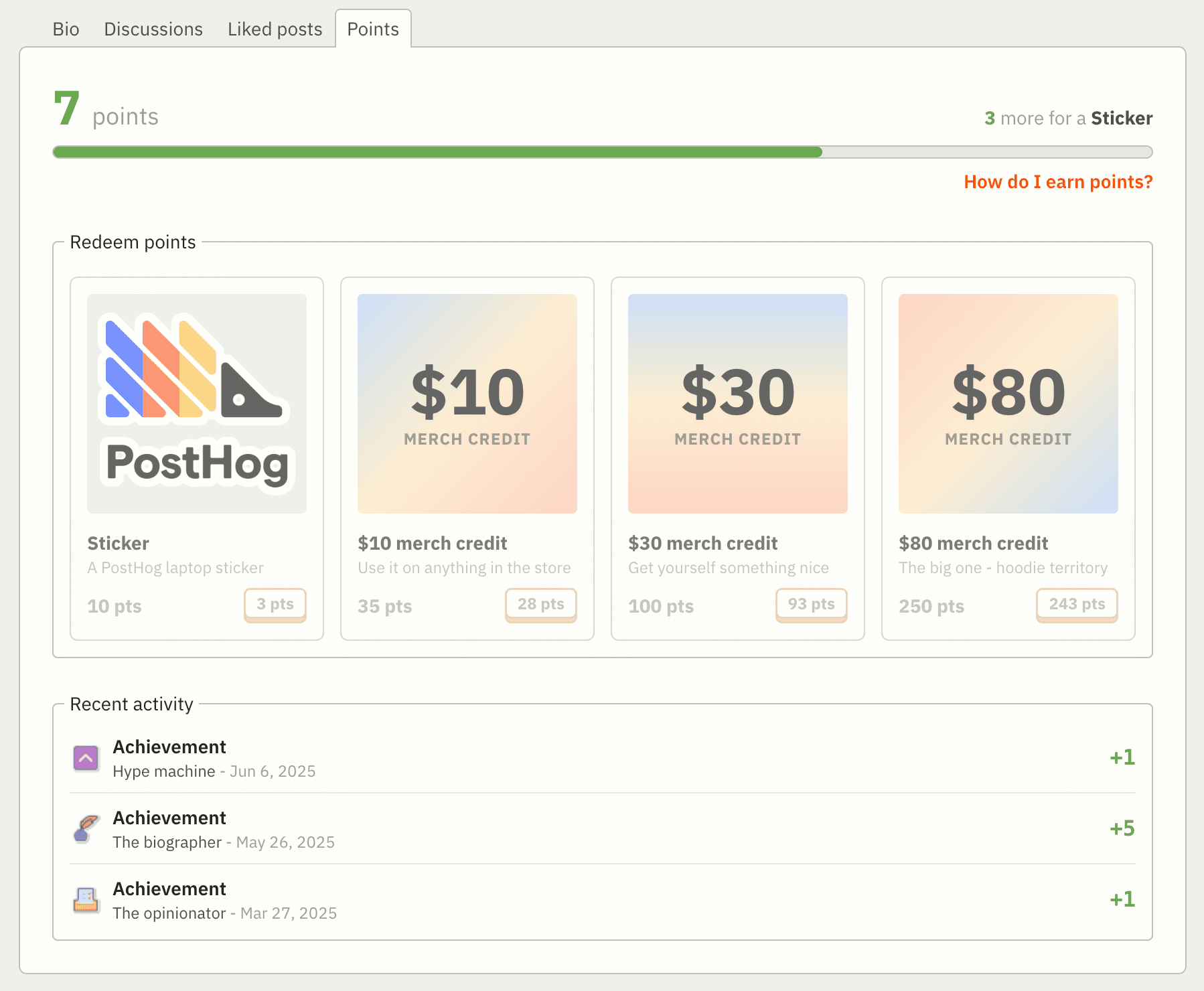
PostHog community members can earn points by completing achievements and answering questions, and redeem them for stickers, merch credits, and other rewards from the Points tab on their profile.
How points work
Points come from three places: achievements, replies to questions, and one-off gifts from moderators.
Each achievement has a point value based on the time and effort we expect someone to spend earning it. For example, voting on the roadmap, updating your bio, and asking your first question are each worth a few points – enough to earn a sticker.
Moderators can also gift points for special contributions that don't fit neatly into an achievement category.
Earning points from achievements
To see available achievements and plan which to tackle next, visit the achievements page.
Achievements are awarded for activities like:
- Contributing to community discussions
- Helping other community members
- Hitting milestones (e.g. first question, first answer)
- Voting on the public roadmap
- Completing your community profile
Earning points from replies
Every reply you post on a community question earns 1 point, up to a maximum of 5 points per day. The daily maximum keeps the reward for genuine help and prevents point farming.
Replies to your own questions don't earn points. Get a rubber duck.
Balance & transactions
- Balance updates automatically when you earn achievements, post replies, or redeem rewards
- Transaction history shows what you've earned, why you earned it, and any redeemed merch codes
- Progress tracking shows how many points you need to reach the next reward
Redeeming points
Redemptions are completely self-serve from the Points tab on your profile.
The points store offers two types of rewards:
Products (e.g. stickers)
When you redeem a product like a sticker:
- Click "Redeem" on the reward card
- Confirm the redemption
- A button appears letting you order it immediately
- Enter your name and shipping address to complete the order
Merch credits
When you redeem a merch credit (gift card):
- Click "Redeem" on the reward card
- Confirm the redemption
- You receive a discount code
- Click "Use in store" to open the merch store with your code pre-applied
- Shop for anything you'd like!
Merch codes are saved in your transaction history, so you can always find them again if needed.
For moderators
Gifting points
Moderators can gift points to users for contributions that don't fit into existing achievements:
- Navigate to the user's profile on posthog.com
- Click the gift icon (present button) in the profile header
- Enter the number of points and a reason for the gift
- Click "Send gift" and confirm
Enabling PostHog credit
A $30 PostHog credit shows on someone's Points tab only after a moderator turns it on for them. The switch is in Details, next to Role and Email, and only moderators can see it. It sets creditRedemptionEnabled on their user.
- Open their profile on posthog.com
- Click "Edit profile"
- Set PostHog credit to On
- Click "Save"
Each person can redeem one code. Turning it off hides the offer if they have not redeemed yet. A code that was already issued stays on their Points tab.
Monitoring redemptions
Redemptions are self-serve, but we have a Slack channel set up to monitor them while we're ironing out any kinks. This gives us visibility without requiring manual approval.
Creating achievements
See Achievements in the community profiles documentation for instructions on creating, assigning, and revoking achievements.