







The 5 best customer-facing analytics examples (and what to steal from each)

Contents
Customer-facing analytics are the stats you show your users, not your internal team. A users' usage dashboard, a "23 people are viewing this right now" counter on a product page, a public leaderboard, or how big your support queue is.
Under the hood, a lot of these are powered by the same kind of infrastructure: a fast, authenticated API layer that takes product data and ships it straight into the place users will see it. At PostHog, we call this Endpoints.
Endpoints are a way to expose your PostHog data as fast, versioned, authenticated APIs you can drop straight into your product without maintaining a custom API backend.
But, rather than telling you what customer-facing analytics is, we’re going to show you five companies who do it really well, and for each one, we've pulled out what's worth copying.
1. Vercel Analytics: Embedded customer usage dashboard
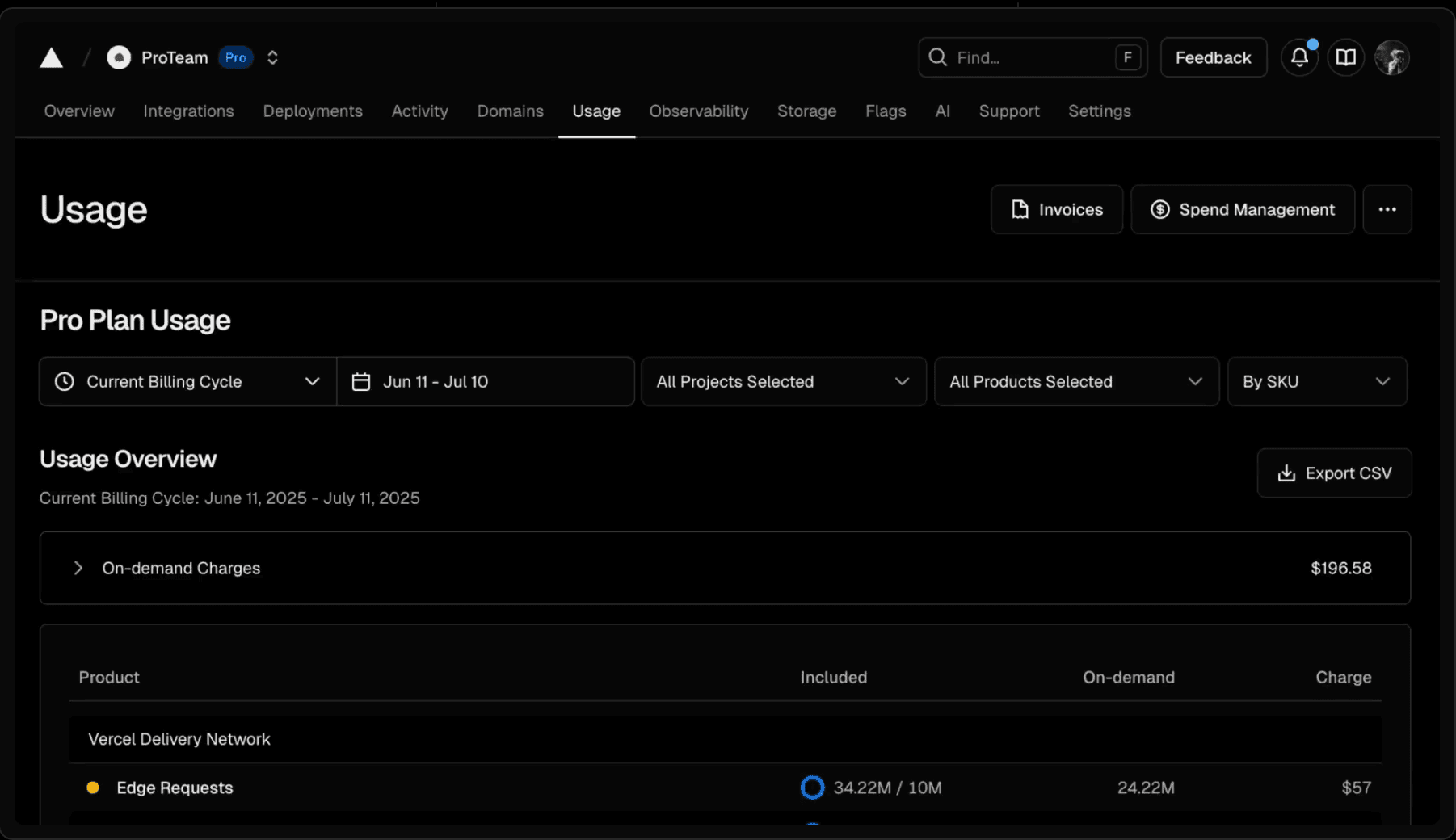
Vercel is the textbook case of a dashboard that customers log in to check. Every project deployed on Vercel ships with a Web Analytics panel that surfaces live visitor counts, top pages, referrers, UTM campaigns, and geographic breakdowns. All one click from the deploy button, with no separate tool to install.
What to steal
Treat customer-facing analytics with the same latency expectations as the rest of the product. Vercel made the design choice for their Web Analytics so that data shows up "seconds after enabling Analytics, not 30 minutes".
Customer-facing analytics live or die on whether users trust the numbers are fresh — the moment they stop trusting, the dashboard quietly becomes wallpaper.
Good news if you're a PostHog user: We just launched a real-time dashboard for Web Analytics.
2. Booking.com: Live metrics on the landing page
Booking.com has made a science of turning live activity into social proof: "23 people are looking at this hotel right now." "Booked 4 times in the last 6 hours." "Only 2 rooms left at this price." These numbers are pulled from live booking and browsing data and dropped directly onto the property listing.

What to steal
Put the analytics where the decision happens, not in a dashboard. Booking's live counters aren't a side feature, they're load-bearing conversion copy, and industry analysts have credited similar "shopping activation" widgets with lifting direct bookings by close to 50%. Audit your purchase flow for places a live number would move inventory, demand, recent activity, and put it inline. Real-time data that would matter to a buyer right now is wasted signal the moment you bury it two clicks deep in a reports tab.
3. Product Hunt: Making leaderboards front and centre
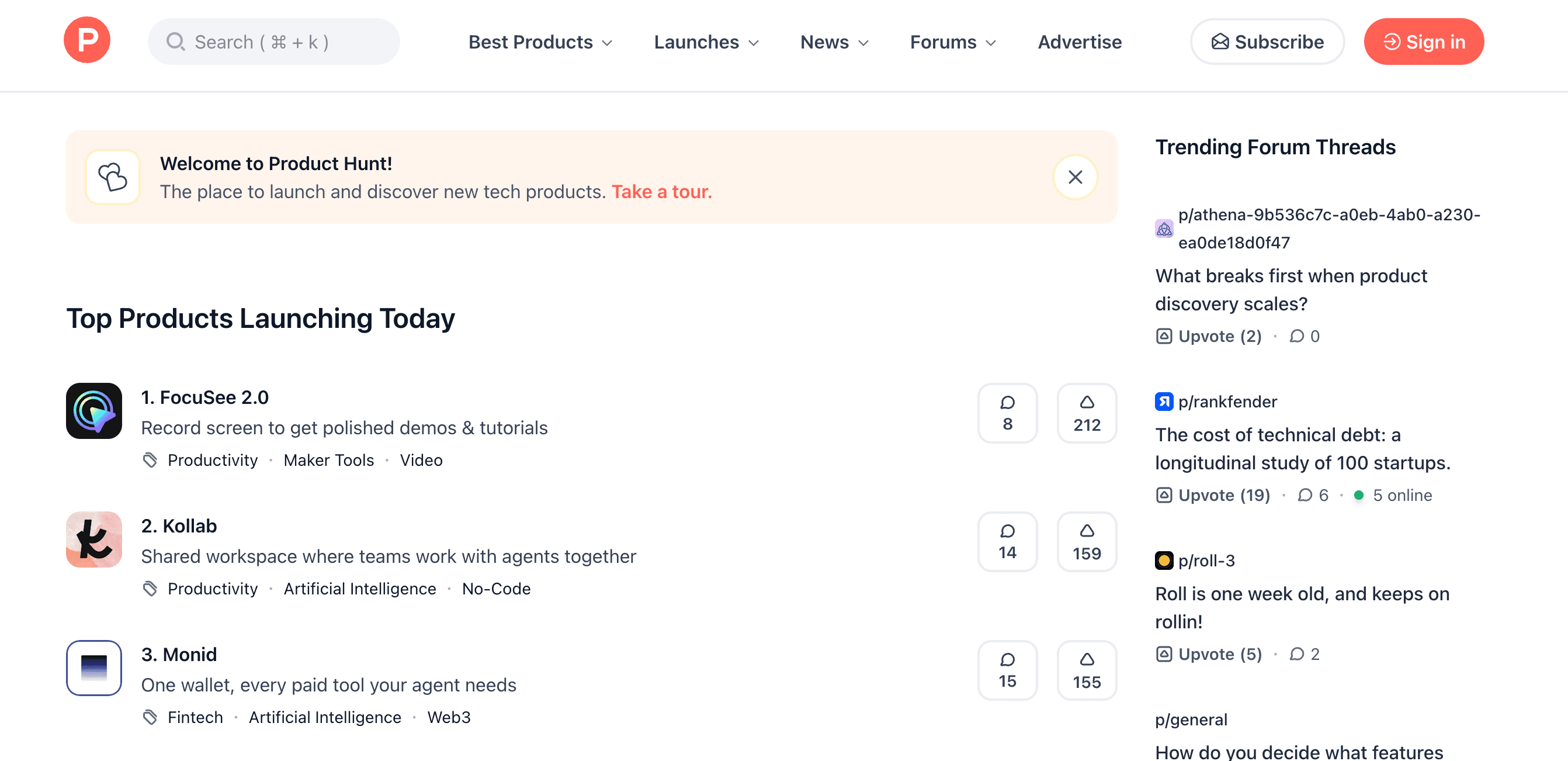
Product Hunt's entire homepage is a customer-facing leaderboard. Every 24 hours it ranks a few hundred new launches by upvotes, comments, and reviews, and rolls the top five into permanent "Yesterday / Last Week / Last Month" slots. The ranking logic is transparent enough that makers plan launches around it; roughly 700–800 upvotes is the bar for a weekday #1.
What to steal
Make your analytics two-sided. If you're sitting on ranking data , you have a potential product. Leaderboards get dismissed as a gimmick, but Product Hunt turned a database of upvotes into the homepage and let it do two jobs at once: recommendation feed for readers, scoreboard for makers. The more people check it, the more valuable ranking on it becomes.
4. HogHero: Augmenting support data with user information
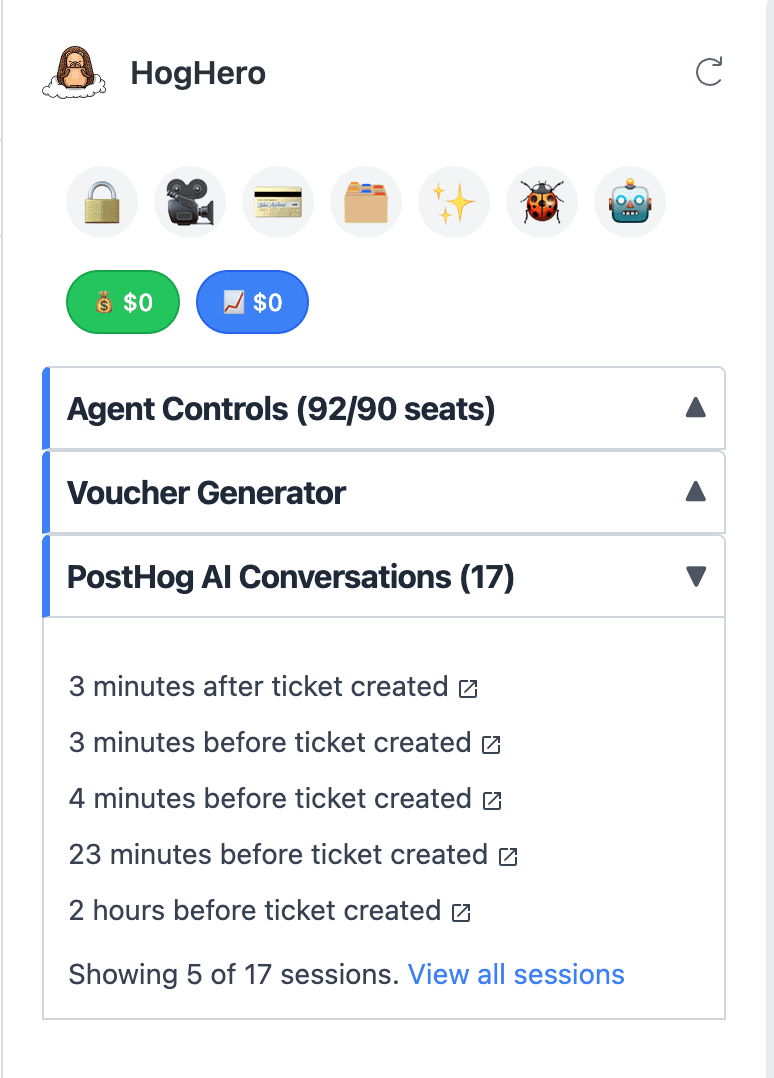
One of the ways we use Endpoints is HogHero, our internal Zendesk app.
When a customer opens a support ticket, HogHero shows our support rep the recent conversations that customer had with PostHog AI before they reached a human. The rep gets the context instantly and they start the conversation already halfway to the answer.
What to steal
Customer-facing analytics doesn't have to mean end-customer-facing. The fastest way to make an internal tool feel magical is to put the right data inside the app people are already in, not build yet another place they have to log into. Our reps don't have to switch tabs to PostHog and rebuild the customer's context, the conversation history is just there, scoped to that customer, the moment the ticket opens.
5. GitHub's contribution graph: Building a community through user analytics
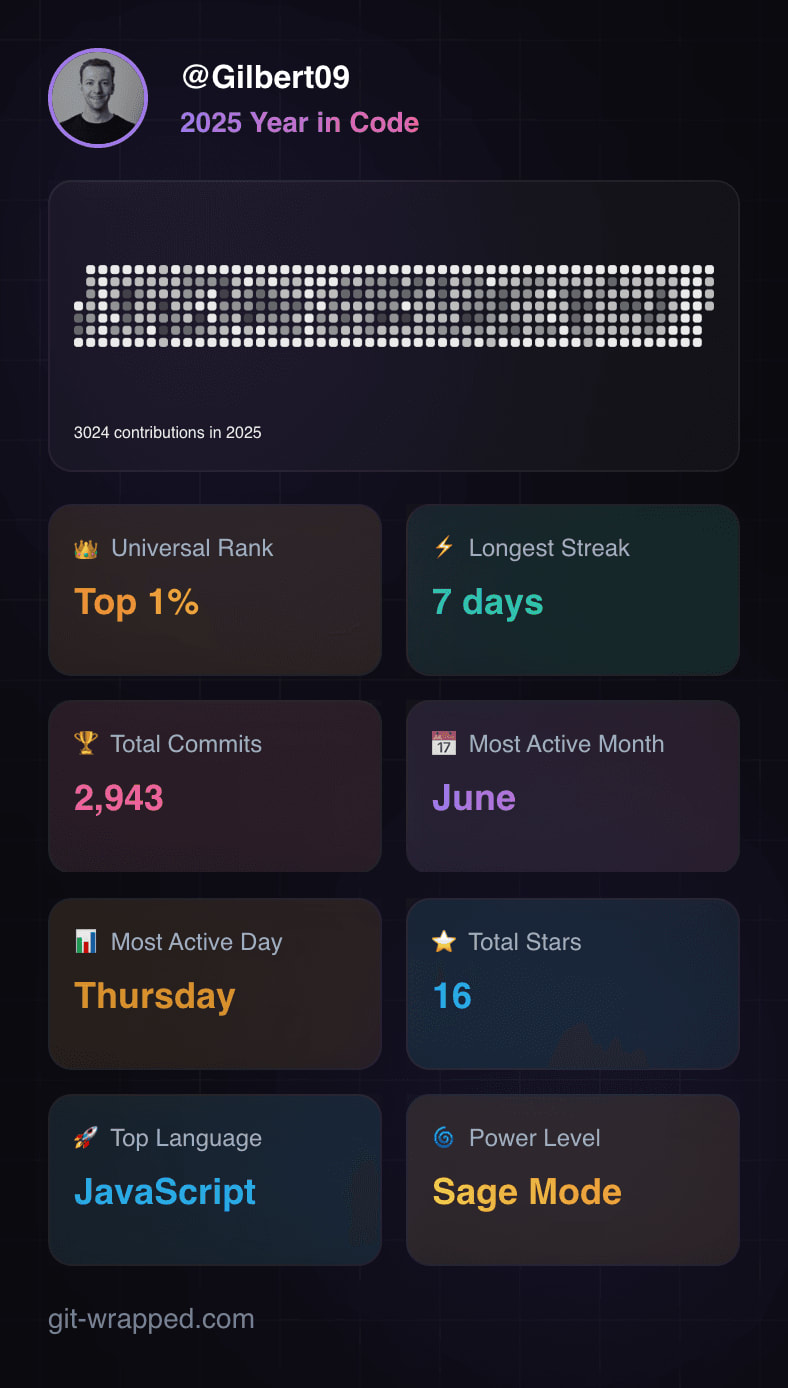
The green-square contribution graph on every GitHub profile is one of the most-copied analytics patterns on the internet. It's a one-year heatmap of commits, PRs, issues, and reviews, rendered on your public profile. It's functionally a behavior-change mechanic: "don't break the streak" is a meme precisely because the graph makes the streak visible to you and everyone who looks at your profile.
What to steal
Once you expose customer-facing analytics, users will ask for more – and some will just build it themselves. The contribution graph started life as a visualization and ended up as identity, habit-loop, and an entire third-party ecosystem of GitHub Wrapped tools. These are built by people who want to share their streaks which creates a viral community moment that's great for GitHub’s brand.
The principles to make your customer-facing analytics a success
Across all five, the same few principles keep showing up:
- The data is live, or close enough, that users trust it.
- It's embedded where the decision happens: in the listing, dashboard, or profile. It's not parked in a separate reports section.
- It's scoped to the viewer. Customers see their own numbers, teams see their team's numbers, buyers see the listing's numbers.
- It's owned like a product feature, not a data-team deliverable. Someone owns the latency, the UX, and the roadmap.
Endpoints makes customer-facing analytics simple
Inspired to build customer-facing analytics yourself? We’re biased but we think you should check out Endpoints. Here's how it works:
- Start from something you already have in PostHog. Open any saved insight, trend, or SQL query you've already built. If you've got a number you trust inside PostHog, you're 90% of the way there.
- Turn it into an Endpoint. Go to the three dots at the top of your insight screen and select 'Create Endpoint'. Endpoints wraps your query in a fast, versioned, authenticated API — no backend setup, no pipeline, no new tool to learn.
- Drop it wherever you need the number to show up. Your product, a customer-facing dashboard, your landing page, or an internal Slack bot — anywhere that accepts a URL or an API call.
- Let it update itself. The number stays live. If you tweak the underlying insight in PostHog, the Endpoint updates too. No rebuilds, no stale screenshots, no Monday-morning "can someone refresh this for me" messages.
We do this ourselves. Our public MCP leaderboard ranks the AI models, clients, and tools that agents use with the PostHog MCP server. It runs on two endpoints, and the site fetches them when it builds. See public stats pages for how it works.
Take the data you already trust in PostHog, ship it to the place your users actually look, and let the tool do the heavy lifting for you. Give it a try, or you can check out our docs to learn more.
PostHog is your product's context layer. With a full suite of developer tools – AI observability, product analytics, session replay, feature flags, experiments, error tracking, logs, and more – PostHog ingests and stores all the data agents need to diagnose problems, uncover opportunities, and ship fixes. A data warehouse and CDP tie it all together, unifying that context into one source agents can read across. You can steer it all from Slack, the web app, the desktop (PostHog Desktop), or your own editor via the MCP.