







The best in-app survey tools for product teams, compared

Contents
Most in-app survey tools look roughly the same on paper: a basic NPS widget here, a few question types there, some targeting options.

But when you need to get into the nitty gritty like triggering a survey after a user kicks off a certain event, or connecting their response to the session replay so you can investigate why someone gave you a 3 out of 10... That's when different tools start to diverge real fast.
In this guide, we'll compare the best in-app survey tools for product teams including what each one does well, where they fall short, and how to pick the right fit.
What features do you need in your in-app survey tool?
A good in-app survey tool lets you ask the right users the right questions at the right moment, without making them leave your product.
Most solid tools include:
- Survey widgets that embed directly in your web or mobile app
- Pre-built templates for NPS, CSAT, and PMF surveys
- Basic targeting by page URL or user property
- Response dashboards with simple reporting
Teams who want more precise feedback will go further with:
- Event-triggered surveys so you ask right after a meaningful user action, not just on page load
- Mobile app support with native iOS and Android SDKs
- Multi-step branching logic to show different questions based on previous answers
- AI-powered analysis to surface themes across hundreds of open-text responses without manual tagging
- Integration with session replay and analytics so you can connect what users say with what they actually did
Here's a quick overview how the most popular tools in the market compare:
What's the best in-app survey tool for product teams?
1. PostHog
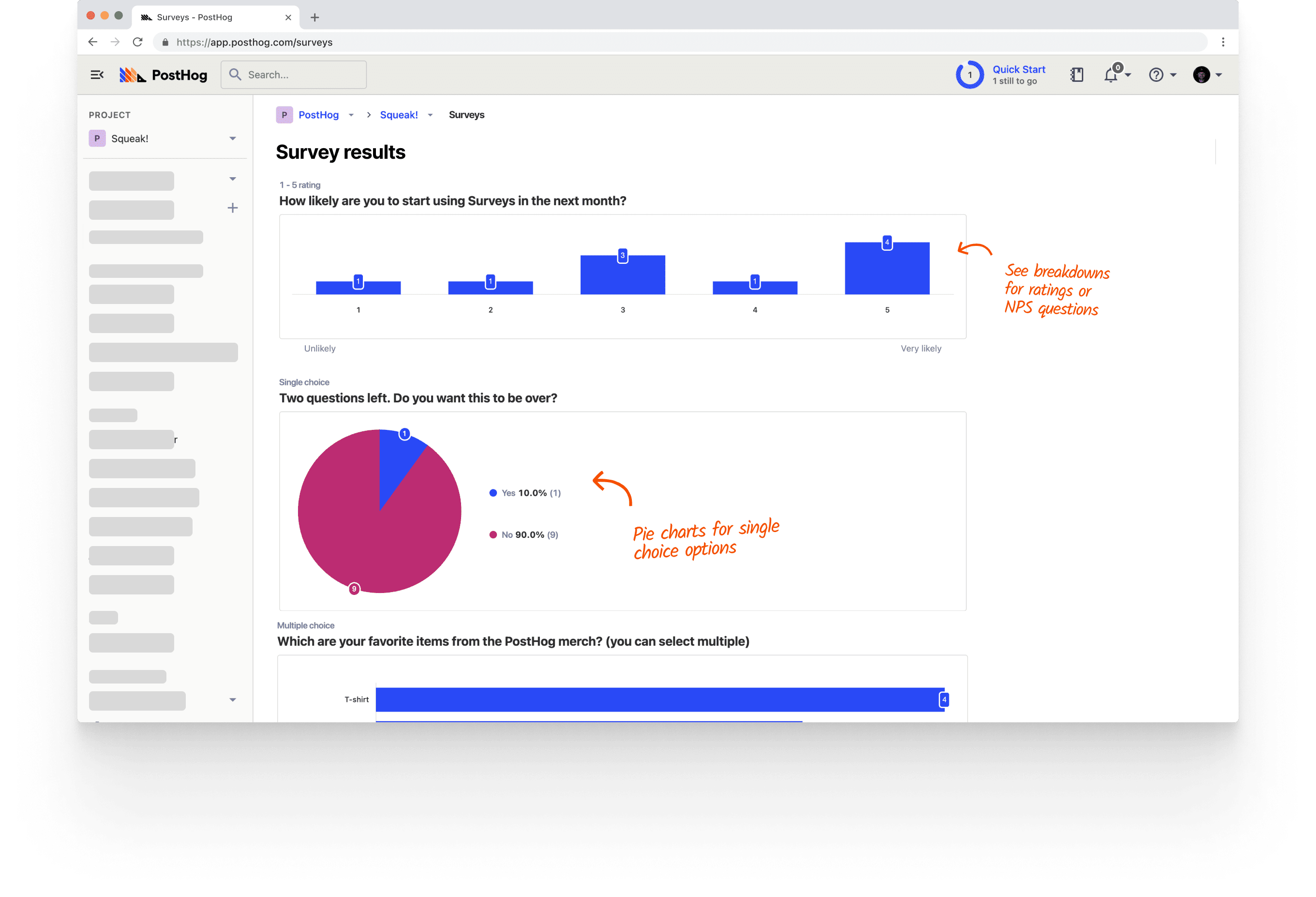
PostHog (that's us, hi 👋) is an all-in-one developer platform that includes surveys alongside product analytics, session replay, feature flags, experiments, error tracking, and much, much more.
This means you can do more than just collect feedback. When a user submits an NPS response, you can pull up their session replay to see exactly what experience preceded it, join the response to their event history, or use a feature flag to target them with a follow-up experiment. Everything lives in one place, and all the products are designed to work well together.
Surveys in PostHog support web and mobile apps, can be triggered by events or feature flags, and include templates for NPS, PMF, CSAT, and more. This lets teams get very granular with when and how to send surveys to users, and do complex analysis with other product tools.
PostHog is also investing heavily in AI features. Built-in AI summaries and the ability to get deeper survey analysis in the PostHog AI chat interface are both currently in Beta.
The free tier includes 1,500 responses per month with no credit card required.
Strengths:
- Surveys part of a unified suite, linked to session replay, analytics, feature flags, and more
- Highly customizable event-triggered and feature flag-targeted surveys
- Web and mobile support (iOS, Android, React Native, Flutter)
- AI analysis: summarize responses and dig deeper via chat (in Beta)
- 1,500 free responses/month with usage-based pricing
Product and engineering teams who want to connect survey feedback directly to technical details related to user behavior, analytics, and experimentation without adding another tool to their stack.
2. Hotjar
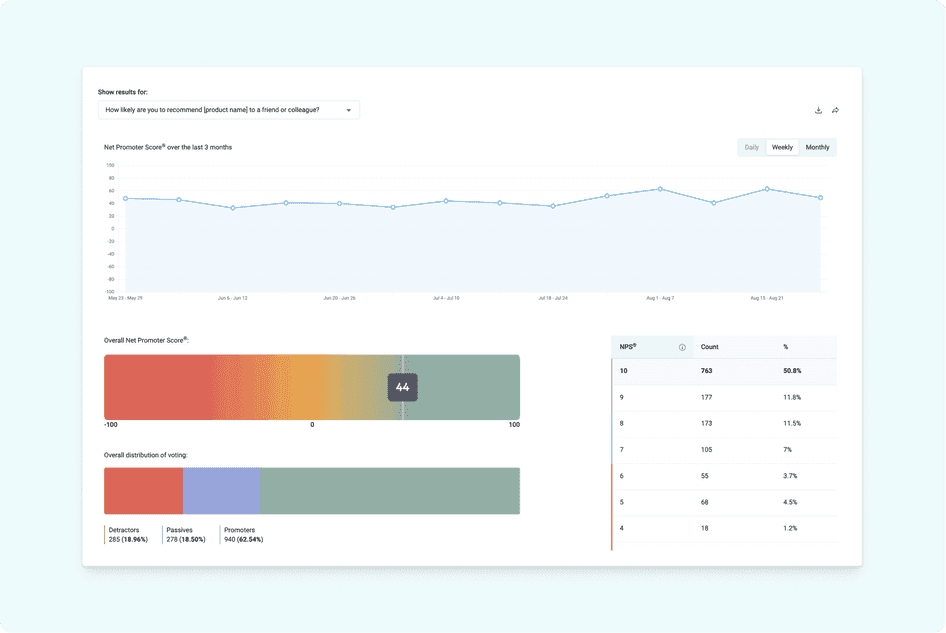
Hotjar (now part of Contentsquare) is one of the most widely deployed tools for understanding user behavior on websites. Its surveys sit inside a broader toolkit that includes heatmaps, session recordings, and user interviews, making it easy to triangulate between what users say and what they do.
Surveys in Hotjar support NPS, CSAT, and open-ended questions, and can be triggered by exit intent, scroll depth, or specific events. AI-powered sentiment analysis is available on paid plans. You can also recruit and schedule user interviews directly through Hotjar Engage.
See our PostHog vs Hotjar comparison for a deeper breakdown.
Strengths:
- Simple setup and intuitive interface
- Surveys paired with heatmaps and session replay
- Exit-intent and event-triggered surveys
- AI-powered sentiment analysis on responses
- Built-in user interview scheduling
Product, UX, and marketing teams focused who want qualitative feedback paired with visual behavior insights.
3. Sprig
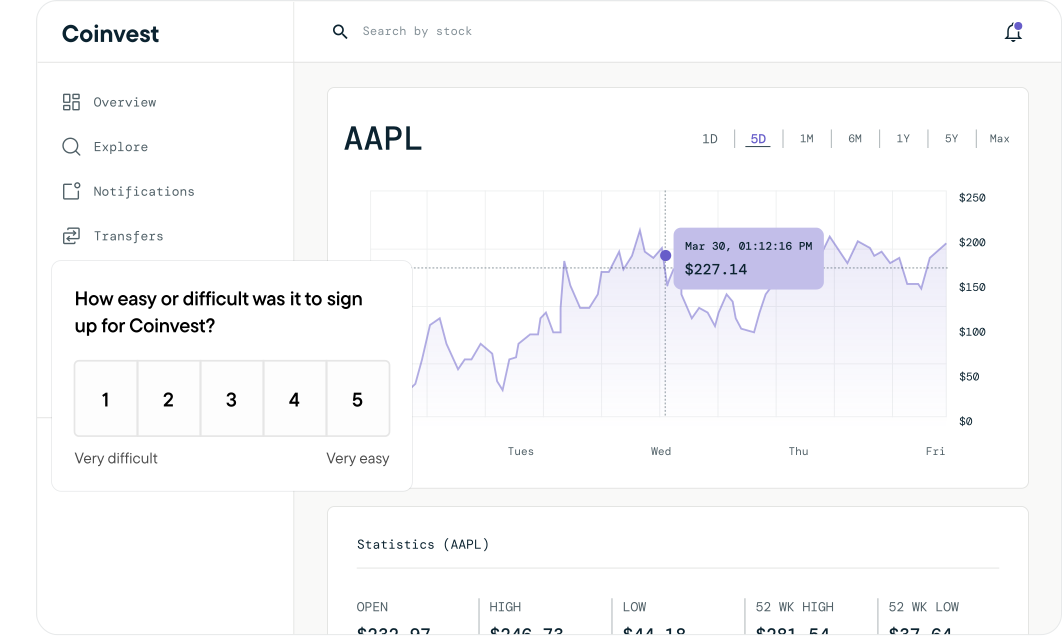
Sprig is a purpose-built user research platform that links in-product surveys and session replays together into what it calls "studies." The core idea is that you should see not just what users said, but what they were doing when they said it.
In Sprig, you trigger a study in response to a user action, users answer your survey, and the session recording captures the context. AI then analyzes responses across participants to surface common themes automatically so you don't have to manually tag hundreds of open-text answers.
Sprig supports web and most mobile platforms (iOS, Android, but not Flutter). Their free tier plan is limited to 25 survey responses per month, and pricing is usage-based without public information on rates.
Strengths:
- Surveys and session replays linked in a single workflow
- AI analysis that surfaces themes across responses automatically
- Web and mobile support (iOS, Android – no Flutter)
- Designed for continuous product discovery
UX researchers and product teams running continuous discovery who need survey responses and session context side-by-side, with AI to handle analysis at scale.
4. Survicate
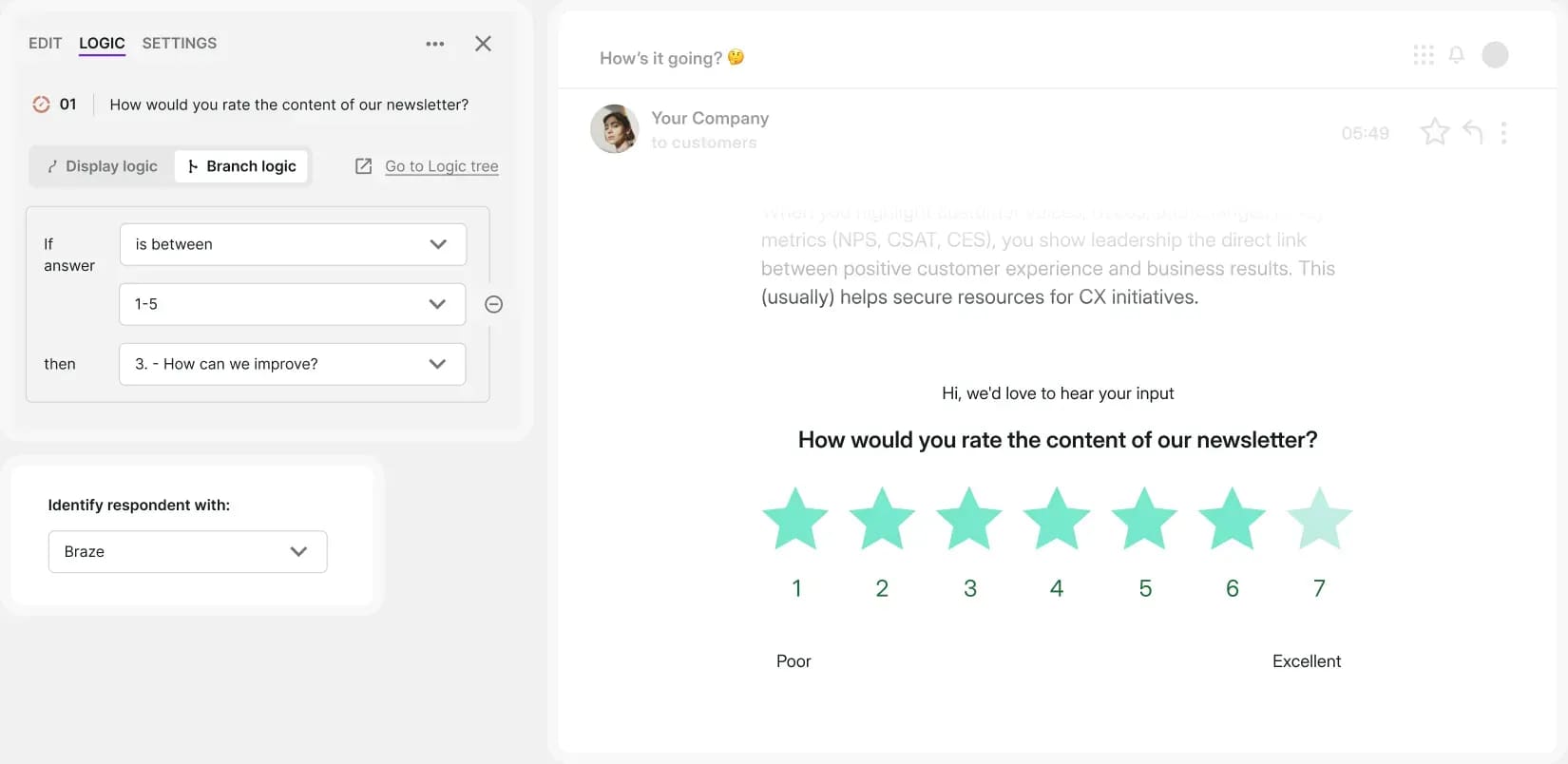
Survicate is a dedicated customer feedback platform built for multi-channel survey distribution. It specializes in reaching users everywhere: inside your web app, inside mobile apps via native SDKs, in email, and via shareable links. See our best Survicate alternatives if you're already evaluating other options.
The survey builder supports 13+ question types with branching logic and no code required. An AI-powered Insights Hub groups open-text responses by topic and sentiment, cutting down on manual analysis. Native integrations with HubSpot, Intercom, Salesforce, Zapier, and Slack make it easy to push responses into existing workflows.
The free tier allows 25 responses per month, with paid plans starting at $56/month (billed annually).
Strengths:
- Multi-channel surveys (web, mobile, email, shareable links)
- Native iOS and Android SDKs
- 30+ integrations including HubSpot, Intercom, and Salesforce
- AI-powered Insights Hub for grouping open-text responses
Customer success and product teams who need to collect feedback across multiple channels and route responses directly into their CRM or support tools.
5. Pendo
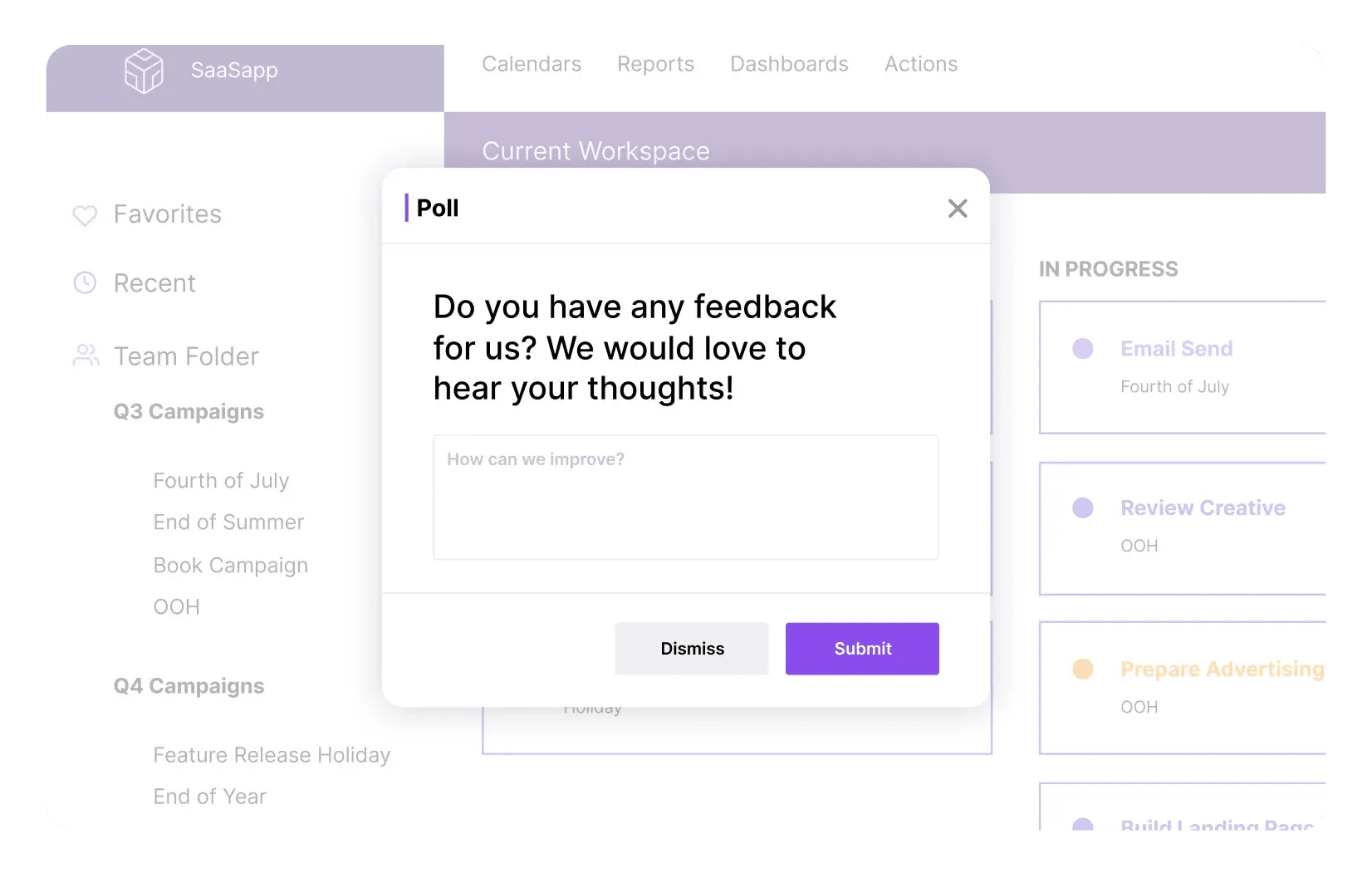
Pendo is a product experience platform that combines in-app surveys with analytics, session replay, in-app guides, and product roadmaps. It's primarily aimed at product managers and customer success teams at mid-to-large companies.
Surveys in Pendo are targeted by user segment or behavior, support web and mobile, and connect to its broader analytics model. The free plan includes Pendo-branded NPS surveys for up to 500 monthly active users, but full survey functionality requires a paid plan.
Pendo's pricing is very opaque and quite hefty, which puts it out of reach for most smaller teams and startups. See our PostHog vs Pendo comparison for more detail.
Strengths:
- Surveys bundled with in-app guides, analytics, and session replay
- Web and mobile support
- Powerful user segmentation for survey targeting
- Deep integrations with Salesforce, HubSpot, and data warehouses
Mid-to-large product teams that need surveys as part of a broader adoption and analytics platform, and have the budget for an enterprise tool.
6. SurveyMonkey
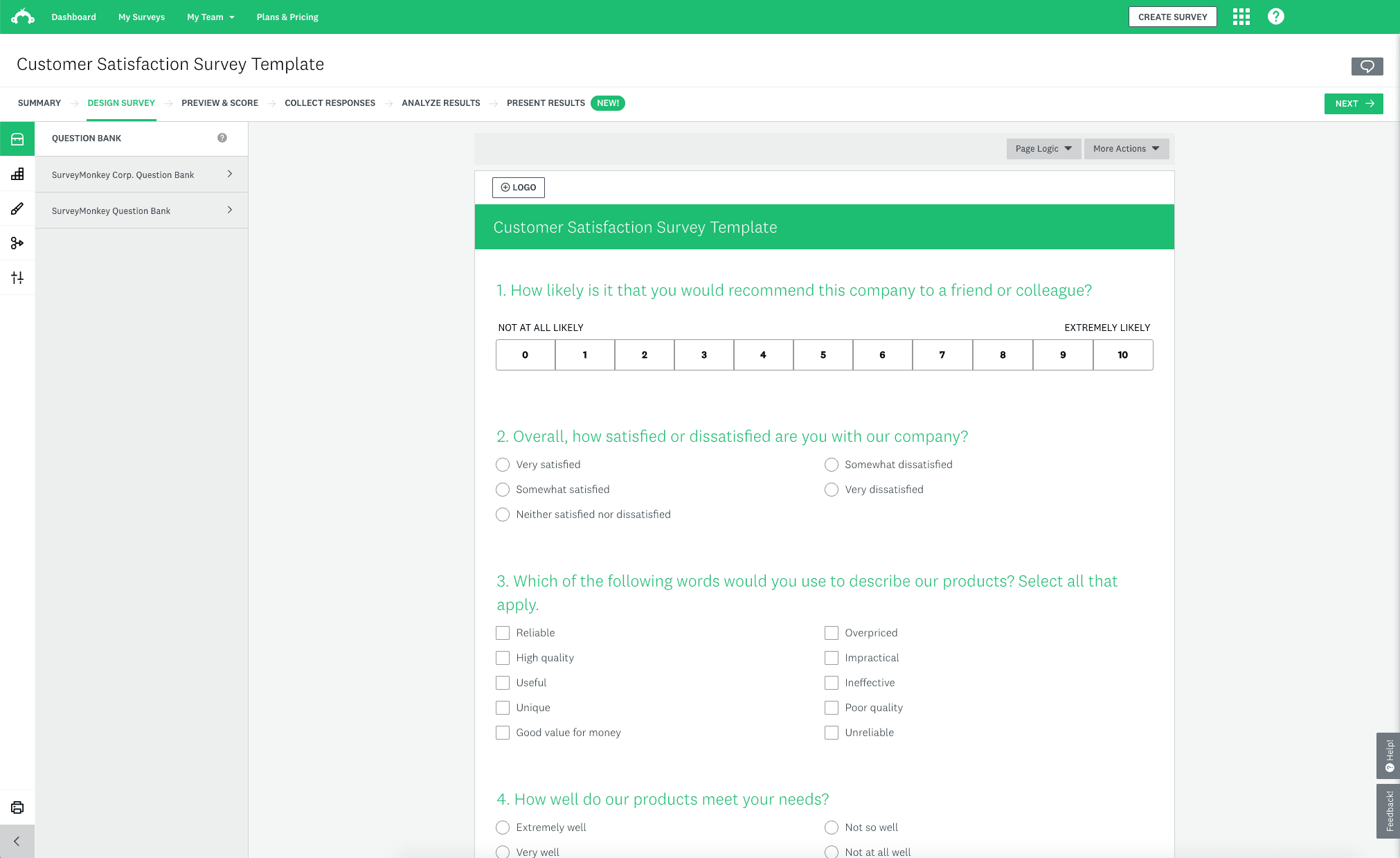
SurveyMonkey is one of the world's most popular survey platforms. It covers a wide range of survey types – NPS, CSAT, market research, employee feedback – and supports deployment via web embed, mobile SDK, email, and shareable links.
It's the most feature-rich pure survey tool on this list. You get 15+ question types, advanced branching logic, quota controls, and optional access to a respondent panel if you need external data. Reporting and benchmarking features are strong, especially for market research use cases.
The trade-off is depth of product integration. SurveyMonkey doesn't connect to session replay or analytics, so linking feedback to user behavior requires manual data exports and joins.
Strengths:
- Comprehensive survey builder with 15+ question types
- Multi-channel distribution (web, mobile, email, links)
- Optional respondent panel for external market research
- Strong reporting and industry benchmarking
- 100+ integrations
Teams that need a standalone, full-featured survey platform, especially for market research use cases that require external respondent panels.
Which in-app survey tool should you choose?
- Want surveys integrated with other analytics tools that are easy to trigger from custom events? PostHog
- Need surveys alongside heatmaps and session replay with AI summaries? Hotjar
- Want in-depth research with AI, surveys, and session replays linked together? Sprig
- Need multi-channel surveys with direct CRM integrations? Survicate
- Want surveys bundled with in-app guides and product analytics? Pendo
- Need a standalone platform with advanced question logic or respondent panels? SurveyMonkey
Recommendations by team type
For high-growth startups
- PostHog for a generous free tier, transparent pricing, and an all-in-one platform that replaces multiple tools
- Survicate if you specifically need multi-channel feedback distribution early on
For enterprise and large product teams
- Pendo for surveys bundled with in-app guides, analytics, and roadmap tools
- SurveyMonkey for complex research use cases with external panels and advanced reporting
For product and engineering teams
- PostHog to connect survey responses to session replays, feature flags, and analytics in one workflow
- Sprig if continuous product discovery with AI analysis is the primary use case
For UX and customer success teams
- Hotjar for quick qualitative feedback alongside heatmaps and session recordings on web
- Survicate for multi-channel feedback with tight CRM integrations
FAQ
PostHog says it makes your product "self-driving" – what does that mean?
It means PostHog digs through your product data, finds what's worth fixing, and has agents do the work.
It starts with context. A full suite of developer tools – AI Observability, Product Analytics, Session Replay, Feature Flags, Experiments, Error Tracking, Logs, and more – captures everything happening in your product, and a Context Warehouse unifies it into one source agents can read across.
From there, Scouts read across all of it and sort what's worth knowing from what's just noise. What clears the bar becomes a report in your inbox: an agent picks it up, roots out the cause, and opens a PR. You review and merge.
You can steer it from Slack, the web app, the desktop app, or your own editor via the MCP or CLI.
What's the difference between in-app surveys and standalone survey tools?
In-app surveys are embedded in your product and triggered by user behavior – you catch users in the moment, which leads to higher response rates and more relevant feedback. Standalone tools like SurveyMonkey are primarily distributed via shared links or email, which adds friction and loses the in-product context.
How do I trigger surveys at the right time?
The best time to trigger a survey is right after a meaningful user action – completing onboarding, using a key feature, hitting an error, or reaching a milestone. Tools like PostHog, Sprig, and Hotjar all support event-triggered surveys so you can configure this without hardcoding survey logic into your app.
Which in-app survey tools support mobile apps?
PostHog, Survicate, Pendo, Hotjar, and SurveyMonkey all offer native mobile SDKs. Sprig supports iOS and Android but not Flutter.
Can I link survey responses to user behavior and analytics?
Yes, if you use the right tool. PostHog links every survey response to the user's event history, session replay, and feature flag state automatically. Sprig ties surveys directly to session recordings. Pendo connects survey data to its broader analytics model. Standalone tools like Survicate and SurveyMonkey don't have built-in analytics, so you'd need to export and join data yourself.
Which in-app survey tools have a free plan?
- PostHog: 1,500 responses/month free
- Hotjar: 20 responses/month free (Ask Basic plan)
- Sprig: 25 responses/month free
- Survicate: 25 responses/month free
- Pendo: NPS surveys only, up to 500 MAU
SurveyMonkey doesn't offer a meaningful free tier for in-app survey use.
What question types do in-app survey tools support?
Most tools support NPS, CSAT, multiple choice, and open text. More capable tools also include rating scales, emoji reactions, multi-select, and interview scheduling. PostHog and Survicate both support a broad range of question types with branching logic and no code required.
How is PostHog different from dedicated survey tools?
PostHog is more than a survey tool. It combines surveys with the full context needed to understand and act on feedback:
- All-in-one toolkit: Product analytics, web analytics, session replay, feature flags, experiments, surveys, and error tracking
- Developer-first: Transparent APIs, SQL query builder, open source, and a public roadmap
- Transparent pricing: Generous free tiers and usage-based billing
- Trusted by teams: Used by Supabase, Lovable, ElevenLabs, ResearchGate, and more
PostHog is your product's context layer. With a full suite of developer tools – AI observability, product analytics, session replay, feature flags, experiments, error tracking, logs, and more – PostHog ingests and stores all the data agents need to diagnose problems, uncover opportunities, and ship fixes. A data warehouse and CDP tie it all together, unifying that context into one source agents can read across. You can steer it all from Slack, the web app, the desktop (PostHog Desktop), or your own editor via the MCP.