







Replay recording retention
Contents
Depending on how your app or website is built, recordings can take a lot of disk space. To manage this, we have the following session recording retention policy options in place.
Configuring recording retention period
The retention period for your recordings can be configured in the Data retention section of the session replay settings:
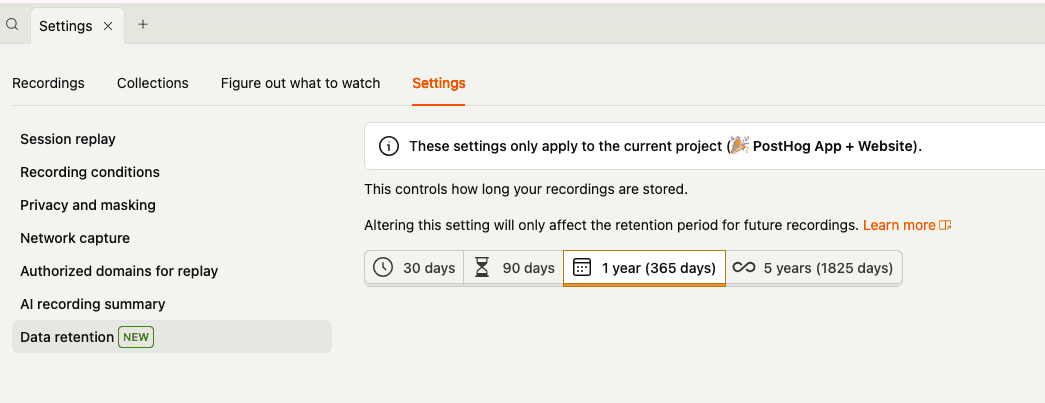
When you select a different retention period, a confirmation modal appears before the setting is applied. The new retention period only affects recordings captured from that point forward – existing recordings keep their original retention period.
The longest available retention period depends on your PostHog plan:
| Plan | Data retention |
|---|---|
| Free | Up to 30 days |
| Pay-as-you-go | Up to 90 days |
| Boost | Up to 1 year |
| Scale | Up to 1 year |
| Enterprise | Up to 5 years |
Note: When a recording expires, the deletion is not immediate. Recordings may still appear for a short time after the retention period expires or when manually deleted via the UI. Once a recording has been deleted we are unable to restore it - this makes data retention a useful feature if you are subject to data protection regulations.
Exporting recordings
You can export individual recordings you want to preserve by clicking Export to JSON in the more options menu in the top right of a recording. Downloaded recordings can then be imported back into PostHog for future playback, even if the original recording has expired.