A/B testing prompts
Contents
Prompt experiments let you A/B test two or more versions of the same prompt. PostHog splits your users between the versions, captures cost and latency for every generation, and shows which version wins.
Use this when you have a candidate change to a prompt (a wording tweak, a new instruction, a different system message) and want to validate it against the current version before rolling it out.
Step 1: Create your prompt versions
You need at least two versions of a prompt before you can create an experiment from it.
- In Prompt management → Prompts, open the prompt you want to test (or create a new one)
- If it only has one version, edit the body and save. Every save creates a new immutable version.
- Repeat for as many versions as you want to compare (up to 10)
For the rest of this guide, we'll assume a prompt named my-prompt with versions v1 and v2.
Step 2: Create the experiment
- On the prompt page, click the Experiments tab
- Click Create experiment
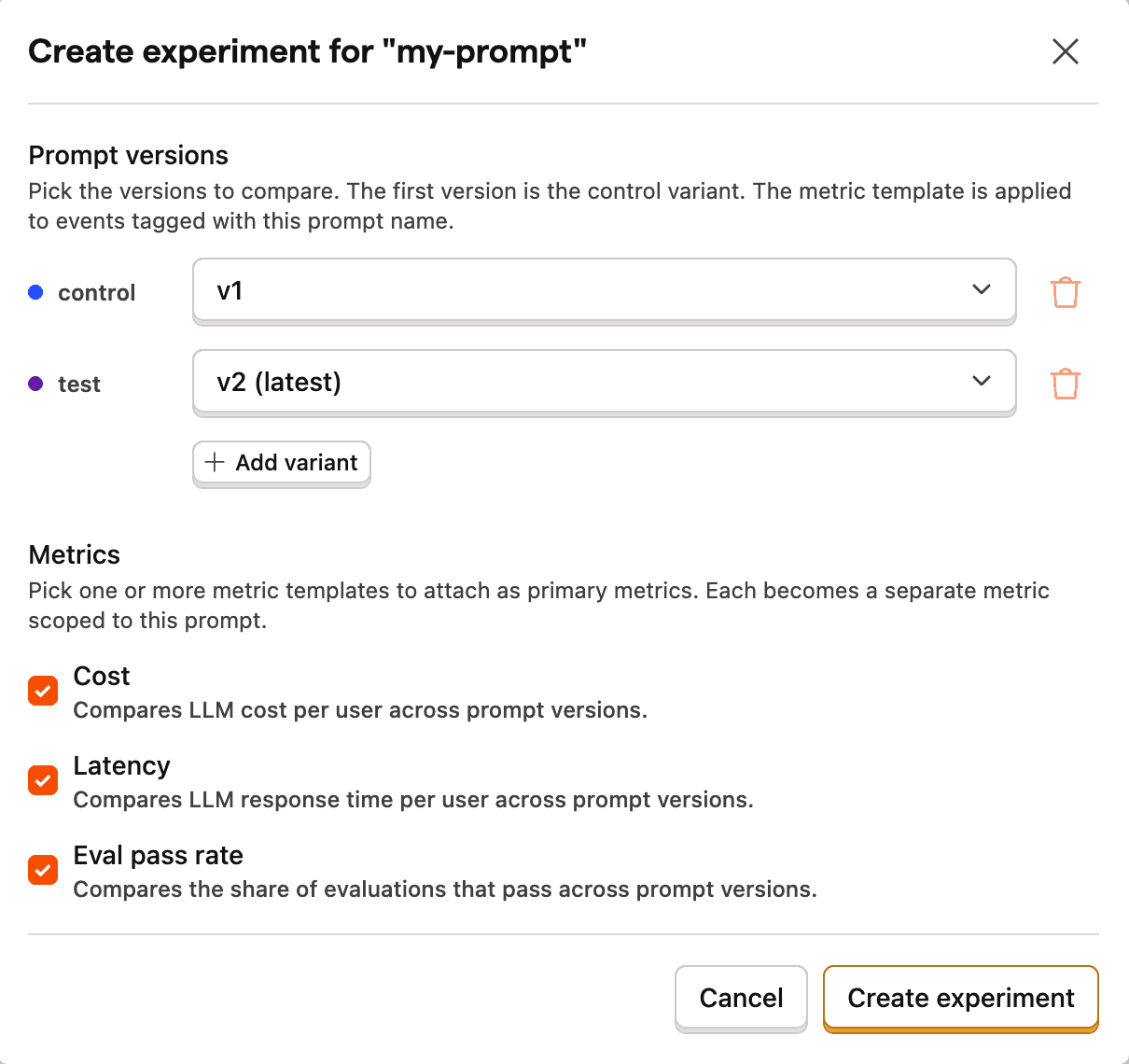
- In the modal:
- Pick the prompt versions you want to compare. The first one is the control variant, the rest are test variants (up to 10).
- Pick one or more metric templates: Cost, Latency, and Eval pass rate. Each one becomes a primary metric on the experiment, scoped to events tagged with this prompt name.
- Click Create experiment
PostHog creates a feature flag with one variant per prompt version, attaches the chosen metrics, and takes you to the new experiment page. The experiment starts as a draft. We'll launch it in Step 4.

Step 3: Wire up your code
Open the Code tab on the experiment page. You'll find:
- An Agent prompt — paste into Cursor, Claude Code, or any AI coding assistant. The assistant detects your framework, finds where you call the LLM, and wires up the experiment in your project's style.
- Python and JavaScript snippets — copy these if you'd rather set things up manually.
Either way, the resulting code does four things:
- Reads the variant payload from the experiment's feature flag (
{ "prompt_name": ..., "prompt_version": ... }) and emits a$feature_flag_calledexposure event so the experiment can attribute results to a variant. - Fetches the matching prompt version from PostHog and compiles it.
- Calls your LLM through PostHog's AI wrapper, which auto-emits a
$ai_generationevent with cost and latency. - Tags the generation with
$ai_prompt_nameand$ai_prompt_versionso the experiment metric can match it to the right prompt and variant.
Step 4: Launch and read results
Click Launch experiment at the top of the experiment page. From now on, every distinct ID that hits your code gets assigned to a variant and routed through the matching prompt version.
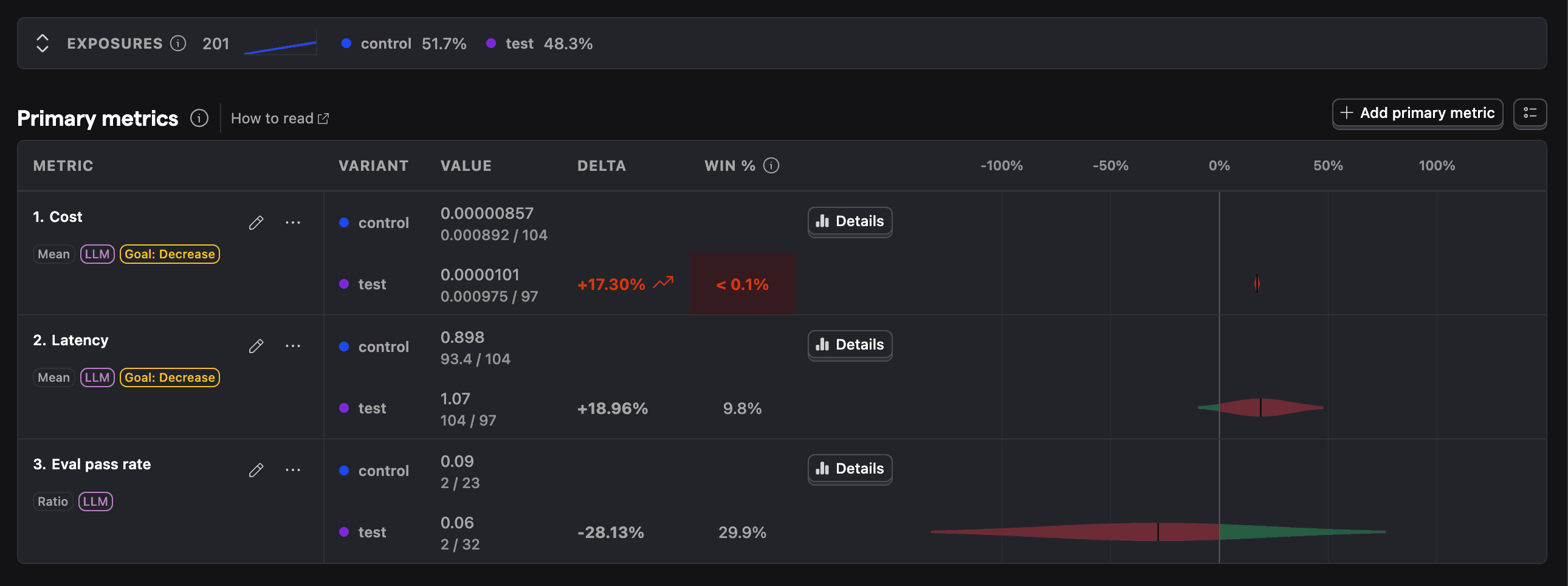
Results populate within seconds of the first events landing. Each tile shows the per-variant mean, the sample size, and a confidence interval against the control once you have enough data.
- Cost — mean LLM cost per user (
$ai_total_cost_usdon$ai_generation). Goal: decrease. - Latency — mean LLM latency per user (
$ai_latency). Goal: decrease. - Eval pass rate — share of
$ai_evaluationevents that returned a pass, scoped to this prompt. Populates only if you have LLM evaluations configured.