





Run A/B tests inside your Workflows


Contents
Workflows let you automate actions based on things your users do (or don't do). A user signs up? Send them an email. Someone hits a paywall three times? Ping your sales team. A trial's about to expire? Update a property and trigger a re-engagement sequence.
The building blocks are simple: triggers fire when something happens and then nodes, like sending messages, updating person properties, or capturing events, execute in sequence. Which brings us to a particularly fun node type – cohorts.
Cohort branches add a fork in the road, randomly splitting users into groups so you can test whether that onboarding email, that nudge notification, or that property update actually moves the needle.
Think of it as multivariate testing baked right into your automation layer. Set it up once, let it run, then check your funnels.
Heads up: These cohorts are not the same as the cohorts you create in People & Groups. Workflow cohorts live entirely inside the workflow, are just a splitting mechanism, and aren't reusable across workflows. Don't go looking for them in your sidebar.
How to set it up?
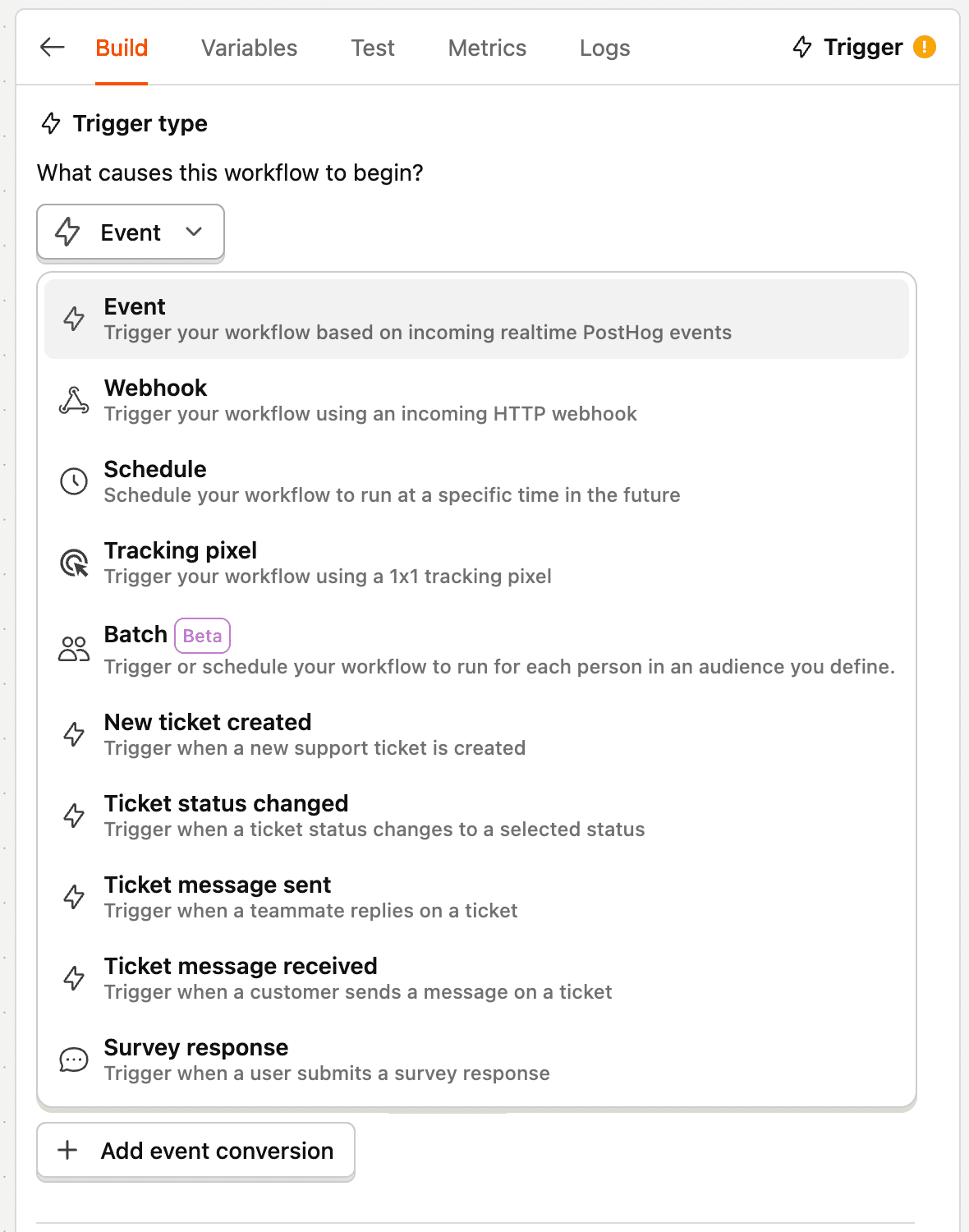
Step 1: Start with your trigger
This could be a signup event, a page view, a property change, etc.
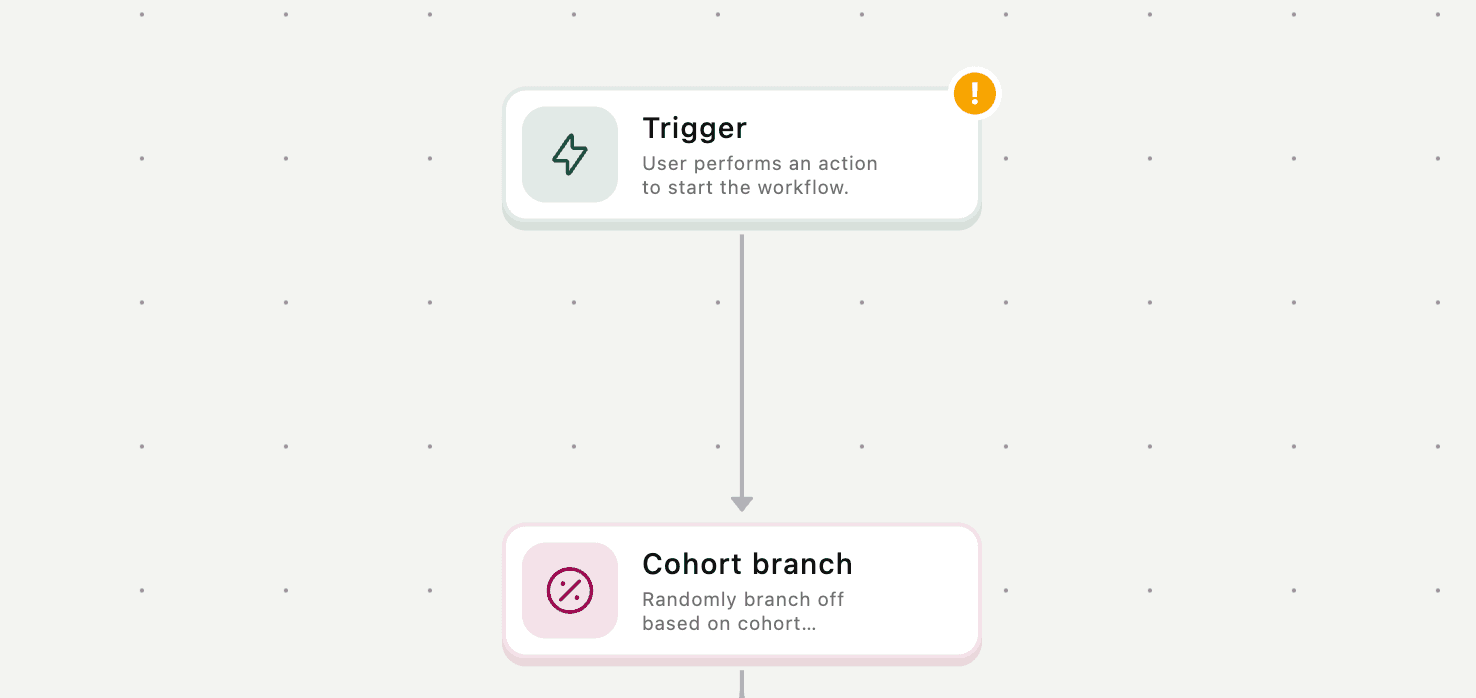
Step 2: Insert a cohort branch
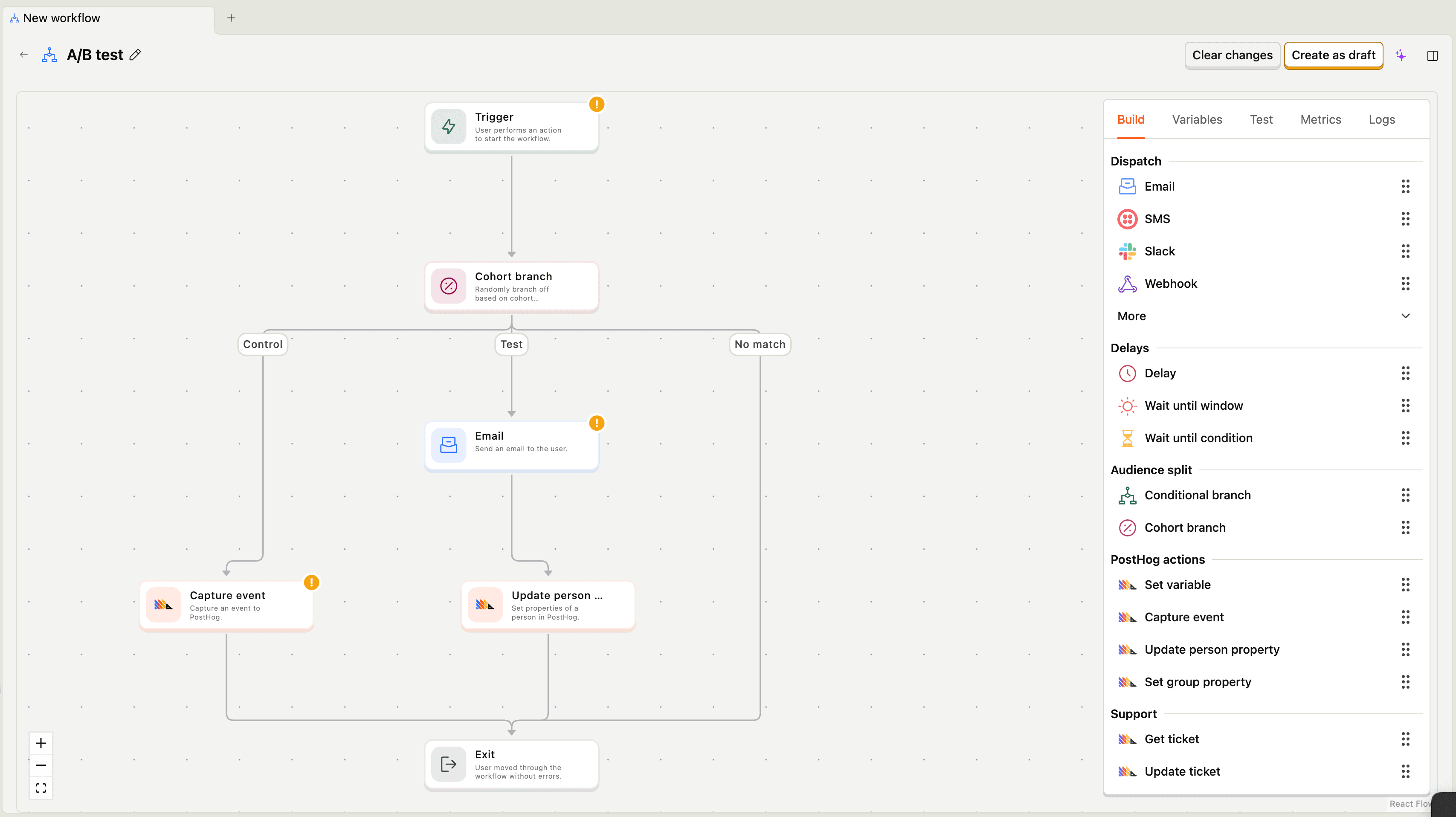
Click to add a new node after your trigger and select cohort branch. This is the fork. By default, you get two branches, but you can add as many as you need.
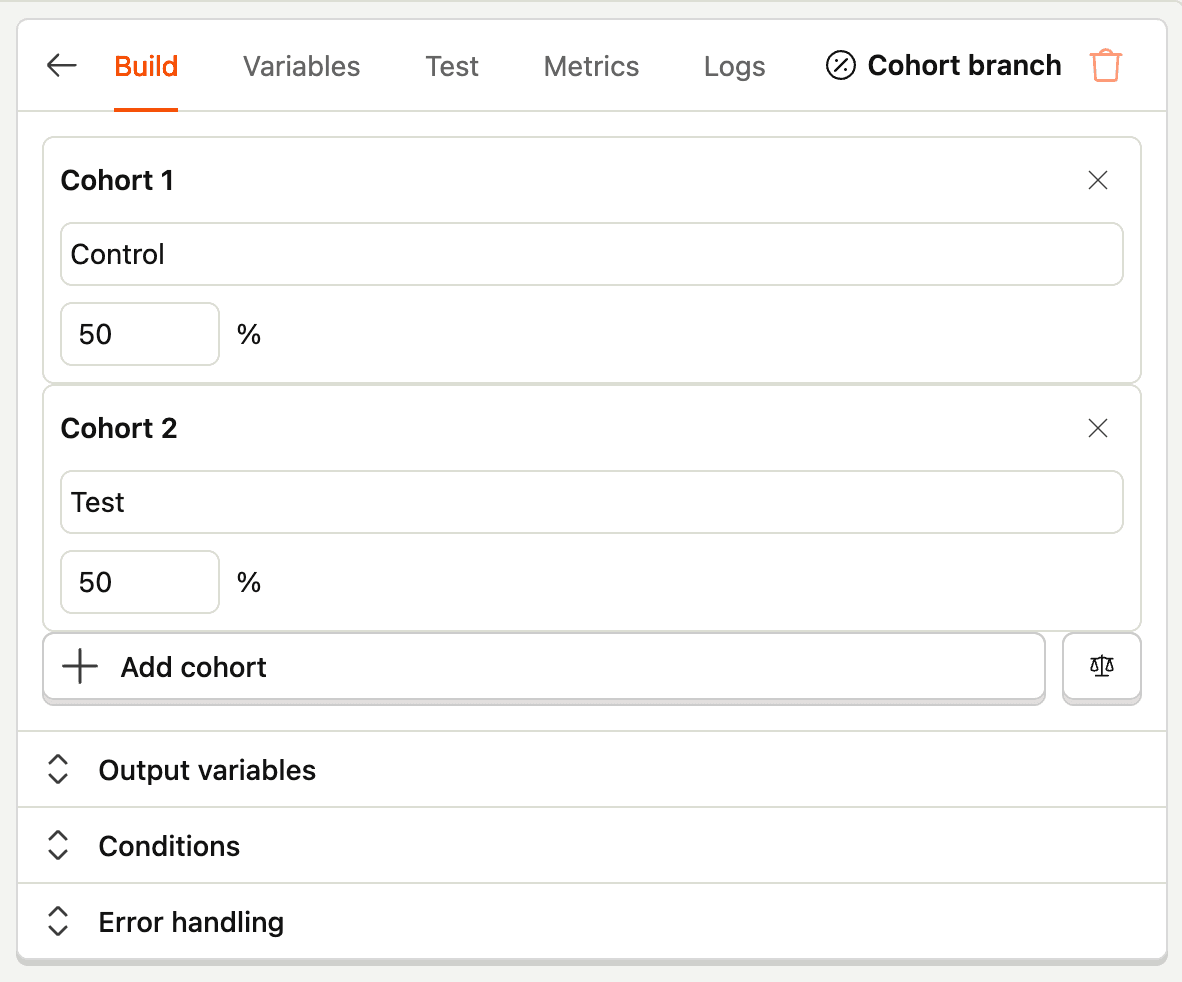
Step 3: Configure your split
Name your branches and add the percentage split. We added "test" and "control" for this example and split them evenly.
Step 4: Build your branches
You can send an email, trigger an in-app message, update a property – whatever you're testing via the test branch. The control branch can, but doesn't have to, do anything. Alternatively, you can test different nodes or content on different branches.
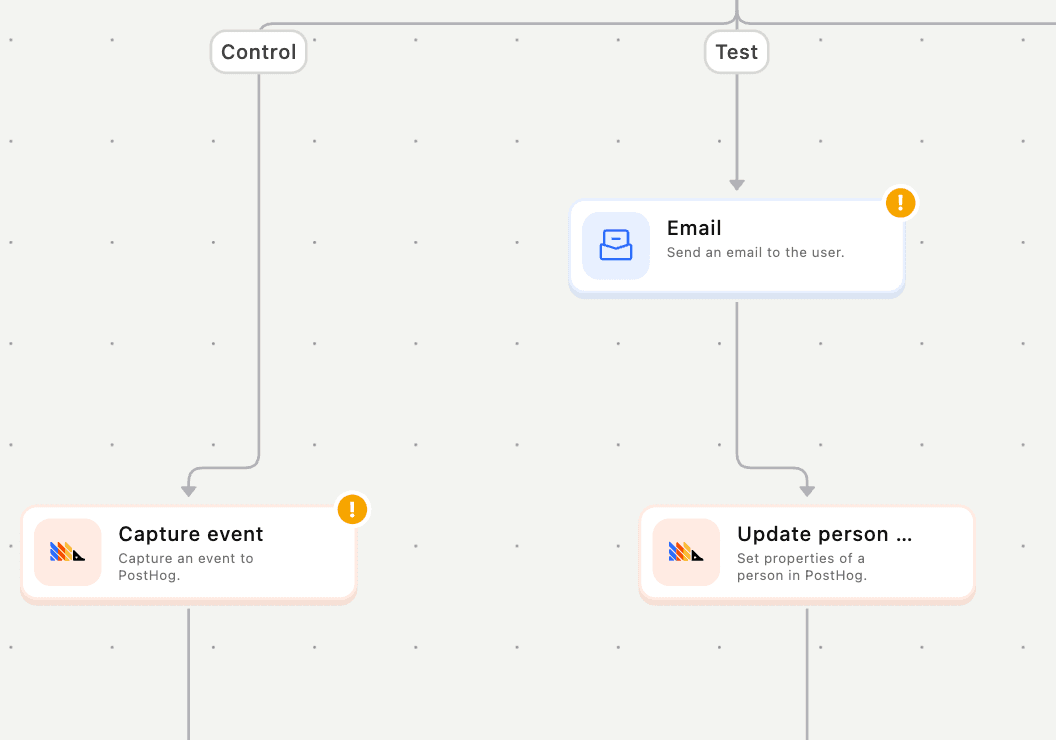
Step 5: Add tags for measurement
At the end of each branch, update a person property or capture a custom event, similar to how you would run an experiment without a feature flag. This is how you find these users later in funnels and insights.

And, here's the full workflow we built:
Two ways to track impact
The whole point of tagging users at the end of each branch is so you can use them outside the workflow. Here's the play:
- Update a person property – e.g., set
workflow_completedto true or false. Then filter your funnels by that property to compare conversion rates between groups. - Capture a custom event – e.g., fire a
workflow_test_exposedevent. Then use that event as a step in your funnels, or break down any insight by users who have (or haven't) triggered it.
Here's an example: build a funnel from signup all the way to first meaningful action (first feature used, first invite sent, first dashboard created – whatever "activated" means for you). Then break that funnel down by workflow_completed = true vs false. If the test group converts better, you've got a winner, and you can ship it to 100%.
Use cases & tips
Here are some good candidates for workflow A/B tests:
- Onboarding email sequences. Does sending a tips email on day 2 improve activation?
- Re-engagement nudges. Do users who get a "come back" email actually come back?
- Internal workflows. Does auto-assigning a CSM to trial accounts reduce churn?
- Property enrichment. Does tagging power users with a VIP flag change support behavior?
Also, before you start building your test with Workflows, consider this:
- Always tag both branches. If you only tag the test group, you can't build a clean comparison. Set the control group's property to
false(or capture a separate event) so you have an explicit baseline – not just "everyone who didn't get tagged." - Don't over-split. Running five variants with 20% each sounds thorough, but you'll be waiting a long time for useful results. Start with two branches unless you have serious volume.
- Name things like a human will read them. Six months from now, someone (probably you) will see
wf_test_v3_final_FINALin a funnel breakdown and quietly suffer. Be kind to future-you.
Workflows is already inside PostHog, meaning it already has your event data, your person properties, and your funnels. Adding cohort branches means you can run experiments on the same platform where you measure them. Now, go test something.
PostHog is your product's context layer. With a full suite of developer tools – AI observability, product analytics, session replay, feature flags, experiments, error tracking, logs, and more – PostHog ingests and stores all the data agents need to diagnose problems, uncover opportunities, and ship fixes. A data warehouse and CDP tie it all together, unifying that context into one source agents can read across. You can steer it all from Slack, the web app, the desktop (PostHog Desktop), or your own editor via the MCP.