





Workflows best practices
Contents
Boundaries
Define clear triggers and avoid overlapping workflows
Use a single well-defined trigger per workflow (e.g. “user sign-up”, “purchase completed”, or a webhook), so the logic is clear. PostHog defines that every workflow starts with a trigger and end with an exit.
Avoid multiple workflows that respond to the same event and perform overlapping actions as this can cause duplicate messages or conflicting side-effects.
If you really need multiple workflows on the same event, consider whether a single workflow with audience splits/branching logic would serve better.
Minimize deduplication and side-effects
Don’t duplicate workflows that do essentially the same thing under slightly different triggers, which increases the risk of duplicate messages, conflicting updates, or unexpected user experience.
Avoid side-effects where possible. For example, don’t rely too heavily on property updates or event triggers inside a workflow, treat automations as eventual side-effects, not core business logic.
Logic, branching, and timing
Limit complexity and keep logic as simple as possible
Use minimal branching and splits. Complex branching can make workflows hard to reason about.
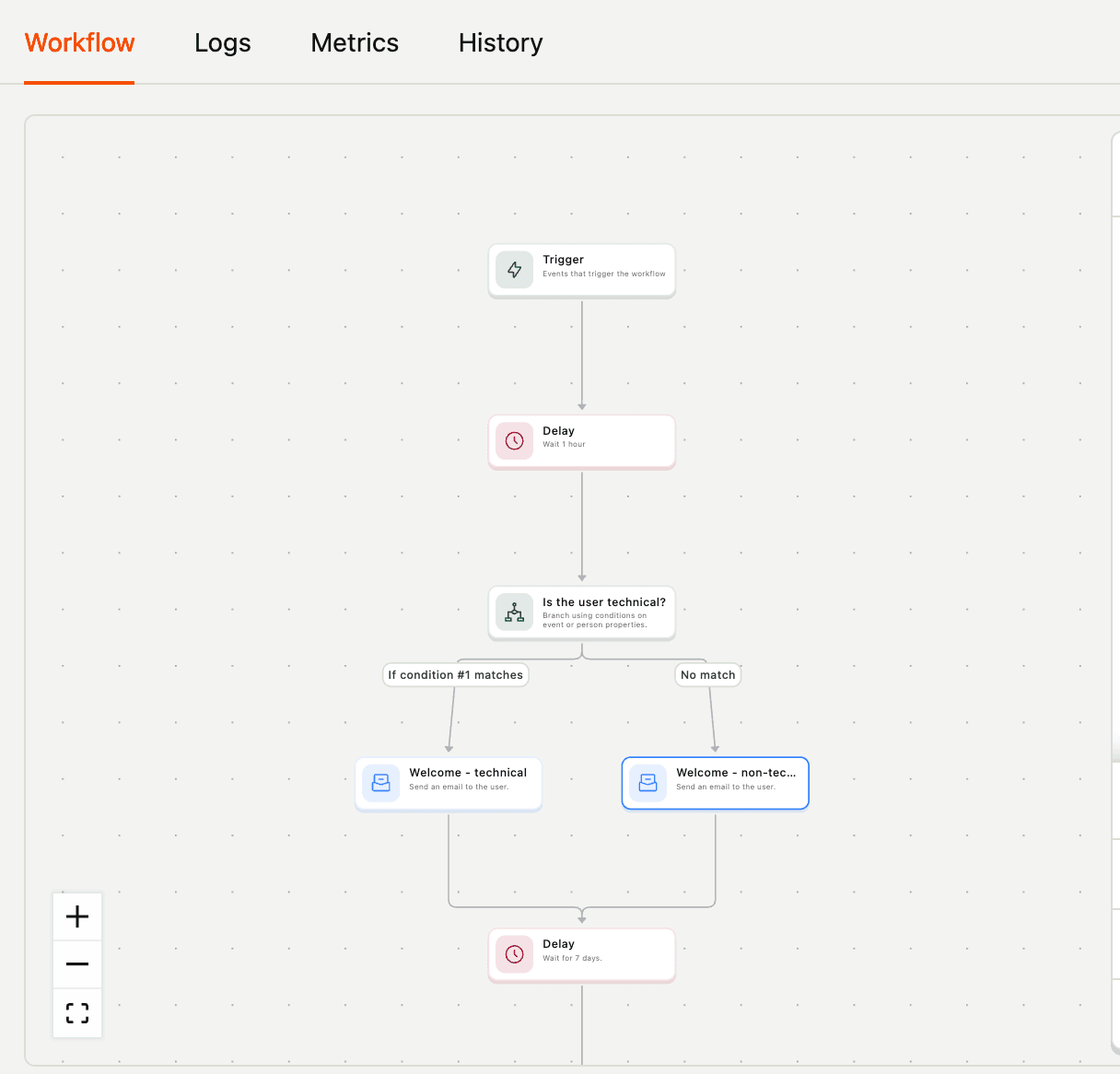
If you find yourself duplicating logic across multiple workflows, consider refactoring: either unify into one workflow or extract repeated logic into reusable sub-workflows (if supported), or design event properties in a way that triggers workflows cleanly.
Use delays and conditions responsibly
Use delay steps (e.g. “wait 2 days”) or conditional logic only when necessary. Overuse can lead to unpredictable states, e.g. if user attributes change during the delay, or if event data evolves.
Keep records/logs where possible, especially for later debugging (e.g. knowing that a user was “waiting in step N of workflow X”).
Design for fallback and safe defaults
For actions that send messages or update user data: ensure that if some data is missing (e.g. user email, user property) the workflow safely skips or uses defaults rather than failing or sending bad messages. For message templates, see the Liquid default value tip for the recommended syntax.
Testing setups and delivery
Ensure messaging channels are properly configured and tested
Before sending emails or other messages, set up and verify your channels. For email: configure "from" name, from-address, and DNS (SPF/DKIM) to avoid spam/folder issues.
Use templating and personalization carefully (e.g. with placeholders like {{ person.name }}), but also verify that placeholders resolve and avoid sending messages with unresolved variables.
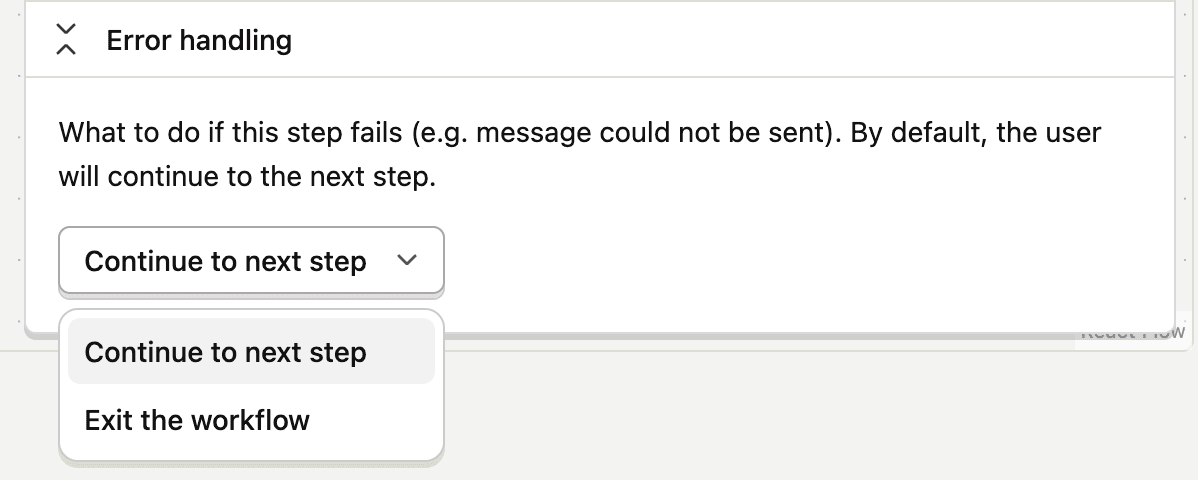
If sending to external channels (e.g. Slack, SMS, webhooks), treat them as equally important as email: ensure you have fallback or error handling logic (e.g. when a webhook endpoint fails).
Test workflows in a safe environment or subset first (staging/small user group)
Before a full rollout: test with internal users or a small percentage of real users. Monitor delivery for emails and messages, event logs, user property updates, or other side-effects. Watch for unintended behavior:
- multiple emails
- loops (i.e. your workflow triggers events that retrigger the same workflow)
- delays stacking up
Observability and limits
Monitor and log
Ensure that failures (e.g. email bounce, webhook error) are captured and surfaced. When facing a problem, check the “Troubleshooting & FAQs” section for Workflows.
Email delivery failures like bounces and complaints are automatically logged as entries on individual invocations, so you can debug specific issues. You can also click the Bounced and Blocked metric tiles to jump directly to the Invocations tab filtered to invocations that experienced those failures.
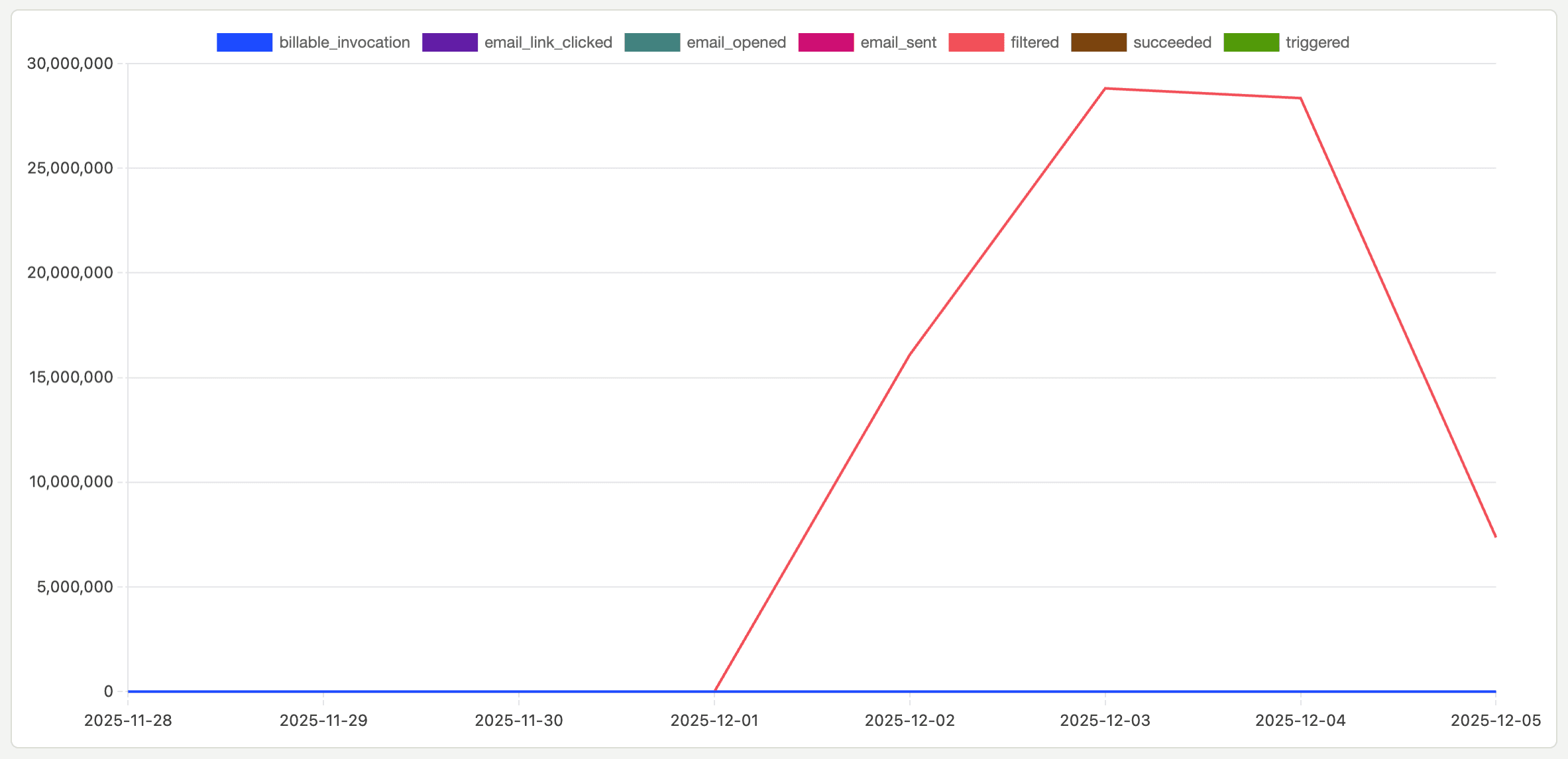
For long-running workflows (with delays), track user state (which step they are in). If something goes wrong, you can cancel in-flight runs from the Invocations tab. Periodically review metrics: how many messages sent, how many workflows triggered, bounce/failure rate, conversion rate (if you've configured a conversion goal), etc.
Manage variable size limits
Workflow variables have a total size limit of 5KB. If an action's output exceeds this limit, the workflow throws an error rather than silently dropping the values.
To stay within the limit, use result_path to store only the fields you need from an action's output instead of storing the entire response.
When a variable size error occurs:
- Workflows with
on_error: abortexit immediately - Workflows with
on_error: continueskip to the next step
Be mindful of costs and rate limits
PostHog prices Workflows based on the number of real-time destinations and monthly messages. Design workflows to minimize unnecessary messages. For example, avoid sending multiple messages to the same user around the same event, and use batching or deduplication logic where possible.
Clean up unused/outdated workflows to reduce unnecessary triggers and costs.
Maintainability
Plan for maintainability: naming, versioning, cleanup
Give workflows descriptive names like welcome_email_on_signup, drip_7_day_followup, etc. Avoid ambiguous names like workflow1. Version your workflows when you make significant logic changes, or at least document changes in a changelog, so you know which version ran when.
When a workflow becomes obsolete (e.g. onboarding process changed, or a campaign ended), archive or delete it to avoid accidental triggering and reduce maintenance burden.
Document workflows: what they do, why they exist, who owns them
For each workflow, maintain a short description: what triggers it, what it does, expected behavior, and owner/maintainer. Document assumptions (e.g. “this workflow only runs for paid users”, “email template X must exist”, “delay step must be at least 24h”). Onboard new team members with a “workflow map,” a high-level overview of all active workflows and their purposes.