





Getting started with MCP Analytics
The TypeScript package @posthog/mcp is pre-1.0. The Python integration is in beta, and the Ruby integration is experimental. We're building them in public, so event shapes and options may still change. Pin a specific version.
Add MCP Analytics to your server
MCP Analytics shows how agents use your server. Wrap your server once to capture:
- 🛠️ Every tool call (parameters, response, duration, errors)
- 🎯 Agent intent – the why behind each call, not just the what
- 🤖 The model from client metadata or the agent's self-report
- 🧭 Tool and resource discovery, plus resource reads without their bodies
- 🪪 The MCP client name and version
- 🧵 Sessions across calls when the client supplies correlation data
- 🚧 Capabilities the agent wished existed (opt-in)
Install the SDK for your server's language:
Set POSTHOG_PROJECT_TOKEN in your environment. Wrap your existing server once, before it accepts requests, and send queued events when the process stops:
Every SDK has the same defaults. Intent, model capture, conversation IDs, and exception events are on. Missing-capability reports are opt-in. The Ruby SDK is experimental.
For TypeScript and Python servers, the wizard does the setup for you:
See your first events
Run your MCP server. Connect an agent, such as Claude Desktop, Cursor, Codex, or your own client. PostHog receives $mcp_tool_call and $mcp_tools_list events when the agent calls tools and requests their listing. Clients on 2025-11-25 also produce $mcp_initialize. The handshake-free 2026-07-28 revision has no initialize event. The Go SDK sends $mcp_tool_call, $exception, $mcp_unknown_tool, and $mcp_input_required. It sends neither $mcp_tools_list nor $mcp_initialize.
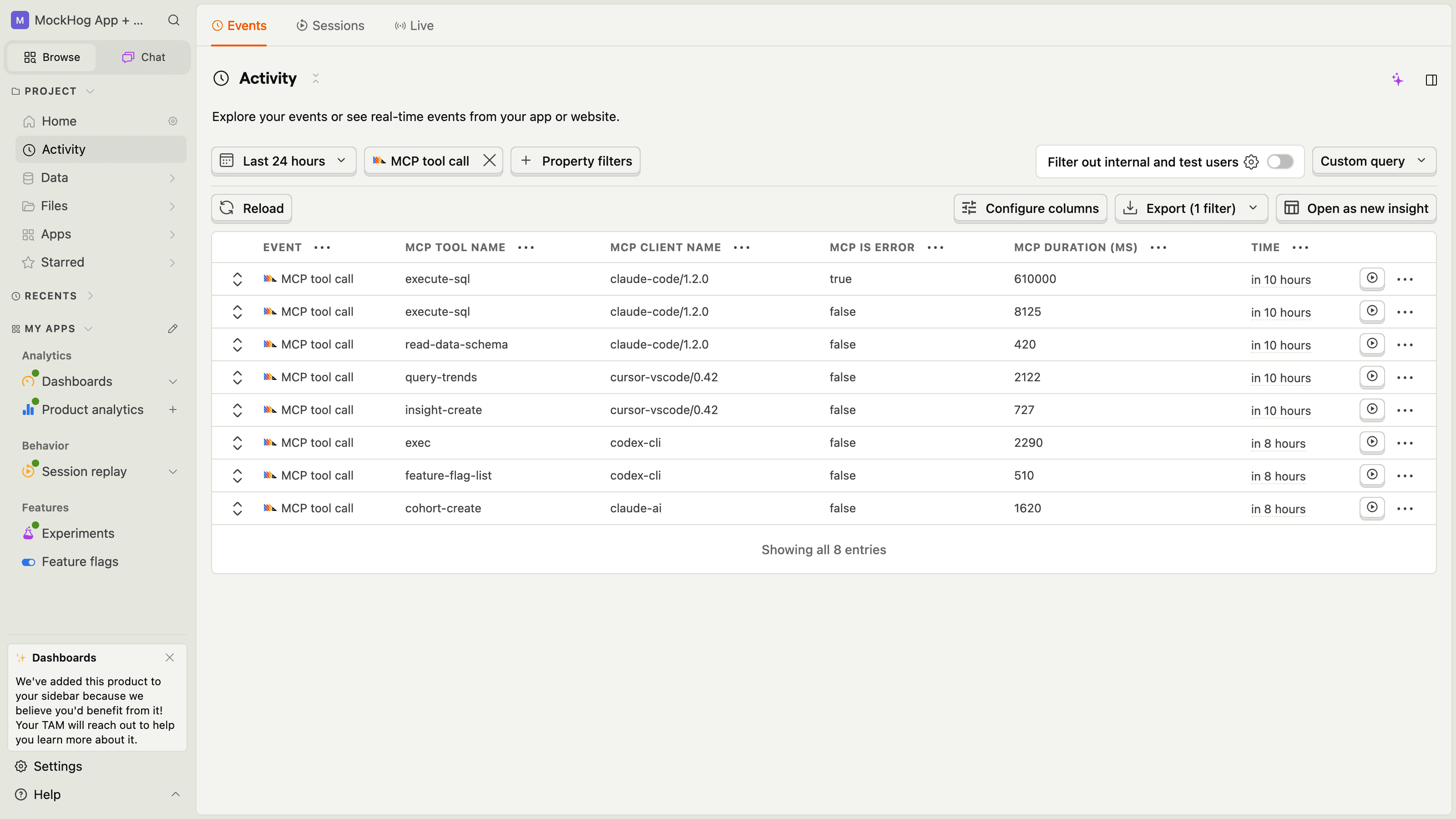
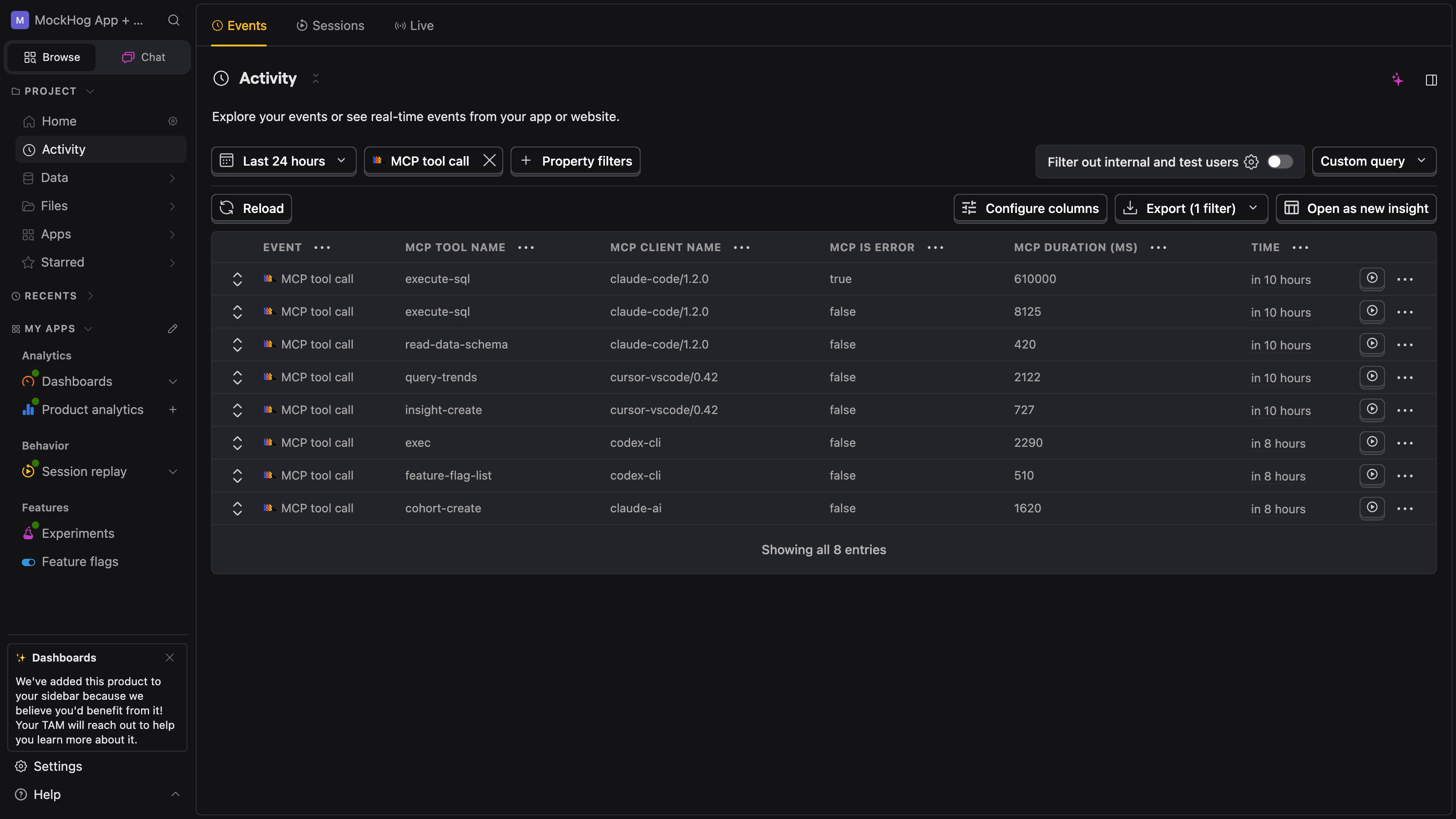
Open the activity feed in your project. Filter for event = $mcp_tool_call. Each row represents a tool invocation and includes $mcp_tool_name, $mcp_parameters, $mcp_response, $mcp_duration_ms, and $mcp_is_error.
Ship safely
The SDK sanitizes each event and truncates it to fit ingestion limits. It removes media payloads and masks known credential patterns, sensitive keys, and credentials inside URLs.
To inspect, change, or drop events before they're sent, add a before-send hook. Return the event to send it, or nothing to drop it:
In Go, WithCaptureResponses(false) still sends a failed call's error text as $mcp_error_message and in $exception. A full before-send hook is the BeforeSend field of your posthog.Config. See the Go example.
Compare tool quality by model
Model capture is on by default. Check $mcp_tool_call events for $mcp_llm_model. The source, $mcp_llm_model_source, is "client_metadata" or "self_reported".
Use this unverified client input to compare quality, latency, and errors across models, not for billing or security decisions. Some clients report an exact model, others a model family. Missing, blank, and unknown values are omitted.
Capture what the agent was trying to do
Intent is the user goal that led the agent to call a tool. The SDK adds a context argument to compatible tool schemas and captures it as $mcp_intent. It removes the argument before your handler runs.
You can change the prompt the agent sees, and supply a fallback for agents that skip the argument. The Go SDK has a fixed prompt and no fallback.
Build your first dashboard
MCP events work with PostHog insights, dashboards, alerts, and SQL. The MCP Analytics view provides built-in views during the beta. Start with these four queries:
Top tools per server
Which tools do agents call most often?
Error rate per tool
Which tools fail most often? Use
$exceptionevents to investigate errors.Intent samples by source
How much of your traffic supplies explicit context, and how much uses the intent fallback?
Advertised tools that never get called
Join
$mcp_tools_listwith$mcp_tool_callto find tools that agents never call. The Go SDK sends no$mcp_tools_list, so this query returns nothing for Go servers.
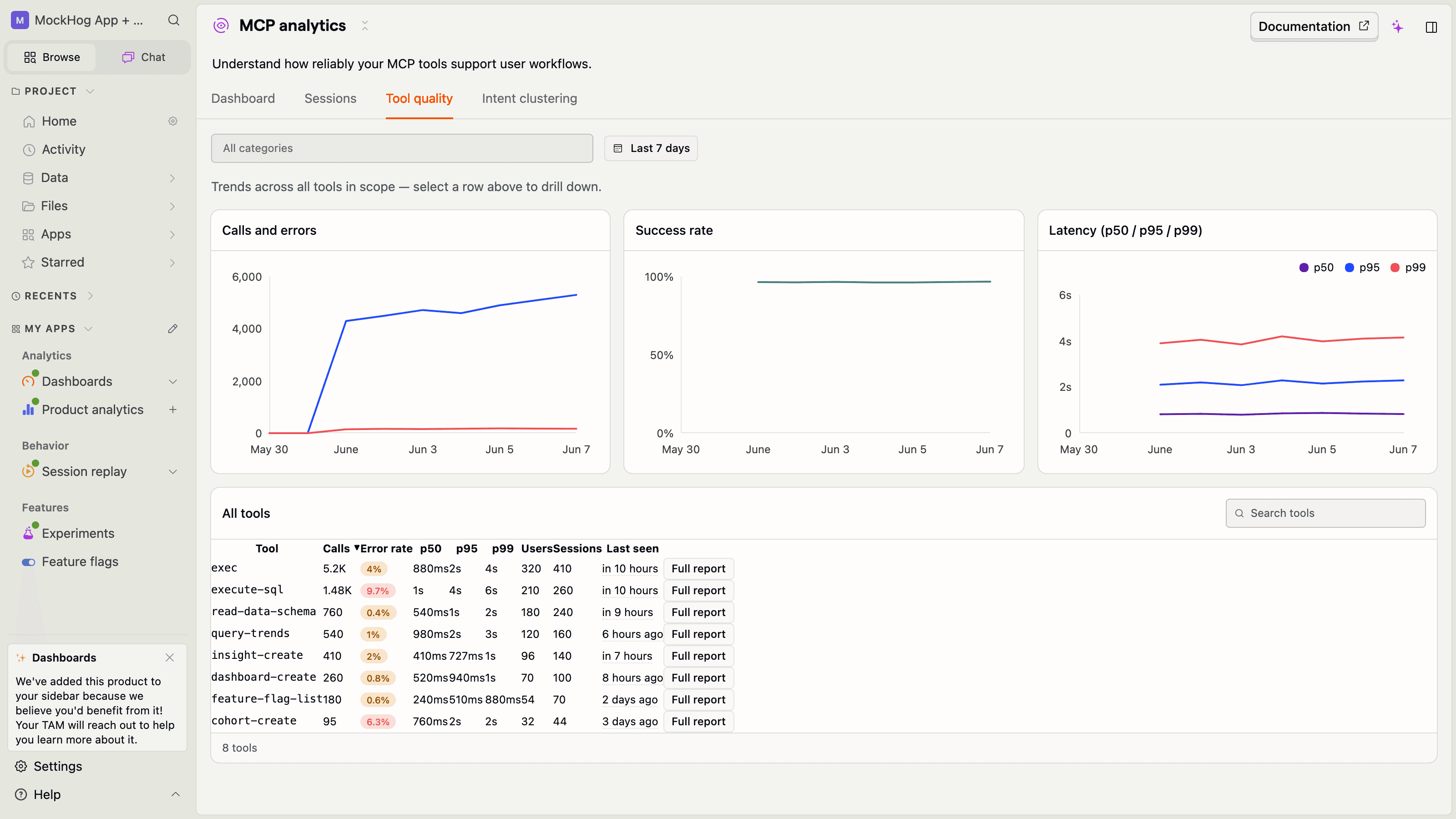
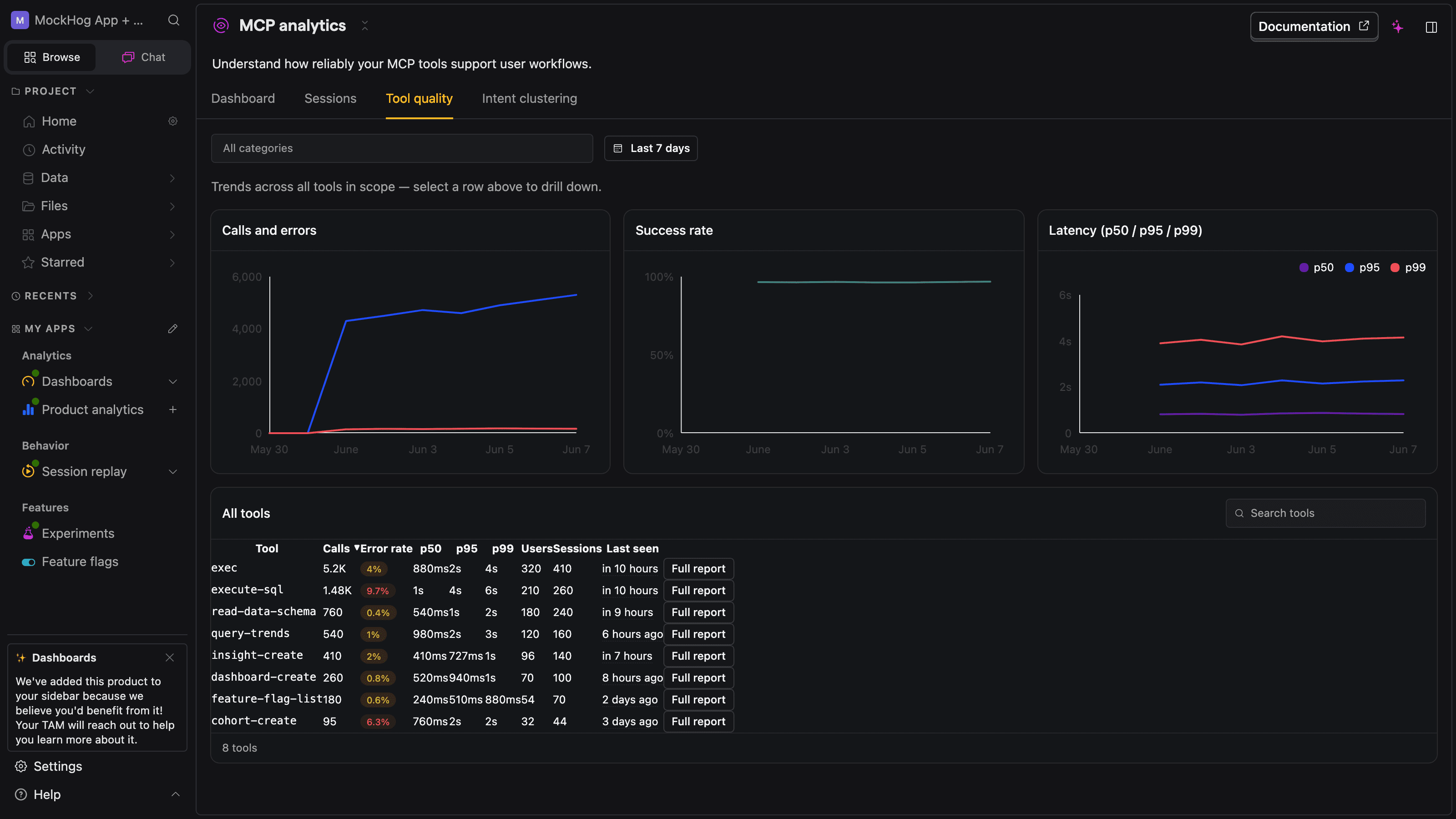
The tool quality tab shows error rates and latency percentiles for each tool. Select a tool to inspect its calls:
Identify the user behind the agent
By default, each event uses an SDK-generated session ID. Add an identify callback to associate calls with users, person properties, and groups. Return the user from your own auth data, such as the OAuth subject: