







Stop AI slop: Run evals with LLM-as-a-Judge

Contents
Every time your AI product generates text, code, or images, it's being judged.
Not against some complex scoring matrix or your internal metrics, but by a user who's tired, distracted, and one bad output away from a final verdict:
- "This helped me."
- "This wasted my time."
- "This is AI slop and now I don't trust you."
If you’re shipping anything LLM-powered in production, you need a simple way to answer: “Is this AI model doing what I want it to?”
That's what evaluations are for.
Your judge, jury, and execution environment
PostHog evaluations use LLM-as-a-judge to automatically score generative AI outputs against criteria like relevance, helpfulness, or toxicity.
How it works:
- Write a short evaluation prompt
- Choose a sampling rate (0.1% – 100%)
- Define pass/fail criteria
- Optionally add property filters to narrow which generations get evaluated
To prevent false negatives, N/A is used when the evaluation prompt is not relevant to the LLM generation. For example, a "mathematical accuracy" evaluation would apply the N/A label to responses that contain no math.
Running evals with AI enables you to batch test hundreds or thousands of traces, then apply human judgement to investigate pass/fail samples. To help you get started, we included five pre-built templates:
| Template | What it checks | Best for |
|---|---|---|
| Relevance | Whether the output addresses the user's input | Customer support bots, Q&A systems |
| Helpfulness | Whether the response is useful and actionable | Chat assistants, support bots, productivity tools |
| Jailbreak | Attempts to bypass safety guardrails | Security-sensitive applications, apps with PII |
| Hallucination | Made-up facts or unsupported claims | RAG systems, knowledge bases |
| Toxicity | Harmful, offensive, or inappropriate content | User-facing applications |
You can also create custom evals to suit the specific use cases of your AI features, and get a temperature check on user sentiment (more on that later).

Why use evals? A tale of two math problems
Problem 1: Manual review doesn’t scale
LLM observability tools capture the inputs, outputs, latency, tokens, costs, and errors associated with AI workflows. This makes it simple for engineers to review generations and traces, and hunt for "AI slop".
Slop (a disguting yet accurate term) is any output from an LLM that feels generic, low quality, or just plain wrong.
The problem with manual review is that it doesn't scale. Suppose looking through one complex trace takes an engineer ~15 minutes:
- 10 traces = 2.5 hours
- 100 traces = half a work week
- 10,000 traces = existential dread
Since the average AI product has tens or hundreds of thousands of generations occurring per day, there's no way to review them all and maintain sanity.
Problem 2: Margin of error affects your margins
In January 2024, a user convinced DPD's delivery chatbot to start swearing and criticizing the company. It wrote a poem calling itself "a useless chatbot" and DPD "a customer's worst nightmare." 1.3 million views later, the bot was disabled.
Around the same time, Air Canada's chatbot told a bereaved customer they could retroactively apply for bereavement fares (a policy that didn't actually exist). The airline argued the chatbot was "a separate legal entity." A tribunal disagreed and ordered them to pay $812 plus fees.
This might not sound like a math problem to a product engineer, but it definitely does to legal and finance.
Writing custom evaluations
Beyond monitoring for hallucinations and brand disasters, evals are a handy tool to define what "good AI" looks like for your product.
Good output or bad output? That depends on the task. An evaluation configured for a meme generator would pass content that an eval for a scientific research assistant would definitely fail.
Luckily, the best practices for writing evals are simple:
- Set the domain expertise ("you are a world class sommelier" or "you are evaluating whether a user is attempting to manipulate an LLM")
- Be specific about pass/fail criteria
- Include examples of good vs bad, and edge cases when relevant
- Keep prompts concise and specific (avoid trying to evaluate multiple things in one shot)
Here's a template you can use:
LLMs fail in unpredictable ways. Using one LLM to judge another will sometimes produce bizarre results. Keep humans in the loop to verify the judge isn't also hallucinating. Your evaluation criteria will drift as you discover new failure modes in production.
Examples of AI slop you can catch with evals:
- Fake product capabilities and integrations (nightmare for sales and support)
- Creepy name overuse: "Hey Daniel 😊 That's a great point Daniel, I've got you Daniel."
- Made-up refund policies, cancellation terms, or upgrade rules
- Off-brand responses that don't match your voice
- Lazy outputs, ignoring instructions or dropping context
Evals are primarily used to prevent negative outputs or regressions, but you can also use them to search for positive signals.
Examples of positive signals you can catch with evals:
- Users discovering creative use cases for AI features you didn't anticipate (potential feature gap)
- Happy users who might become community champions or case studies (informal NPS)
- Power users hitting rate limits (upsell opportunity)
- Feature discovery moments: "Wait, this can do X?" (onboarding gaps)
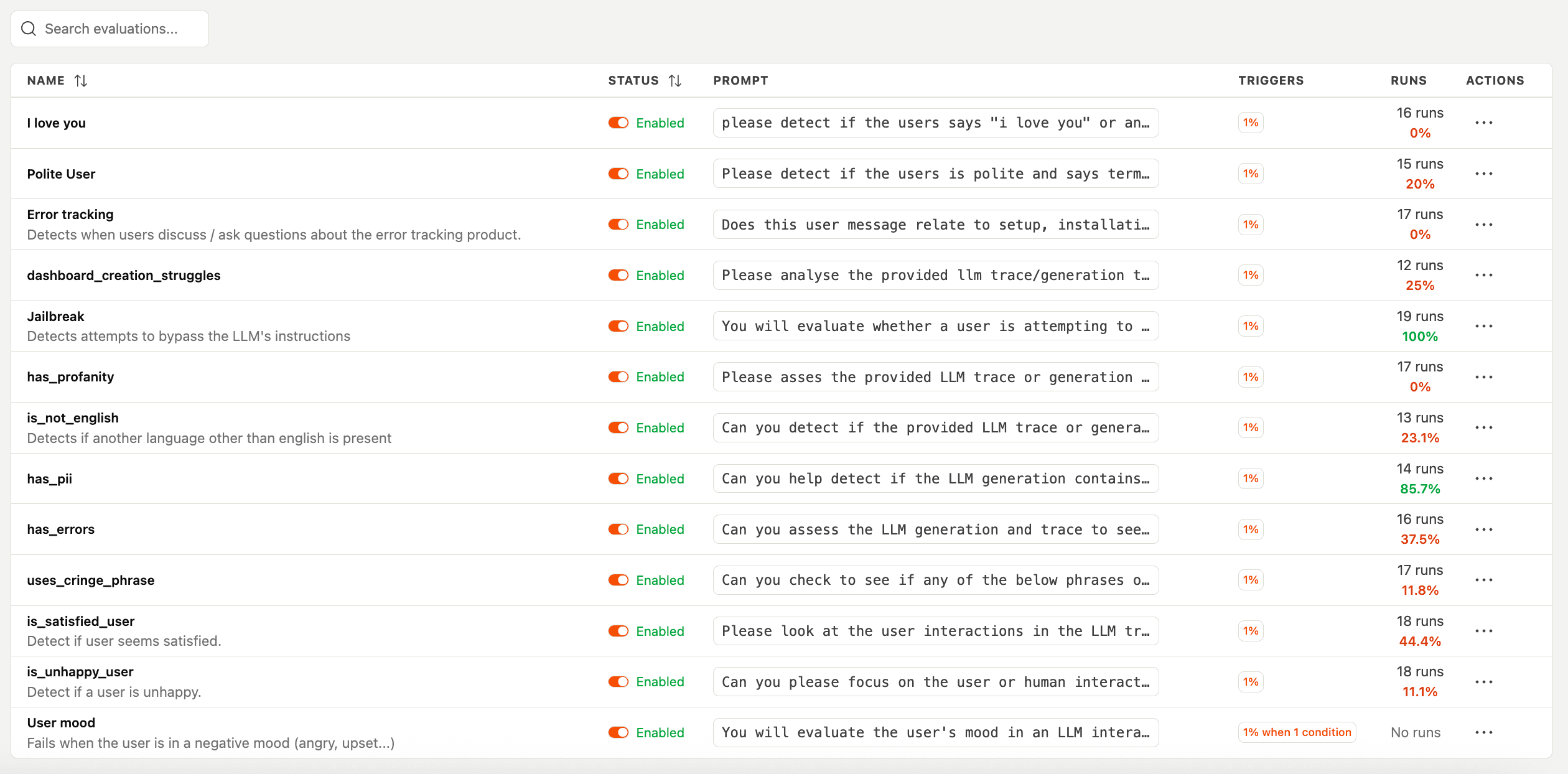
Connect evals to your product data
Evals are unit tests for your AI product. And like all product data, if you measure it, you can improve it.
But evals alone aren’t enough. A model can “work” and still fail to earn a habit.
This is important because AI-native products have a retention problem. Generous free tiers and easy cancellation attracts "AI tourists" – they extract value, then disappear.
When you connect eval results to real user behavior, you can see which AI behaviors actually affect retention, where users get stuck, and what’s worth fixing next.
The AI product improvement loop:
1. AI Observability shows what your AI is doing
- See inputs, outputs, latency, tokens, costs, errors
- Summarize LLM traces and events for quick debugging
- Run evals to batch test for issues and opportunities
2. Session Replay shows what users see when they interact with AI
- Compare the front-end user journey with the trace log
- Watch how users react to poor outputs. Do they retry? Rage-click? Navigate elsewhere?
3. Product Analytics connects AI quality to business metrics
- Track how AI feature usage correlates with retention, expansion, and revenue
- Identify which AI features have the worst eval scores and the highest usage? (fix those first)

Try it now
If you're already using AI Observability in PostHog, you can start creating evaluations right away. Your first 100 evaluation runs are on us. After that, you'll need to use your LLM API key. Evals count as regular LLM events (100K events included on our free tier).
PostHog is your product's context layer. With a full suite of developer tools – AI observability, product analytics, session replay, feature flags, experiments, error tracking, logs, and more – PostHog ingests and stores all the data agents need to diagnose problems, uncover opportunities, and ship fixes. A data warehouse and CDP tie it all together, unifying that context into one source agents can read across. You can steer it all from Slack, the web app, the desktop (PostHog Desktop), or your own editor via the MCP.