





How to publish changelog
Contents
We have one of the coolest changelogs on the internet. It's also one of the busiest.
As a company that ships weirdly fast, it's important to share what we're working on with as many people as possible, as often as possible. The changelog is a great way to do that.
Most of it runs itself now too. A bot finds the work worth announcing, engineering teams review it in Slack, and it lands on the website.
What gets included
New features, mostly! But changelog entries can also include beta launches, UX improvements, or performance improvements.
For engineers, here's the rule of thumb: if you'd want a user to know about it, it belongs in the changelog.
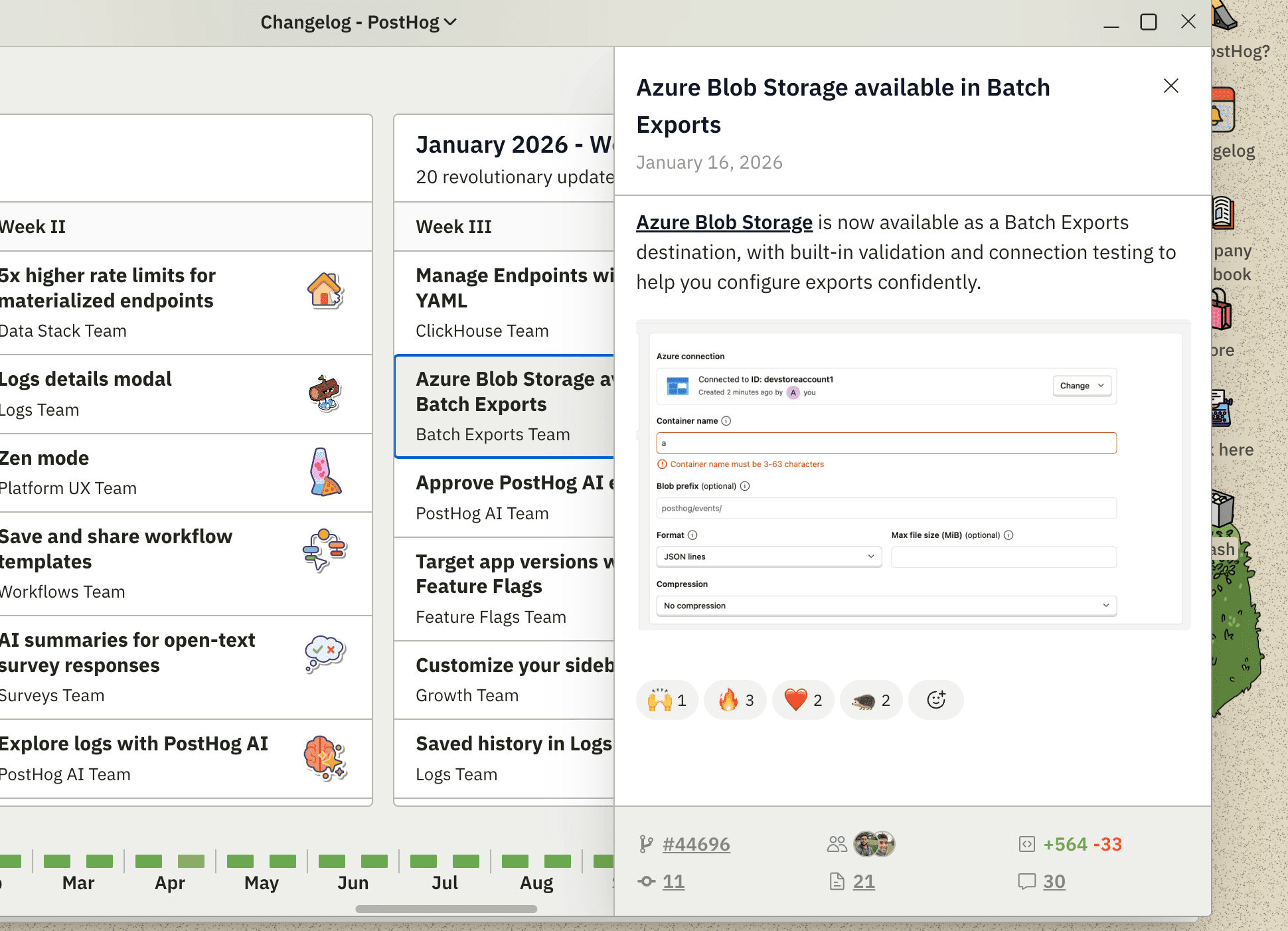
The changelog bot
To stay on top of shipping speed, we released a changelog bot in Slack. It turns PostHog PRs into published changelog entries, with a human approving each one in Slack.
Here's how it works:
- Daily intake. A Cloudflare Worker scans merged PRs across 26 repos and records every one as a candidate.
- Weekly curation. An AI agent inside the same Cloudflare Worker looks at each team's entire week at once and ranks their shipped PRs. It surfaces at most 10 items per team, rolls near-duplicates into groups, and sets aside anything not worth announcing on the changelog. It writes editorial copy for the surfaced items.
- Digest. Every Thursday, a Python app posts one message per team into that team's Slack channel, with one card per surfaced entry.
- Review. Teams use the cards to review changelog entries before publishing.
- Publish. When someone selects Publish in Slack, the same Python app opens an issue in
PostHog/changelog-draftswith the fields as YAML frontmatter plus apublishlabel. That repo's GitHub Action holds the Strapi token and does the actual POST to posthog.com.
The Slack workflow looks like this:
Publish what doesn't make it into the digest
The changelog bot does a good job at picking PRs for weekly digests, but sometimes it misses something it should have surfaced. No problem!
On a weekly digest in Slack, there's a 🗃 See what didn't make it button that shows everything the curator set aside for your team. It's split into two groups:
- Near-misses — real user-facing work that fell just below the cut. This is the pile you're usually looking for.
- Internal — no user-visible change. These are shown anyway, so you can correct the bot if it got one wrong.
Selecting Add to digest on any of them kicks off the curation step. The AI curator will write a draft for you and post a new card into the same digest thread. Sometimes you may just have to wait a few seconds for it to finish.
Changelog content and ownership
Technically speaking, the changelog is a stream of content that's published across multiple channels.
From start to finish, a changelog entry is:
- Posted in each team's channel, via the weekly digest
- Published on the website by Wizard & Docs TeamWizard & Docs Team
- And then sent in an email by Developer Marketing TeamDeveloper Marketing Team


The engineer is responsible for reviewing their team's digest cards and making sure their feature actually makes it through. The curator writes the first draft, but you're the one who knows whether it's right.
The changelog code and data (stored in our Strapi CMS) is maintained by the

How to publish manually
People are encouraged to self-serve and publish changelog entries. If you'd rather skip the bot entirely, here's how.
You must be logged into your posthog.com account. Only website moderators (a.k.a PostHog employees) are permitted to publish changelog entries.
Option 1: The main changelog
Go to the /changelog page and click the + button in the top right corner.
Fill out the changelog form and click Create to publish.
The changelog entry will appear on the website on the next website build, which is usually when a PR is merged into the master branch.
| Field | Required | Recommended value |
|---|---|---|
| Title | Yes | The title of the changelog entry. Keep it short and sweet. |
| Description | Yes | The description with native Markdown support. Add screenshots or gifs here. |
| Hero image | No | We leave this empty. We add images in the description field for more control. |
| Status | Yes | It must be set to Complete to appear in the changelog. |
| Date | Yes | The completed date of the changelog entry. |
| Team | Yes | The team that shipped the feature. |
| Author | No | We normally leave this blank because we pull in GitHub PR metadata which includes author and reviewers. |
| Product or feature | Yes | The category or product area of the feature. Select Uncategorized if nothing fits. |
| Type | Yes | Set to New feature for most changelog entries. |
| GitHub URLs | Yes | It's technically optional, but the GitHub URL populates the changelog entry with the feature's PR metadata. |
| Category | Yes | The product category of the changelog entry. |
| Show on homepage | No | Always set the toggle to off or no. |
Option 2: The product changelogs
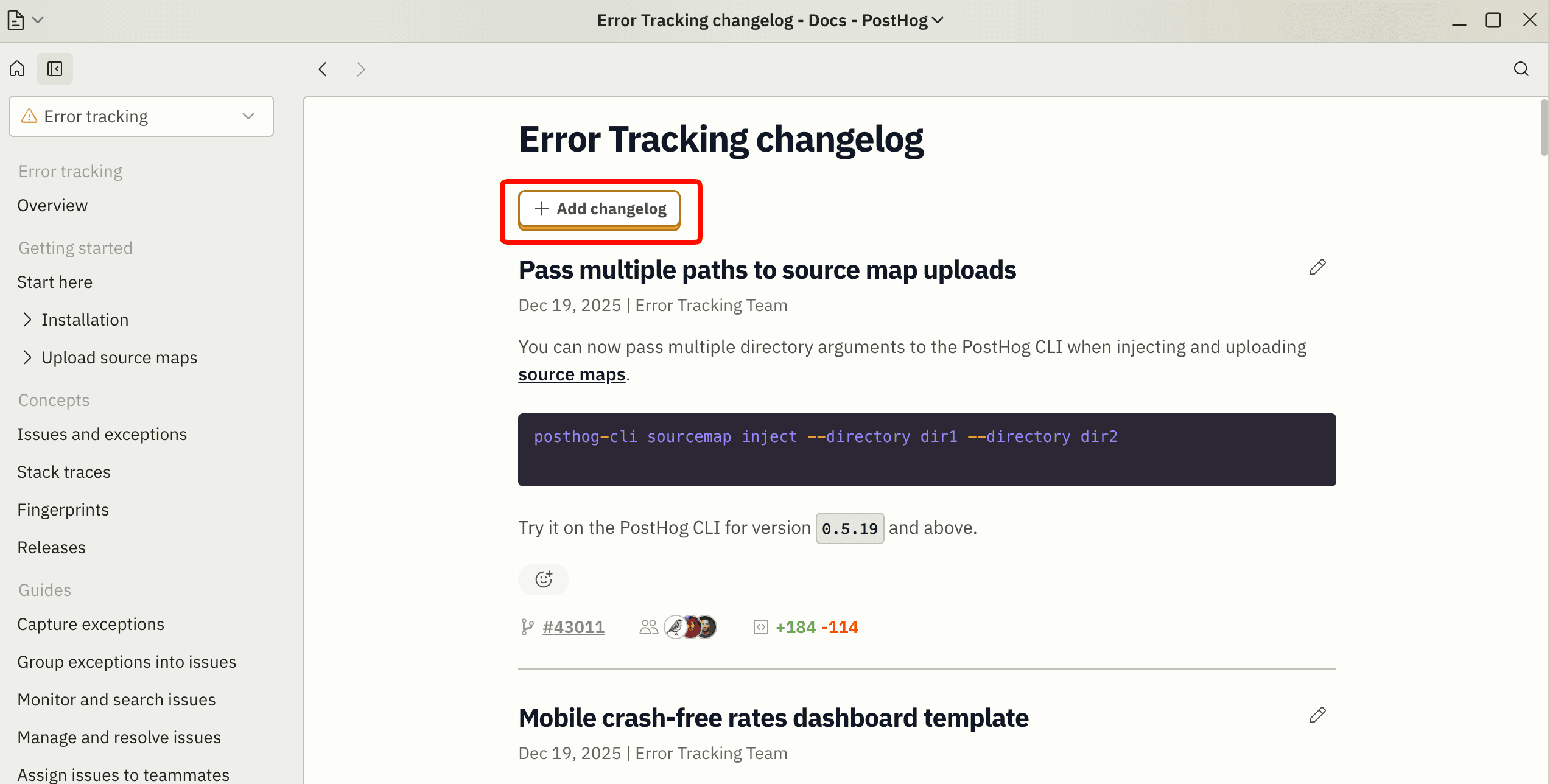
Each product has a dedicated changelog page in their docs that filters entries from the main changelog. You can also publish directly from these pages using the + Add changelog button.
| Product | Changelog page |
|---|---|
| PostHog AI | /docs/posthog-ai/changelog |
| Product Analytics | /docs/product-analytics/changelog |
| Session Replay | /docs/session-replay/changelog |
| Error Tracking | /docs/error-tracking/changelog |
| AI Observability | /docs/ai-observability/changelog |
| Feature Flags | /docs/feature-flags/changelog |
| ... | ... |
Adding a changelog page for a new product
These pages filter the main changelog by Strapi labels, so adding one takes three changes in the posthog.com repo — all three are required:
- Add
contents/docs/<product>/changelog.mdxrendering<ProductChangelog product="Your product" />. - Add a
/docs/<product>/changeloglink to the product's sidebar insrc/navs/index.js. - Add an entry for the product to
productConfigMapinsrc/components/Docs/ProductChangelog.tsx, mapping it to the topic and team names used in Strapi.
Step 3 is the one people forget, so CI fails if a page is missing it. The same applies when a topic or team is renamed in Strapi — update productConfigMap to match, or the page goes empty.