





Manual feedback event capture
Contents
If you are not building a React app or otherwise need more control (such as a completely custom followup UI), you can capture user feedback events manually.
In summary, you'll emit these events with $ai_trace_id properties:
- Emit a
survey shownevent when a user sees your survey - Emit a
survey sentevent as a user answers questions, making sure the final event carries every answer collected so far
Step 1: Track impressions
While not required, we recommend emitting survey shown events when a user sees your survey. This enables two things:
- Accuracy when viewing all metrics in Surveys
- Heads-up messages within LLM traces that indicate a user saw a survey, but did not respond
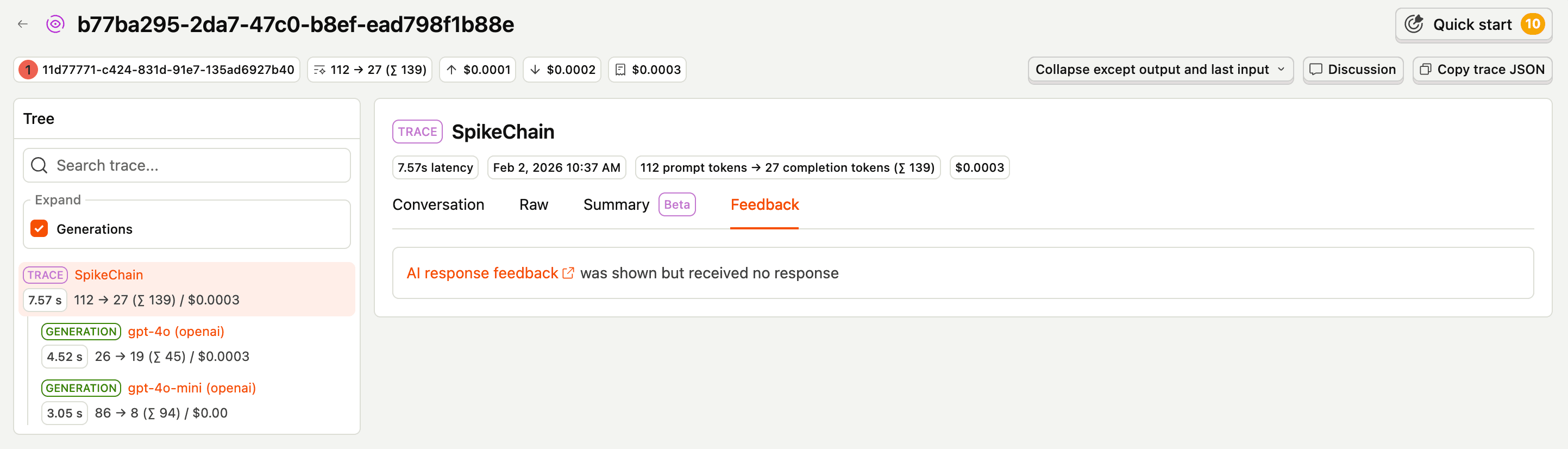
survey shown events must have the following properties:
| Property | Description |
|---|---|
$survey_id | Your survey ID |
$ai_trace_id | Your generated trace ID |
Note: we do not yet support an easy way to check whether a user has responded to a given survey/trace combination. Because of this, without your own persistent tracking, you may end up with duplicate
survey shownevents.Duplicate events will not impact your ability to view responses per trace, but will skew impression & response rate metrics on your Survey overview.
Step 2: Collect responses
For a multi-question survey, send one survey sent event per question as answers come in, and give every event the same $survey_submission_id. Mark the last event with $survey_completed: true.
Important: PostHog displays the completed event as the response for a submission, so that final event must include every answer collected so far, not just the current question's. If an earlier question's
$survey_response_{questionId}property is missing from the completed event, that answer won't show up in the response or the question breakdown. The example below shows the pattern.
survey sent events may have the following properties (* = required):
| Property | Description |
|---|---|
$survey_id * | Your survey ID |
$survey_response_{questionId} * | A question's response value, where {questionId} is that question's ID. Include one property per answered question. On the completed event, include every response collected in the submission. |
$ai_trace_id * | ID for the trace corresponding to this survey |
$survey_submission_id | A unique ID you generate to link a submission's events together. Reuse the same value across every event in the submission. |
$survey_completed | Boolean for whether this is the final event in the submission. The completed event is the one PostHog displays, so it must carry every answer. |
To get survey question IDs, you have two options:
- Go to Surveys, find your survey, and check the Overview tab. This will show the full survey object, including each question's ID.
- Call the PostHog SDK's
getSurveysmethod to retrieve your survey, then extract the question IDs from the response.
To learn more about the properties available for survey events, or how to use the getSurveys method, see Implementing custom surveys.
Example
An example sequence for a thumbs up/down survey with a followup may look like this: