







Collaboration sucks, but PMs and PMMs need each other

Contents
When I joined PostHog, most product teams had never worked with a product marketer. Marketing was something separate products got when someone had spare time for it. So, one of my first challenges was to figure out how to start working with teams who didn't know they needed me.
Something you learn quickly at PostHog is that collaboration sucks. You're the driver and you need to ship your own stuff. Collaborate only when necessary.
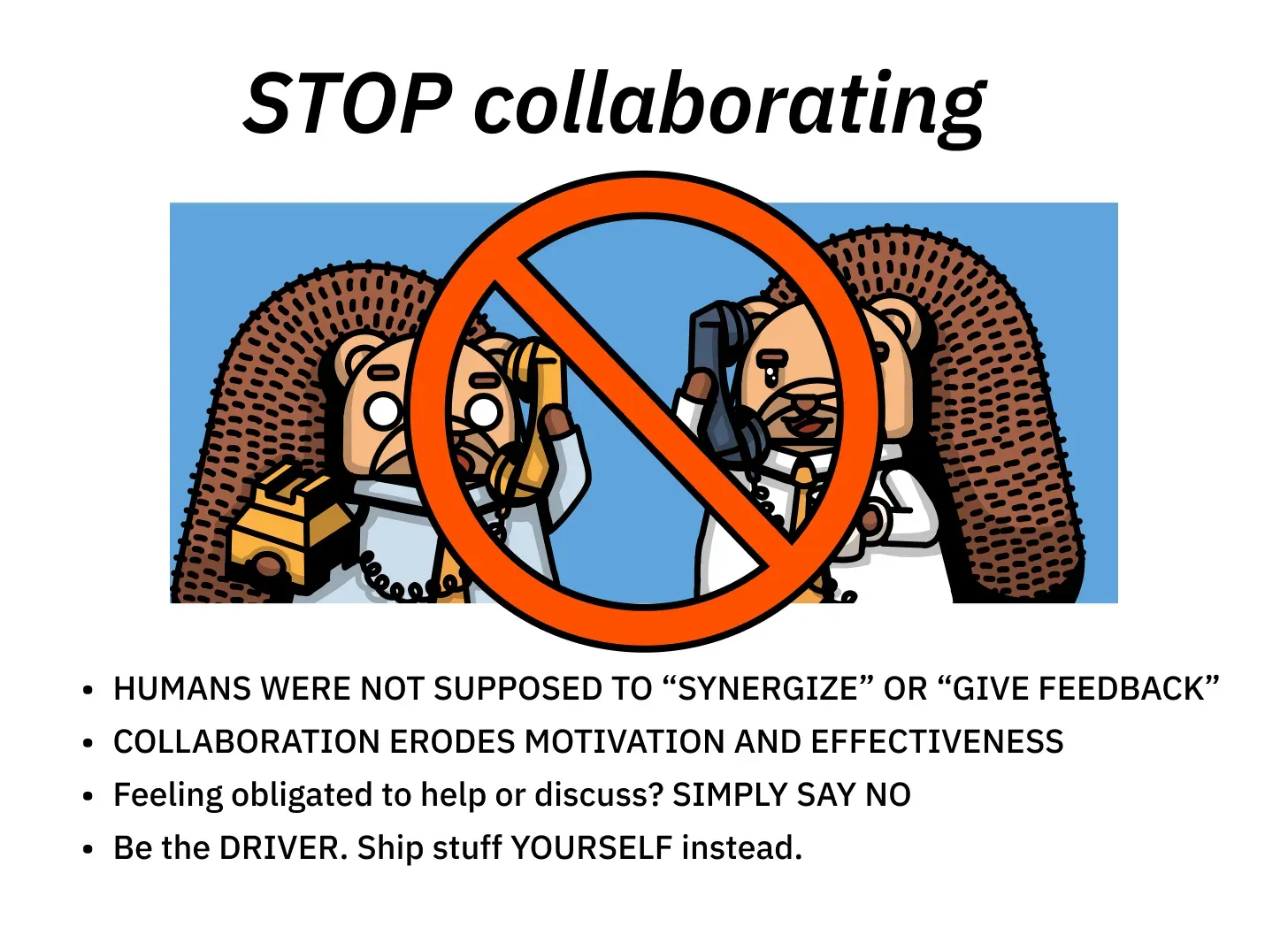
Well, the relationship between product managers and product marketers is one of those necessary situations when you need to collaborate to successfully launch and grow your products. I wanted to share some ways I've learned to do this at PostHog.
Initiate the first contact
At the beginning of this quarter, I started to support the Error Tracking team. None of the team members, including the product manager, Cory, had ever worked with a product marketer before.
I decided I had to make myself visible and prove I could be valuable. So, I made first contact by scheduling a call with Cory, rather than waiting for them to come to me.
Here's what we talked about:
- What is the current revenue of the product, and what is the revenue goal (for the quarter, year, etc.)?
- What is a bigger gap - activation or retention?
- Do you know if there were any previous marketing efforts around this product?
- Where do most users come from?
- Do you see any obvious marketing opportunities that I should focus on first?
I also asked for a customer interview bank, any competitive research they might have, or any other resources that could be helpful for this particular product.
Since async is the default way of working in PostHog, I was very careful with scheduling meetings at first. However, the team got very excited when I announced that I would be supporting their product, and were very eager to meet and give me as much information as they could.

Live in your team's channel
At PostHog, every team has a dedicated Slack channel, and this is the most important place I check every day. I'm looking for feature updates, messages from the sales people, customer feedback; literally anything that could give me ideas for the next product digest or inspire me to change something in the comms.
The product managers and the engineers might not always know which feature is marketable. I can ask the team for updates but they might not remember to always give me the features I can actually talk about. Sometimes, I see potential where they don't. I'm the one following the Slack threads and picking what to add to the comms.
For example, this month, I started doing a monthly product digest for each of my products, where I list things the team has been working on. I had been collecting updates from the team channel for a while, and when I had enough, I started a thread with the Error Tracking team to make sure I wasn't missing anything.
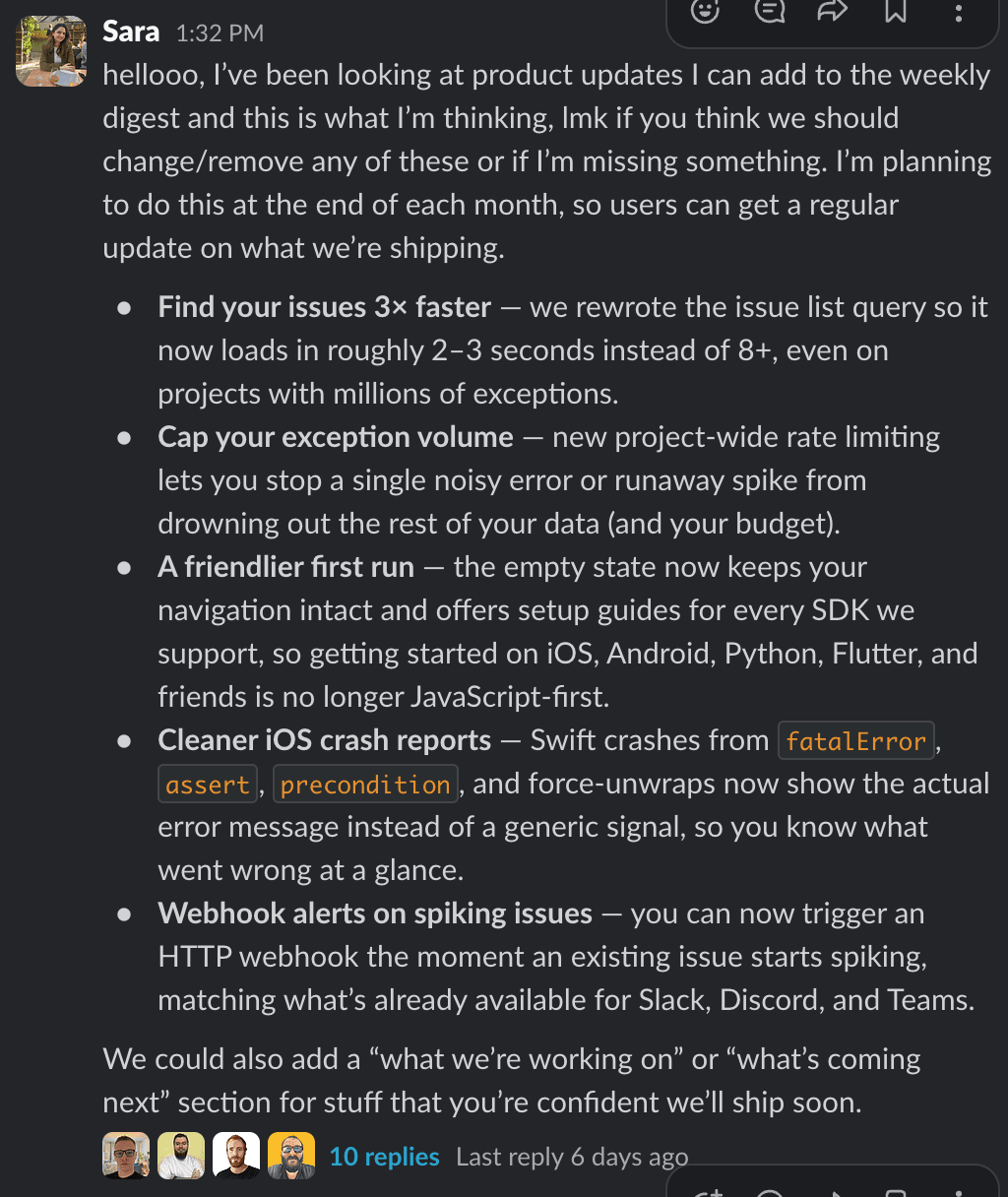
I try to jump in wherever I think there's an opportunity, and the team almost always gets excited that I want to show users what they've been working on.
Spend time in person & in meetings
PostHog is fully remote, so you usually only meet teammates a couple of times a year. This year we went to Barbados, and I booked some dedicated time with both of my product managers to do a growth review and discuss the parts of the product we want to focus on next. The meetings included:
- Any feedback we have for each other, if we're happy with the collab, and if there's anything we want to change moving forward
- Looking at the product metrics from the past few months
- Figuring out whether we want to focus on acquisition, activation, retention, etc.
- Big launches coming in the next few months and how we want to approach them
In addition to the in-person gatherings, I tend to join my teams' sprint planning meetings. Sometimes, they can be too technical for me, but I still want to show up and be present. I think that the team should see that I'm interested in what they're working on.
Also, this is the place where I can ask questions about the product, what they're working on, get more technical details, etc. The engineers treat me like an equal and don't roll their eyes when I ask a stupid question (yes, yes, I know there are no stupid questions, but I've experienced many different reactions in the past), which I really appreciate. They are very invested in explaining technical concepts in simple words to me, because if I understand it and present it well to the user, we all win. Sometimes, I also use these meetings to give them a short overview of the marketing efforts we are doing around their product.
Include your product manager in on your marketing activities
At PostHog, most of us create an individual quarterly planning issue. I regularly send this issue to my PMs to get their thoughts on the things I'm planning to do in the upcoming quarter, related to their product. This is a great way to see if I'm focusing on the right things and if I'm missing anything.
Also, I regularly send them my campaign plans, creative directions, blogs, etc. The core assets are non-negotiable: the PM should always take a look at the product page, launch email, and launch blog.
For example, before I sent a product digest for the Logs users a few weeks I go, I sent the email preview to Abe, the Logs product manager. This is the feedback he had for me:
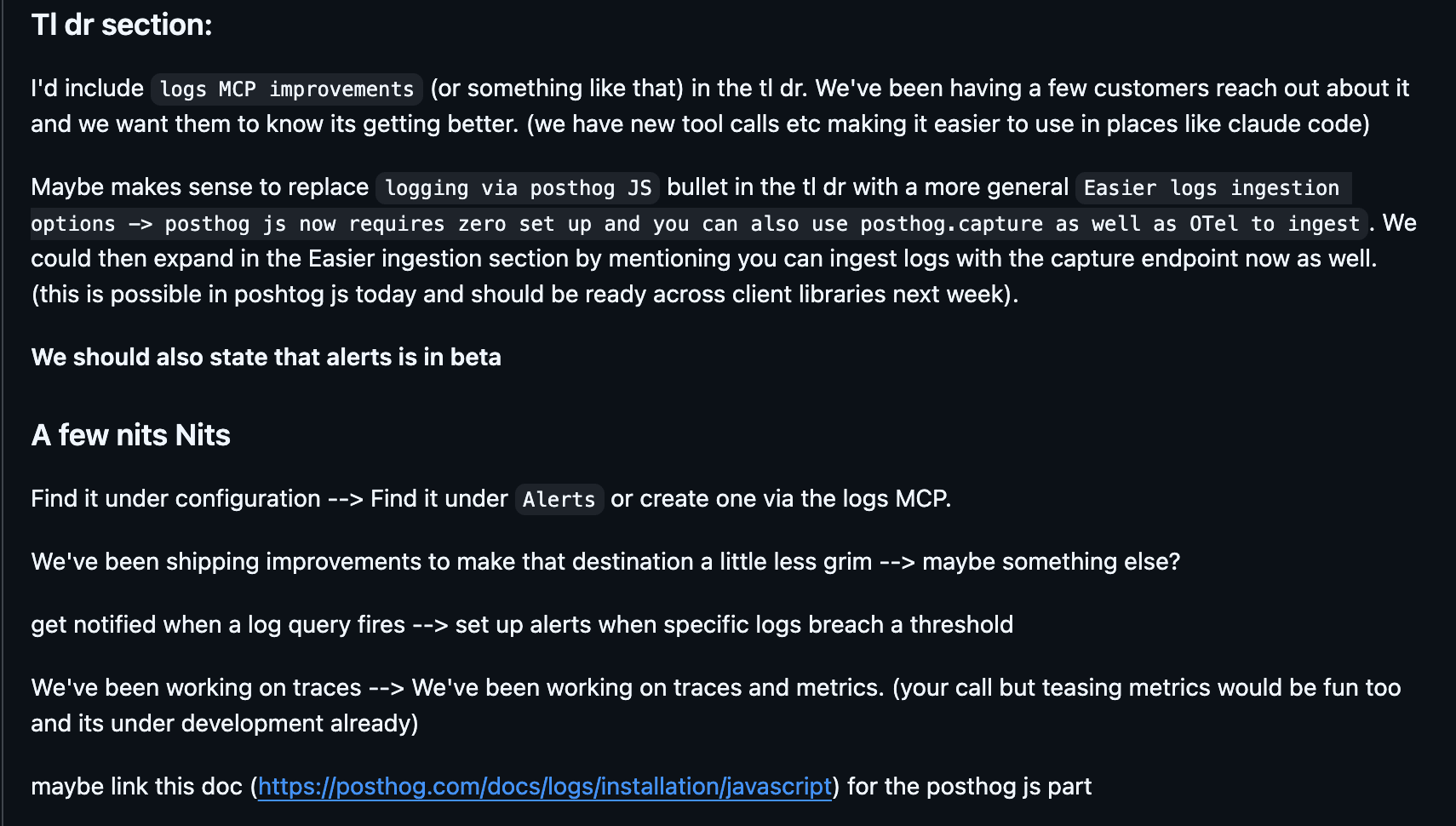
You can also look at the full issue here.
Monthly growth review
Recently, we started doing monthly 1:1 meetings with product managers where we go through the product growth for the last month and try to identify the biggest gaps. Product managers typically do the review on their own in post it in their team channel. Then, I meet them to discuss the numbers and see what to do next. Some things we cover during these meetings:
- How's the product doing?
- Where are users coming from?
- Should we pull in the demand gen people and run more ads? Is this product even a good candidate for ads?
- Are users dropping of? If yes, where? What should we do?
For example, the growth review for Logs, one of the products I'm working on, showed that a lot of users were interested to get started, but the retention was lower than expected. There were a lot of feature requests, and users didn't know what the team was working on. That's when I decided to start with the product digest and tell users what's new and what's coming in the product they're using. Yes, we have a platform-wide changelog digest, but that one only includes the bigger launches, and sometimes small fixes make a big difference for users.
AI is your friend
There’s a lot you can automate with AI. Claude has become my go-to spot when I need to know the status of a certain product development, thanks to the Slack MCP. I ask it about feature status, team updates, etc. I do still go to Slack channels, but it’s much easier for me to surface all the context via a prompt. Here are some prompts I’ve used recently:
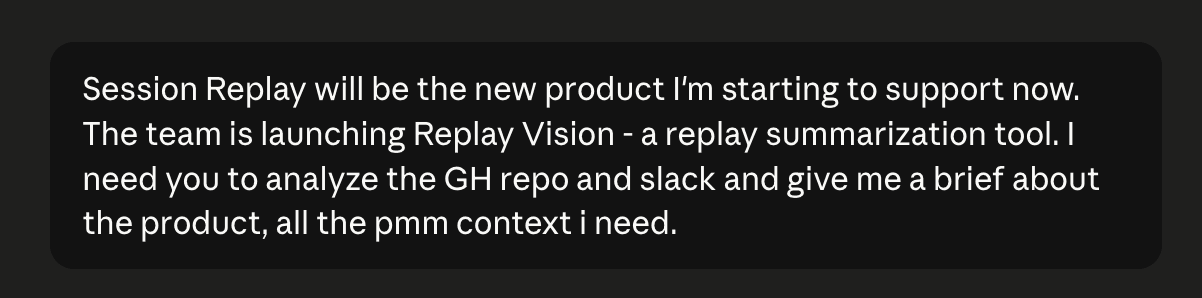

Also, scheduled tasks are pretty good for product updates. My most useful scheduled task is my Weekly product digest, where Claude collects everything that happened in the past week in the channels and GitHub PRs related to the products I work on. Here's a prompt you can use to schedule it yourself with Cowork:
This scheduled task can help you stay on top of everything that's going on with your product, without having to scroll through endless Slack messages or analyze PRs.
I hope these tips help you, fellow PMM. Don't forget, we're in this together. Whatever you're struggling with, there are at least 100 PMMs out there who have the same problem. Happy collaborating!
PostHog is your product's context layer. With a full suite of developer tools – AI observability, product analytics, session replay, feature flags, experiments, error tracking, logs, and more – PostHog ingests and stores all the data agents need to diagnose problems, uncover opportunities, and ship fixes. A data warehouse and CDP tie it all together, unifying that context into one source agents can read across. You can steer it all from Slack, the web app, the desktop (PostHog Desktop), or your own editor via the MCP.