







How to build a PostHog integration with the provisioning API

Contents
Updated October 19, 2026: PostHog now requires apps that create accounts to sign their requests. HogFarm signs them with its own key, and the setup and code below show how.
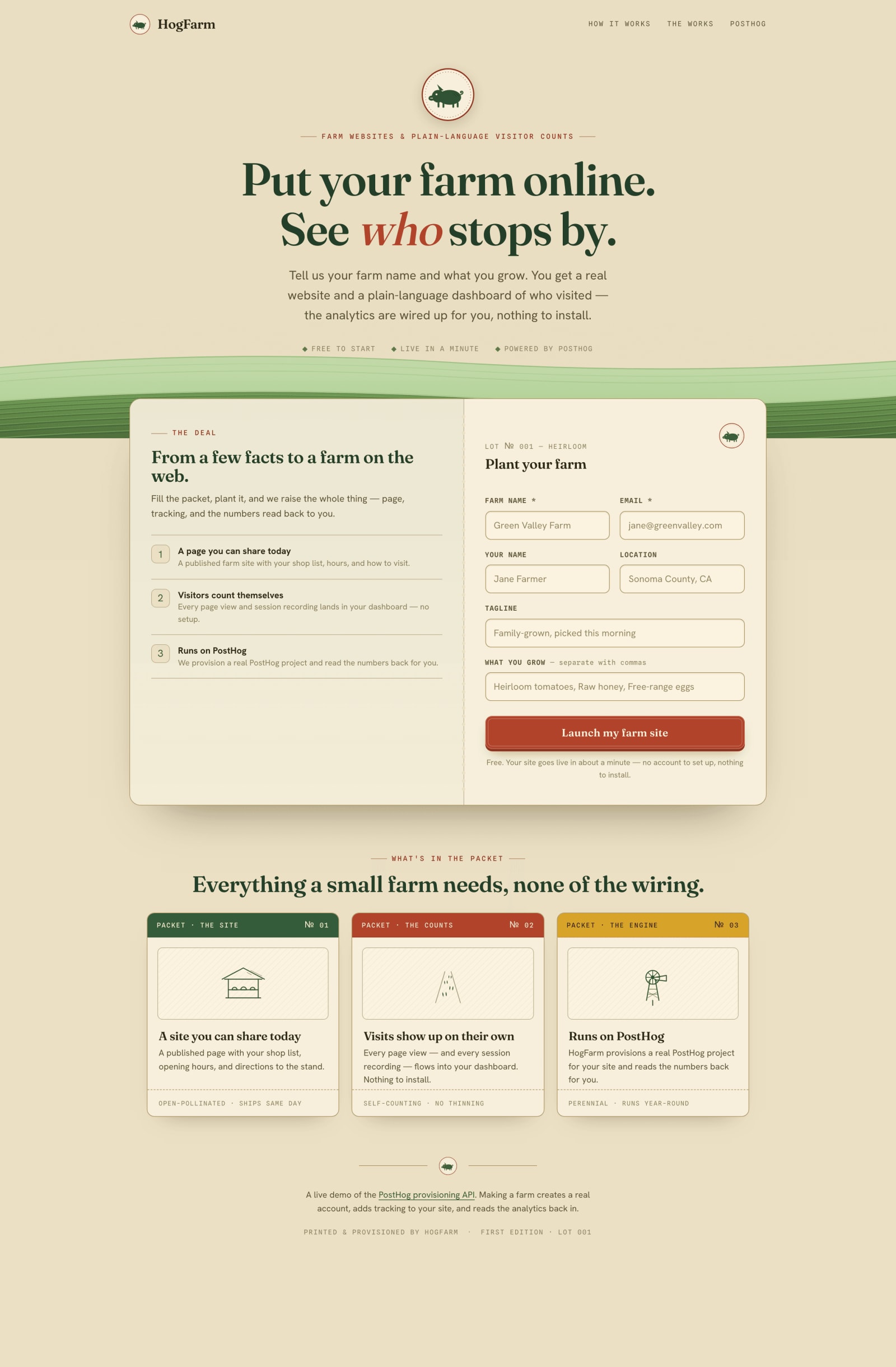
I live on a little farm and recently built a website to sell shares of hogs. My fellow farmers are better versed in the subtle arts of soil, plants, and animals than the latest coding tool, so I threw together a website builder for them: HogFarm.
Knowing who you're selling to is critical to generating demand, so wiring up PostHog for product analytics, session replay, and error reporting was a no-brainer. But farmers want to farm, not sign up for accounts and copy-paste API keys. So HogFarm provisions a PostHog account for each farm behind the scenes, then reads the analytics back into a dashboard the farmer sees without ever leaving HogFarm.
The code is on GitHub and there's a live version you can click around. Here's how I built it.
Registering your OAuth client
To register my OAuth client, I added a small JSON file to my site and pointed PostHog at it. It's called a Client ID Metadata Document, or CIMD, and the URL it's served from is my client_id.
It looks like this:
The client_id has to be the exact URL the file is served from, or it won't register. com.posthog.provisioning is the opt-in for the provisioning API: a client_id is a public URL, so PostHog only hands provisioning access to a client whose own document asks for it. The com.posthog.scopes list is a ceiling: tokens can never go above it, whatever an individual request asks for. These scopes are everything the dashboard needs later: reading the analytics back and embedding a session recording. More on both below.
With the file live, one call registers it:
The response reports each check it ran on its own: whether the document could be fetched and validated, whether provisioning is on, and which keys my JSON Web Key Set (JWKS) serves. The call can return a 200 while one check fails, so I read the checks rather than the status. Nothing else works until every check passes, so it's the first thing to re-run when something further down looks wrong.
Signing account requests and token calls
A client_id is a public URL, so sending it proves nothing about who sent it. Because HogFarm creates accounts, PostHog requires it to sign its account requests and token calls. HogFarm holds an ES256 private key that never leaves its environment, and serves the matching public key in its JWKS at jwks_uri. On each of those calls, it sends a short-lived JWT, called a client assertion, signed with that key. Calls that carry a Bearer token, like provisioning a project, don't need one.
I generated the key with openssl genpkey -algorithm EC -pkeyopt ec_paramgen_curve:P-256, which writes the PKCS#8 format that importPKCS8 expects, and stored it in the JWKS_PRIVATE_SIGNING_KEY environment variable:
HogFarm serves jwks at its jwks_uri. Each assertion names the same kid in its header, which is how PostHog finds the key to check the signature. PostHog accepts each assertion once per region, so every call mints a fresh one with its own jti. The full version is in lib/client-assertion.ts.
If your app already runs without signing, switch it over in the order the docs give: publish your keys, add private_key_jwt and your jwks_uri to the metadata document, re-run registration in each region you use, then start signing.
Creating an account the farmer never sees
With HogFarm registered, the first call creates the farmer's PostHog account. I request the account on their behalf and PostHog provisions it in the background. The API is pre-1.0, so every call pins the version with the API-Version: 0.1d header.
Besides the assertion, this call carries a PKCE challenge. I generate a random verifier and send only its SHA-256 hash now. The verifier gets replayed at token exchange.
Then the account request itself:
There are a few cases to handle for this response:
- A new email comes back as
{ type: "oauth", oauth: { code } }. The account gets created and linked quietly, I get a code on the spot, and the farmer gets a welcome email to set their password. - An email that's already a PostHog user comes back as
{ type: "requires_auth", requires_auth: { url } }. They have to consent in the browser first, so I send them tourland PostHog redirects back to myredirect_uriwith a code. - A
client_idthat hasn't been registered comes back as a401naming the registration endpoint, which is the reminder to run the call above after shipping a new metadata URL. - A missing or invalid client assertion also comes back as a
401, with a message that names the cause. The docs have a table of those errors and their fixes.
Getting the farmer's project key
The account exists but it's empty. Two calls fix that: a signed one to trade the code for an access token, replaying the PKCE verifier to prove it's me, then another to provision the project. Here's the token swap:
The next call provisions a project:
The response carries complete.access_configuration.api_key (the phc_ token) and host, plus a top-level id: the team id for the project it just created, which I hold onto for every read below (it shows up as teamId). That key goes into the farm site HogFarm generates, so visits start landing in PostHog right away. service_id: "free" gives a free-tier project with no card required, which is all HogFarm needs.
Access tokens last an hour, so anything long-lived means holding onto the refresh token. Refreshing is a token call too, so it carries a fresh assertion. I store both tokens encrypted in Postgres with AES-256-GCM, and the encryption key lives only in the environment, never in the database.

Reading the data back to the farmer
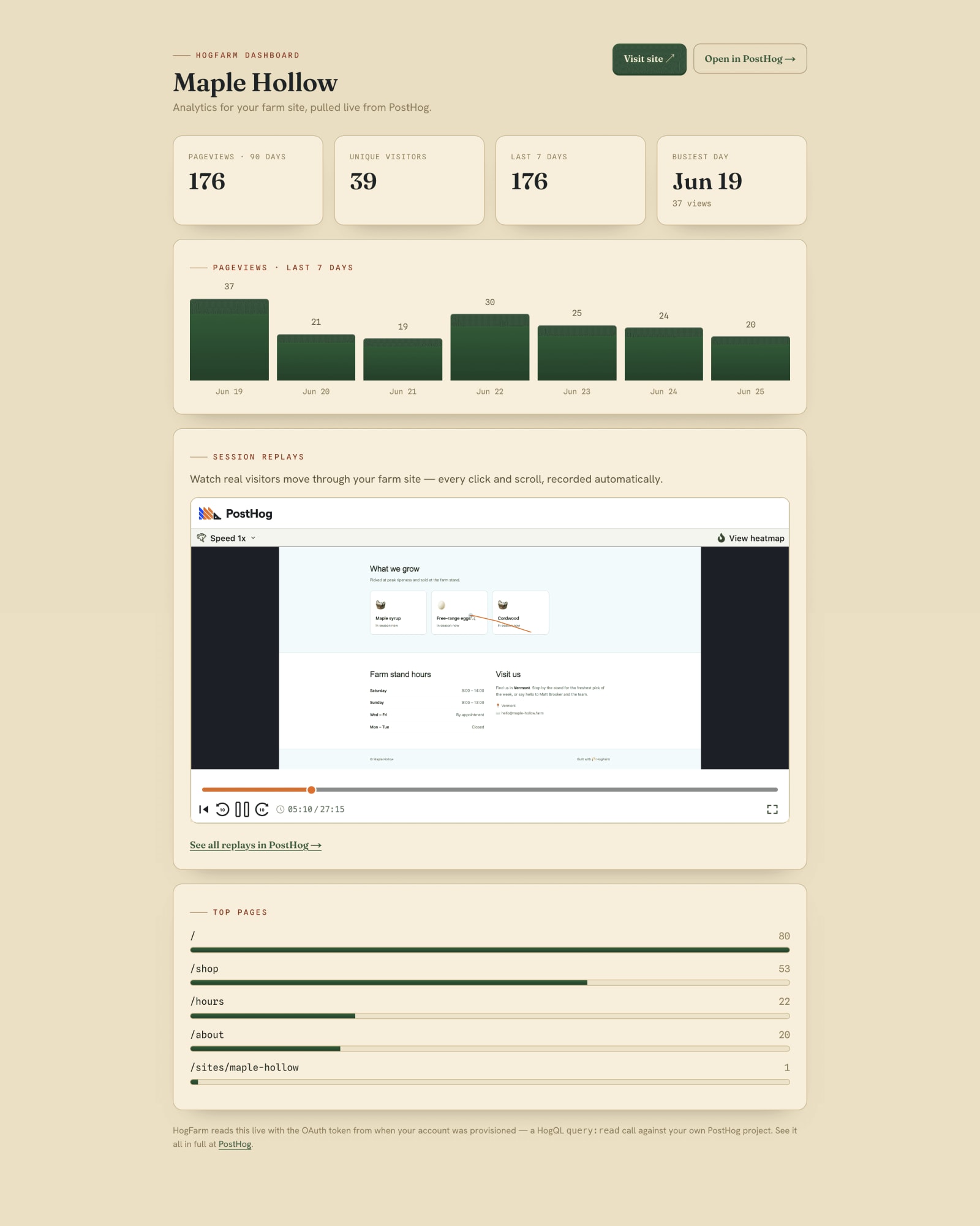
Now for the fun part, giving farmers access to useful info about their users. The dashboard reads through Endpoints: named saved queries you publish once and call by name, versioned and rate-limited as a first-class API. That's the right tool when the same query runs over and over, which is exactly what a dashboard does. At provision time I publish each read once with endpoint:write:
That publishes the seven-day trend; two more cover unique visitors and top pages. Endpoints live in the project, so I create all three in each farm's project right after I provision it. I also seed a week of demo pageviews at the same time, so a brand-new dashboard has something to show (a trap there, see below). From then on the dashboard just calls them by name with endpoint:read:
I didn't have the refresh in there at first, and the dashboard froze on an empty read for the first minute after provisioning. An Endpoint caches its result by default, so my very first call, fired before the seeded events had landed, cached an empty answer and kept handing it back, at the moment the dashboard needs to look alive. Adding refresh: "force" fixed it: it recomputes on every call, so the dashboard always reflects what's actually in the project. That default caching is the whole point of an Endpoint when a query runs constantly, but for a fresh project viewed a handful of times right after setup it was working against me. A busier dashboard would drop the force and let the cache do its job.
Kicking off session replays
The farm site loads the PostHog snippet with session recording turned on, but that alone records nothing: a brand-new project is opted out at the project level, and the client-side switch can't override it. So at provision time I flip it on with project:write:
Now every visit records. On the dashboard I play the most recent one inline. Finding it is one HogQL query, which is what query:read is for:
The provisioning token also has sharing_configuration:write, so I flip on public sharing for that recording and get an embed token back:
I drop that URL in an iframe and the farmer watches real visitors move through their site. The recording lives in their own project; HogFarm just borrows a public view of the latest one. (A shared recording is viewable by anyone with the link, which is fine for a demo, but a real builder would gate or expire it.)
The stuff that bit me
These are the things that weren't obvious until I hit them:
- Your CIMD URL has to be reachable. I deployed behind Vercel's default deployment protection and registration failed: PostHog couldn't fetch the metadata document through the SSO gate. If it fails, open the
.well-knownURL in an incognito window and make sure it loads. - Don't reach for
historical_migrationto seed backdated events. I seed a week of demo pageviews so a new farm's dashboard isn't empty on day one, and my first instinct was thehistorical_migrationflag since the timestamps are in the past. That flag routes the batch to a throttled ingestion pipeline that can take many minutes to become queryable, so the dashboard sat empty right after provisioning, the opposite of what I wanted. The regular capture pipeline takes backdated timestamps fine (it stores the event timestamp, not arrival time) and they show up in seconds. For a week-old seed, skip the flag.
Give the gift of PostHog to your users
Check out the HogFarm repo and the provisioning docs to give your users access to data about their users.
- Code: github.com/Brooker-Fam/hogfarm
- Docs: Provisioning API and OAuth + CIMD
PostHog is your product's context layer. With a full suite of developer tools – AI observability, product analytics, session replay, feature flags, experiments, error tracking, logs, and more – PostHog ingests and stores all the data agents need to diagnose problems, uncover opportunities, and ship fixes. A data warehouse and CDP tie it all together, unifying that context into one source agents can read across. You can steer it all from Slack, the web app, the desktop (PostHog Desktop), or your own editor via the MCP.