Session ReplayReplay Vision
The AI that watches your product for you
See exactly what people do in your product, from clicks and scrolls to network requests and console logs. Then let the AI do the watching. Tell it what to look for and it flags where people got stuck, scores frustration, and summarizes what happened.
5,000 recordings free every month, forever.

These are some of our paying customers.
(Yes they actually use us, no it's not just some random engineer who tried us out 2+ years ago.)
How it works
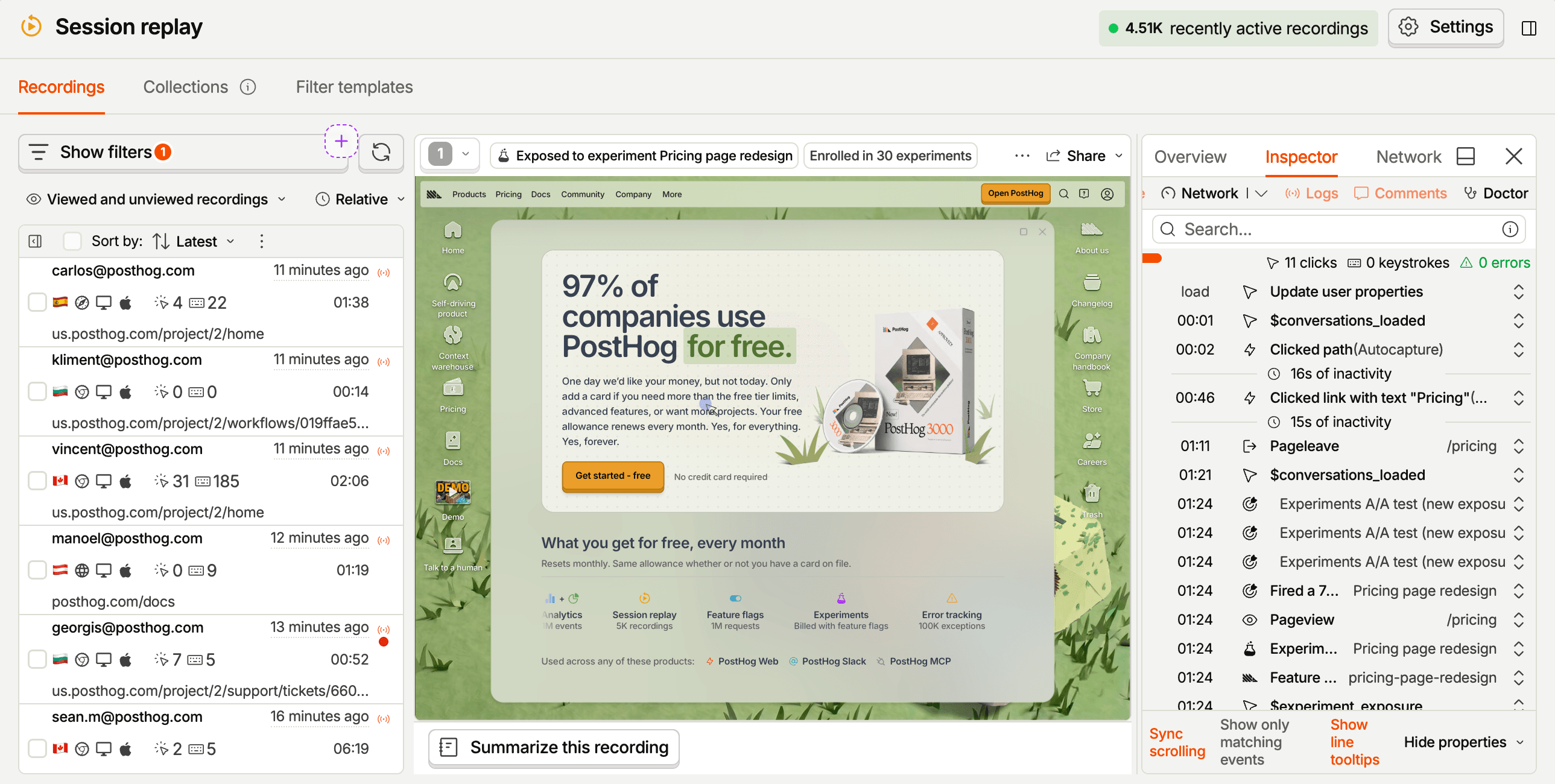
1. Record user sessions
Session Replay captures sessions on web and mobile. Input fields are masked by default, so passwords and card numbers stay out of the recording.
Find thebroken checkouts
Replay Vision comes with scanners: AI probes you configure and point at your sessions. Pick one of ours and tell it what to watch, or create your own.
Session summary
Get the short version, so you don't sit through 3 hours of scrolling.
A title and a summary
User intent
Tag sessions with what the user was trying to do.
Tags from a list you define
Session outcome
Tags what happened: purchases, errors, and more.
Tags from a list you define
Dead ends
Flags the moment someone can't find the next step.
A yes/no verdict, with reasoning
Frustration score
Rates how much friction a page caused.
A score on a scale you define
Experiment
Summarizes an experiment side by side, so you see what changes.
A summary, labeled with the variant
Create your own scanner
Pick a scanner type, write the prompt in your own words, and choose which recordings it watches. Some prompts teams use:
- “Find people who try to sign up but can't.”
- “Find sessions where users get stuck on mobile.”
- “I want to understand why we're not converting to paid users.”
- “I need to track annoying popups, mobile UI flaws, etc.”
Install with the wizard
One terminal command installs everything and build your first three scanners.
They're ordinary scanners, so you can edit or delete them afterward.
Or just ask your agent
Connect your agent to the PostHog MCP and ask a one-off question about specific sessions without setting up a scanner, draft a scanner from a goal and estimate its cost before it runs, or pull observations into context while it writes the fix.
The same MCP covers your funnels, flags, and errors, so the agent can go from "conversion dropped" to the replays that explain it in one conversation.
Works in Cursor, Claude Code, Codex, VS Code, Windsurf, and other MCP clients.
>
Go watch sunsets while PostHog watches your user sessions
5,000 recordings and 2,500 Replay Vision credits free every month. See pricing