





Security Best Practices
Contents
GitHub
SSH Keys
Connecting to GitHub requires an SSH key (unless using HTTPS). Traditional SSH keys live as text files on your filesystem, making them vulnerable to theft or misuse by malware. We explicitly prohibit the use of SSH keys stored on your filesystem. If you made an SSH key before, see replacing a key stored on disk.
Use Secretive or 1Password to generate and store your SSH key. We have a slight preference for Secretive because it stores your key in the macOS Secure Enclave, ensuring the key can never be exported or extracted, even by malware. Always use ECDSA or Ed25519 — don't use RSA.
Note: The default shell on macOS is
zsh, so the~/.zshrcinstructions below apply to you unless you've deliberately switched to a different shell. If you're not sure which shell you're using, runecho $SHELLin your terminal to check. If it prints a path that ends inbash, use~/.bash_profilewherever these steps say~/.zshrc.
Setting up with Secretive
Open Secretive and click the + button to create a new key.
Name your key "GitHub SSH" and select Notify in the Protection Level dropdown.
- For additional protection, select Require Authentication instead. This will require you to use Touch ID each time the key is accessed.
Go to Secretive > Integrations in the menu bar.
Select your shell on the left side set the
SSH_AUTH_SOCKenvironment variable as instructed. For zsh, add the following to your~/.zshrc:shPut this line at the very bottom of the file. Some setup guides add lines that stop Secretive from working if they come after it. Then run
source ~/.zshrcto apply it.Click on your new key in Secretive and copy the public key.
Go to your GitHub SSH keys settings and add a new SSH key. Paste your public key and set the key type to Authentication Key.
Close the terminal window, open a new one, and run these checks one at a time:
echo $SSH_AUTH_SOCKshould print a path that ends inSecretive.SecretAgent/Data/socket.ssh.ssh-add -Lshould print a line for each Secretive key. If it prints "The agent has no identities", your terminal isn't using Secretive. See troubleshooting.ssh -T git@github.comshould print "Hi username! You've successfully authenticated".
Do all three. If an old key file is still on your computer, the last check can pass even when Secretive isn't set up.
Setting up with 1Password
Follow the 1Password SSH key management guide.
Replacing a key stored on disk
If you made an SSH key before, it's probably a file in the hidden ~/.ssh folder. You can't move it into Secretive. 1Password can import it, but don't: someone may already have copied a key that was saved as a file. Make new keys and delete the old ones:
- Set up your new SSH key and your new signing key, and check that both work.
- Run
open ~/.sshto show the folder in Finder. Moveid_rsa,id_ecdsa,id_ed25519, and the matching.pubfiles to the Trash, then empty the Trash. Leaveconfigandknown_hosts. - If that folder has a
configfile, runopen -e ~/.ssh/config. Delete the lines that name the old key file, such asIdentityFile ~/.ssh/id_ed25519, and anyUseKeychainorAddKeysToAgentlines. - Run
open -e ~/.zshrc. Delete any line that containsssh-agentorssh-add. The Secretiveexport SSH_AUTH_SOCK=...line should be the last line. - In your GitHub SSH keys settings, delete the old key from both the Authentication keys and Signing keys lists. The old key is the one you added before you set up Secretive.
- In each project folder where you use git, run
git config --local --get user.signingkey. If it prints anything, rungit config --local --unset user.signingkey. A project can have its own setting that overrides yours.
Commit signing
A git commit's Author field is completely user controllable and can be forged. Signing your commits cryptographically proves you authored them, preventing impersonation and confusion. Signing is required, not optional: an org-wide GitHub ruleset rejects unsigned commits in every PostHog repository, on every branch. Set this up before your first push, rather than when a push fails. This applies to automation too, see signing commits from workflows.
You can sign commits with either Secretive or 1Password. We have a slight preference for Secretive because it stores your key in the macOS Secure Enclave, ensuring the key can never be exported or extracted, even by malware.
Setting up with Secretive
Open Secretive and click the + button to create a new key.
Name your key "Git signing key" and select Notify in the Protection Level dropdown.
Go to Secretive > Integrations in the menu bar.
Click Git Signing and select "Git signing key" from the Secret dropdown.
Copy and paste the
~/.gitconfigand~/.gitallowedsignerssnippets into their respective files.- If you already have content in
~/.gitconfig, merge the new sections into the existing file rather than replacing it. - If you've previously configured commit signing (with a different SSH key, a GPG key, or an older Secretive key), replace any existing
signingkey,gpgsign,gpg.format, andallowedSignersFileentries. Don't append duplicates. Git will silently use the last value, but a.gitconfigwith multiple conflictingsigningkeylines is hard to reason about. - A project can have its own git settings that override
~/.gitconfig. If git still uses an old key, see troubleshooting. - The
~/.gitallowedsignersfile is used bygit log --show-signaturefor local verification. Each line is<your-git-email> <key-type> <public-key>, e.g.you@posthog.com ecdsa-sha2-nistp256 AAAA... Git-Signing-Key@.... If you skip it, signing still works but local verification will reportNo principal matched.
- If you already have content in
Select your shell on the left side of Secretive and set the
SSH_AUTH_SOCKenvironment variable as instructed. Skip this step if you already did it in the SSH key setup. For zsh, add the following to your~/.zshrc:TerminalThen run
source ~/.zshrcto apply it.Your
~/.gitconfignow has asigningkeypointing to a file. Copy your public key to the clipboard:TerminalGo to your GitHub SSH keys settings and add a new SSH key. Paste your public key and set the key type to Signing Key.
- GitHub treats Authentication Key and Signing Key as separate roles, even for the same key. If you get "Key is already in use", it most likely means you already added this key as an Authentication Key (from the SSH Keys setup above). The same key can serve both roles — but you have to add it once for each. Add it again with key type Signing Key.
Verify the signature locally before pushing. Create an empty commit on a new branch:
TerminalYou should see a fingerprint followed by
G(good signature). The fingerprint must match the Signing Key you just added on GitHub — find it at GitHub SSH keys settings under the Signing keys heading. If it matches an Authentication key entry instead, youruser.signingkeyin~/.gitconfigis pointing at the wrong file — fix it before pushing.Check the letter at the end:
G: the signature is good.U: git signed with a key it doesn't know, usually an old key. See troubleshooting.N: the commit isn't signed. Check the~/.gitconfiglines from step 5.
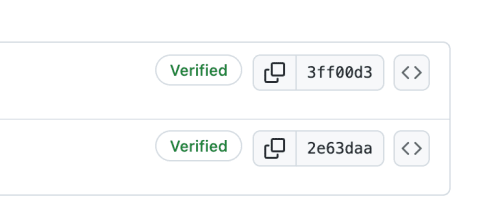
Push the branch to GitHub — you should see a green Verified badge on the commit.
Setting up with 1Password
Follow the 1Password git commit signing guide.
After setup
Once commit signing is configured, enable the option in your GitHub Profile to "Flag unsigned commits as unverified". The org ruleset already blocks unsigned commits in PostHog repos, but this marks any commit attributed to your email and not signed by you as Unverified everywhere else on GitHub, including your personal repos.
Troubleshooting
If using iTerm/Cursor/GitHub Desktop/Sourcetree/etc., you may be endlessly prompted to "access data from other apps". You can fix this by granting the app Full Disk Access in System Settings > Privacy & Security > Full Disk Access.
If you are prompted to complete Touch ID each time you commit, your signing key is using a Protection Level of Require Authentication. Re-follow the instructions above to generate a new signing key with a Protection Level of Notify.
GitHub rejects your push with
GH013: Commits must have verified signatureseven though the commits look signed locally. The commit was signed with a key GitHub doesn't recognize as a Signing Key — usually because (a) the key is only registered as an Authentication Key, or (b) youruser.signingkeypoints at the wrong file. Confirm withgit log -1 --format='%GK'and cross-check the fingerprint against your GitHub keys. Once the right key is registered as a Signing Key, re-sign the existing commit:TerminalUse
--force-with-leaserather than plain--force— it refuses the push if someone else has pushed to the branch since you last fetched.Git still uses my old key. The signing check shows
U. A project can have its own git setting that overrides yours. From inside the project folder, run:TerminalIf it prints anything, remove that setting and make a new test commit:
TerminalYour terminal isn't connected to Secretive.
ssh-add -Lprints "The agent has no identities", or a commit fails with "No private key found for public key".- Check that the Secretive
export SSH_AUTH_SOCK=...line is the last line of~/.zshrc. - Close every terminal window and open a new one. If you commit from an editor such as Cursor or VS Code, quit it and open it again.
- Run
echo $SSH_AUTH_SOCK. It should end inSecretive.SecretAgent/Data/socket.ssh.
- Check that the Secretive
Still stuck? Run these from your project folder and paste the output in #team-security:
TerminalThe output has only public keys and file paths, so it's safe to share.
GitHub Actions
Great care should be taken when writing or modifying a GitHub Actions workflow. Actions can access (and exfiltrate) secrets scoped to the repo. We scan workflows with Semgrep and CodeQL for common misconfigurations.
Authentication
Most Actions use the default GITHUB_TOKEN, whose permissions can be scoped via the permissions property. However, GITHUB_TOKEN cannot trigger other workflows, so commits or PRs created by an Action won't run CI, leaving PRs unmergeable without manual intervention. The workaround is a GitHub App.
Personal access tokens are not an option here. Classic PATs are blocked org-wide. Fine-grained PATs require approval and are generally not approved, because they are tied to an individual user and break when that user leaves PostHog.
Use a finely scoped, purpose-specific GitHub App instead. Scope each App to its use case and ideally a single repo. Prefer creating a new App over expanding an existing one's permissions, otherwise every Action using that App inherits permissions it doesn't need.
Send a message in #team-security if you need help setting up a new GitHub App.
Signing commits from workflows
The org ruleset applies to Actions too. A workflow that commits with git push is rejected, because there is no signing key on the runner. Create the commit through the GitHub API instead, which GitHub signs with its own key. In practice that means one of:
planetscale/ghcommit-action, a wrapper around the GraphQLcreateCommitOnBranchmutation. This is what most of our workflows use.peter-evans/create-pull-requestwithsign-commits: true(v6.1 or later)changesets/actionwithcommitMode: github-api- calling
createCommitOnBranchyourself
Signing only works with a bot-generated token, meaning
GITHUB_TOKENor a GitHub App installation token. With a PAT,sign-commitsand its equivalents are a silent no-op: the action reports success, the commit is not signed, and the push is rejected.
Two limits of createCommitOnBranch to plan for. Its FileAddition input takes only path and contents, so it cannot set a file's executable bit. And it sends expectedHeadOid, so the commit is rejected if the branch moved since the run read the head. Re-read the head and retry rather than forcing.
External contributors
In public repos, Actions may run against PRs written by external contributors. These PRs should be reviewed thoroughly before approving workflows to run against them. Otherwise, a malicious PR could gain access to and steal all of the secrets available to the repo.
Managing secrets
AWS
Application secrets are stored in AWS Secrets Manager. To modify an app's secrets, use our secrets tool.
GitHub
Secrets used by GitHub Actions are stored in GitHub secrets. All secrets should be stored in our GitHub org rather than in an individual repo. This allows us to more easily reuse secrets across repos, and also provides a holistic view of all of our secrets. The org secret should be scoped to the specific repos that need it.
Reporting a security issue
If you believe we've been hit by a security issue, raise an incident. In the best case, it'll mean security folks look at it ASAP. In the worst case, it's a false positive and we can close the incident.