Custom presentations

Custom presentations are PostHog's version of landing pages.

They're designed to look like product slideshows, but can be more easily customized to include slides with custom content that span multiple products.

They can be used to tailor content for:

  • a particular persona
  • the needs of a specific company
  • an individual

This is an MVP and ultimately needs to be refactored a bit. Check with Cory Watilo if you'd like to use this feature.

The example below shows a presentation that is personalized for a particular company and includes the person within PostHog assigned to that account.

Custom presentation example

Features

  • Sources slide structure and content from a json file (one per primary persona)
  • Custom presentations can source content from default slides but also override content to personalize it further
  • Can enrich with a target company using Clearbit
    • Supports some variables like {companyName} and {companyLogo} that can be used within slides
  • Connects with Salesforce to personalize the presentation with the assigned rep
  • Embeds a Default.com scheduling form
  • Supports a lead form
  • Can optionally hide slide thumbnails and presenter notes
  • And yes, they're fully responsive, and if an uploaded screenshot has a dark mode equivalent, it will be used in dark mode

How it works

Presentations are accessed via the URL pattern:

/for/{persona}
/for/{company-domain}/{role-or-id}

Examples:

/for/product-engineers
/for/engineering-managers
/for/product-managers
/for/engineering-managers
/for/engineering-directors
/for/example.com/product-engineers
/for/example.com/123456 ## see "Overriding default content" below

The system will:

  1. Look up company data from Clearbit (using the company's URL)
  2. Load the appropriate presentation JSON
  3. Render slides with company-specific data
  4. Display sales rep information if available
src/
├── components/Presentation/
│ ├── Templates/ # Slide templates
│ │ ├── StackedTemplate.tsx
│ │ ├── ColumnsTemplate.tsx
│ │ ├── ProductTemplate.tsx
│ │ ├── PricingTemplate.tsx
│ │ └── BookingTemplate.tsx
│ └── Utilities/ # Shared utilities
└── presentations/ # JSON configuration files
├── default.json
├── product-managers.json
├── product-engineers.json
├── product-directors.json
├── engineering-managers.json
└── dream-customers/
└── example.com.json

Presentation structure

Here's a general structure for a presentation using the various templates. You can add multiple product slides by adding additional entries. See a full example on GitHub in product-engineers.json.

{
"name": "Product Engineers",
"config": {
"thumbnails": false,
"notes": false,
"form": true,
"teamSlug": "sales-cs"
},
"slides": {
"overview": {
"template": "stacked",
"name": "Overview",
"title": "Title goes here",
"description": "<p>You can add the {companyName} and it will get inserted when enriched with Clearbit.</p>",
"descriptionWidth": "@2xl:w-3/5"
},
"error_tracking": {
"template": "product",
"name": "Error Tracking",
"handle": "error_tracking",
"screenshot": "home",
"title": "Title goes here",
"description": "<p>Description</p>"
},
"all_in_one": {
"template": "columns",
"name": "All-in-one",
"title": "Multiple products on one slide",
"description": "Supports multiple columns of content",
"content": [
{
"handle": "product_analytics",
"title": "Product Analytics",
"description": "<p>Description goes here.</p>",
"screenshot": "funnelVertical"
},
{
"handle": "session_replay",
"title": "Session Replay",
"description": "<p>Description goes here.</p>",
"screenshot": "home"
},
{
"handle": "error_tracking",
"title": "Error Tracking",
"description": "<p>Description goes here.</p>",
"screenshot": "errorsCropped"
}
]
},
"pricing": {
"template": "pricing",
"name": "Pricing",
"title": "Pricing",
"description": "PostHog offers usage-based pricing. This means you only pay for what you use, and you can set billing limits so you never get an unexpected bill.",
"image": "/images/products/product-analytics/screenshot-billing.png"
},
"cta": {
"template": "booking",
"name": "Get a demo",
"title": "Get a demo",
"description": "<p><strong>No demos required</strong> – you can try PostHog without ever talking to us. But if you'd like personalized demo, book a time.</p>"
}
}
}

Templates

Different templates support different features.

stacked

Content is stacked top to bottom and optionally supports an image which replaces the default Hogzilla background image.
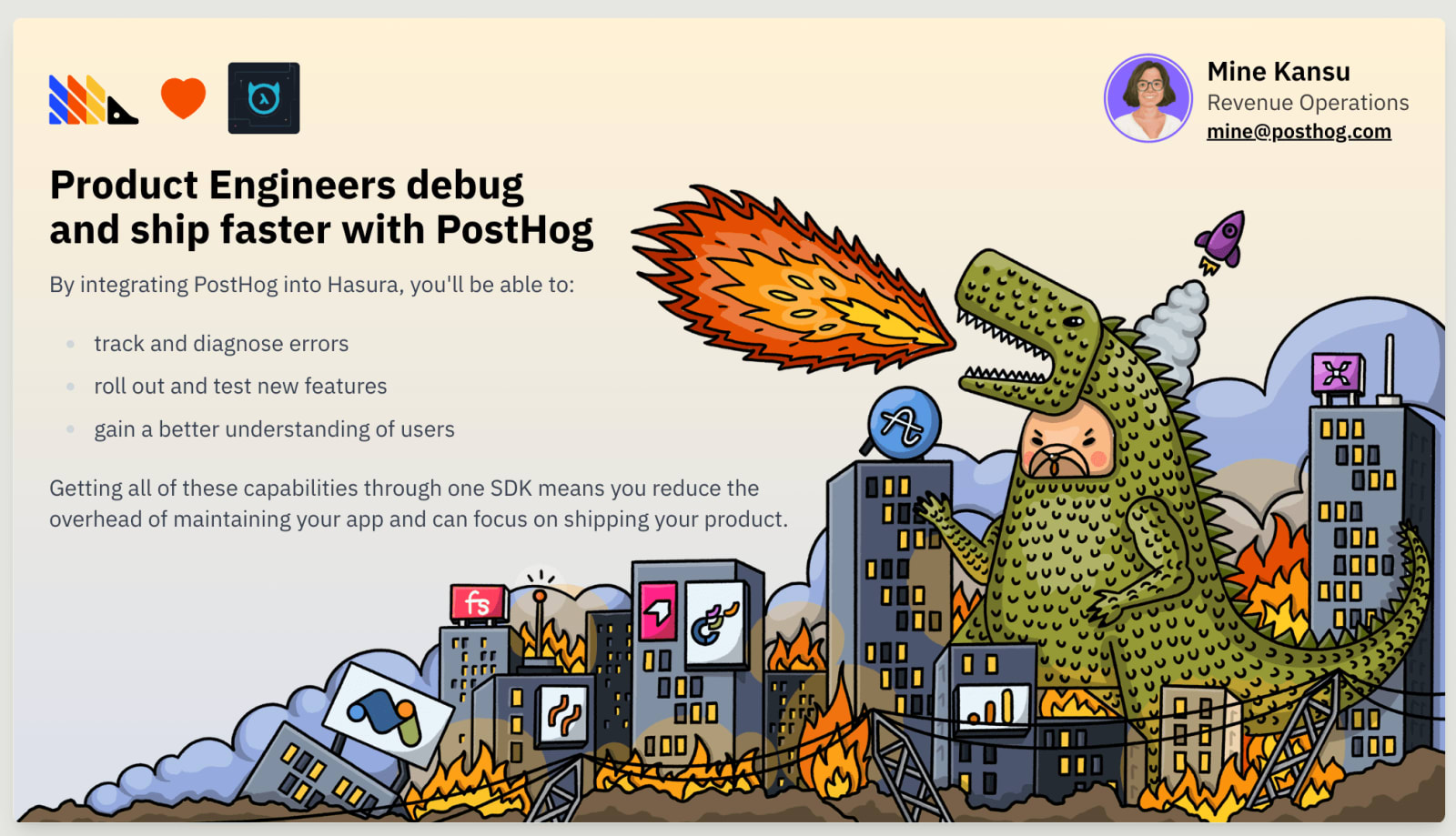
Stacked slide template

The above example does not use the image prop, thus Hogzilla is included.

"overview": {
"template": "stacked",
"name": "Overview",
"title": "Title goes here",
"description": "<p>You can add the {companyName} and it will get inserted when enriched with Clearbit.</p>",
"descriptionWidth": "@2xl:w-3/5"
},

product

This imports the useProduct.ts hook to fetch product data based on the handle passed in. It allows it to access things like the product name, icon, color, and array of screenshots.

Product template screenshot

In the above example, it uses the "home" screenshot from the llm_analytics product:

"llm_analytics": {
"template": "product",
"name": "LLM Analytics",
"handle": "llm_analytics",
"screenshot": "home",
"title": "LLM Analytics",
"description": "Understand how your users consume AI in your product, and monitor performance and cost when using different models."
},

columns

This is a multi-column layout that supports multiple products or features side-by-side.

There is currently no logic to wrap items, so it works best for 2-4 columns for now.
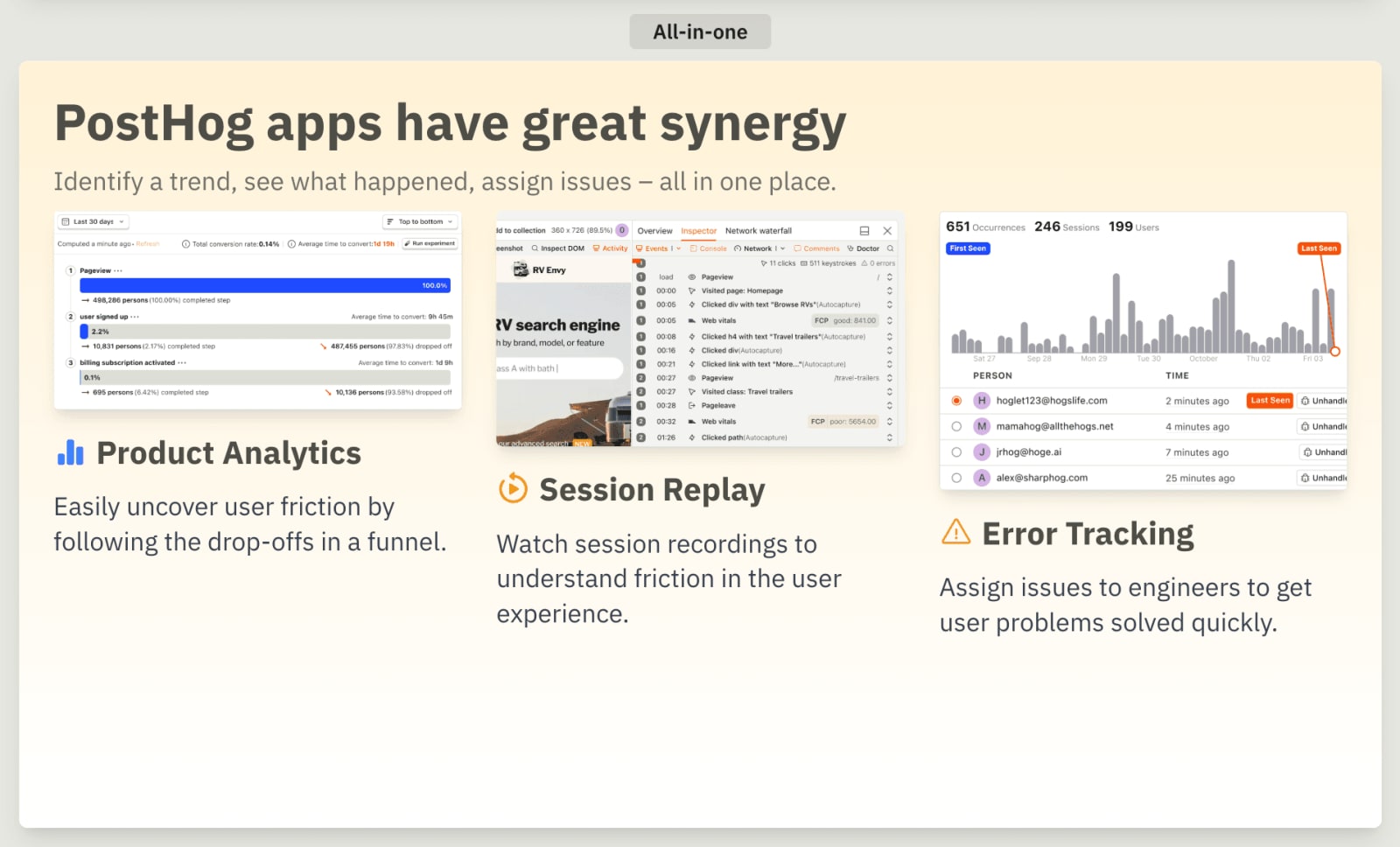
Columns template example

"all_in_one": {
"template": "columns",
"name": "All-in-one",
"title": "PostHog apps have great synergy",
"description": "Identify a trend, see what happened, assign issues – all in one place.",
"content": [
{
"handle": "product_analytics",
"title": "Product Analytics",
"description": "<p>Easily uncover user friction by following the drop-offs in a funnel.</p>",
"screenshot": "funnelVertical"
},
{
"handle": "session_replay",
"title": "Session Replay",
"description": "<p>Watch session recordings to understand friction in the user experience.</p>",
"screenshot": "home"
},
{
"handle": "error_tracking",
"title": "Error Tracking",
"description": "<p>Assign issues to engineers to get user problems solved quickly.</p>",
"screenshot": "errorsCropped"
}
]
},

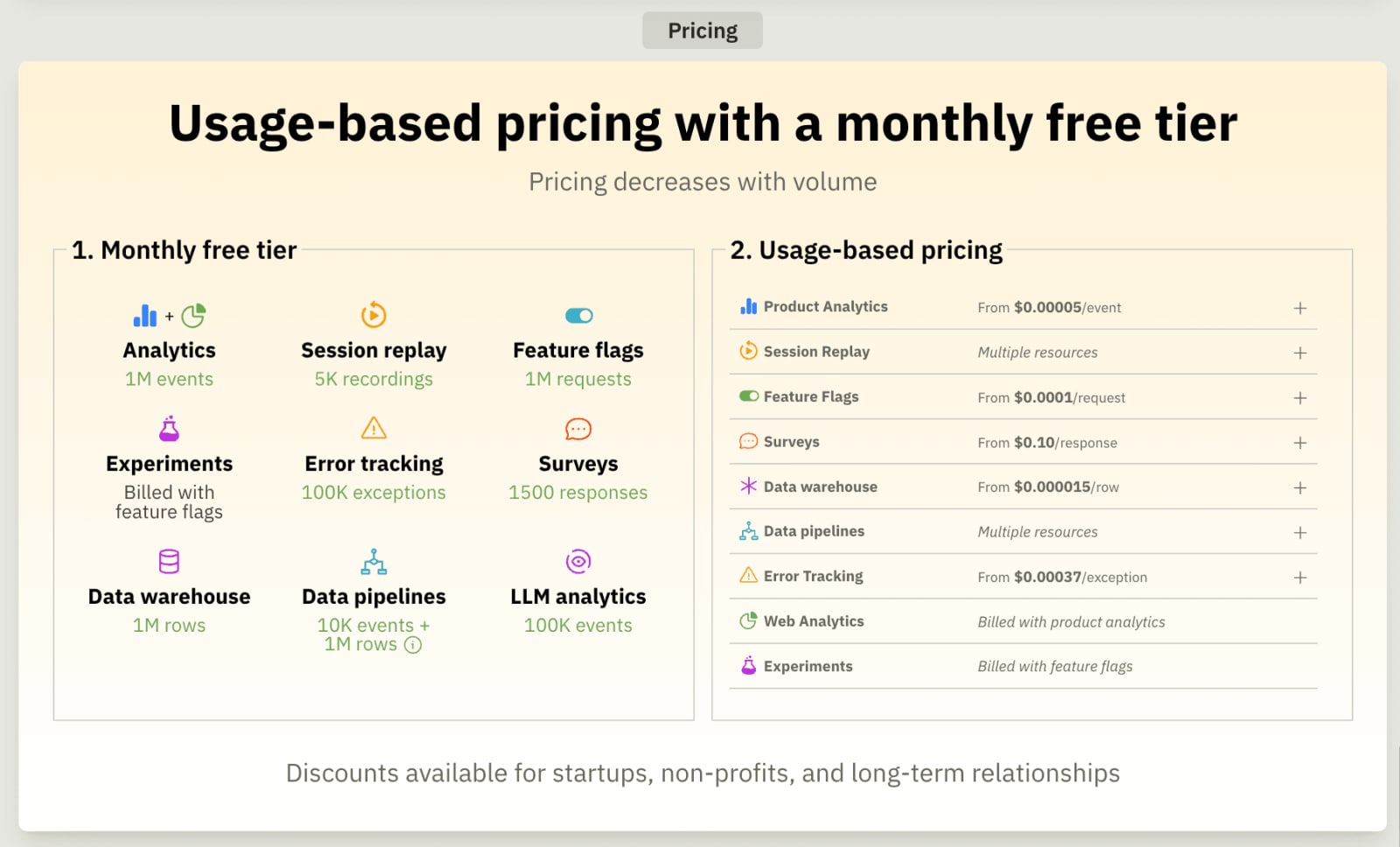
pricing

Pricing slide screenshot

"pricing": {
"template": "pricing",
"name": "Pricing",
"title": "Pricing",
},

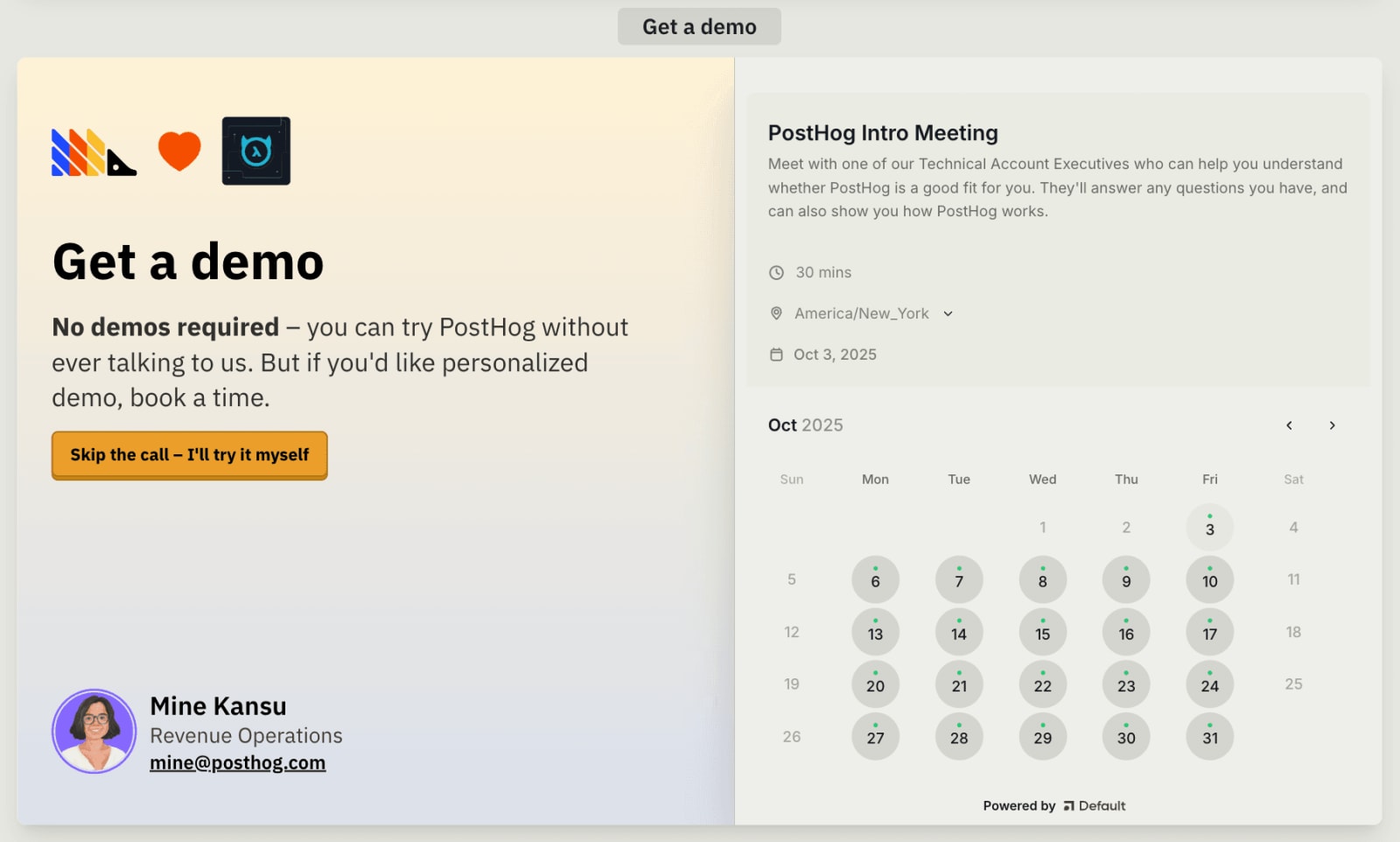
booking

Booking slide screenshot

"cta": {
"template": "booking",
"name": "Get a demo",
"title": "Get a demo",
"description": "<p><strong>No demos required</strong> – you can try PostHog without ever talking to us. But if you'd like personalized demo, book a time.</p>"
}

Customization

Overriding default content

You can create an entirely personalized presentation, use the dream-customers folder. Set the json filename to the company's domain name and inside the file, set an arbitrary ID that will be used in the URL, like:

/for/hasura.io/123456

Reference content from any persona file with inherit, or override the content by adding your own.

"overview": {
"template": "stacked",
"title": "Hey John!",
"description": "We've prepared this custom presentation specifically for the Hasura team to show how PostHog can accelerate your product development."
},
"error_tracking": {
"inherit": "product-engineers",
"slideKey": "error_tracking"
},
"feature_management": {
"inherit": "engineering-managers",
"slideKey": "feature_flags"
},

Display options

Use the config object in the JSON file that supplies the content for the presentation to customize how the presentation renders. This can be done for a persona, a specific company, or an individual.

All properties

"config": {
"thumbnails": false, // hides slide thumbnails column
"notes": false, // hides presenter notes drawer
"form": true, // shows the lead form
"teamSlug": "sales-cs" // specifies which Small Team appears in the form
}

The thumbnails, notes, and form values can be overridden in the query string (independently), like:

/for/product-engineers?thumbnails=false&notes=false&form=true

These configuration options are remembered when using the Share your windows link generator in the Active windows pane. This is useful for sending a link to someone that will open multiple windows and also remember the display options of a presentation.

Product presentations

The above properties also work for product presentations, like:

/llm-analytics?thumbnails=false&notes=false&form=true

Lead form

The lead form is hidden by default but can be enabled in a persona's JSON file, or displayed manually using the query param &form=true.

"config": {
"form": true,
}

Non-personalized (industry-specific) landing pages show avatars of the

Product-Led Sales East Team
Product-Led Sales East mini crest
Product-Led Sales East Team
.

Default small team

Company-specific landing pages show the

New Business Sales Team
New Business Sales mini crest
New Business Sales Team
by default.

No assignment in Salesforce

This is because different URL patterns are intended for different purposes.

PathPurposeTeam
/for/{company}/{persona}OutboundNew Business Sales Team
/for/{persona}InboundProduct-Led Sales Team

Small team

The small team in the config object can be overridden for any persona, company, persona within a specific company, or completely custom landing page.

"config": {
"form": true,
"teamSlug": "sales-cs"
}

This can also be overridden to show a specific small team using &t={id} using mappings in the TEAM_QUERY_MAP in src/components/Presentation/index.tsx and works for product presentations, use case landing pages, personalized landing pages, and custom presentations.

IDSmall Team
1sales-cs
2sales-product-led

On landing pages personalized to a specific company, we check if the account is assigned in Salesforce. This takes priority over any small team assignment in JSON and the t query param.

Account assigned in Salesforce

Community questions

Was this page useful?

Questions about this page? or post a community question.