







Optimizing SQL queries
Since September 9, 2026, queries made with a personal API key draw from an hourly read budget per project. The budget refills continuously, and unused budget carries over up to a cap. Once it is exhausted, API queries return a 429 with a Retry-After header until enough budget refills, at most an hour later. Each response carries X-PostHog-Query-Bytes-Read and X-PostHog-Query-Budget-Remaining-Bytes so you can see what a query cost. Queries run in the PostHog app are not affected. The advice below reduces the bytes a query reads.
When writing custom queries, the burden of performance falls onto you. PostHog handles performance for queries we own (for example, in product analytics insights and experiments, etc.), but because performance depends on how queries are structured and written, we can't optimize them for you. Large data sets particularly require extra careful attention to performance.
Here is some advice for making sure your queries are quick and don't read over too much data (which can increase costs):
1. Use shorter time ranges
You should almost always include a time range in your queries, and the shorter the better. There are a variety of SQL features to help you do this including now(), INTERVAL, and dateDiff. See more about these in our SQL docs.
2. Materialize a view for the data you need
The data warehouse enables you to save and materialize views of your data. This means that the view is precomputed, which can significantly improve query performance.
To do this, write your query in the SQL editor, click Materialize, then Save and materialize, and give it a name without spaces (I chose mat_event_count). You can also schedule to update the view at a specific interval.
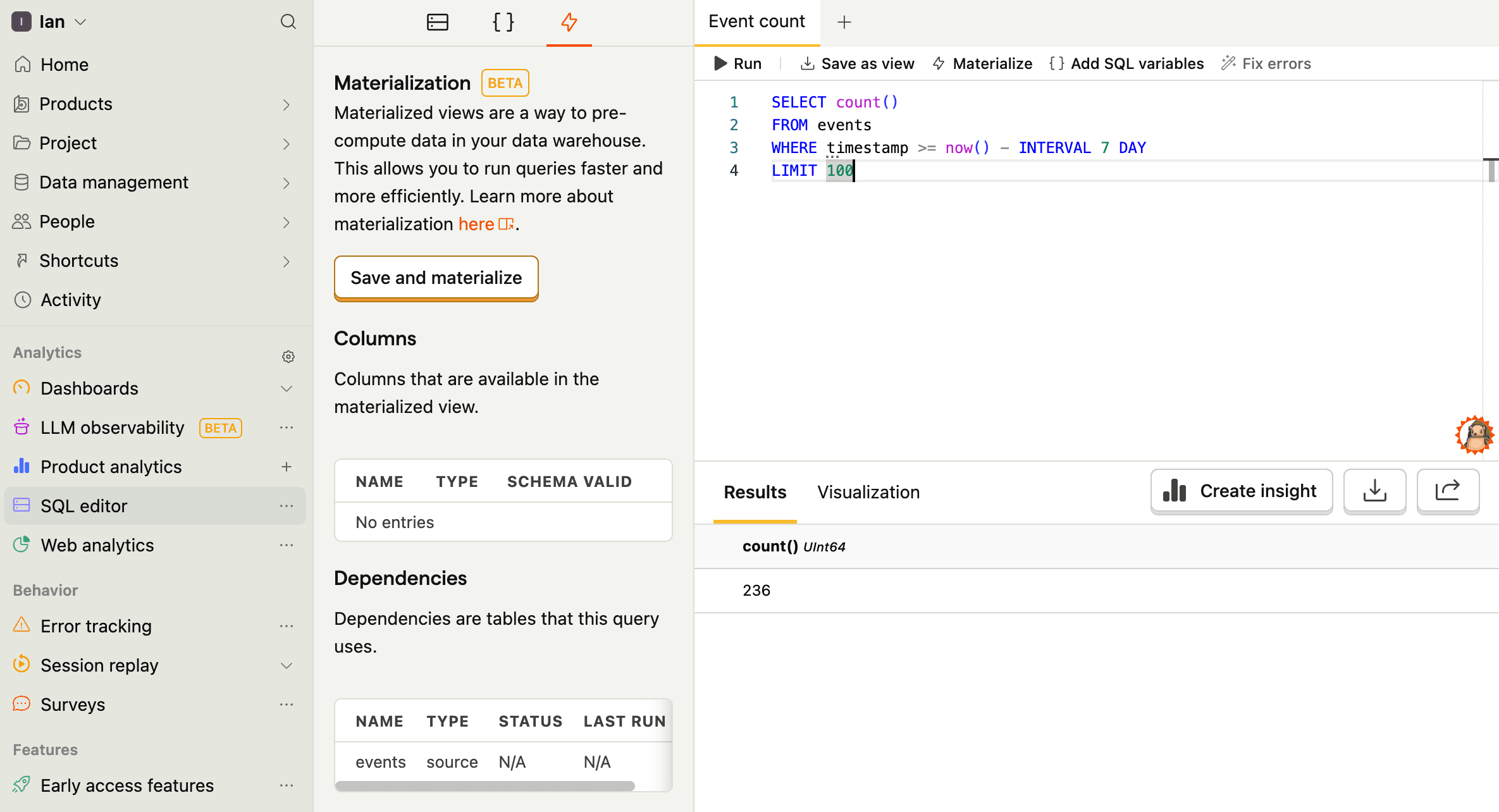
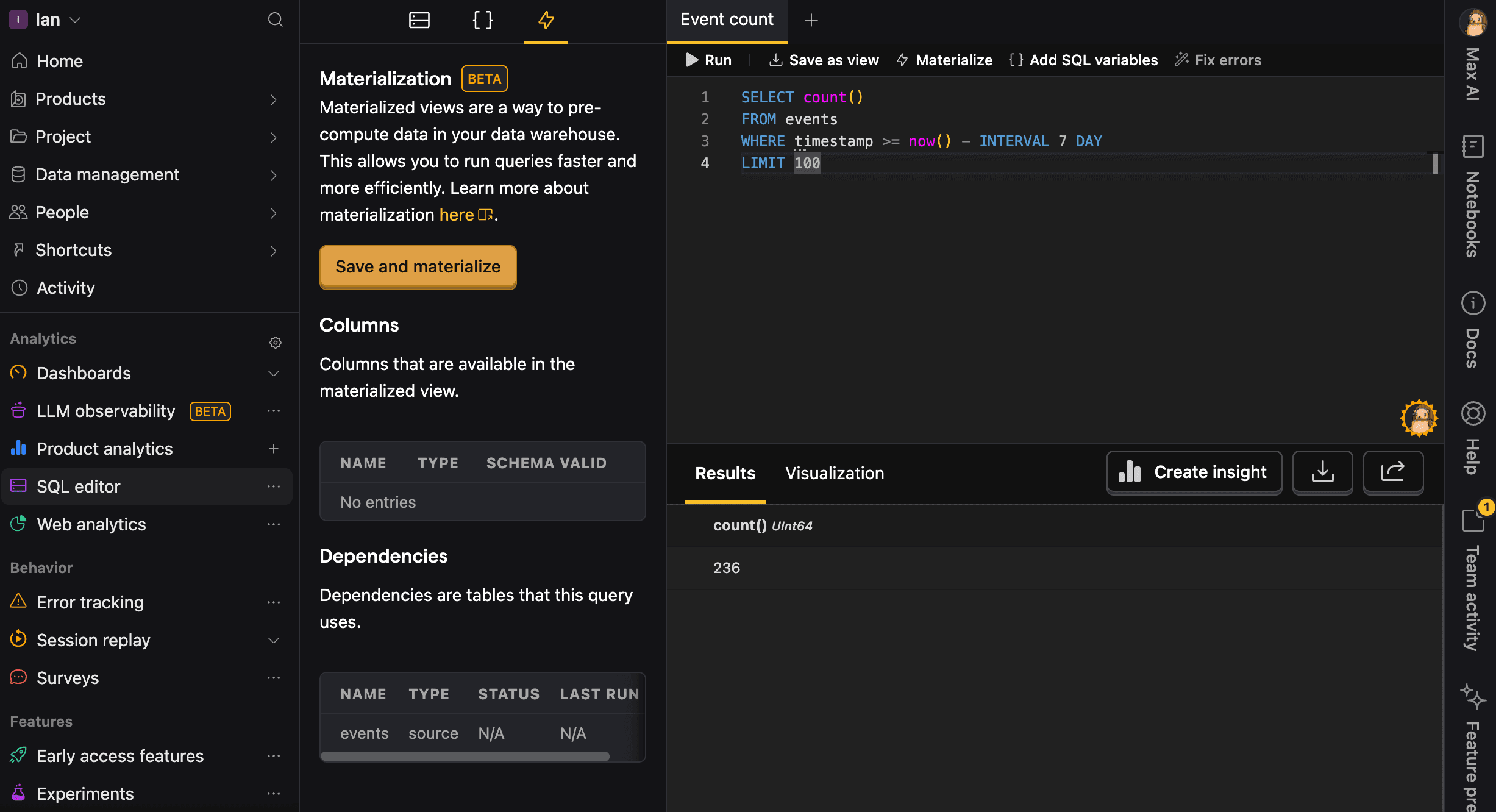
Once done, you can query the view like any other table.
3. Don't scan the same table multiple times
Reading a large table like events or persons more than once in the same query multiplies the work PostHog has to do (more I/O, more CPU, more memory). For example, this query is inefficient:
Instead, pull the rows you need once and save it as a materialized view. You can then query from that materialized view in all the other steps.
Start by saving this materialized view, e.g. as base_events:
You can then query from base_events in your main query, which avoids scanning the raw events table multiple times:
4. Use PREWHERE to filter before wide columns are read
Reading a property decodes the whole properties value for every row the query touches. A WHERE condition runs after that decode, even when it sits inside the subquery that does the scan. If you can express a selective filter on a real column of the events table, put it in PREWHERE so only matching rows are decoded.
5. Look up people in the persons table, not through events
Every event carries its person's properties, so it is tempting to fetch one person by filtering events. Without a time range, that scans the person's entire event history to return a single row, and a backend that does it per request can read petabytes a day.
If you have a distinct ID instead of a person ID, resolve it through person_distinct_ids and keep the filter on persons.id:
6. Name your queries for easier debugging
Always provide a meaningful name parameter for your queries. This helps you:
- Identify slow or problematic queries in the
query_logtable - Analyze query performance patterns over time
- Debug issues more efficiently
- Track resource usage by query type
Good query names are descriptive and include the purpose:
daily_active_users_last_7_daysfunnel_signup_to_activationrevenue_by_country_monthly
Bad names are generic and vague:
query1testdata
7. Use keyset pagination instead of OFFSET
OFFSET pagination is not supported for programmatic requests on /query and is currently rejected with HTTP 400 for personal API keys. If you're paginating to export data, stop and use batch exports instead – /query is not a supported export path.
For ad-hoc paging, use keyset pagination on the table's sort column: timestamp for events, id for persons. Other columns (e.g. created_at) are not indexed for this and will be slow.
8. Other SQL optimizations
Options 1-7 make the most difference, but other generic SQL optimizations work too. See our SQL docs for commands, useful functions, and more to help you with this.