





PostHog Desktop code review
Contents
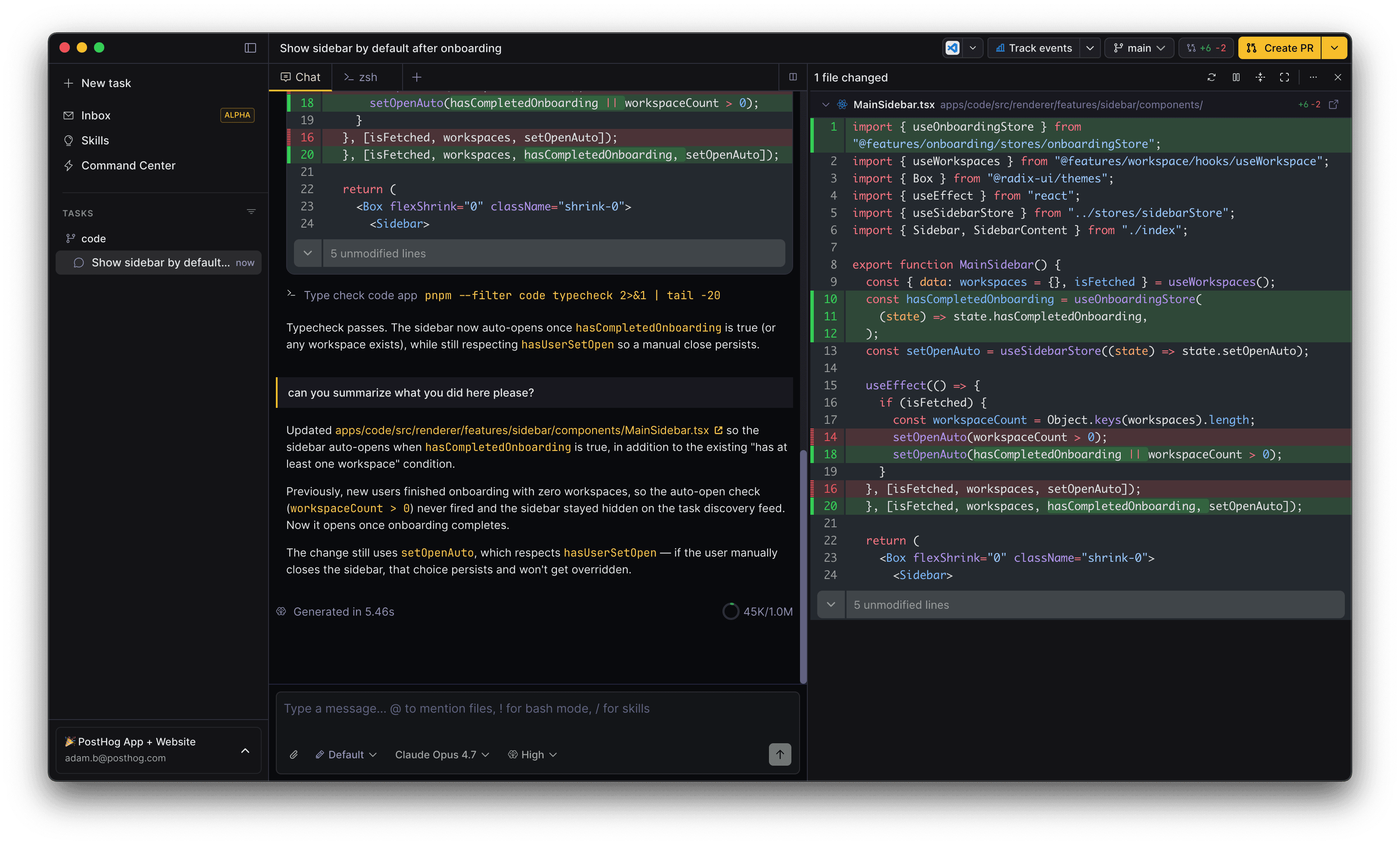
Every task in PostHog Desktop has a built-in diff panel for reviewing the agent's changes before they're committed or merged. You can read through edits, leave inline feedback, manage what's staged, and follow up on PR comments – all without leaving the app.
Opening the diff panel
The diff stats badge in the task header opens the panel. You can also toggle it with ⌘ Cmd / ⌃ Ctrl + ⇧ Shift + B.
The panel has two layouts:
- Split – sits beside the task chat, with a draggable divider for resizing
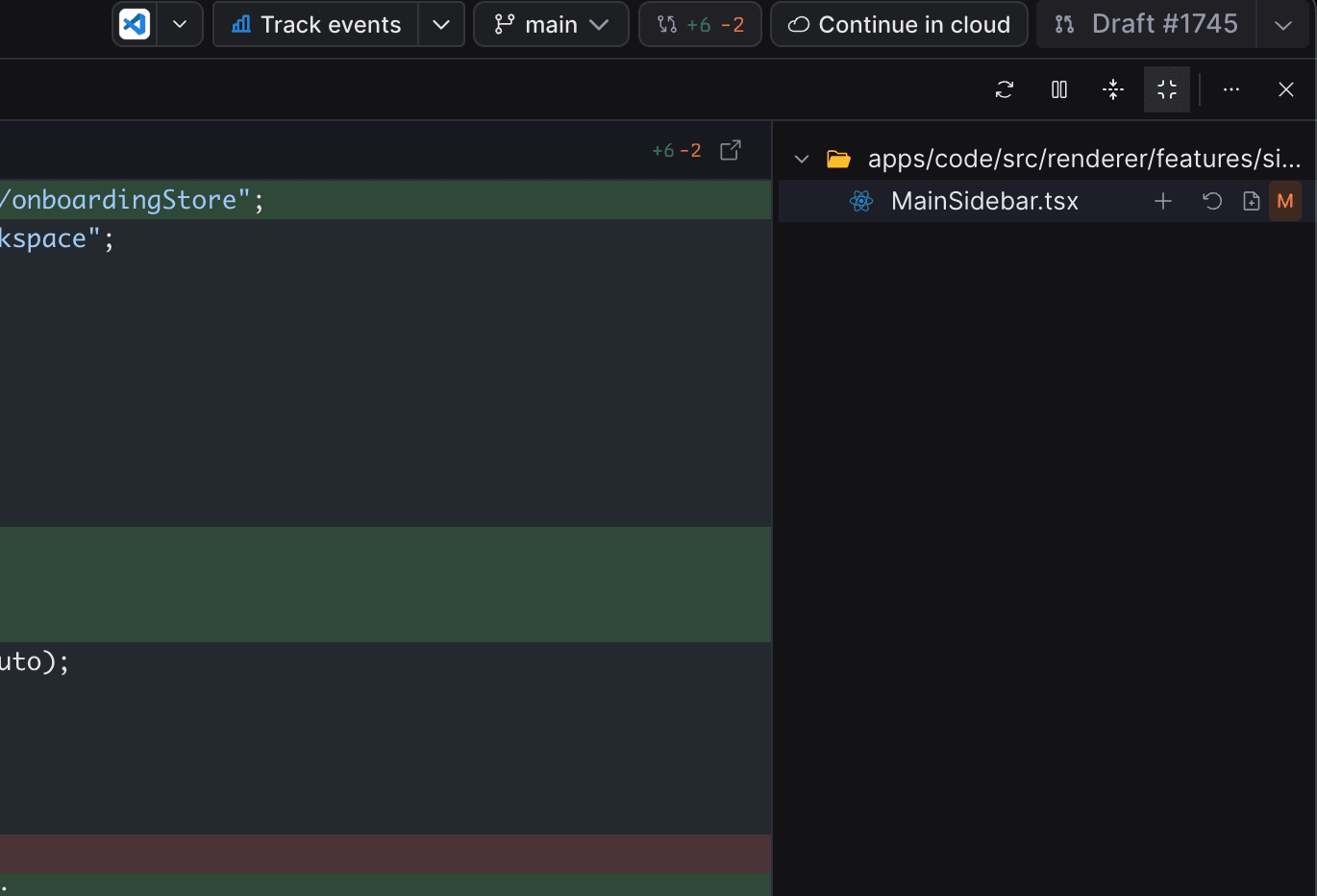
- Expanded – takes over the task view and adds a file tree on the right
Diff sources
The source dropdown in the toolbar controls what you're looking at:
| Source | What it shows |
|---|---|
| Local changes | Staged and unstaged edits in your working directory |
| Branch | The task's branch compared against the default branch |
| Pull request | Changes in the linked GitHub PR |
PostHog Desktop picks the most useful source by default based on what's available – local edits if there are any, otherwise the PR or branch.
Reading diffs
The toolbar's settings menu controls how diffs render:
- Unified or split view
- Word wrap for long lines
- Word diffs to highlight character-level changes
- Hide whitespace to ignore whitespace-only changes
- Show review comments to inline GitHub PR comments
Generated files (lock files, minified bundles, node_modules/, dist/, snapshots) and very large diffs are collapsed by default. Click Load diff to expand them.
Staging and reverting
When viewing local changes, the file list lets you manage your working tree without dropping into a terminal:
- Stage or unstage any file
- Discard all edits to a file
- Revert an individual hunk – hover any block in the diff and click Revert
- Open a file in your editor or copy its path
Follow up with the agent from the diff
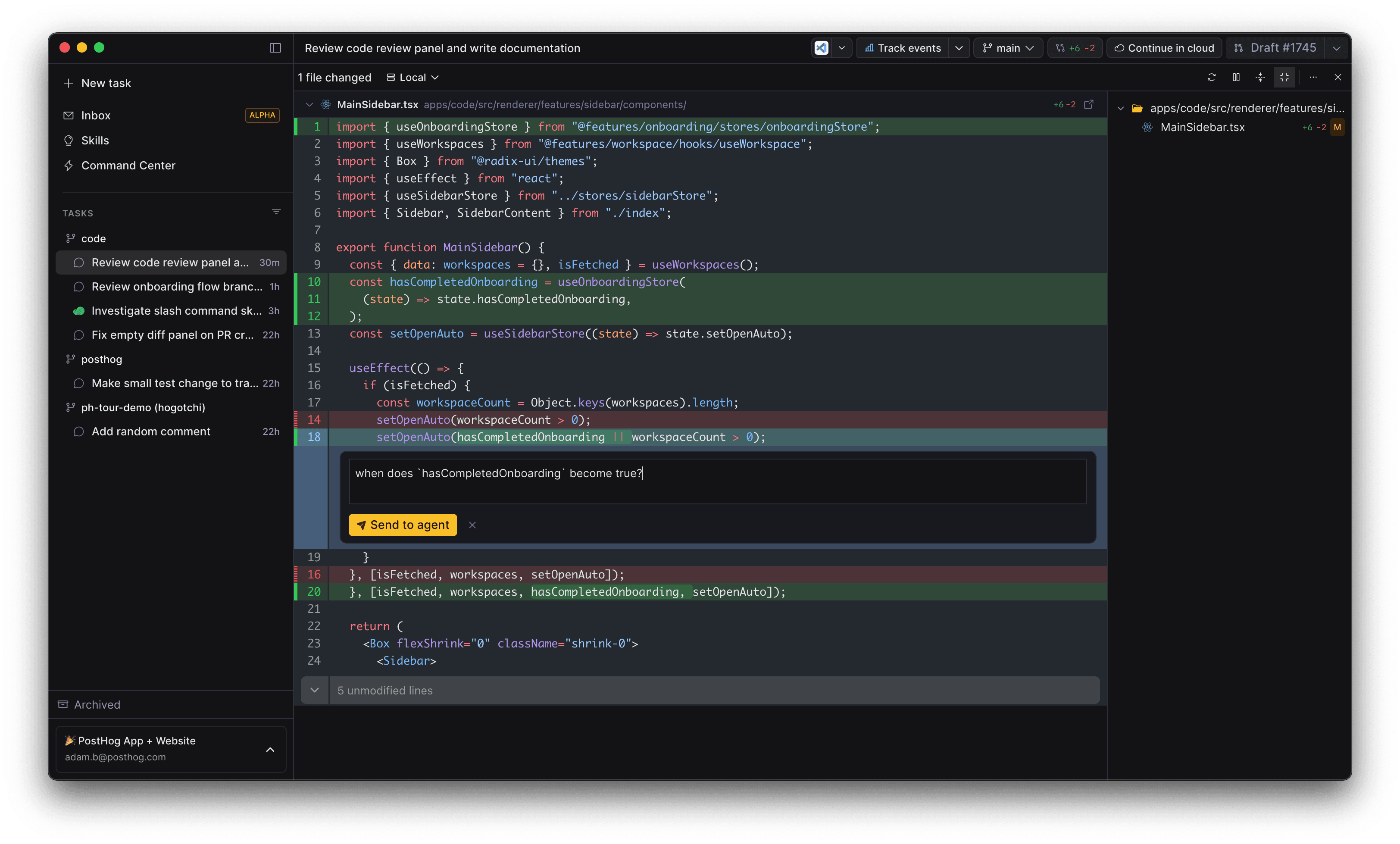
Click the plus button on any line(s) in a diff to open a comment box. Describe the change you want and press ⌘ Cmd + ⏎ Enter to send it to the agent. The prompt is sent as a follow-up message on the task, scoped to the file path and line range you selected.
This is the fastest way to ask for tweaks like "add a null check here" or "this branch is unreachable, remove it" without context-switching back to the chat.
You can send each comment on its own and have the agent address them one at a time, or stack several up and hand them over together. Adding comments to a batch works like leaving review comments on a GitHub PR: the agent picks up all of them in a single follow-up when you submit the review, instead of reacting to each one as you write it.
GitHub pull requests
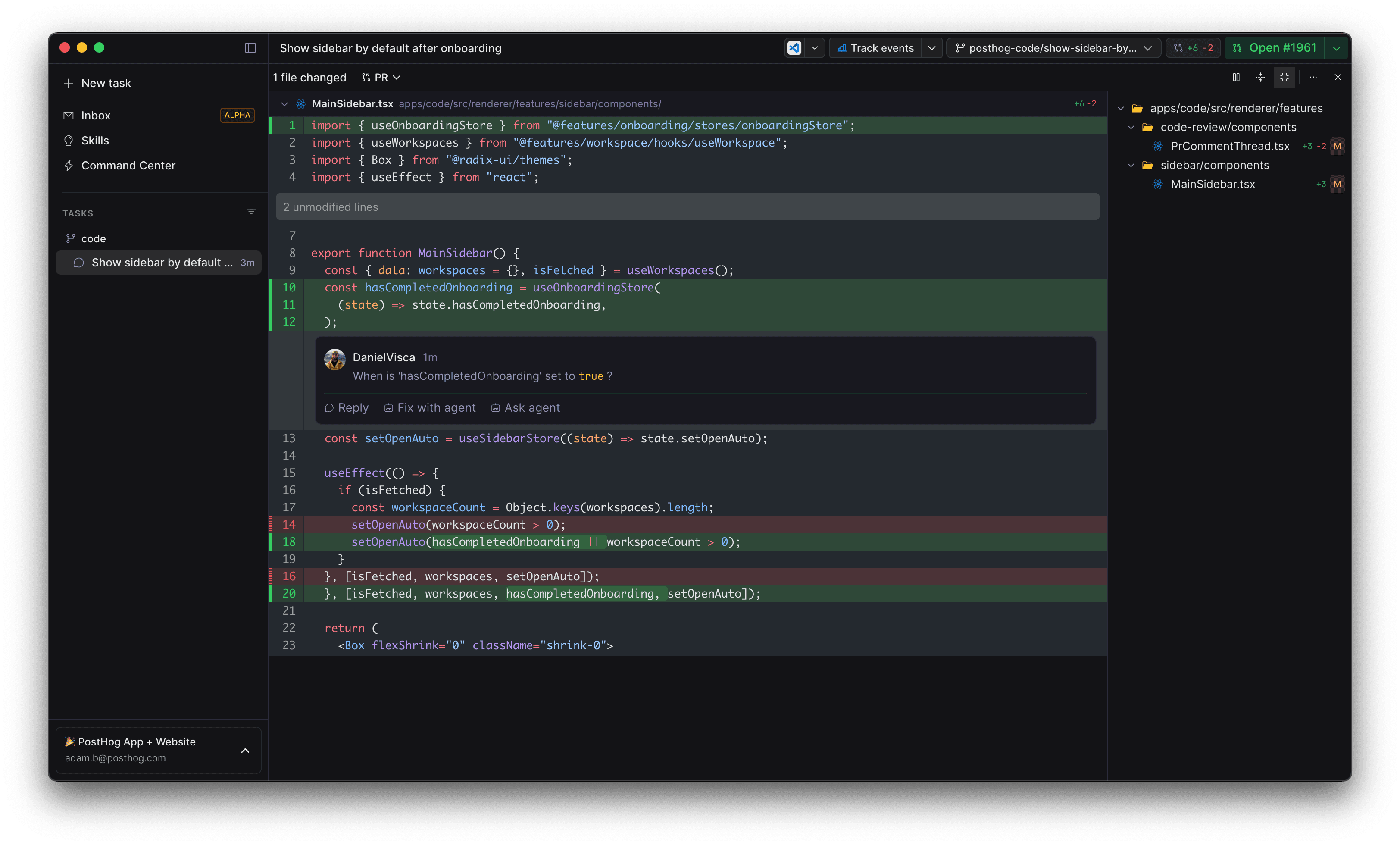
When the task has a linked PR, the diff panel doubles as a PR review surface:
- Existing review comments appear inline next to the code they reference
- Reply posts a response back to GitHub
- Fix with agent sends the comment to the agent with instructions to address it
- Ask agent asks the agent to explain or push back on the comment without making changes
PR status and merge actions live in the task header alongside the diff badge.
Next steps
- Learn how the GitHub integration wires PRs into PostHog Desktop.