








Manual feedback event capture
Contents
If you are not building a React app or otherwise need more control (such as a completely custom followup UI), you can capture user feedback events manually.
In summary, you'll emit these events with $ai_trace_id properties:
- Emit a
survey shownevent when a user sees your survey - Emit a
survey sentevent each time a user answers a question
Step 1: Track impressions
While not required, we recommend emitting survey shown events when a user sees your survey. This enables two things:
- Accuracy when viewing all metrics in Surveys
- Heads-up messages within LLM traces that indicate a user saw a survey, but did not respond
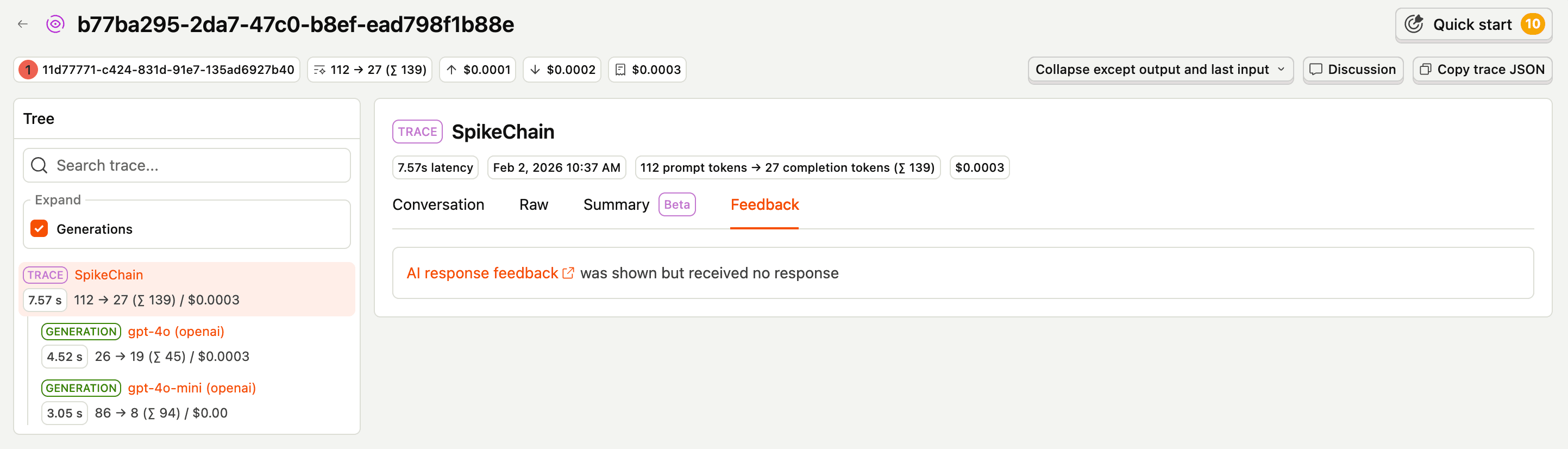
survey shown events must have the following properties:
| Property | Description |
|---|---|
$survey_id | Your survey ID |
$ai_trace_id | Your generated trace ID |
Note: we do not yet support an easy way to check whether a user has responded to a given survey/trace combination. Because of this, without your own persistent tracking, you may end up with duplicate
survey shownevents.Duplicate events will not impact your ability to view responses per trace, but will skew impression & response rate metrics on your Survey overview.
Step 2: Collect responses
You'll send one survey sent event per survey question, with a unique submission ID that groups events into one "response." PostHog aggregates these events based on the submission ID in order to display each complete response.
survey sent events may have the following properties (* = required):
| Property | Description |
|---|---|
$survey_id * | Your survey ID |
$survey_response_{questionId} * | The current question's response value, where id is the current question's ID |
$ai_trace_id * | ID for the trace corresponding to this survey |
$survey_submission_id | A unique ID you generate to aggregate responses for multi-question surveys |
$survey_completed | boolean, whether this survey is complete (useful for multi-question surveys) |
To get survey question IDs, you have two options:
- Go to Surveys, find your survey, and check the Overview tab. This will show the full survey object, including each question's ID.
- Call the PostHog SDK's
getSurveysmethod to retrieve your survey, then extract the question IDs from the response.
To learn more about the properties available for survey events, or how to use the getSurveys method, see Implementing custom surveys.
Example
An example sequence for a thumbs up/down survey with a followup may look like this: