







Configure your dashboard
Contents
Customer Analytics is currently in beta and free to use. We're actively developing this feature and would love your feedback.
The customer analytics dashboard gives you an overview of the metrics that matter when building toward product-market fit: active users, signups, conversions, and engagement.
To extract its full potential, you need to configure a few events so that we know what is what. They also serve as a guide if you've just started instrumenting your application and unsure of what to track: tracking these is a good start.
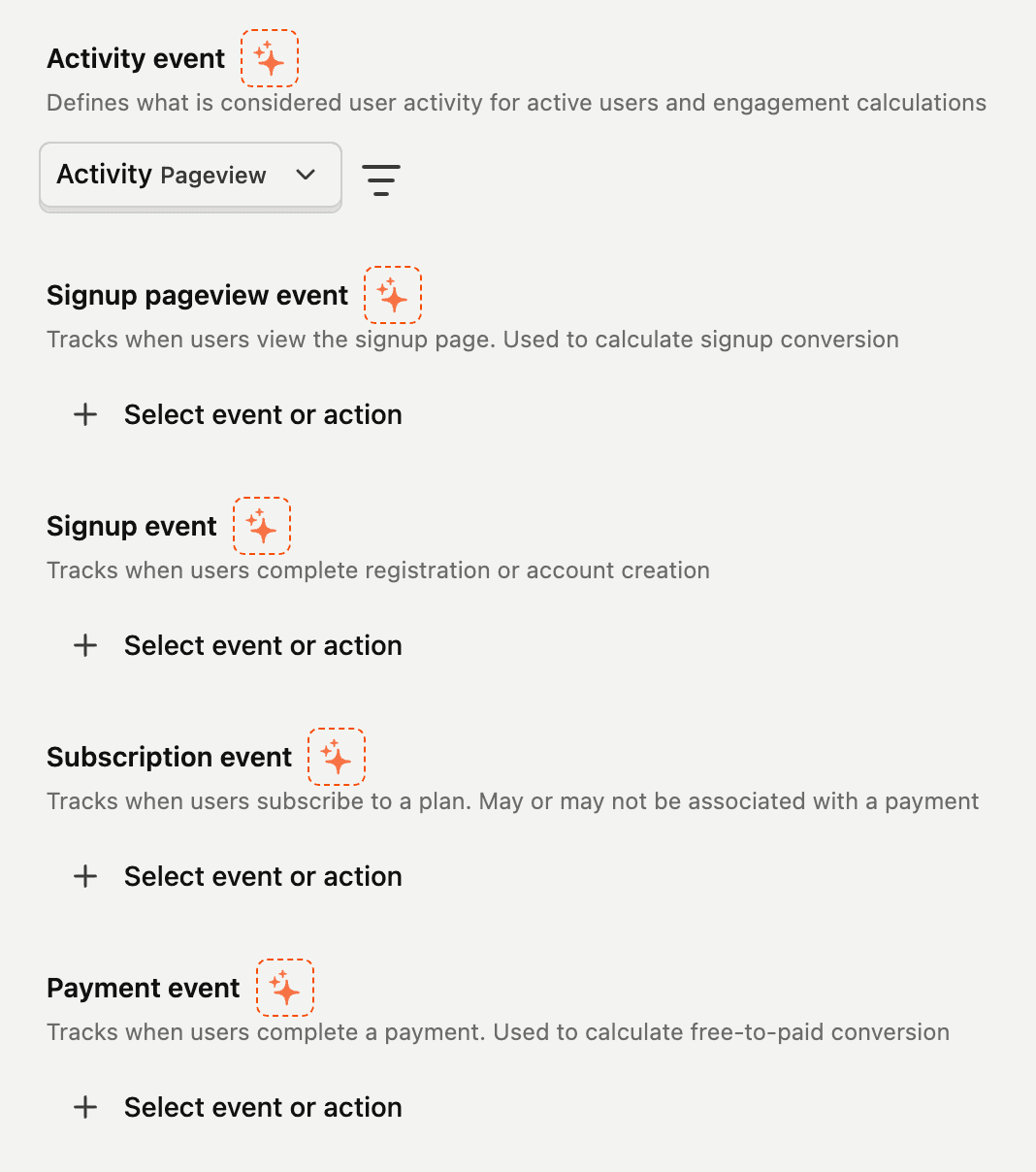

If you already have captured events, you can use PostHog AI to help you figure out what events to use.
Activity event
What action a user needs to perform in your application to be considered active? The answer is your activity event.
This can be a single event or a set of events, it will depend on the size of your application.
Try to avoid generic, catch-all events here: plain pageview are usually not good activity events, as most of the time simply viewing a page doesn't mean much. If this is your case, try at least narrowing down by url or some other property.
At PostHog, for example, we track user activity with an action that encompasses events from each of our products. Some events that are part of this action are insight created, feature flag created, survey viewed, etc.
Signup pageview event
These are the pageviews of your signup page. Nothing fancy. We use this to calculate your signup rate (rate of users who viewed the signup page and signed up), as well as the average conversion time.
This is usually pageview events of a specific url.
Signup event
The signup is the event triggered whenever a new user completes registration and/or creates an account in your application. It is important to differentiate signup from login/sign-in, as these are entirely different events. A user can perform multiple sign-ins, while they can only signup once.
Tracking signups is crucial to understand how your product is growing and your customer acquisition.
Subscription event
Subscription happens when the user enrolls into a plan. This can happen at different moments in different products: sometimes a subscription happens when signing up, sometimes it happens along with a payment. It doesn't really matter at what point it happens, what happens is that we're tracking subscriptions independently.
Payment event
This is when the money is finally in! Payment events should track successful payments performed by customers. We use this event to calculate the number of paying customers and free-to-paid conversion rate.
Deep diving on customers
Click on any customer in the dashboard to open their customer profile, where you can see their full activity history, errors, and support tickets.