LetPostHogcodeDiscord

The product editor for product builders
A multiplayer workspace for you, your team, and your agents – with your product data as context, and PostHog tools to ship and measure.

  • Build and edit your product
  • Run a fleet of agents
  • Turn product signals into PRs
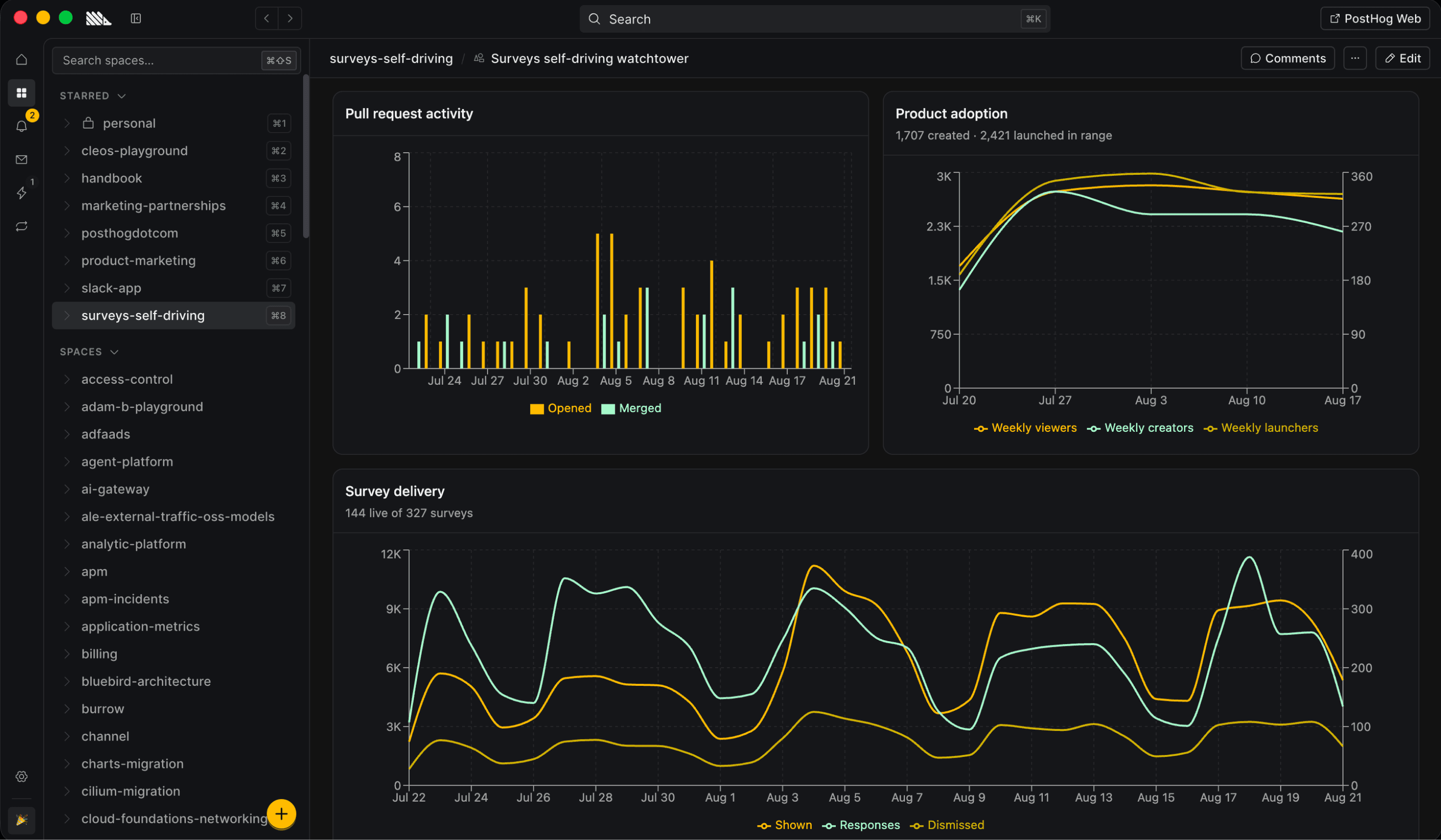
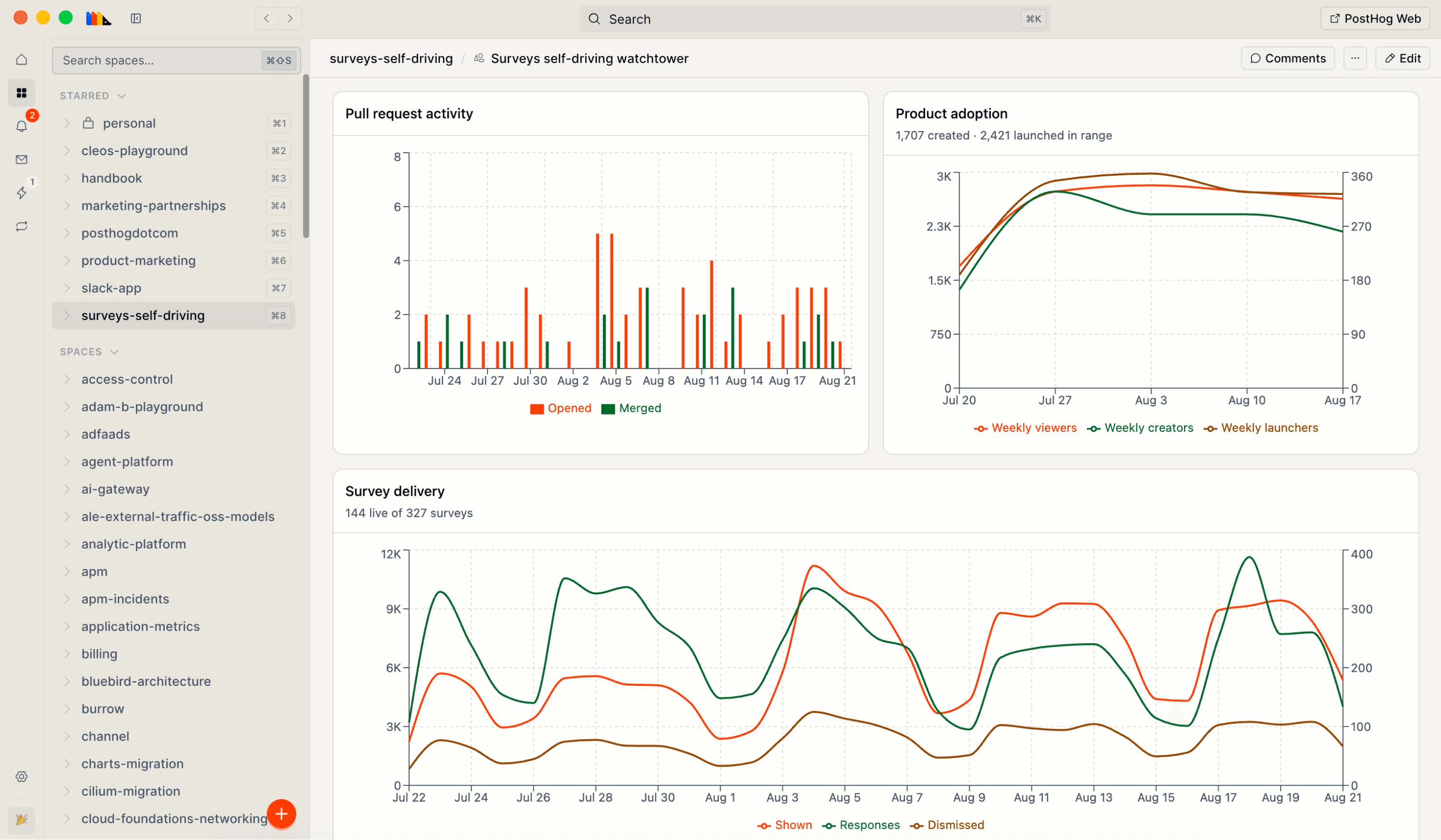
A canvas of survey results open in PostHog Desktop
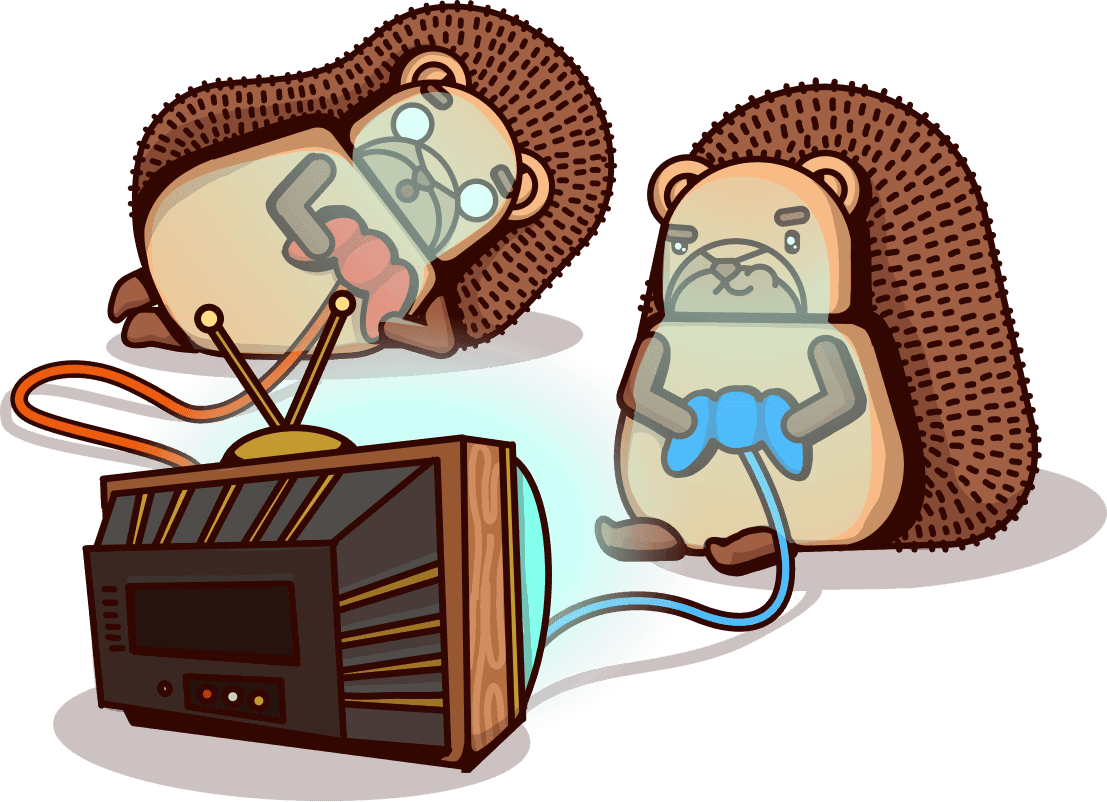
Two hedgehogs building something together

The old way to build with AI

Most AI code editors lack context. They use your <codebase /> as the source of truth and wait for you to hit Build not how people actually use your product.

Sound familiar?

  • You're using Claude Code, Codex, or another agent to prompt real engineering work
  • You've got the PostHog MCP wired into your editor, terminal, maybe your CI
  • Running a handful of agents in parallel doesn't even feel like a flex anymore
  • Every session starts cold, no memory of the last decision or PR
  • You're still the one watching the rollout and catching regressions

TABLE STAKES 2026

(yep, PostHog has that)

parallel agents$0.00
multi model$0.00
MCP servers$0.00
code diffs$0.00
cloud sandboxes$0.00
AI sparkles$0.00
TOTAL$0.00

thanks for shopping at agent mart

A hedgehog relaxing with a banana

The PostHog way

Signals
In-app activity
Logs
Errors
Payments
Session recordings
Traces
Funnel dropoff
Feature flags
Experiment results
Internal threads
Support tickets
Backlog
Transcriptions

PostHog Desktop reads signals from production data and ships improvements while you sleep.

Bring the big idea. Run a fleet of agents. Watch your product thinking become shaped, shippable work.

TL;DR: There are plenty of AI coding tools, but only one that knows your product like PostHog Desktop.

Everything you'd expect in an AI coding tool, but way more...

Agree on the plan before any code

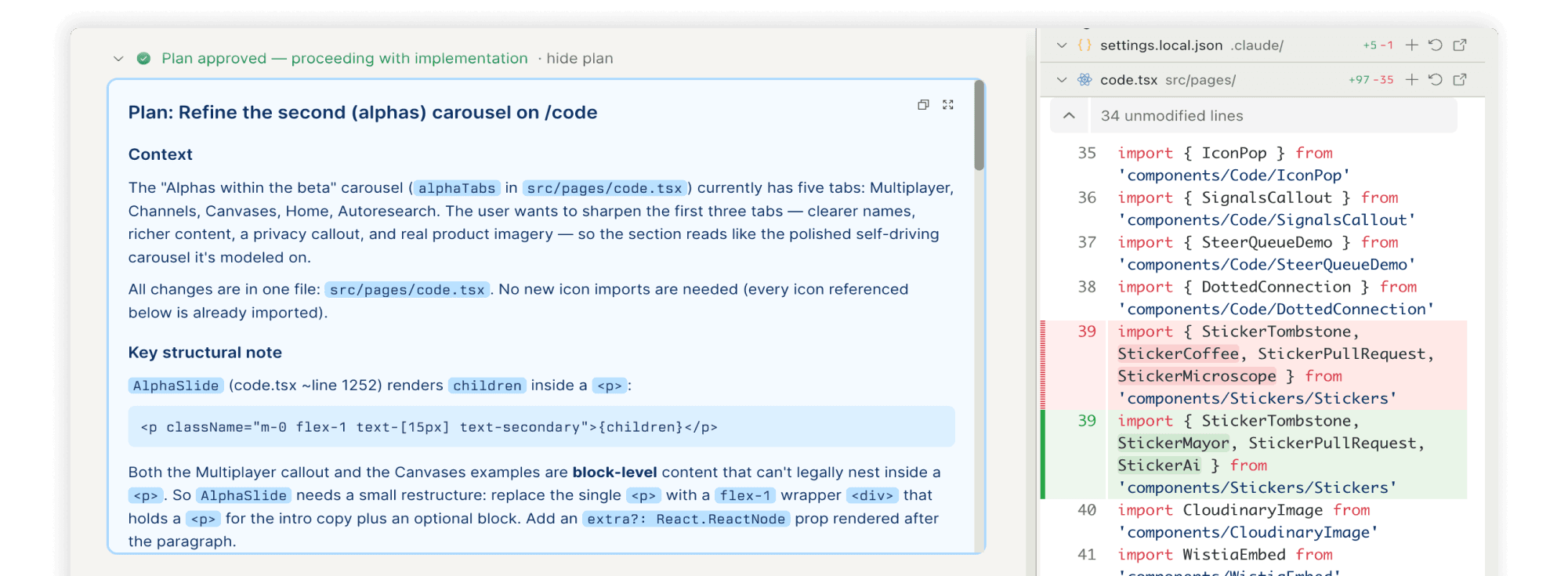
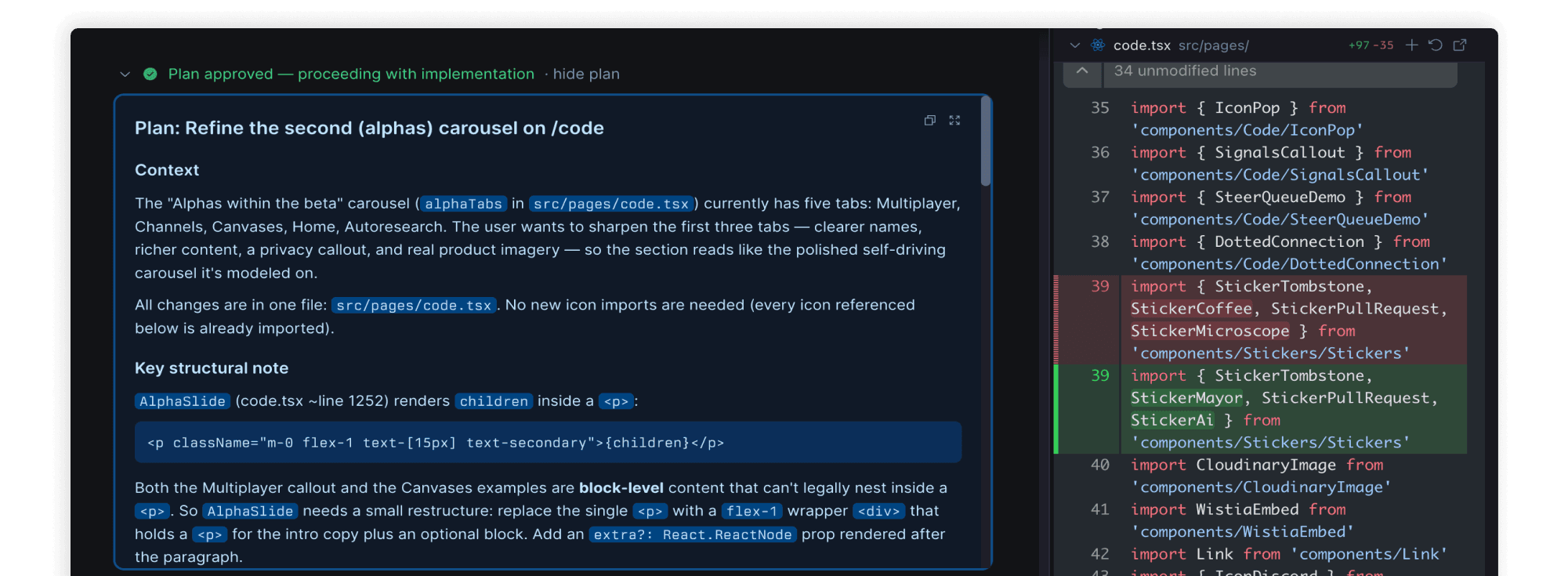
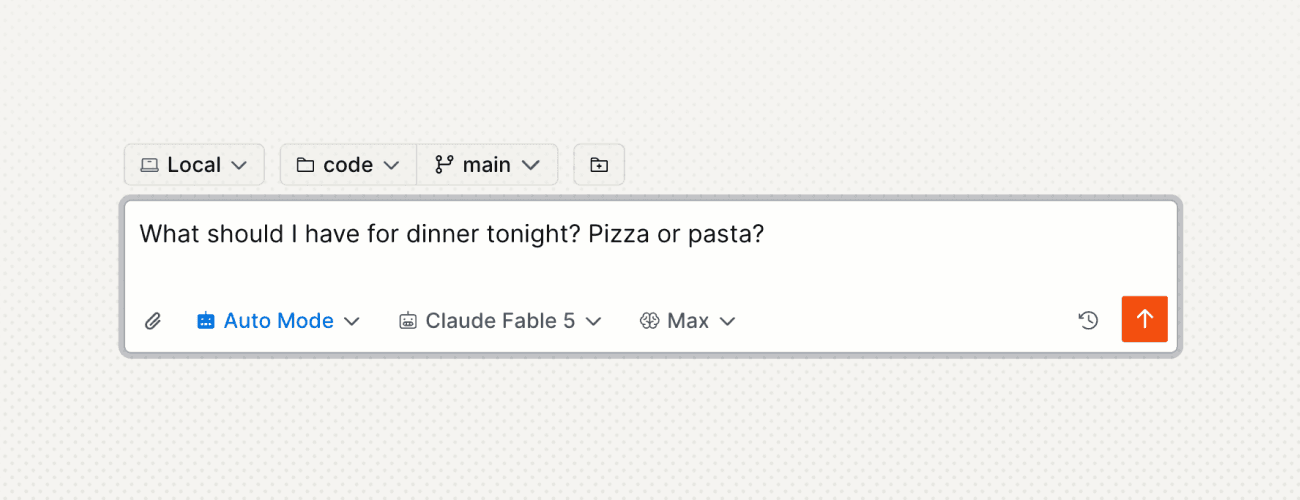
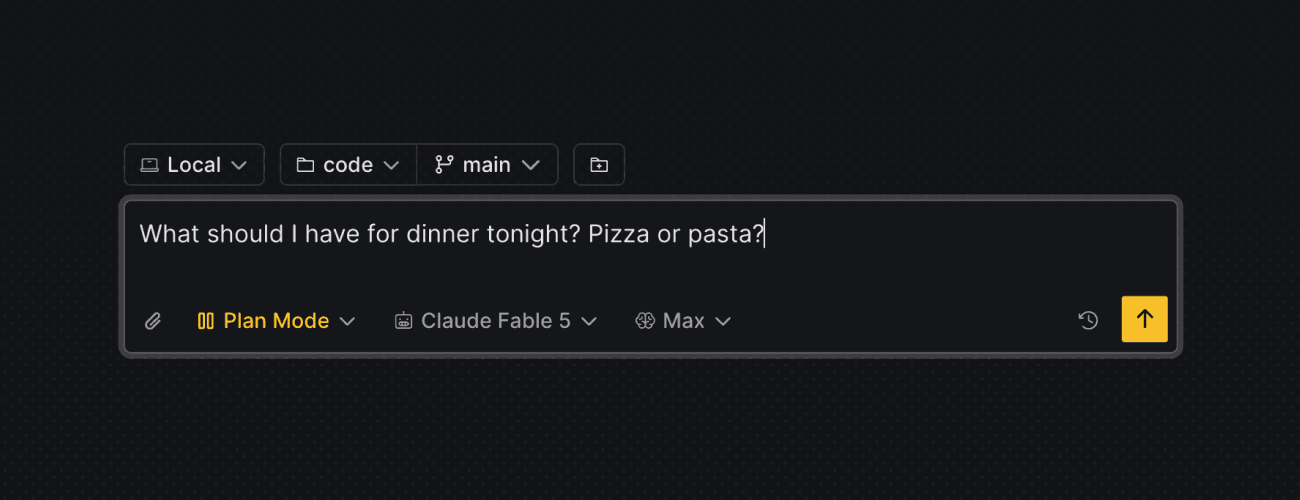
If dangerously skipping permissions isn't your thing, coding tasks can start in Plan mode. The agent explores your data, asks clarifying questions, then writes an implementation plan for you to approve.

Mode

Switch anytime, even mid-task

Accept EditsPlan ModeAuto Mode
Model

Choose your weapon

ClaudeCodexOpen source
Effort level

Still effortless for you

Low–mediumHigh–extra highMax
Plan mode: clarifying questions and an implementation plan to approve

Dang, PostHog's got skills

PostHog Desktop loads the same skills Claude Code uses: from your machine, from the repo you are in, and from any marketplace plugins you have installed. It also includes PostHog-maintained skills for things like event capture, feature flags, experiments, and error tracking.

Personal skills

Your party tricks (nobody else needs to know).

Team skills

"How do we do X here", with version history.

Skills marketplace

Someone already solved this. Take the win.

Supported LLMs

OpenAI

GPT-5.6 SolGPT-5.6 TerraGPT-5.6 LunaGPT-5.5GPT-5.4

Anthropic

Claude Fable 5Claude Sonnet 4.6Claude Opus 4.8Claude Opus 4.7Claude Haiku 4.5
Picking a model for a task in PostHog Desktop

Open weight models got good?

We support

GLM-5.2Kimi 3…and more, if you have requests

The gap between free and frontier went from “lol” to “wait…” real quick. For a big slice of coding work, open weight models now perform the same for a tenth of the price.

PostHog Desktop runs both, so you can choose the best model for the work and your budget.

1/10th

the price*

For a lot of coding work

Seven cloud agents, one closed laptop

Run tasks in a PostHog-managed sandbox instead of on your machine. Quit the app, sleep the laptop, change networks: the agents keep building, and the branches are waiting when you get back.

An environment is the profile a sandbox boots with. Set one up and every cloud task starts on the repos you picked, with the keys and the tools already there.

A hedgehog in a pink wig lounging on a cloud with a candy swirl

Baby, you're a firewall.

Environments

Repos, hosts, and base image in one profile. Yours, or the whole team's.

Access

Trusted domains, the whole internet, or your own list. Keys stay encrypted.

Base images

Bake your tools in once. No run starts with a fresh install.

Set up an environment

MCP marketplace

Extend your agents with tools, data, and integrations.

GitHub

Slack

Notion

Linear

Figma

Stripe

Supabase

GitLab

Granola

Sentry

Cloudflare

Datadog
HubSpot

Atlassian

Postman

ClickHouse

Prisma

Neon

PlanetScale

Render

Clerk

LaunchDarkly

PagerDuty

Context7

Canva

Box

Monday

Sanity

Svelte

Hex

Wix

Attio

Mem0

Circle

Browserbase

AirOps

Cisco ThousandEyes

Firetiger

Part of the self-driving loop

  • PostHog Desktop is where you do the work – run and steer agents, solo or with your team.
  • Slack is where you talk it through – tag @PostHog to ship without leaving the thread.
  • Web and MCP are how you ship from anywhere – clicky dashboards for humans, an agent-native surface for everything else. PostHog can ship without you too (that's the self-driving part).
How self-driving works

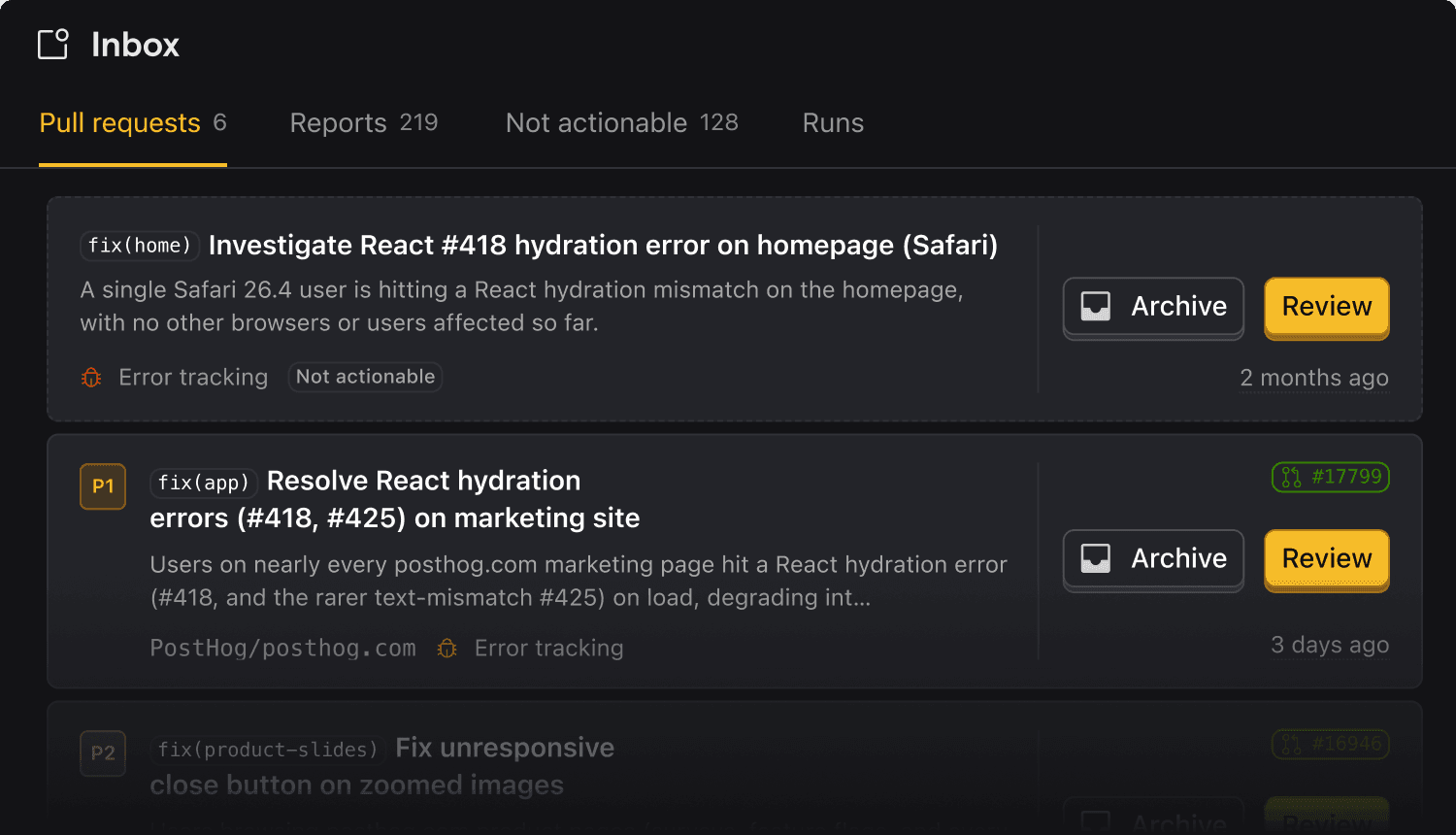
Finally, an inbox you look forward to opening. Product signals go in, PRs come out.
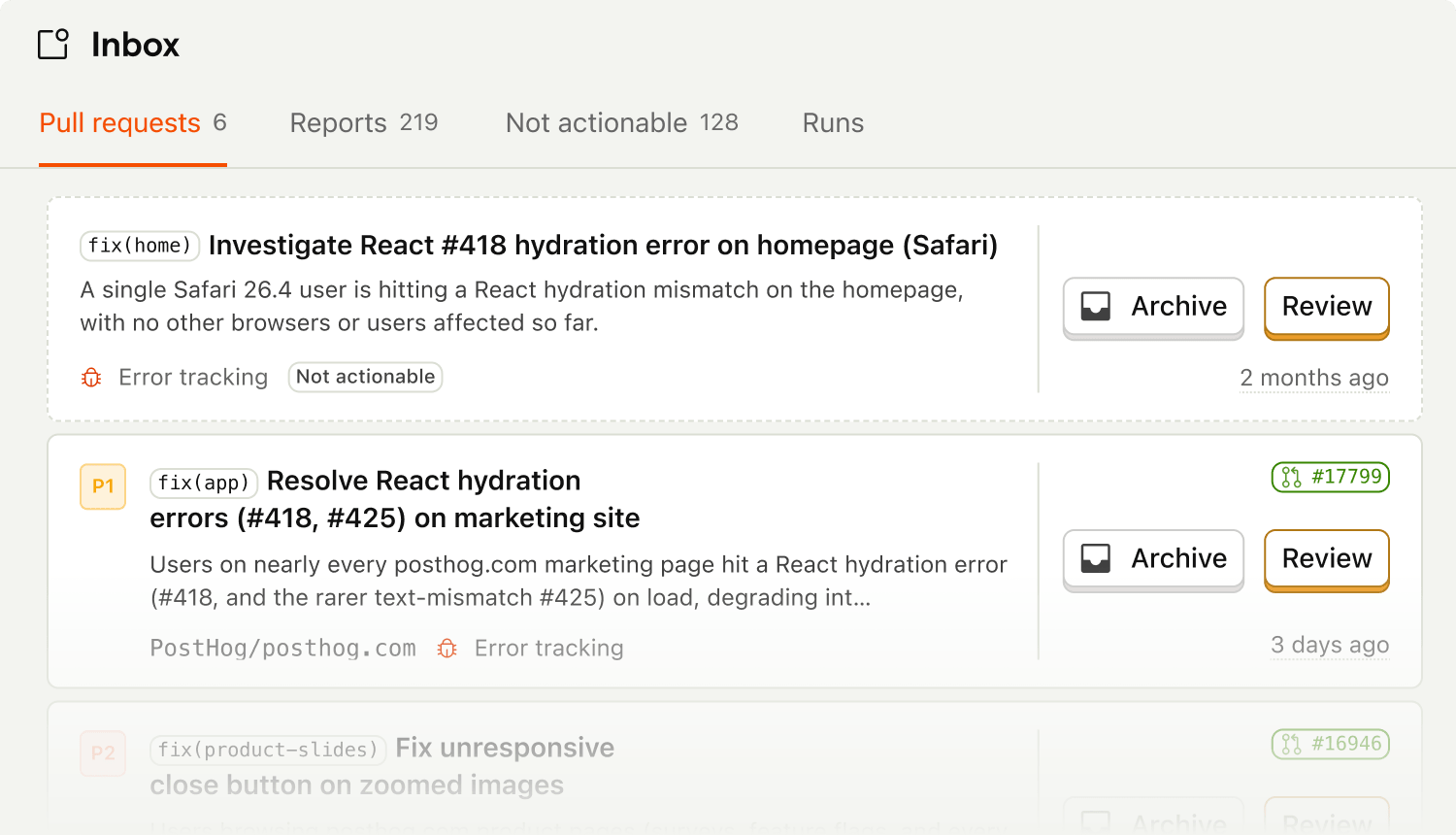
The Inbox surfacing reports and pull requests in PostHog Desktop

Alphas within the beta

PostHog Desktop is in beta. These bits are still alpha inside it (rough, changing weekly, and the most fun). It's where coding stops being a single player, and your team and agents share one workspace.

Multiplayer (like work actually is)

Alpha

A space is a group of tasks related to a specific topic or project. Each one keeps its own working memory, so kicking off a task doesn't require you to re-brief a goldfish.

CONTEXT.md tells agents the specific details they need to know when working in access-control – conventions, gotchas, key files, and anything else that isn't obvious from the code.

context.mdMemoryArtifactsInboxTo-do listPR #4821

access-control

@Peter created this space. It remembers everything.

AL
Adam1w

joined the space

PostHogAgent2h

@Peter started a new task

Add role-based permissionsPR ready

What do you want to ship? / for skills

Congratulations on your promotion

You used to write code. Then you prompted outputs. Now you orchestrate outcomes. PostHog Desktop is built for the abstraction level you're moving to next and the work that isn't quite possible yet (but you'll probably be doing soon).
Try it

Download PostHog Desktop and sign in with your PostHog account.

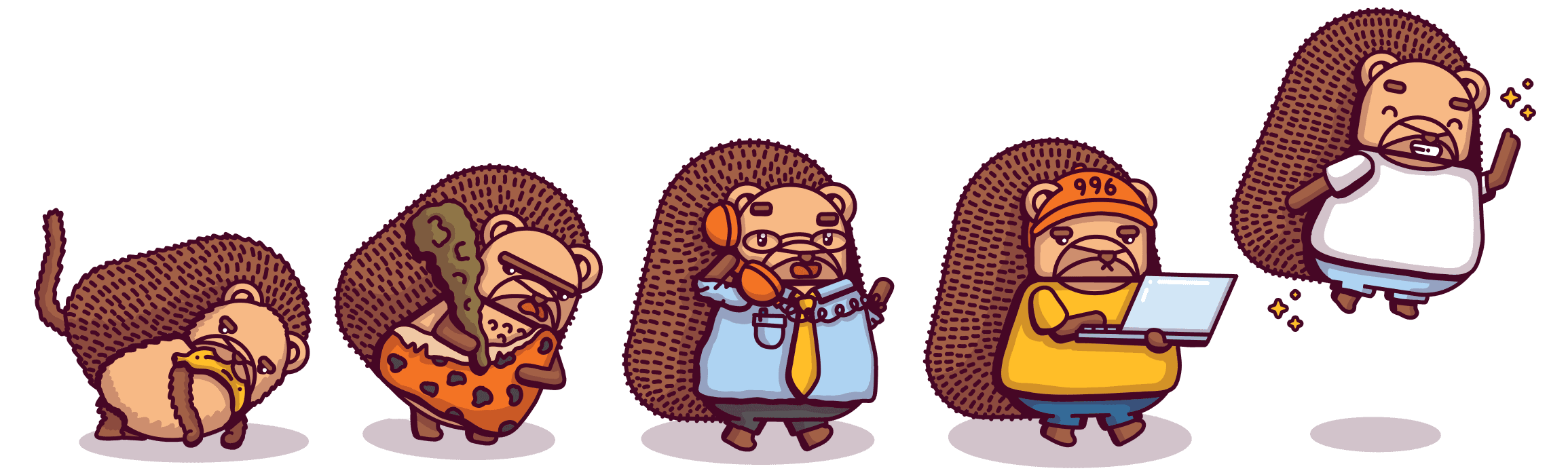
The evolution of build mode

Frequently asked questions

PostHog Desktop is a desktop coding agent that understands your product and business, not just your source code. It picks up work from product signals – errors, support tickets, session replays, GitHub issues, Linear, Zendesk – researches the causes, and ships pull requests for you to review.

You can also drive it manually like a regular coding agent: open a task, describe what you want, and watch it work. Run tasks locally, in an isolated worktree, or in a PostHog-managed cloud sandbox.

Yep, we renamed it. Writing code turned out to be one small part of building a product, so we made room for the rest of it: shared spaces where your team and your agents work together, and canvases they can build to answer a question.

A space is where a project lives. It holds the agent sessions, the canvases, and a CONTEXT.md with the background an agent needs. Your personal space stays private. Shared spaces let teammates follow the work in a feed, reply in a thread, and pick up where an agent left off.

A canvas is an interactive app an agent builds around your PostHog data. Ask for one in plain English and you get a working first version, with no SQL and no frontend work. They're for the questions a normal dashboard can't answer, like a release health board or a customer lookup tool for support. Comment on any part of it to ask for changes, and every rebuild is a version you can revert to.

PostHog AI is the product assistant built into PostHog Web. It's deeply integrated with your data and helps with things like writing SQL and analyzing user behavior through natural-language prompts.

PostHog Desktop is a desktop app for building. It runs coding agents on models from Anthropic, OpenAI, and other providers, and turns product signals like error spikes and support reports into pull requests.

In a nutshell: PostHog AI helps you understand your product. PostHog Desktop helps you build it.

The latest generation of AI-powered coding agents are remarkably capable at writing code. But there's a problem: they have no idea what your product is or what your users need.

That context already lives in PostHog. When your product data and AI agents work together, agents can automatically run analysis, fix bugs, and write pull requests so you can focus on more high-value work.

Yep! PostHog Desktop is a full coding agent – not just a plugin for another editor – so you can use it as your primary tool for generating code.

If you'd rather keep your existing editor, you can still get the product-data layer: the PostHog MCP server works with Cursor, Claude Code, Windsurf, and VS Code with Copilot.

You pick a harness, a model, and a reasoning effort for every task. The harness options are Pi, which is PostHog's own, plus Claude Code and Codex. Pi is the one to reach for when you want your own skills, MCP servers, and extensions in the loop.

Models come from Anthropic, OpenAI, and other providers. The picker in the app is always the current list. You sign in with your PostHog account, so there are no API keys to juggle.

If you'd rather keep your existing editor, the PostHog MCP server works with any MCP-compatible agent, including Claude Code, Cursor, Windsurf, and VS Code with Copilot.

Skills give the agent a repeatable process for one specific job, so you stop explaining the same steps every week. PostHog ships skills for instrumentation, experiments, error tracking, and more. You can also install community ones, write your own, or publish one to your team.

For the bigger picture, every space has a CONTEXT.md holding your conventions and product background. It applies to every session in that space, wherever the task runs, and PostHog Desktop can draft the first version from your repos.

It still works. Without PostHog it's a general-purpose coding agent, and the product context is a bonus on top rather than a hard requirement. You do need a PostHog account to sign in, since that's what pays for model usage.

That said, the context is the whole point. PostHog is free up to generous limits, and the wizard gets you set up in about 90 seconds.

You can always just tell it what to do. But PostHog Desktop also has an Inbox: PostHog's self-driving layer watches your product, ranks what needs doing by importance, impact, and severity, and files it as reports you can turn into a task in a click.

The full ranking, signal sources, and priority thresholds live in the self-driving docs. PostHog Desktop is where you review and action what it surfaces.

Three modes, picked per task:

Local runs in your current branch and working directory. Worktree creates an isolated git worktree per task, so you can run several agents in parallel without stepping on each other. Cloud runs in a PostHog-managed sandbox that survives app restarts, sleeps, and network changes.

You can hand a task off mid-flight – start in the cloud and pull it down to local to finish, or vice versa. The full conversation history and any uncommitted changes come with it.

Your code stays in GitHub. PostHog Desktop agents access your repo to open PRs, much like any CI/CD integration.

Live product context is worked out on your machine. PostHog Desktop spots event capture, feature flag checks, and SDK setup in your files, then fetches only the matching metadata from the project you picked. No source code is uploaded for that.

Cloud tasks run in a PostHog-managed sandbox, and you set the network rules: a trusted allowlist, the whole internet, or your own list of domains.

Yes. PostHog Desktop reads your data through the account you signed in with, so there are no API keys to manage or leak. The project switcher in the bottom-left corner sets which project the agent can see, and data isn't sent anywhere other than PostHog's servers.

The first time an agent reaches for an unapproved MCP tool, it asks. Allow it once, allow it for the session, or block it, and set a standing rule per server once you know what you want.

Yes – PostHog Desktop can both read and write to PostHog, depending on your account and tool permissions. It can create feature flags, set up experiments, build dashboards, and define actions.

Write operations follow your MCP tool policies and the task's autonomy mode. Review those settings before you allow an agent to change production data.

PostHog Desktop is usage-based – there's no fixed subscription. AI credit use depends on the model, token use, and resources required to complete the task.

Every organization gets a $20/month free tier to explore. Set a billing limit to control additional use. Simple tasks use very few credits; larger, multi-file work uses more. See the pricing docs for the full breakdown.

If your agents did nothing this month, you pay nothing this month. (Imagine Anthropic saying that.)

Yes, MIT licensed. The source lives in products/desktop in the PostHog monorepo, alongside the contributing and architecture guides. PostHog builds and ships it for macOS (Apple Silicon and Intel), Windows, and Linux (AppImage, .deb, and .rpm).